Features / Expenses

The costs behind the work.
Ready for the bill.

Record a project cost while it is fresh. Keep its description and amount with the client, then bring the expenses you choose into an invoice draft.

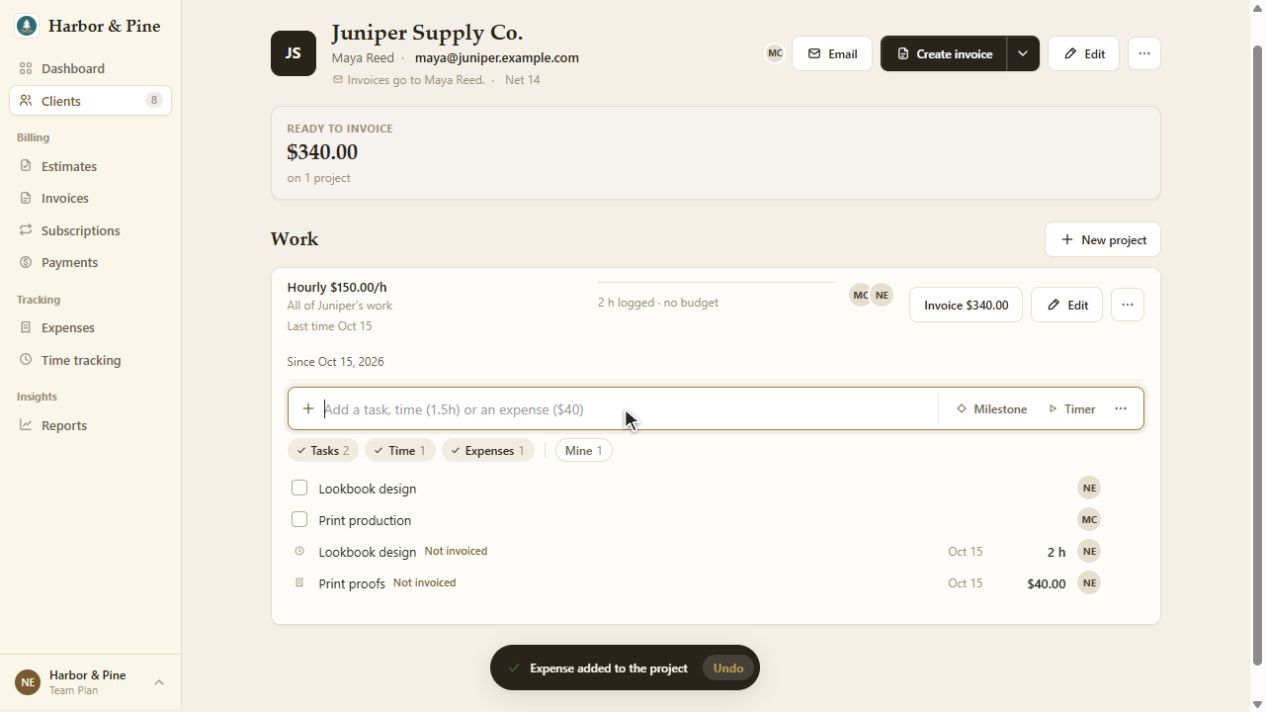
Juniper Supply project in BillGrid after recording $40 Print proofs alongside two hours of design work
The expense stays with the project and its unbilled work. View full screen.
  1. 01 / RECORD

    Give the cost a home.

    In Expenses, choose New Expense. Enter the date, amount, description and category. Choose the Client / Project the cost belongs to so you can bill it later.

  2. 02 / ORGANIZE

    Keep the reason close.

    Use a description that will make sense at billing time: print proofs for a campaign, stock photography for a launch, or travel for a client visit. Check the project before saving.

  3. 03 / SELECT

    Choose what to invoice.

    Use Add to invoice on an expense row, or select several expenses and use the bulk action. Review the resulting draft before sending it.

From cost to client invoice

Check the selection.
Then make the draft.

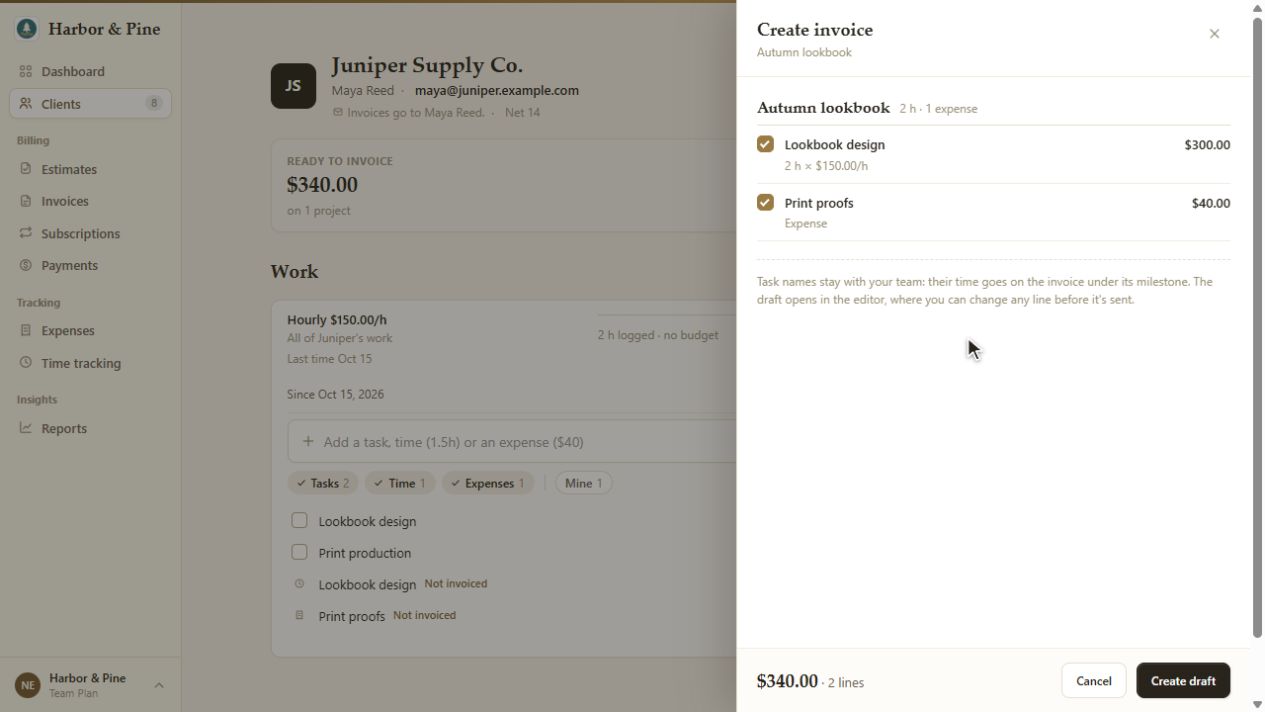
A project's invoice review lets you inspect the work and expenses it will include. In this example, two hours at $150 and $40 in print proofs make a $340 draft. The selection and total are visible before creation.

Choose Create draft, then review the invoice's lines and terms. Creating a draft gives you a chance to check the bill before it reaches the client.

Follow the invoice workflow.

Juniper Supply invoice review in BillGrid: two hours of Lookbook design for $300 and $40 of print proofs, totaling $340
Actual project invoice review: expenses included in the draft selection. View full screen.

Review the currency.

Project entries use the project's currency. CSV imports use the project's currency when assigned, or your company default when unassigned. Check the amounts in that currency before invoicing.

Keep the billing decision visible.

A saved cost is a record of spending. Selecting it for an invoice is a separate step. Review unbilled expenses alongside the project work so reimbursement belongs on the right client's bill.

Can I invoice several expenses together?

Yes. Select the expenses in the list and use the bulk Add to invoice action. Check their client and project assignments before preparing the draft.

Does importing a file send an invoice?

No. Importing records expenses. Review them, select what you want to bill and prepare an invoice separately.

Full-size screenshot