Keep the full receipt.
Copy the amount your client paid and its invoice allocation, including a later partial payment on an invoice already linked. Choose an eligible Undeposited Funds account with your bookkeeper.
Features / QuickBooks Online
Copy supported invoices and payments from BillGrid to QuickBooks Online. Choose when they sync, compare existing records and keep the accounting handoff beside your billing.
Coming to Pro and Team. Production access has not opened yet. Explore the workflow below.
The owner signs in with Intuit, confirms the issuing business and chooses existing QuickBooks items and accounts. One US accounting company, using USD.
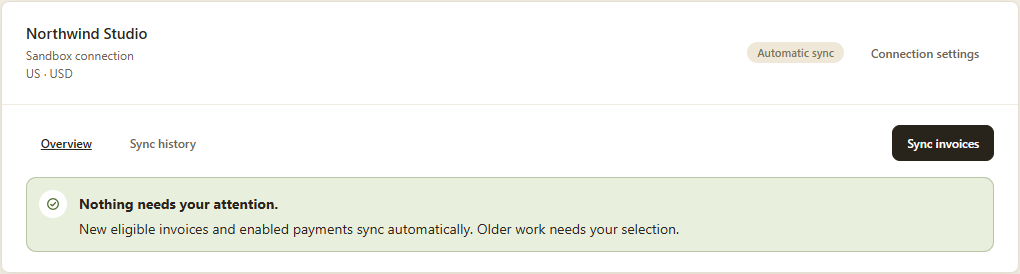
Manual is the default: return and select work when you want it copied. Save Automatic to copy eligible new invoices and enabled new payments from then on.
Check what synced and what needs attention. Older work stays available for your choice, even after you turn automation on.
One year. Both systems.
Choose an invoice year and find invoices. Select eligible work together; resolve uncertain records beside their rows. Link counterparts already in both systems without creating another invoice.
Need an invoice from QuickBooks? Review it and choose its BillGrid customer before importing. Every import is an explicit decision, with collection and reminders disabled for those historical records. Importing also makes AI assistants unavailable for the workspace to protect imported QuickBooks data.
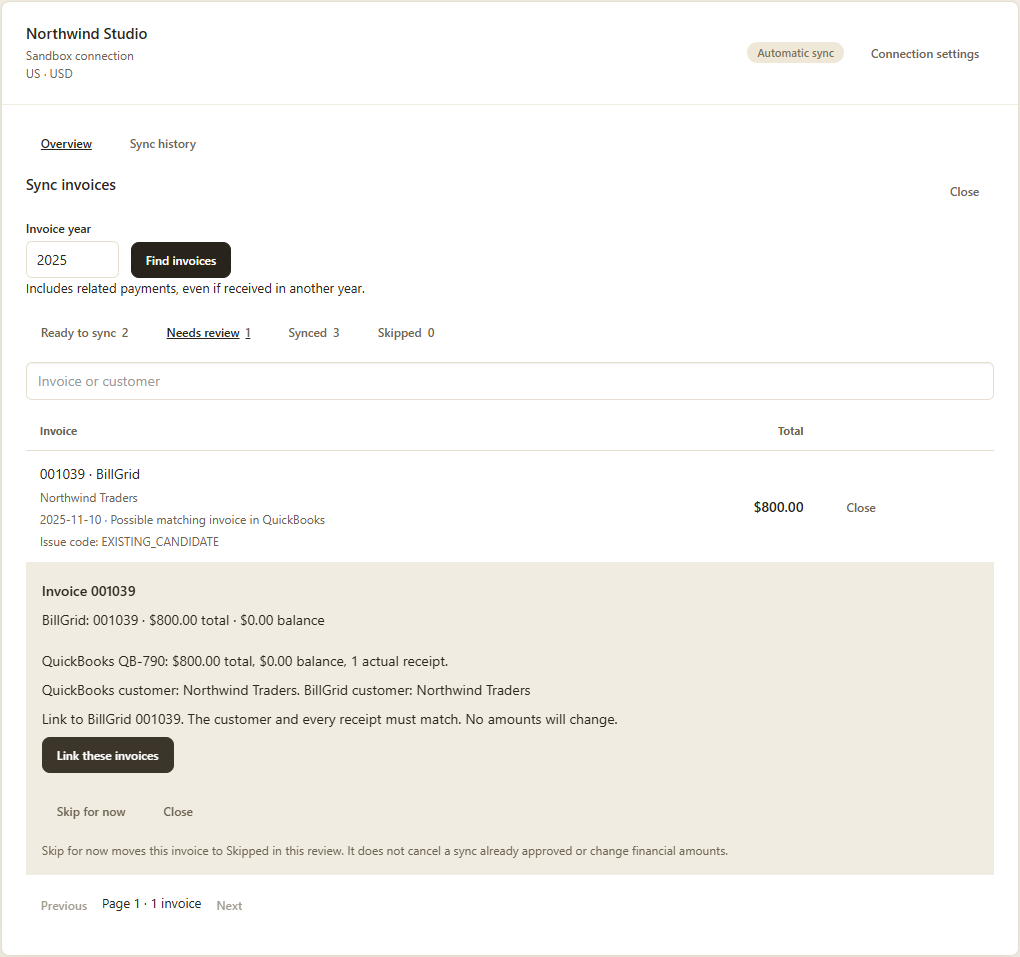
No. Turning it on establishes a saved start point for eligible new work. Choose Sync invoices, select a year and review older records yourself. Manual work and Automatic use the same accounting delivery and history.
QuickBooks is coming to Pro and Team. Production access has not opened yet. Compare current plans. Upgrading does not enable the upcoming connection today.
It connects billing in BillGrid with accounting in QuickBooks Online. It does not replace your books, support QuickBooks Desktop or automatically bring accounting edits back into BillGrid.