Reminders follow the invoice.
Choose a schedule before and after the due date. Pause an invoice's reminders when a client needs time; they stop once it is paid. Explore payment reminders.
Features / Payment terms
Set the starting terms for new invoices. Keep reminders and late fees beside them, with room for each client's agreement.
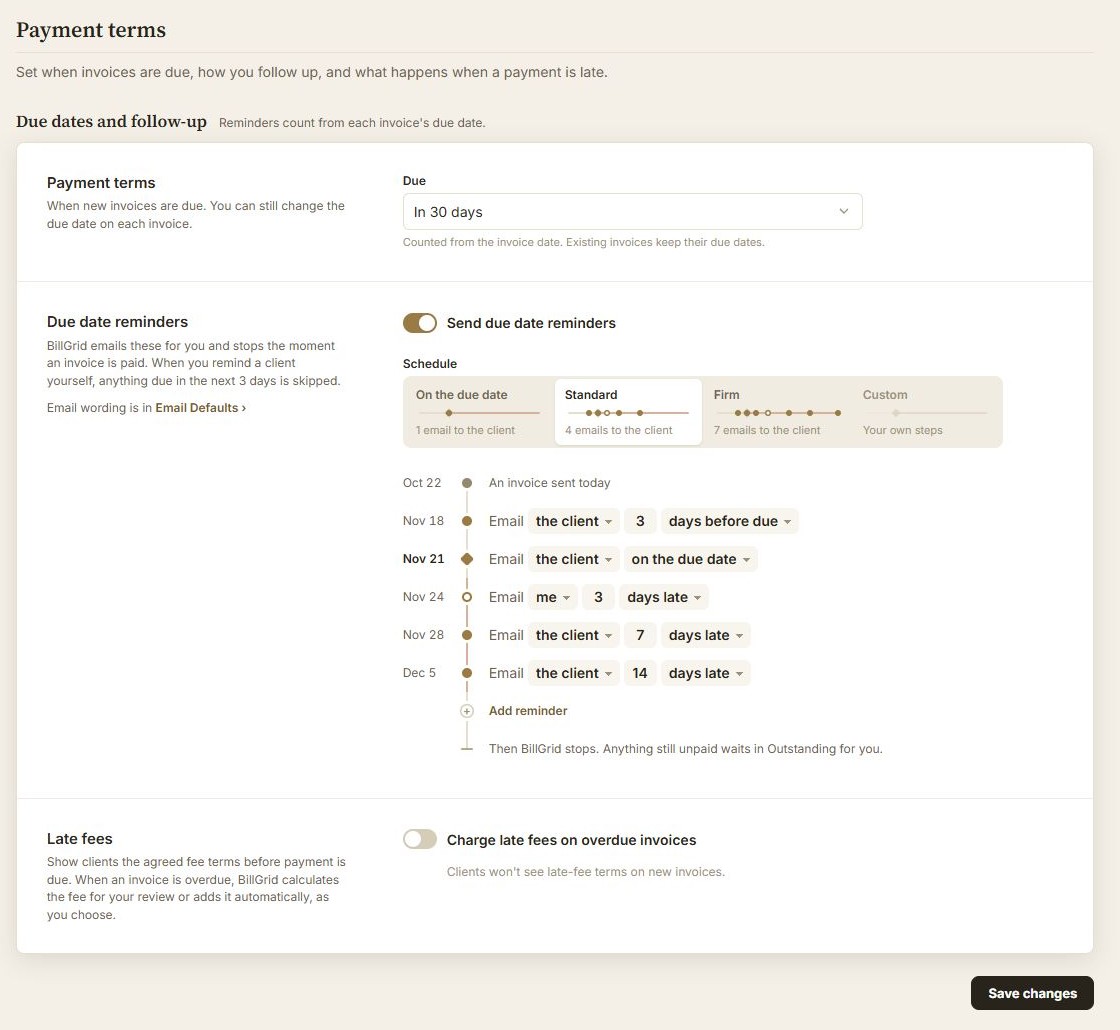
Make new invoices due upon receipt, or 7, 15, 30, 45 or 60 days after the invoice date.
Set a different default on a client's record. New invoices use it before your account default.
Change the due date on an individual invoice when needed. Existing invoices keep their dates when you change a default.
No. Existing invoices keep their dates. Review an individual invoice when an agreement changes. A recurring invoice keeps the date gap on its own template.
Yes. Edit the client and choose Invoices are due. New invoices use that choice; otherwise they use your account default.
Early-payment discounts need manual handling. BillGrid does not automatically offer or expire a discount such as 2/10 net 30. Compare common payment terms.