Features / Project retainers

A regular fee.
A clear agreement.

An ongoing agreement, managed as a project: a monthly or quarterly fee, with included hours if you need them. Keep the work, allowance and billing rules together.

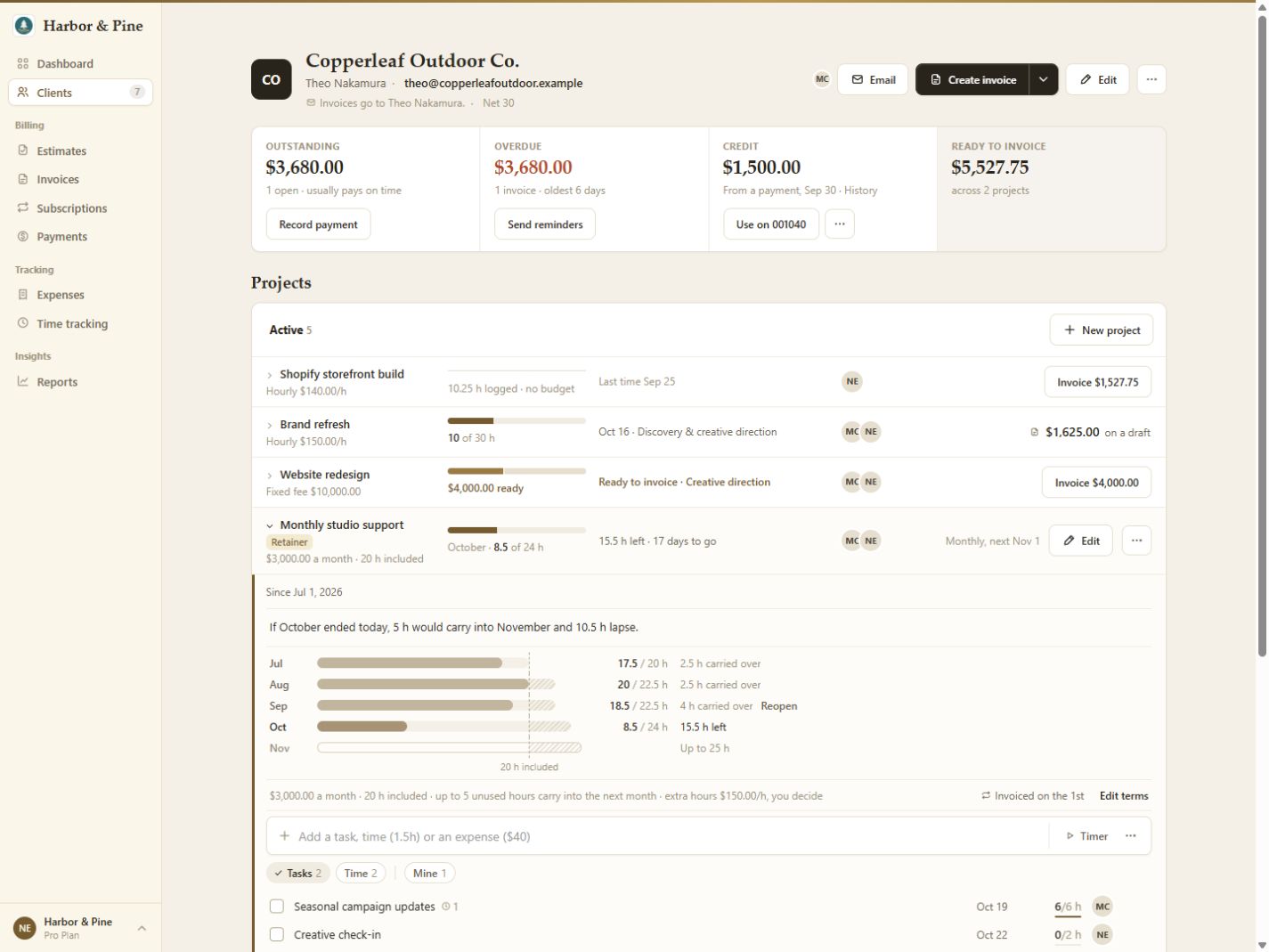
Retainer project detail: Monthly studio support, $3,000 monthly with 20 included hours, period usage, carry-over and agreement rules
The retainer project, in detail. View the full client workspace.
  1. 01 / AGREE

    Give the work its terms.

    Open a client, add a project and choose Retainer. Set the fee, Month or Quarter, and the first invoice date. Include an hours allowance, or leave it blank for a flat fee.

  2. 02 / TRACK

    See what the fee covers.

    Log billable time against the project. BillGrid compares the period's hours used with its included allowance and any hours carried in.

  3. 03 / REVIEW

    Keep the billing decision.

    The fee's schedule creates invoices as drafts by default. Review and send them; when a period has extra hours, choose whether to invoice that time.

The work behind the agreement

Keep the time
with the project.

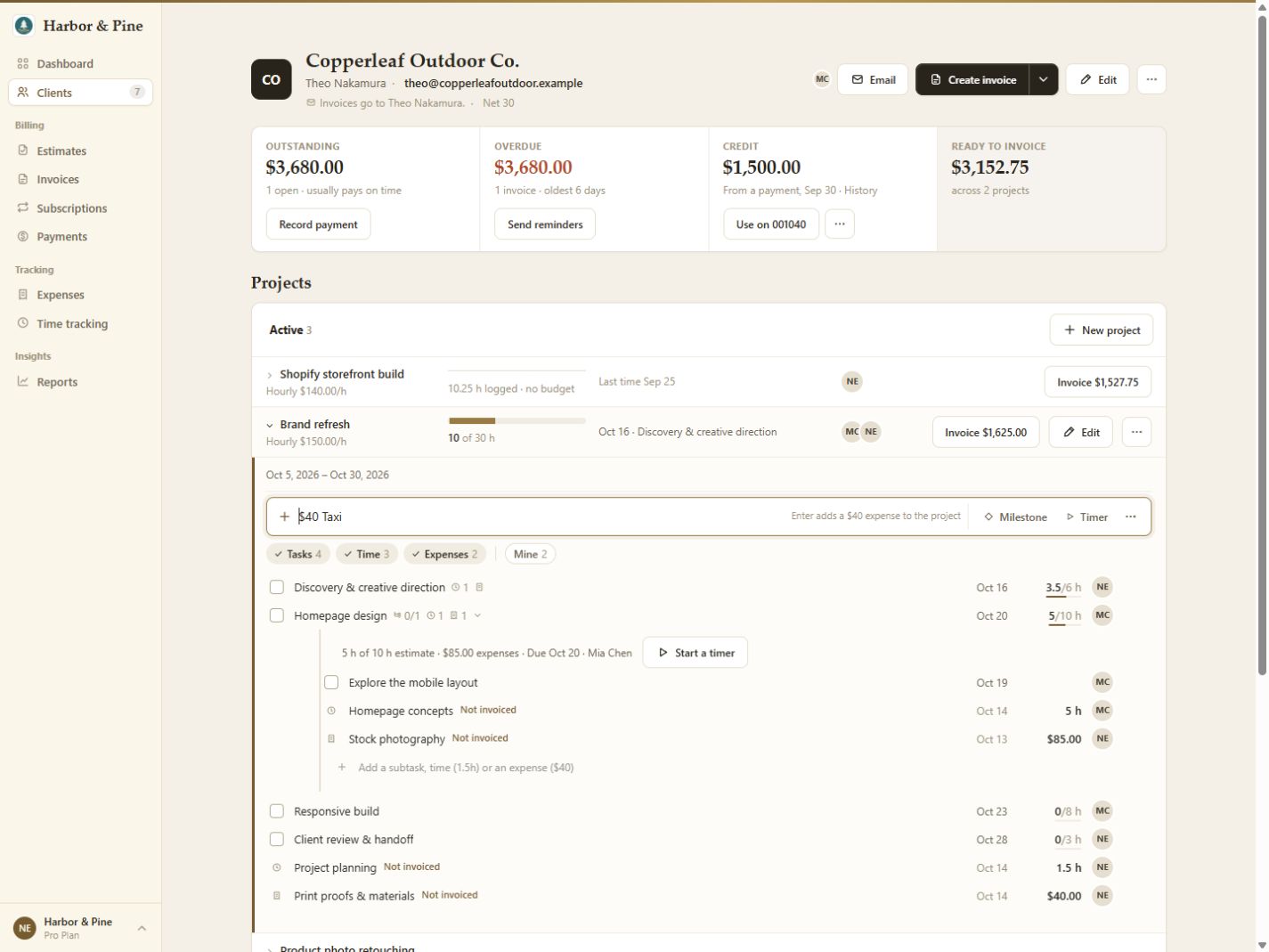
Tasks, logged time and expenses live together on the client's project. Start a task timer or add time yourself so the work stays attached to the right client.

On a retainer with included hours, billable time dated within the period uses the allowance. Non-billable time and expenses do not use those hours.

Explore clients and projects.

BillGrid client page with an hourly project expanded to show tasks, time entries, expenses and a task timer
Project workspace shown with hourly billing. Retainer projects use their own fee and hours allowance. View full screen.

A week to finish the timesheets.

A period settles seven days after it ends, allowing time for late entries. Unused hours carry forward within your cap. If there are excess hours, the period waits for your answer before later periods settle.

Extra hours get their own line.

Choose to invoice excess time and BillGrid adds it to the next period's existing draft when available. Otherwise it creates a separate draft. Review and send the invoice yourself.

Can I charge a flat fee without included hours?

Yes. Leave Hours included blank. The monthly or quarterly fee still bills on its schedule, without an hours allowance or excess-hours calculation.

Are fee invoices sent automatically?

A new retainer creates its linked schedule with automatic emailing off, so fee invoices are drafts for review. You can change sending settings in Subscriptions. Automatic emailing sends an invoice; it does not charge the client automatically.

What happens if I change the agreement?

The period in progress keeps the terms it started with; changed terms apply to later periods. Once the first invoice has been created, changing between monthly and quarterly requires ending that retainer and starting a new one.

Can I correct time after a period settles?

Settled time is locked. You can reopen the latest recorded period while its extra hours are not on a sent invoice, correct the entries and let it settle again on the next morning's run.

How do I stop the retainer?

Complete the project or change its billing arrangement. Its linked subscription stops billing after the period in progress. If it has not billed yet, it finishes immediately.

Full-size screenshot