One agreement, start to finish.
Agree on the work before it starts. Get it signed without a printer. Keep every change in writing. Here is one agreement, start to finish, between a design studio and its client.
01 / Write it
Start with words
that fit the work.
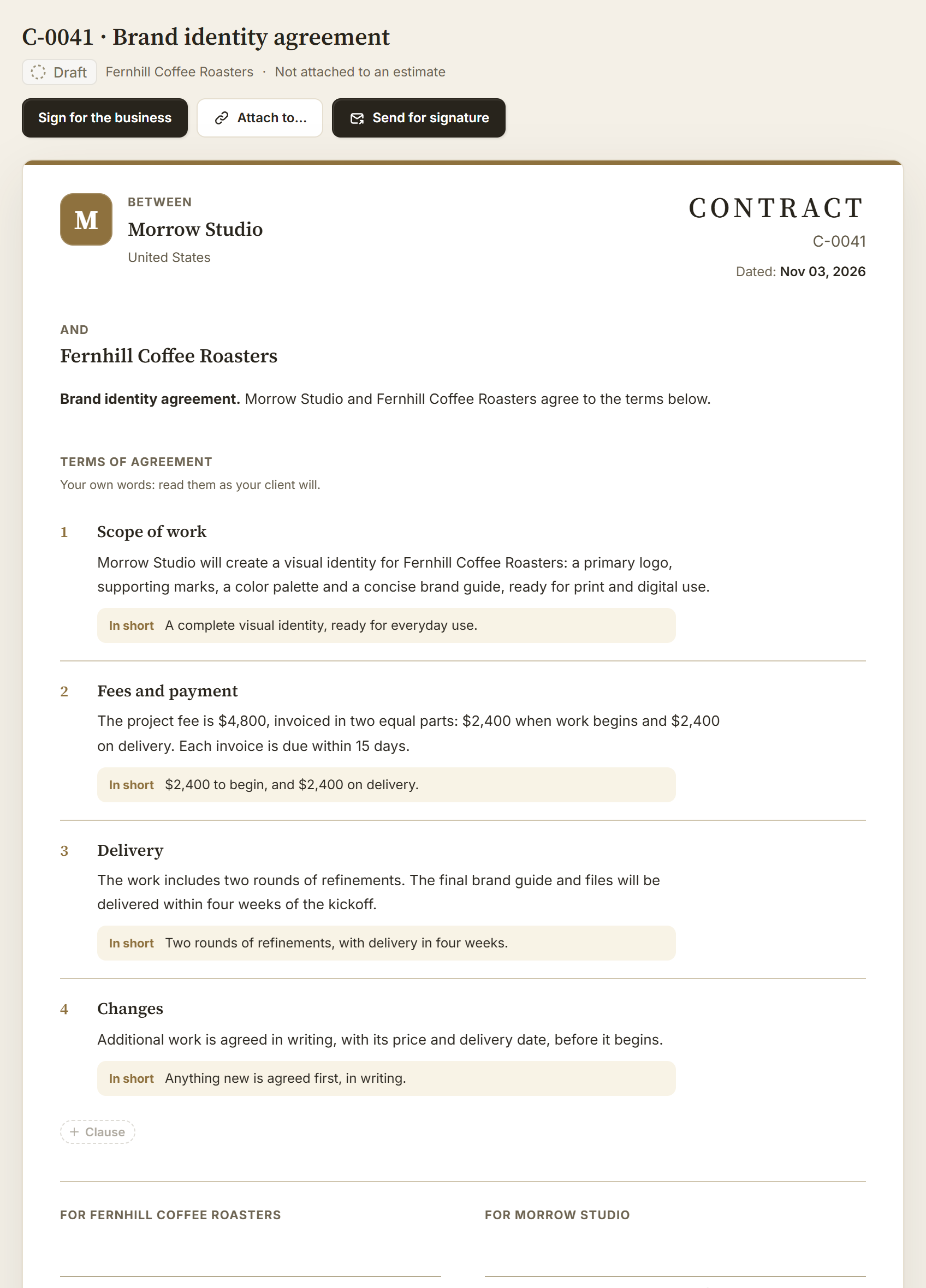
Morrow Studio is about to design a new identity for Fernhill Coffee Roasters. Nora, the studio owner, opens Contracts and chooses New contract.
She can start from a services, hourly, monthly retainer, creative license or mutual NDA template, from one of her own agreements, or from a blank page. Templates are starting points written for business clients, not legal advice.

On the paper
Type where it prints.
Name it, write each clause and give it an “In short” line in plain words for your client. It saves as you go.
Quoting the work too? Add the contract to the estimate instead, with + Contract. The payment terms come from the estimate, and one client approval signs both. See how.
02 / Send and sign
Send it. They sign it.
No account. No printer.
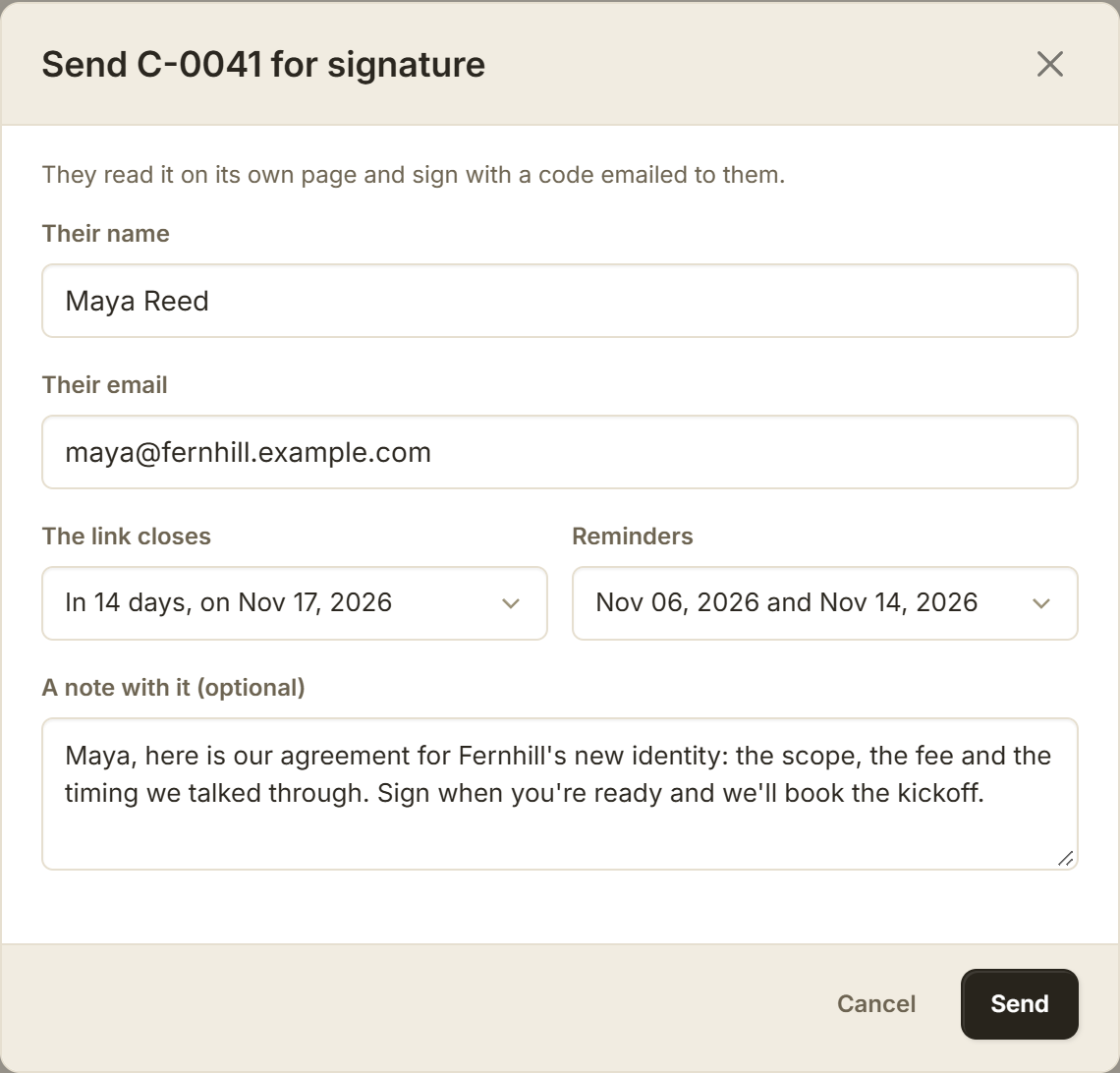
Nora chooses Send for signature, names who signs and adds a note. The link stays open for 7, 14 or 30 days, and BillGrid can remind the signer twice before it closes.
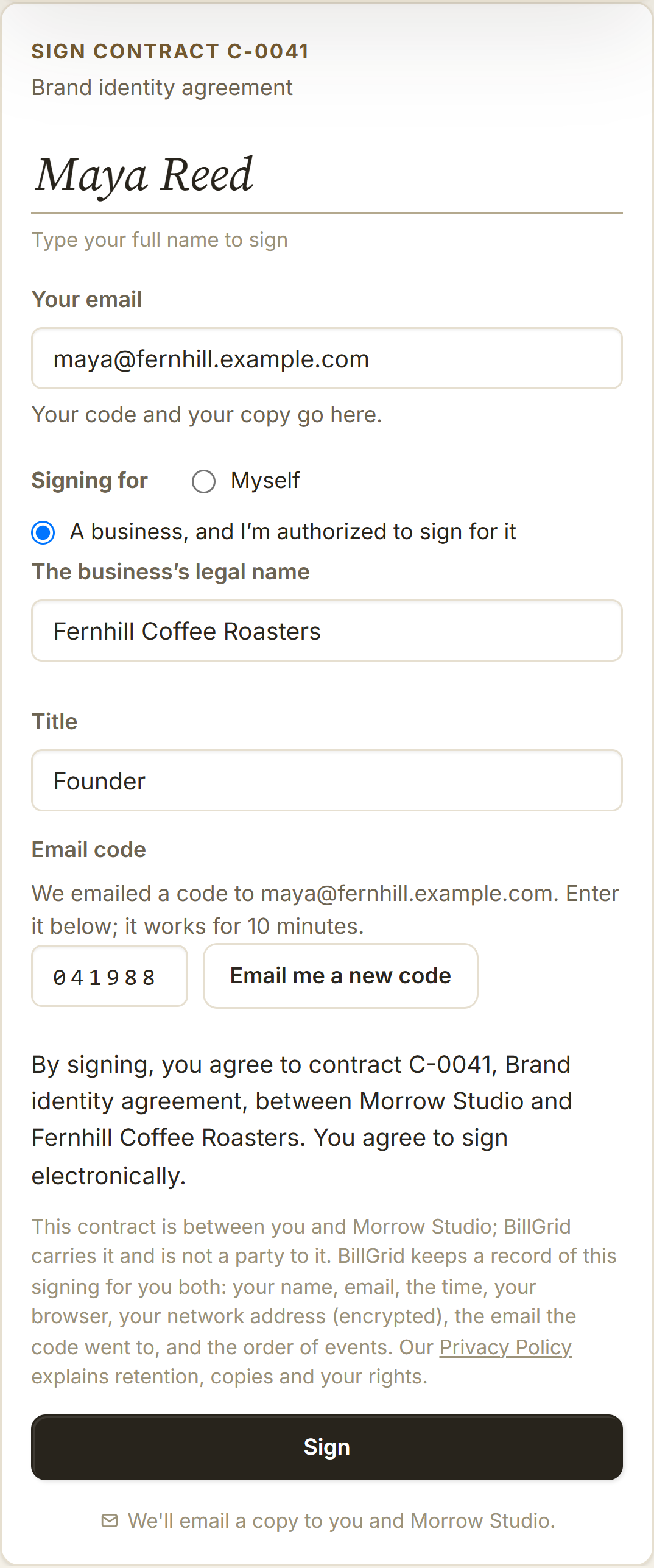
Maya, Fernhill’s founder, opens the link on her phone and reads the agreement. Then she types her name, says she signs for Fernhill as its founder and enters the code BillGrid emails her. Signing records the words she saw, her email and the time.
Did the link close before they signed? They can ask for a new one. BillGrid tells you on your dashboard, and Send a new link sends the same words again.
03 / Your signature
Your turn.
Front and center.
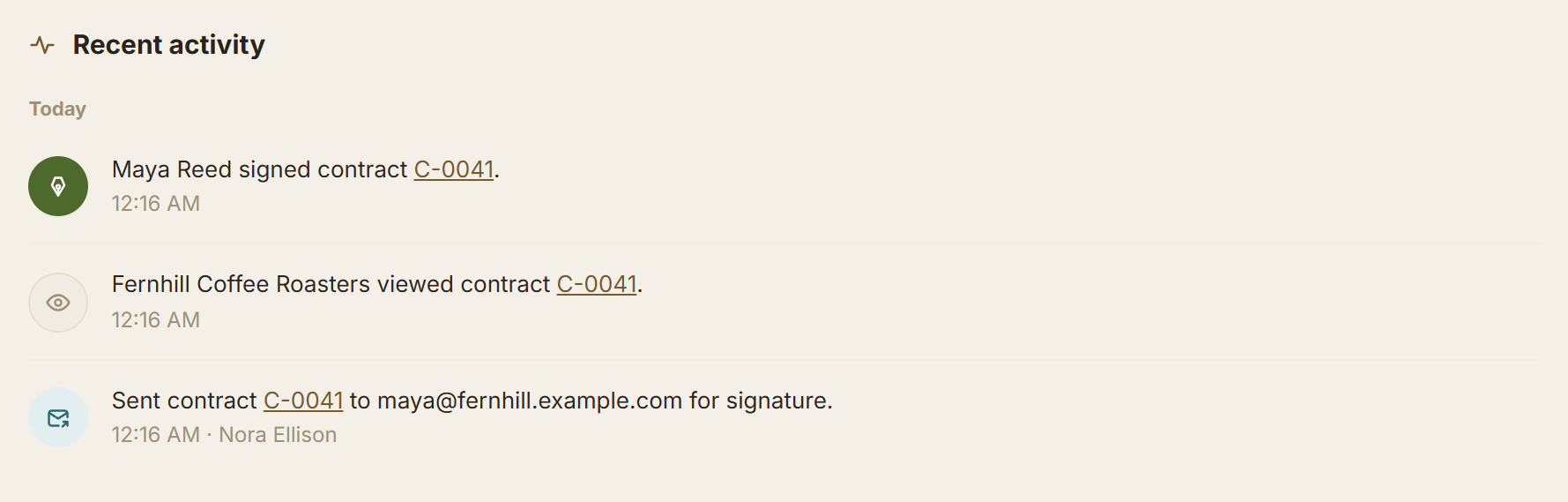
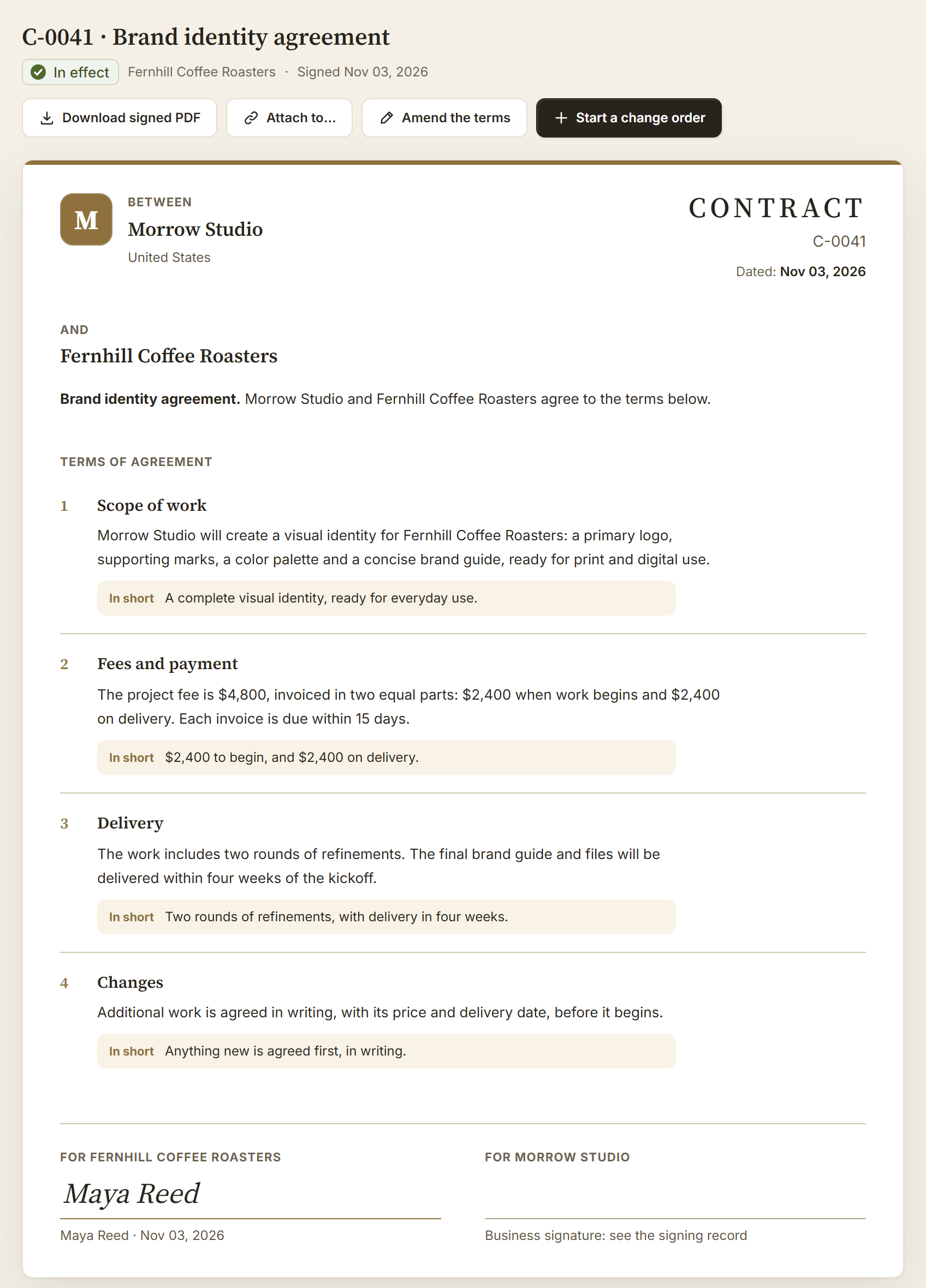
A contract isn’t in effect until both sides sign. When the client signs first, your dashboard says so the next time you open BillGrid, with a link to sign. The activity feed shows each step: sent, viewed, signed.

What happened
Sign for the business
Sending never signs for you.
Someone authorized reads the exact words, states their role and signs for the business, before or after the client on a contract of its own.

In effect
Signed by both. Kept as signed.
Both of you get the signed PDF and its signing certificate by email. The agreement can’t be edited after the client signs. Attach it to the project, an estimate or an invoice so the work and the terms stay together.
04 / When things change
The work grows.
The agreement keeps up.
Two weeks in, Fernhill wants packaging labels too. That’s more work, not new terms: Start a change order opens an estimate under the contract. Maya approves it on its own, without signing the contract again, and it’s invoiced on its own. Approved change orders add up on the contract’s page.

New terms
Change the terms with an amendment.
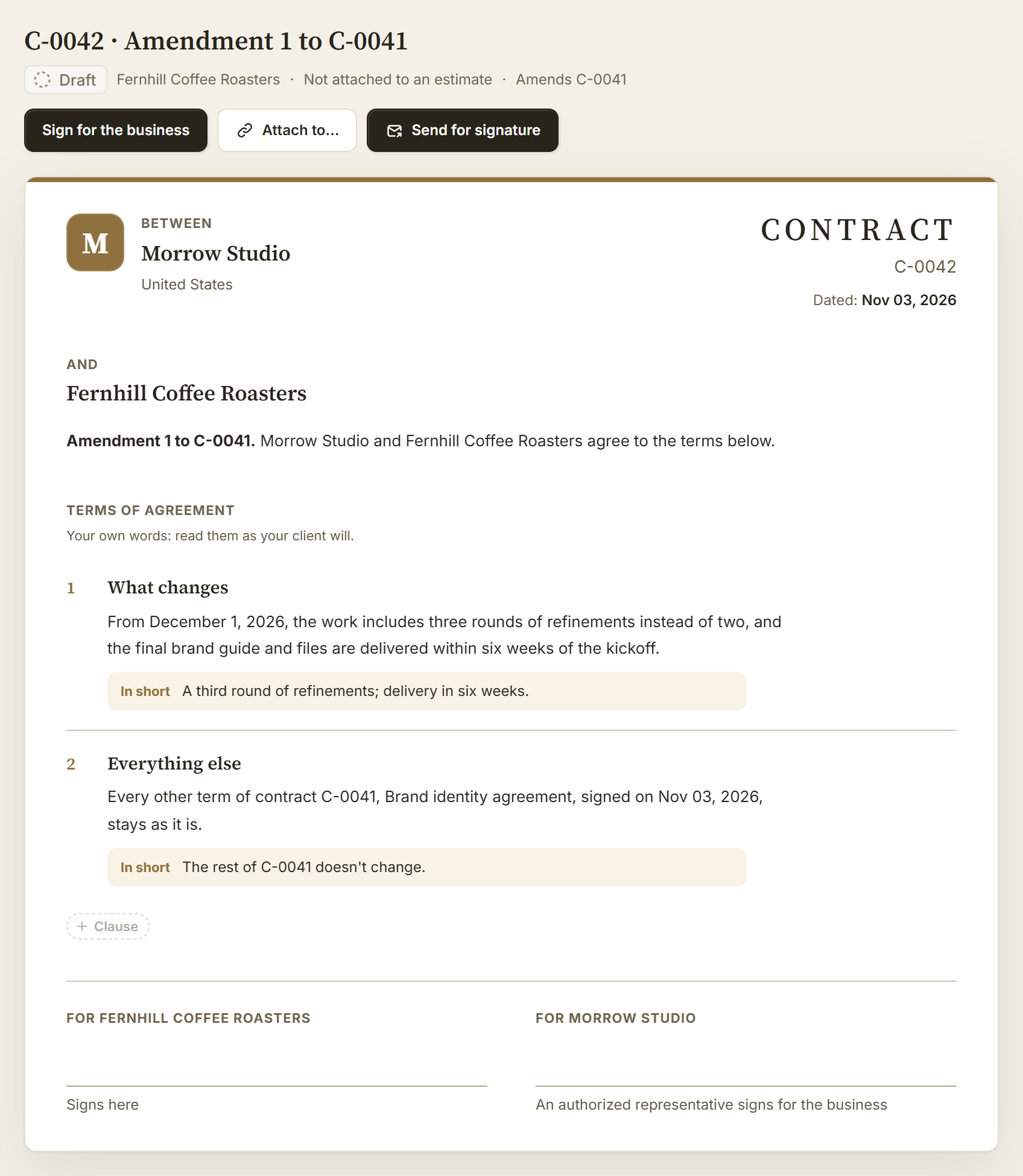
Then the timeline moves. Amend the terms starts “Amendment 1 to C-0041”, an agreement of its own. Write what changes and from when; every other term stays as signed. It’s sent and signed like the original, and each page links to the other.
05 / Find it later
Any agreement.
One search away.
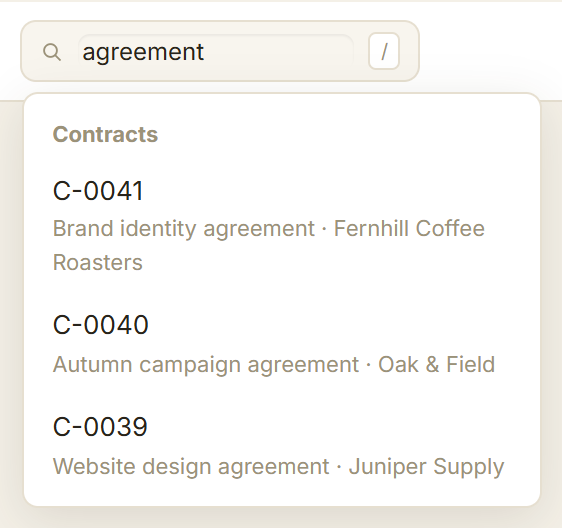
Type a contract number or title in the search bar. Contracts lists every agreement by status, and each client’s page has a Contracts tab for their work.
Connected an AI assistant? Ask “Has Fernhill signed?” or “Which contracts need my signature?” It reads your contracts with the same permissions you have.
A record you can stand on.
Each signature keeps the words shown, the consent, the verified email, the time and the browser, with an encrypted network address. The PDF carries a signing certificate.
The right people.
Teammates who see money can read contracts. Those who handle money draft and send them. Only someone authorized signs for the business.
Your terms, your call.
Templates are drafts for business clients, not legal advice. Review the wording for your work, and ask a qualified advisor when it matters.
Put your next job in writing.
Start from a template, or prepare a free, unsigned draft first. The contracts guide covers every step.
Real BillGrid screens, with fictional businesses and example work.