Your client work. Beautifully connected.
Good client work has a rhythm. Agree on the details. Move the project forward. Send a clear invoice. Get paid.
Our latest updates bring those moments closer together, with a clearer home for each client, a better view of every project and more care in the steps between the work and the money.

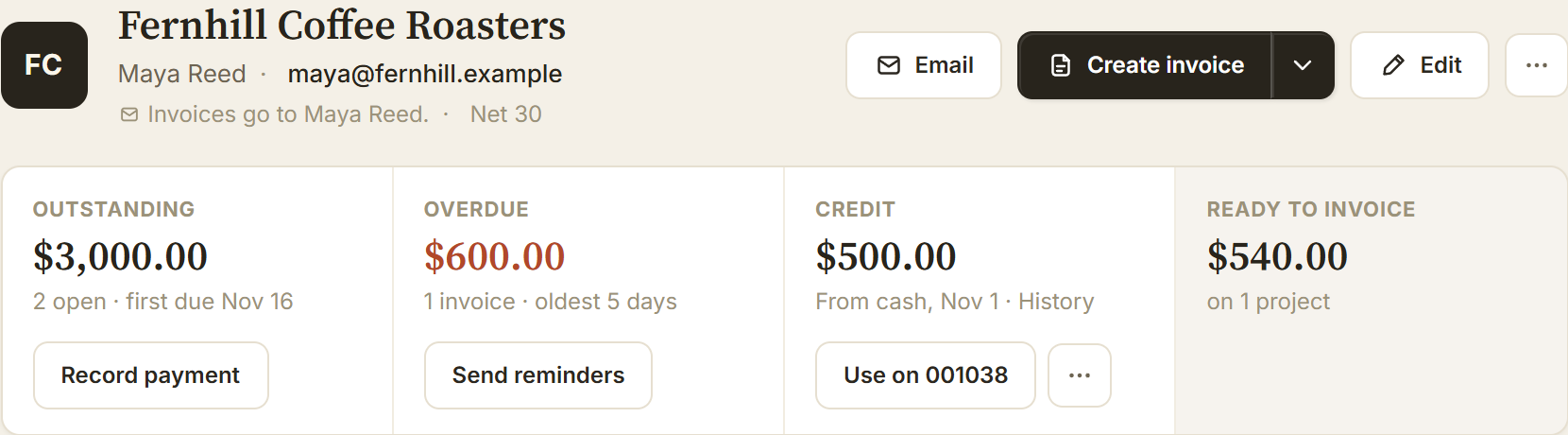
The client workspace
The whole relationship.
One clear view.
Open a client and see where things stand: what they owe, what is overdue and what is ready to invoice. Contacts, projects and payment history stay close to the work, so the next step is easier to find.
Expand a project to work through its tasks, time and expenses. This is your team’s workspace; your clients use the document links you share with them.
Projects
Know what moves next.
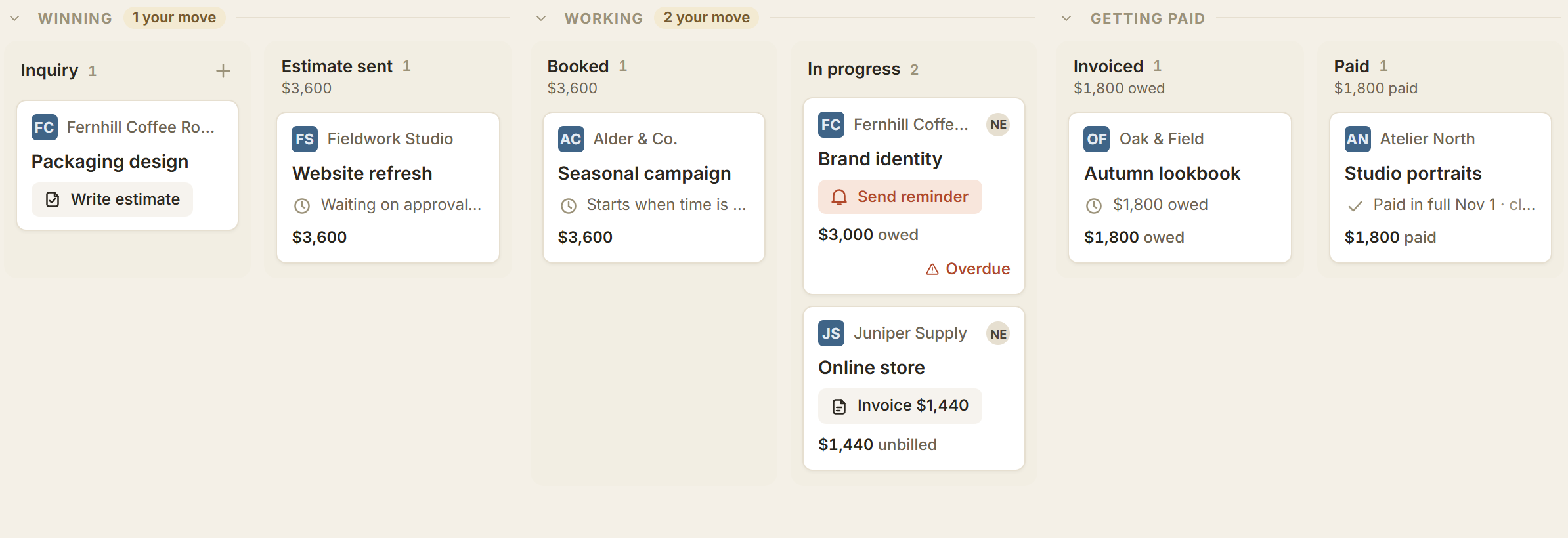
From Inquiry to Paid, the Projects board gives every job a place. See the work in motion, filter by client or teammate, and open a project for the details. Prefer a list? Switch views without losing the bigger picture.
Stages follow recorded activity, with Why it’s here when you want the explanation. Moving a card organizes the work; it doesn’t send an invoice or record a payment.

Time to invoice
Hours worked.
Invoice ready.
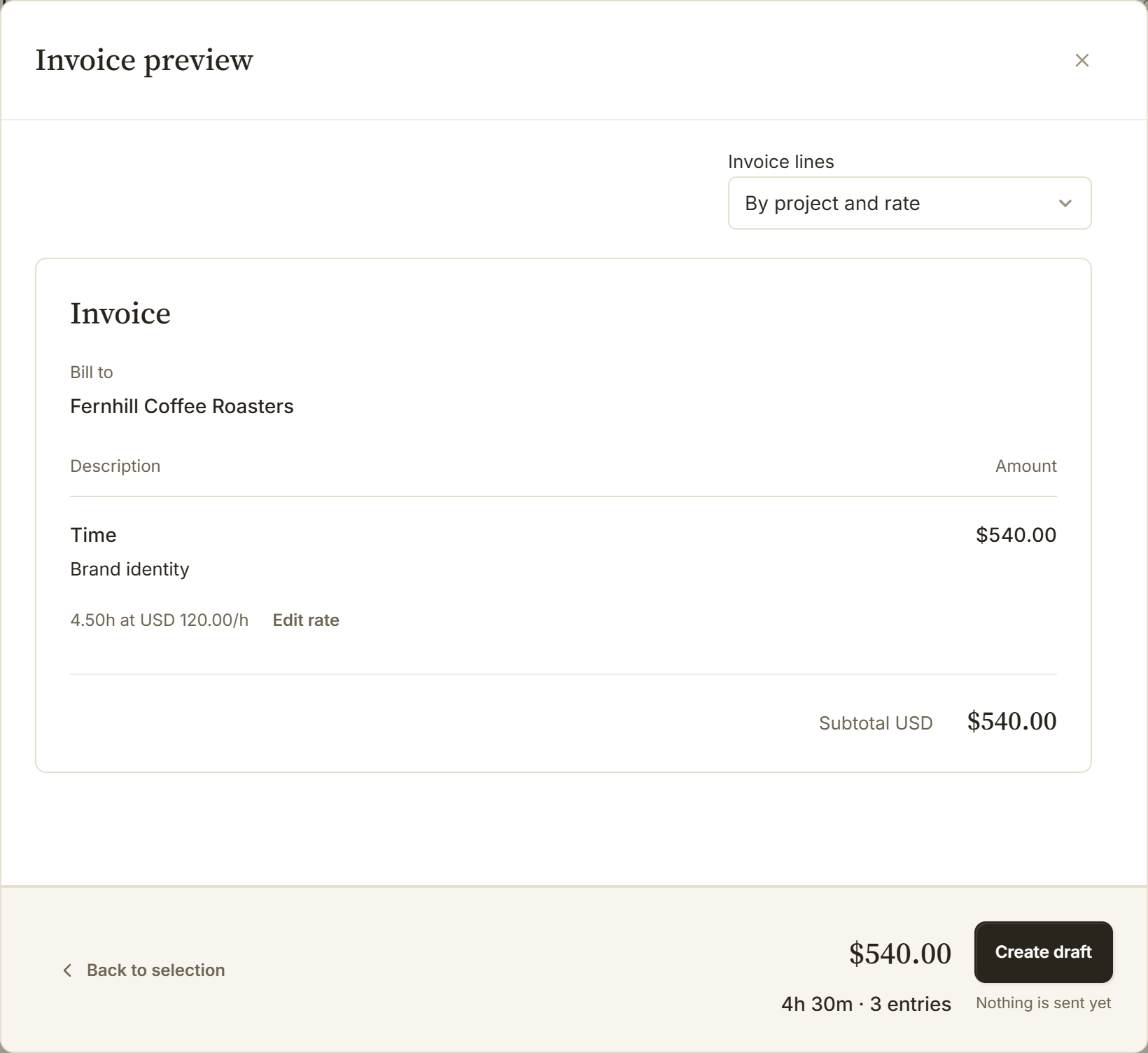
Choose the unbilled hours for one client, check the rates and preview the invoice. Group work by project and rate for a concise bill, or give each entry its own line when the detail matters.
Need to adjust a rate? Change it right in the selection or preview, without changing the project default. Create a draft when it looks right. The hours link to that invoice so you can’t bill them twice, and nothing is emailed until you send it.

Client payments
A clearer way to pay.
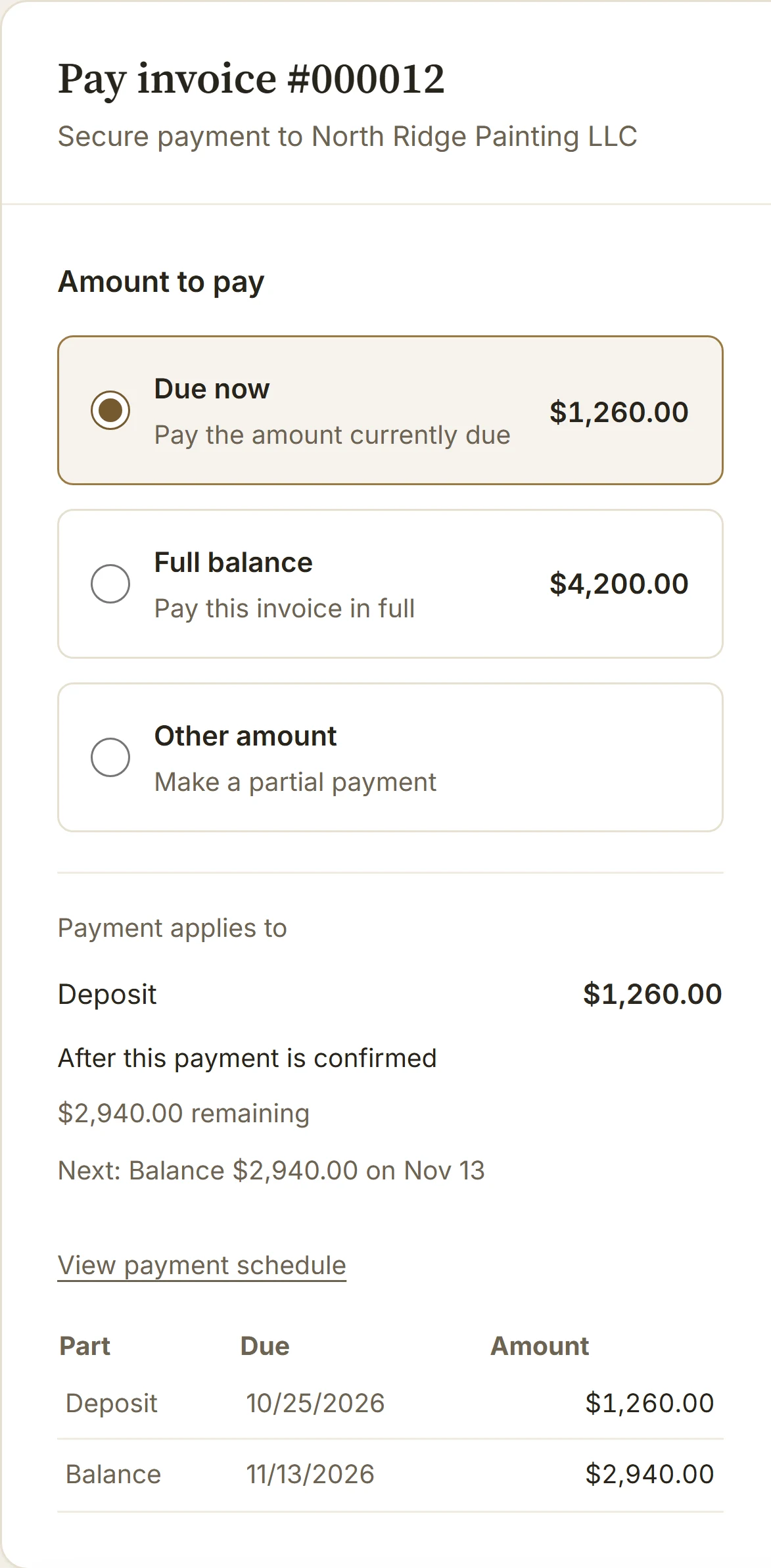
The full balance, part of it, or the next agreed installment. Your client can see what they’re paying and what will remain before confirming. Eligible USD invoices also offer US bank payments through your connected Stripe account.
Bank payments take time to confirm. BillGrid keeps processing separate from paid, so the balance tells the right story.
Already received the money? Record payments across clients in one sitting: enter each amount and choose the invoices it covers.
Read the full payment update, or see how to get paid in person.
A little less admin.
A lot more clarity.
The small handoffs matter. An agreement you can find. A project you can read at a glance. Hours that make it onto the invoice. That’s what this update is about: keeping the business behind your work moving.
Screens shown with fictional businesses and carefully prepared example data. Every screen is captured from BillGrid.