Record a Stack of Checks in One Sitting
Checks were still 26% of business-to-business payments in 2025, Nacha reports from the Association for Financial Professionals' survey. Recording them is where the morning goes. QuickBooks Online receives payments one customer at a time, its support team told an owner in March 2026, so a hundred checks means a hundred trips through the same form. Here is the stack in one list.
Open Record Payments
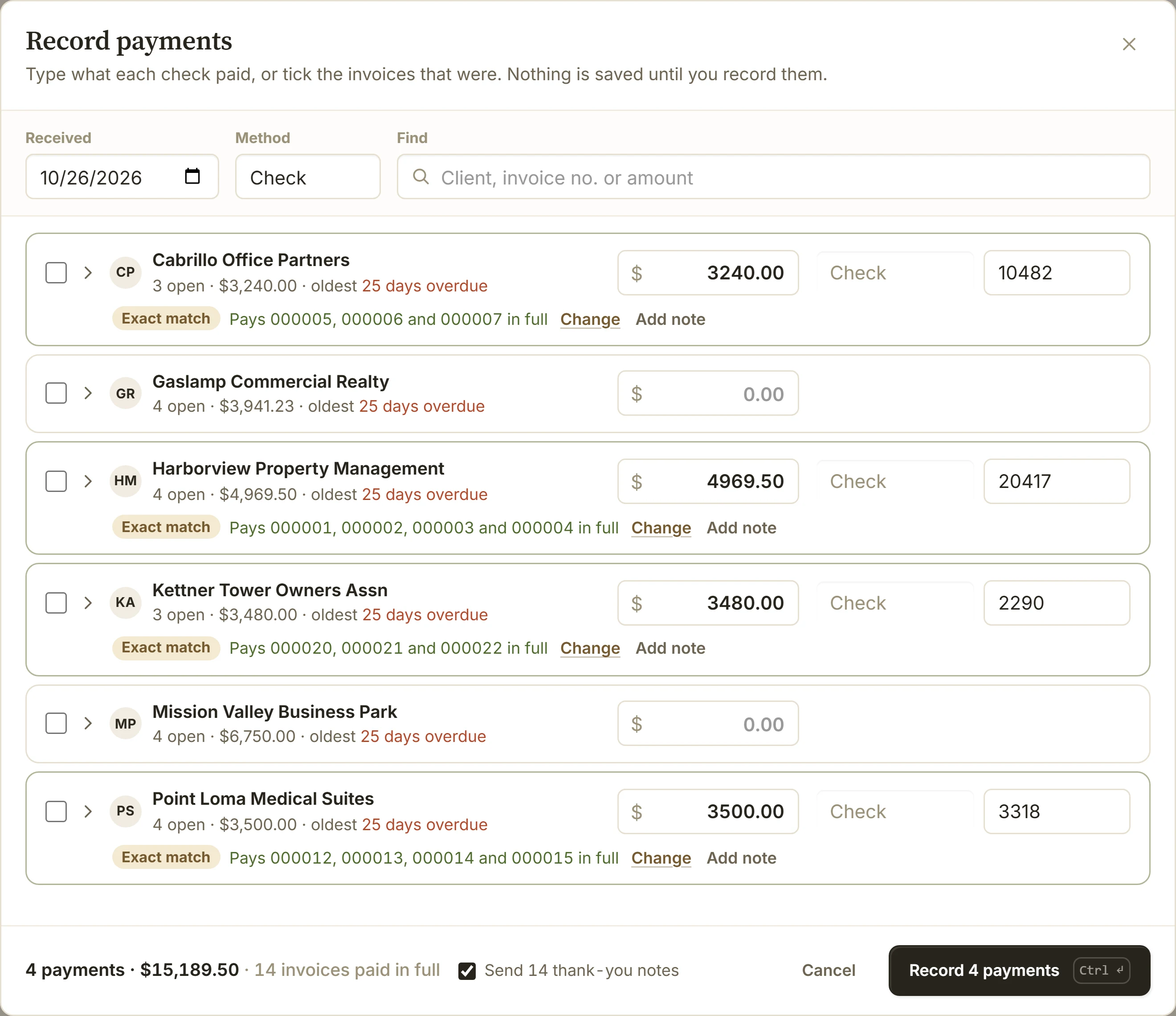
On Payments, choose Record payments, or Payment in the dashboard's create menu. Every client who owes you is one row. Set the day the checks came and the method once, at the top.
Type Each Check Beside Its Client
Type the amount next to the client and the check number after it. The row says which invoices the check pays, oldest due first, and marks an exact match.
When a Check Pays Only Some
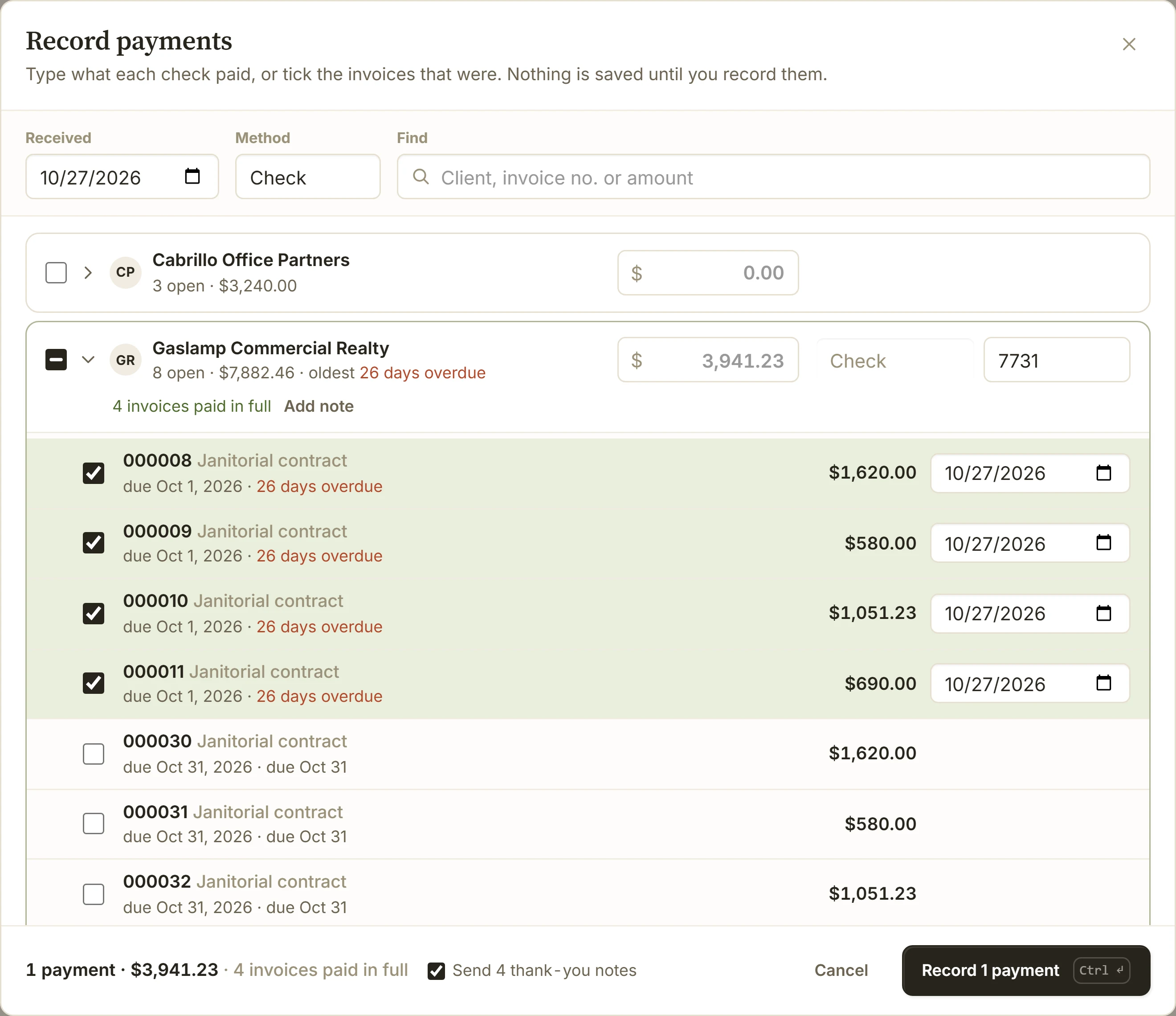
Open the client's row and tick the invoices the check covers. The others stay open, and their reminders keep going.
A Check With No Stub
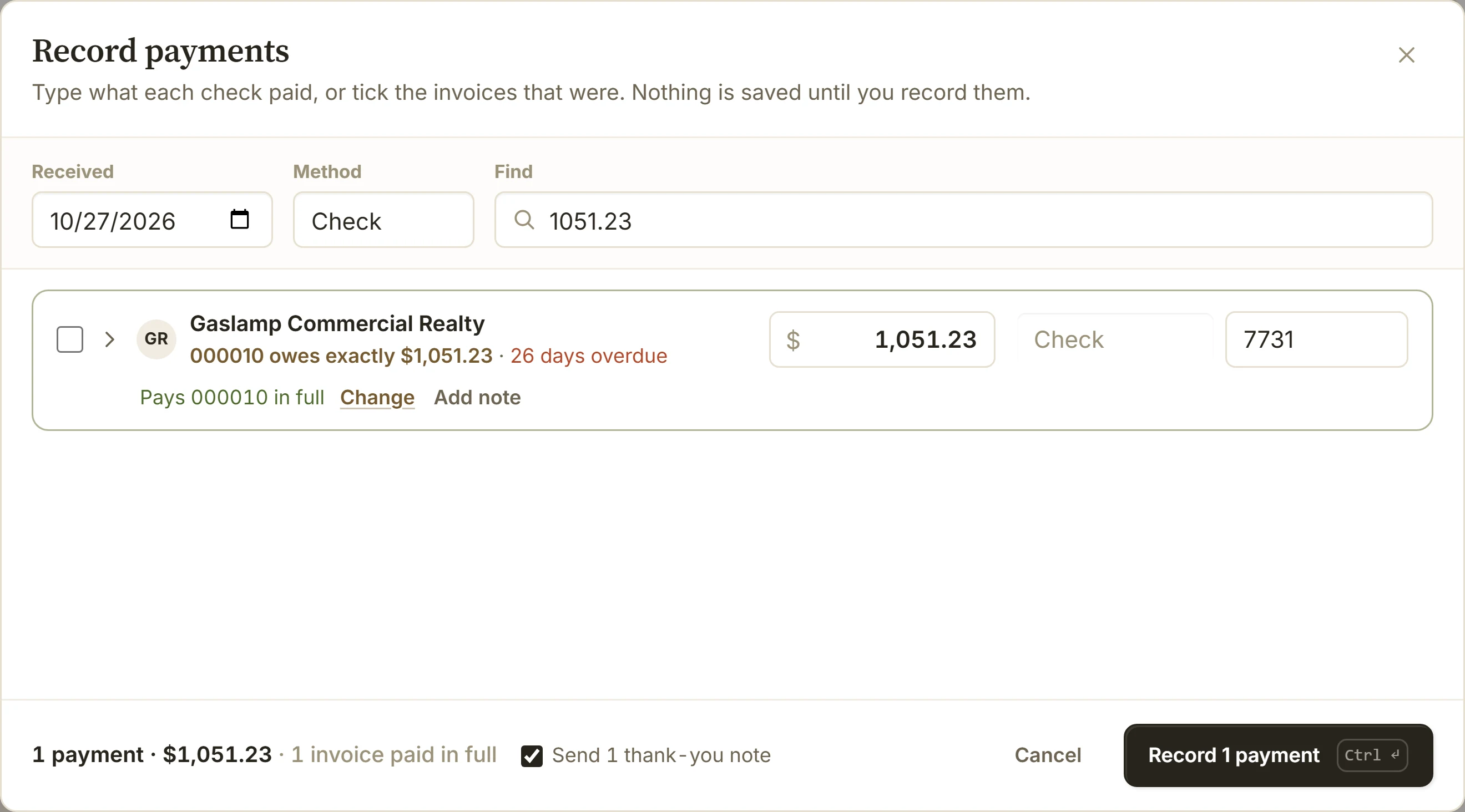
Type its amount in Find. BillGrid shows the invoice that owes exactly that, or the invoices that add up to it. Press Enter and the amount becomes that client's check, with the check number next.
Record Them Together
Nothing is saved until you choose Record. Then every invoice shows what it still owes, the ones paid in full stop their reminders, and one Undo takes the whole stack back. When your account sends thank-you notes, each payment from the last 30 days gets one unless you untick it.
Tips
- Picked them on Invoices already? Select them, from any clients, and choose Mark paid: the same list opens with them ticked.
- Months never recorded? An invoice more than 60 days overdue is dated when it was due as you tick it. Change the date when you know better.
- A check for more than they owe? The rest stays as the client's credit, for their next invoice.
- A big pile? Up to 500 payments go in one save, each one client's money on one date.