It paid some of them.
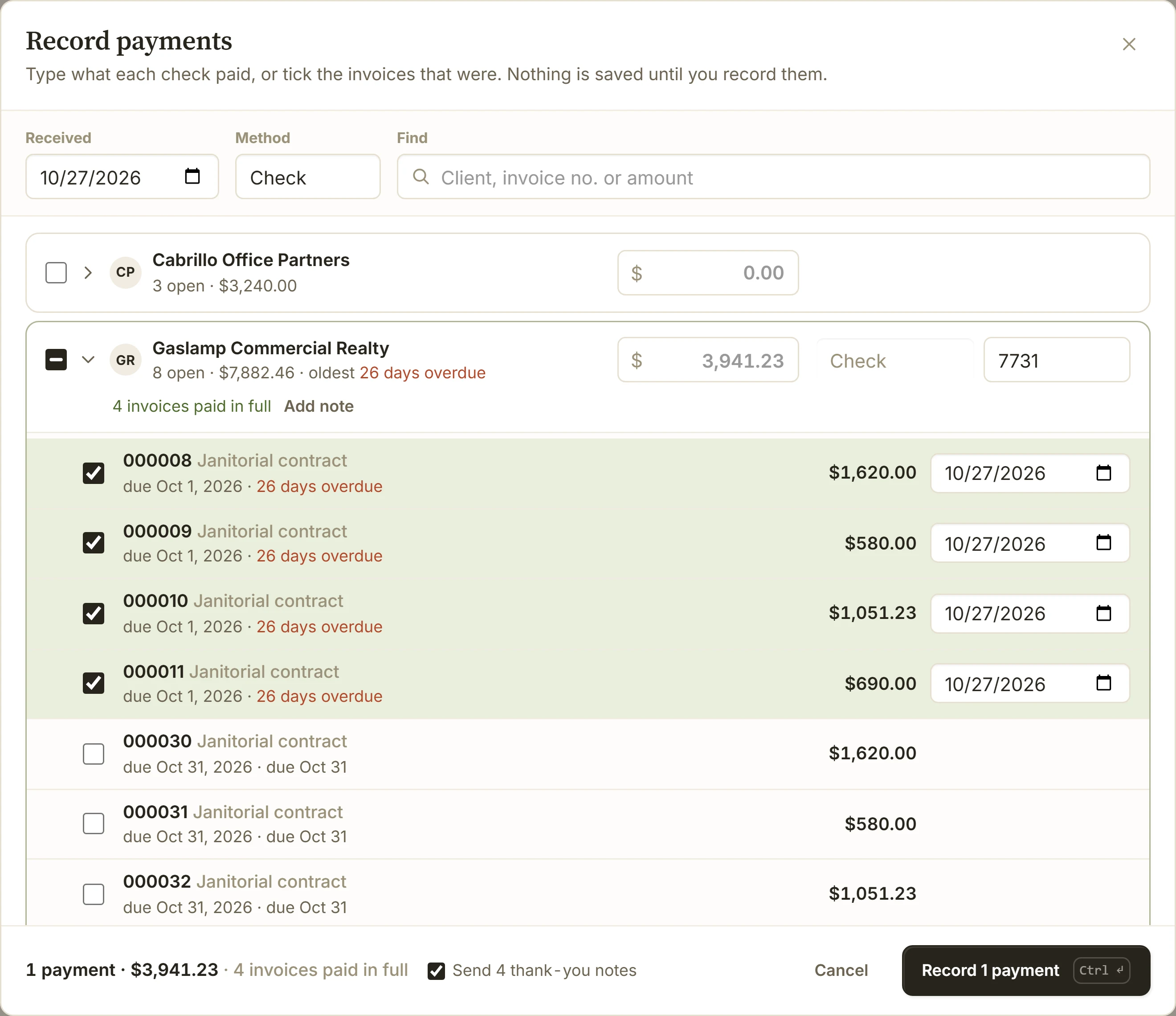
Open the client's row and tick the invoices the check covers. The rest stay open, and keep their reminders.
Features / Bulk payments
Record every client's check in one sitting. Type what each check paid beside the client, and BillGrid marks the invoices it covers paid.
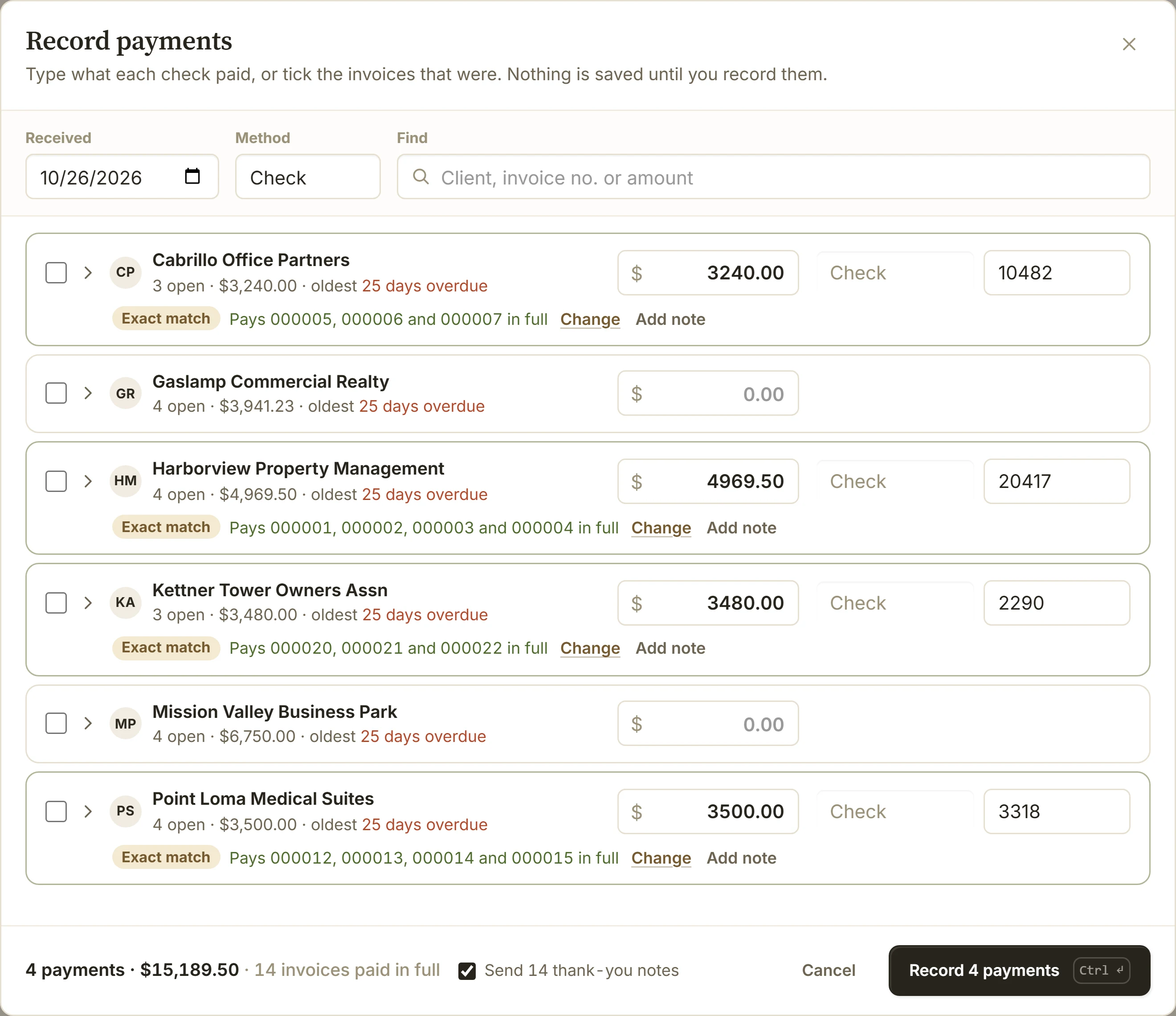
On Payments, choose Record payments. Everyone who owes you is listed. Set the day the checks came and the method once.
Put the amount beside the client and the check number after it. The row says which invoices it pays, oldest first.
Nothing is saved until you do. Then every invoice is up to date, and one Undo takes the whole stack back.
When a check doesn't match
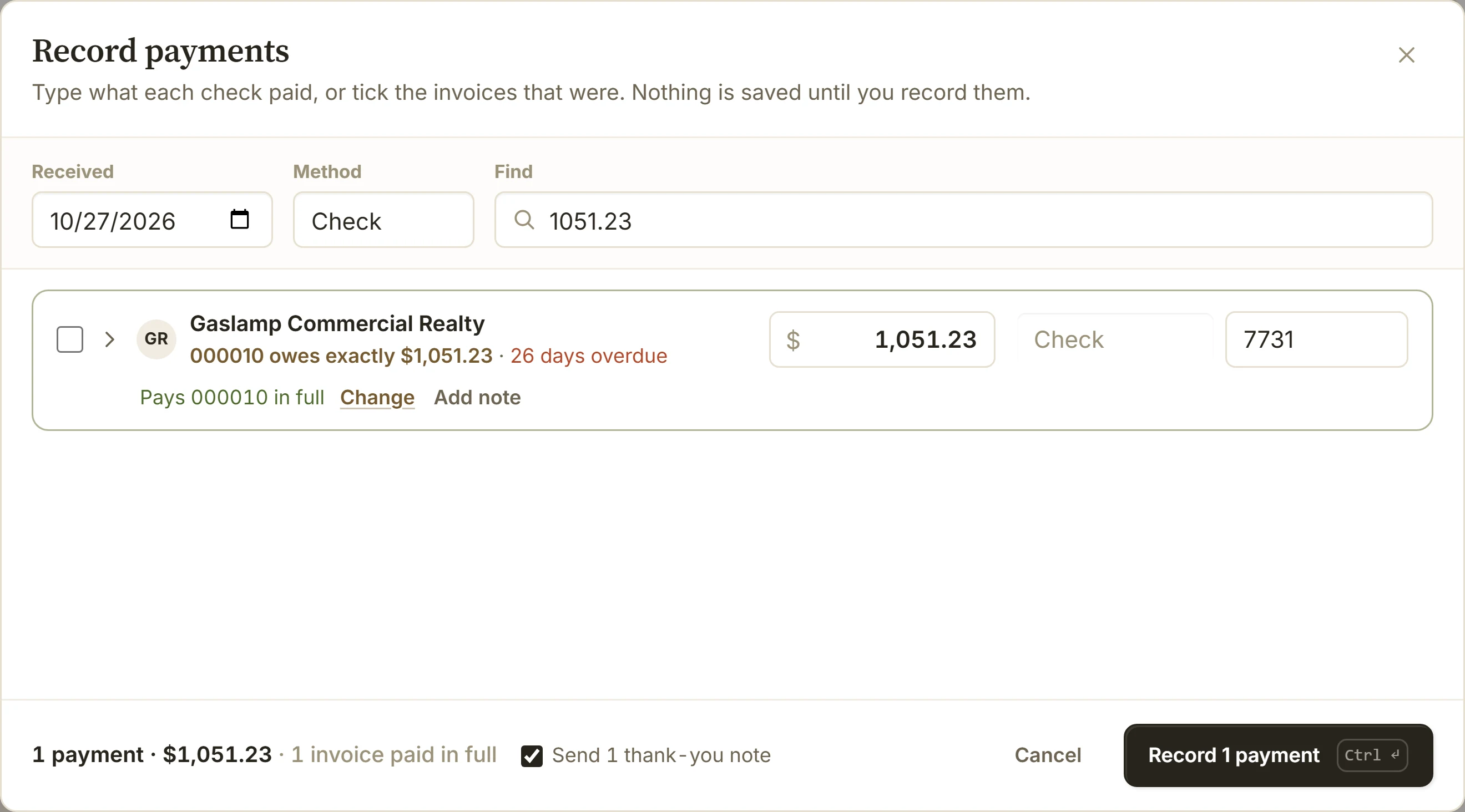
Select invoices on Invoices, from any clients, and choose Mark paid. The same list opens with them ticked.
Paid long ago, still showing overdue? Tick them, and each invoice more than 60 days overdue is dated when it was due. Change the date when you know better.
Cash, bank transfers and cards taken in person go in the same list. Each row can take its own method, a reference and a note for your team.
When your account sends thank-you notes, each payment from the last 30 days gets one. Untick them to send none.
An invoice paid in full stops its reminders. A check for more than the client owes leaves the rest as their credit.
QuickBooks Online receives payments for one customer at a time, its own team says. Here the whole stack is one list, on every plan.
Up to 500 payments in one go. Each is one client's money on one date.
Choose Undo right after. Later, open the payment on Payments to move it to another invoice or delete it.
No. Payments clients make through Stripe are recorded for you. Read about online payments.
Yes, anyone on your team who can handle money, for the clients they reach.