For service companies
The whole month.
One sitting.
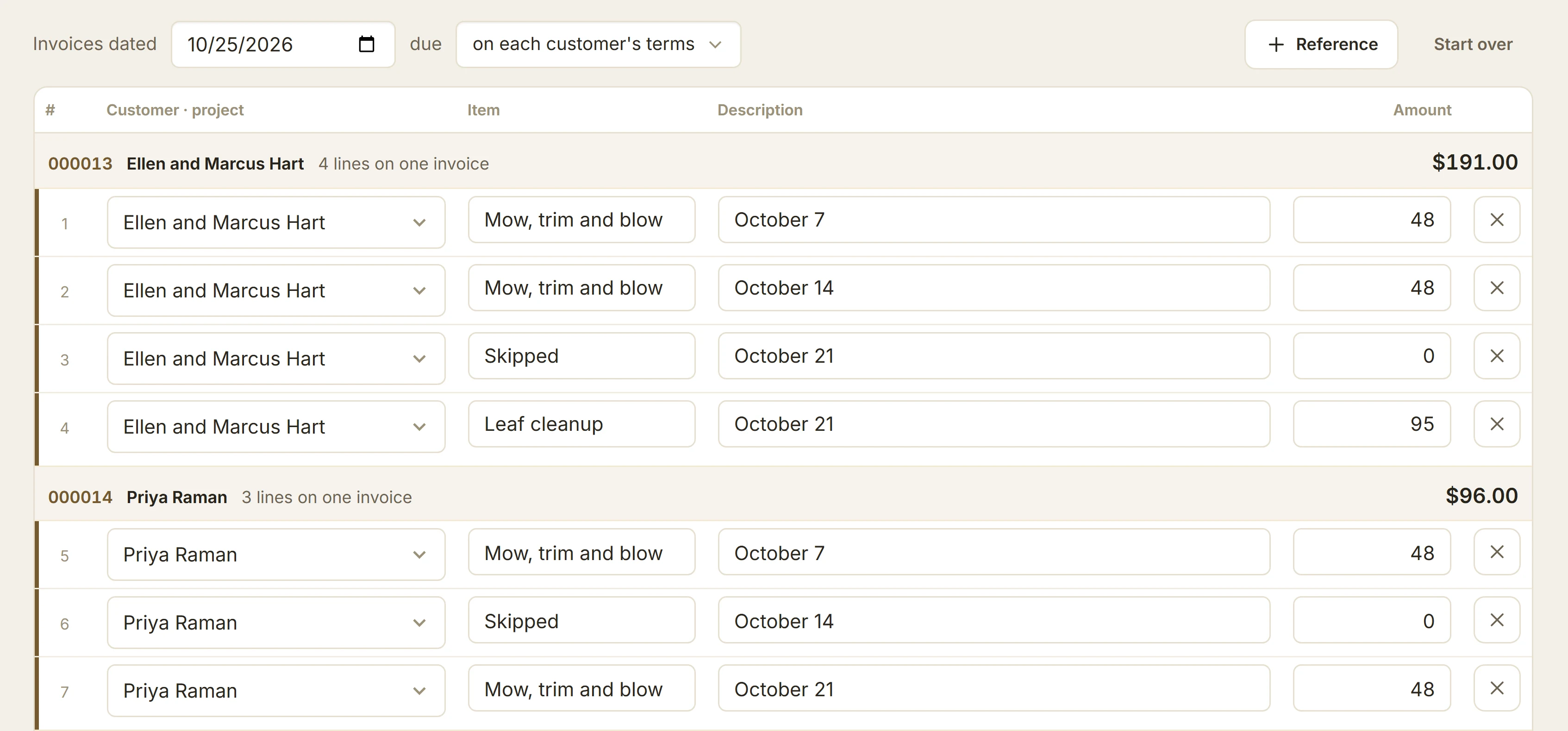
Send the month's invoices together, with each service address and PO on the right invoice.
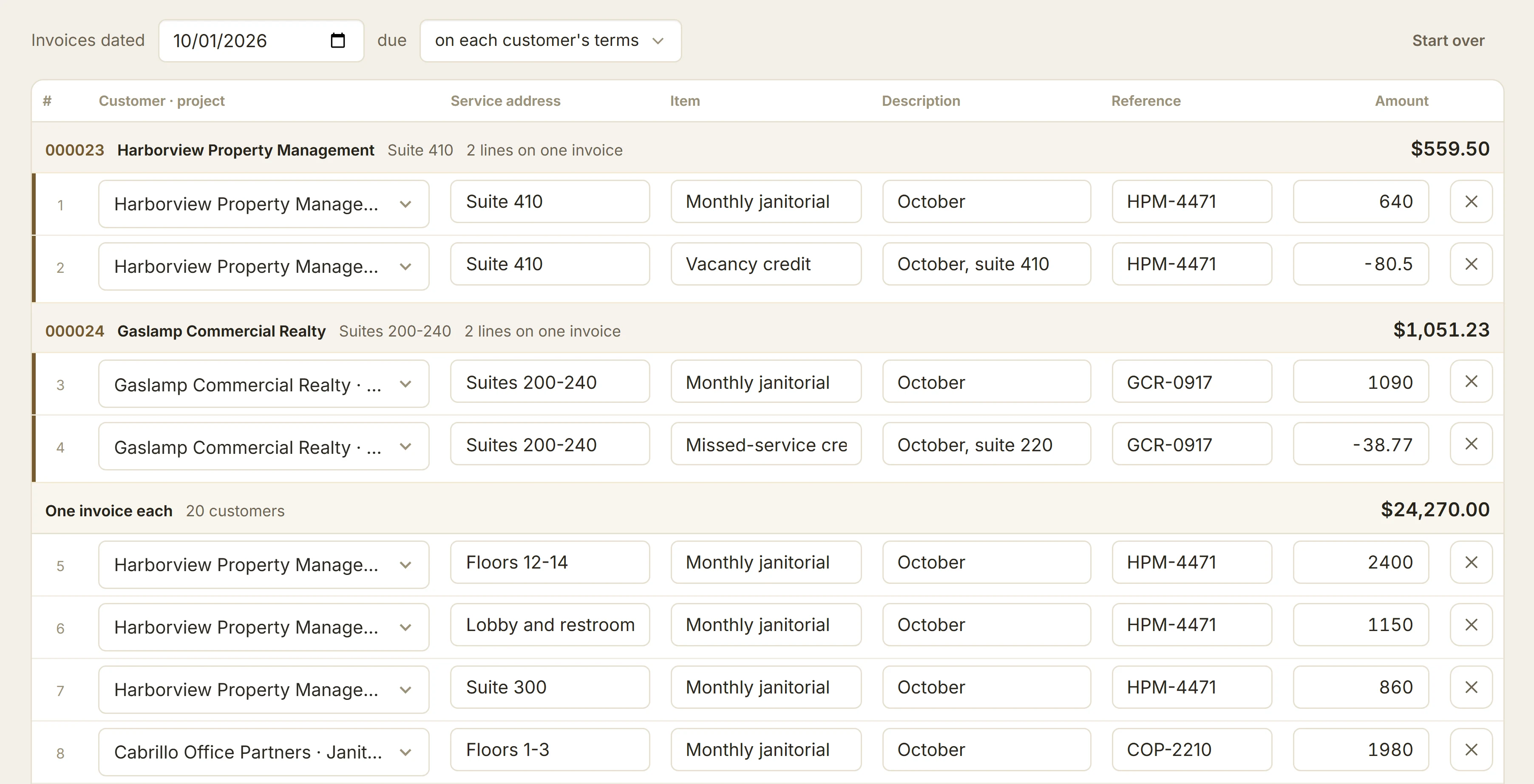
Every building. Saved once.
Save each building, suite or property under the customer who pays. Pick one service address per invoice or estimate.
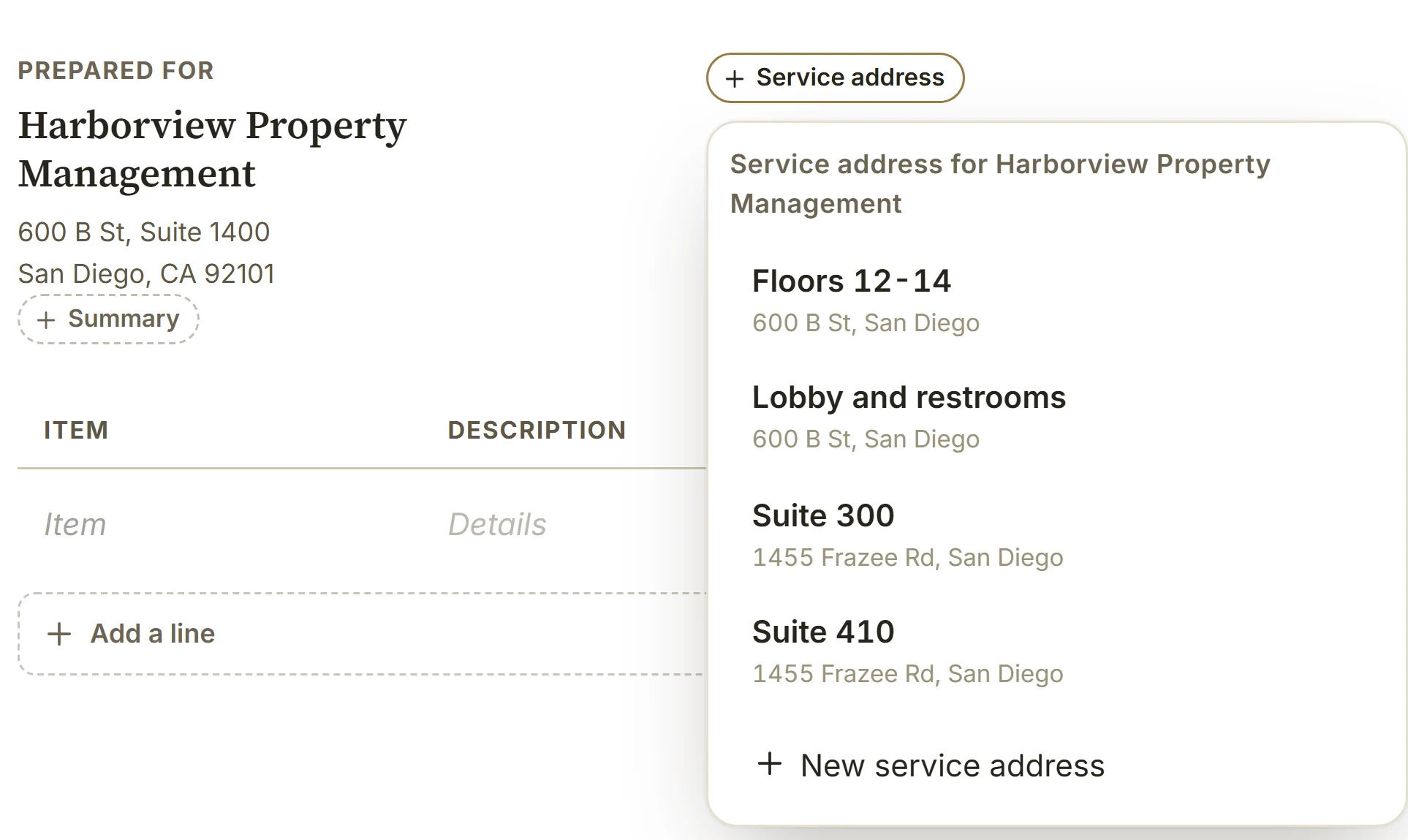
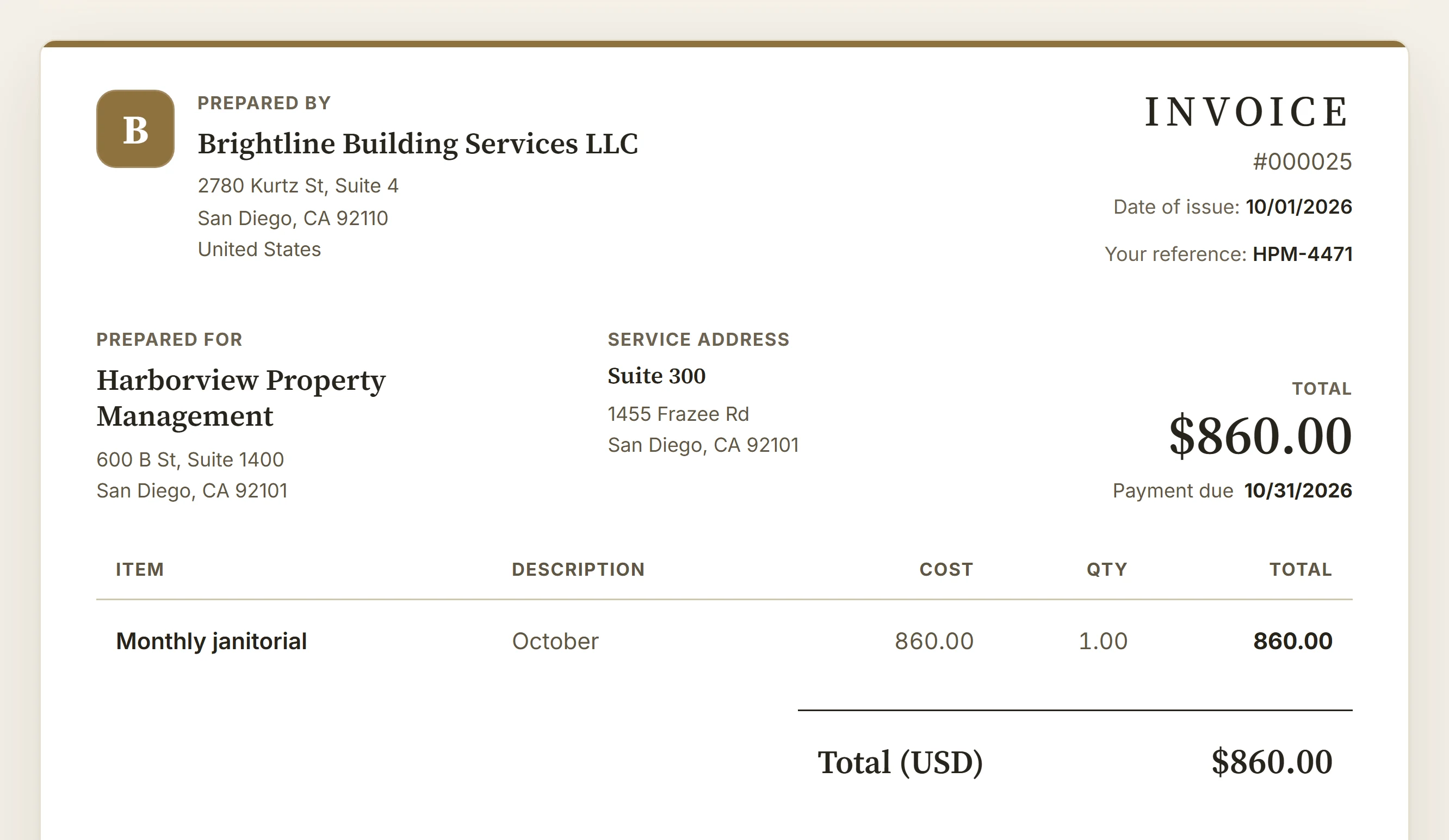
One address for the work. Another for the bill.
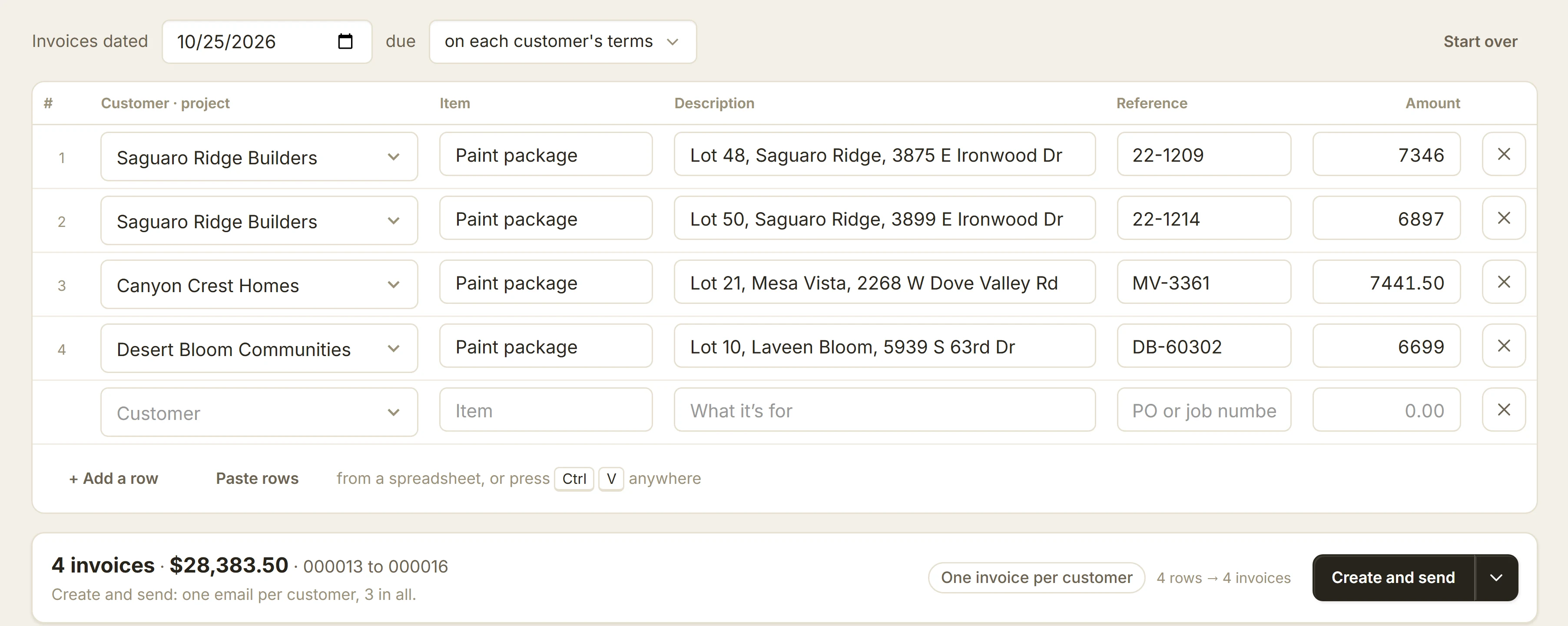
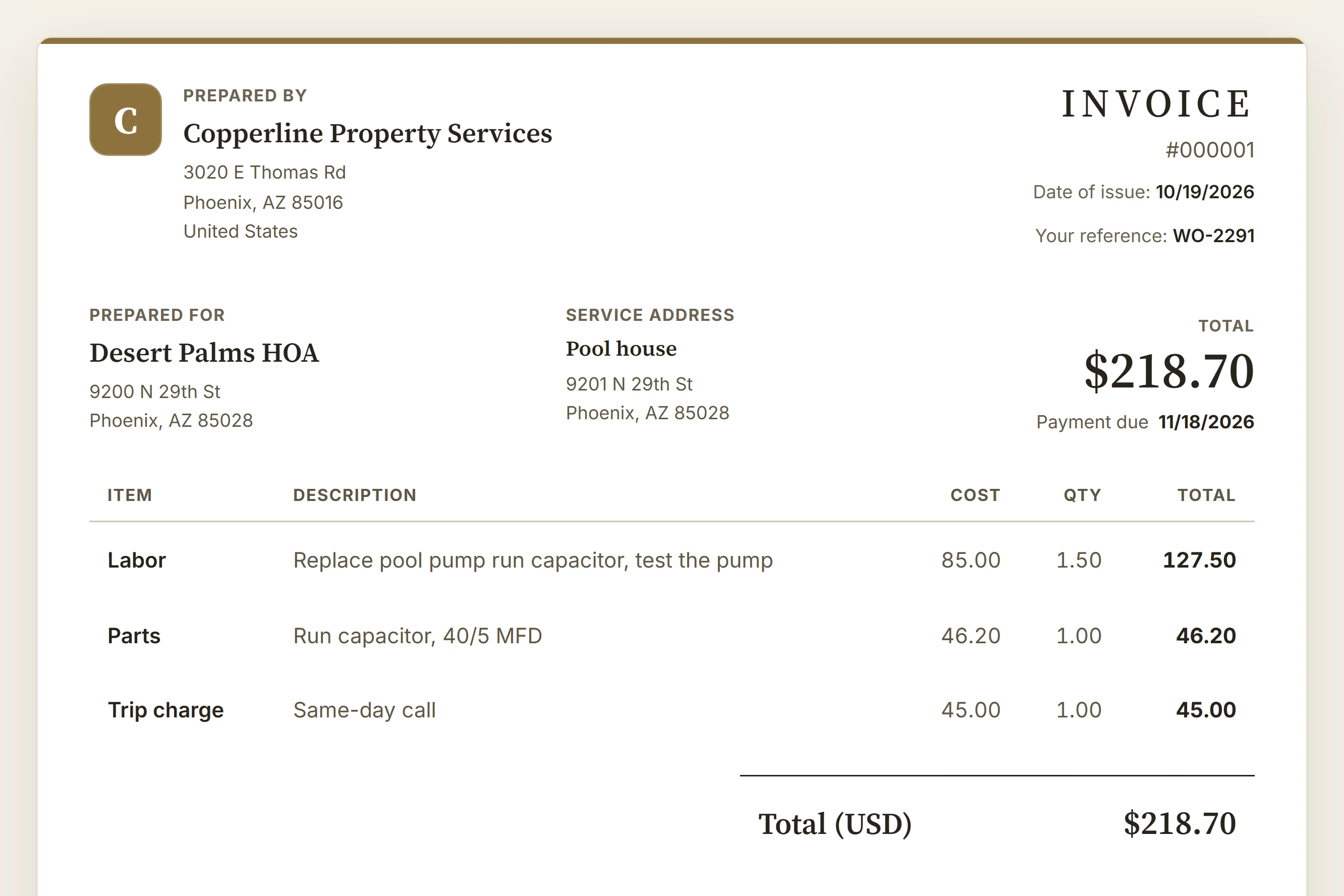
The invoice shows who pays, where you worked and the PO for that job. In Invoice several, you can group rows for the same customer and site into one invoice.
Client portal on Pro and Team
Give the office one place to look.
A property manager can check what’s due, download invoice PDFs and open the service reports you’ve shared. Their replies stay with the customer.
For each contact, choose billing only, selected projects, or all shared work. They can also see the documents you email them.
See what customers can open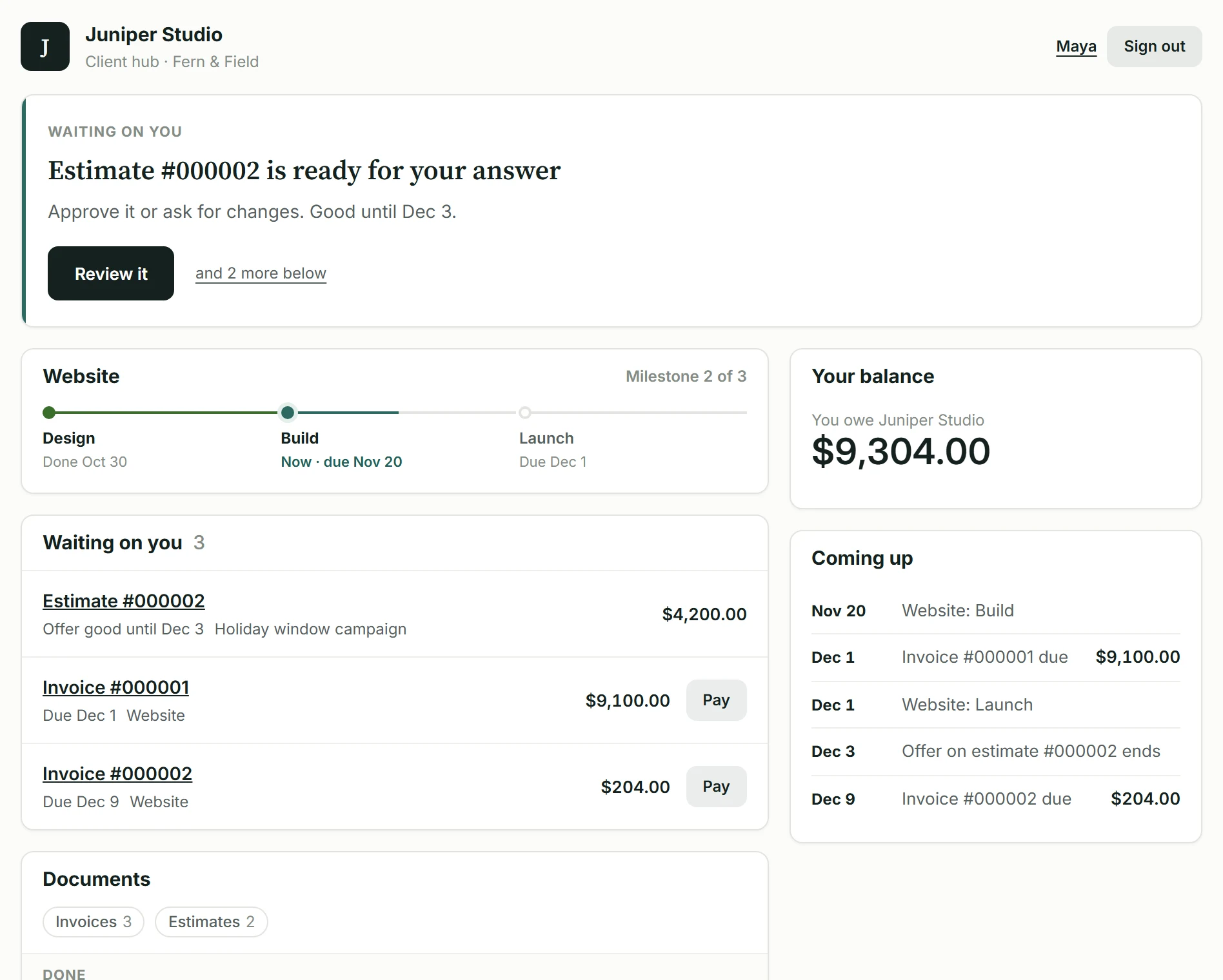
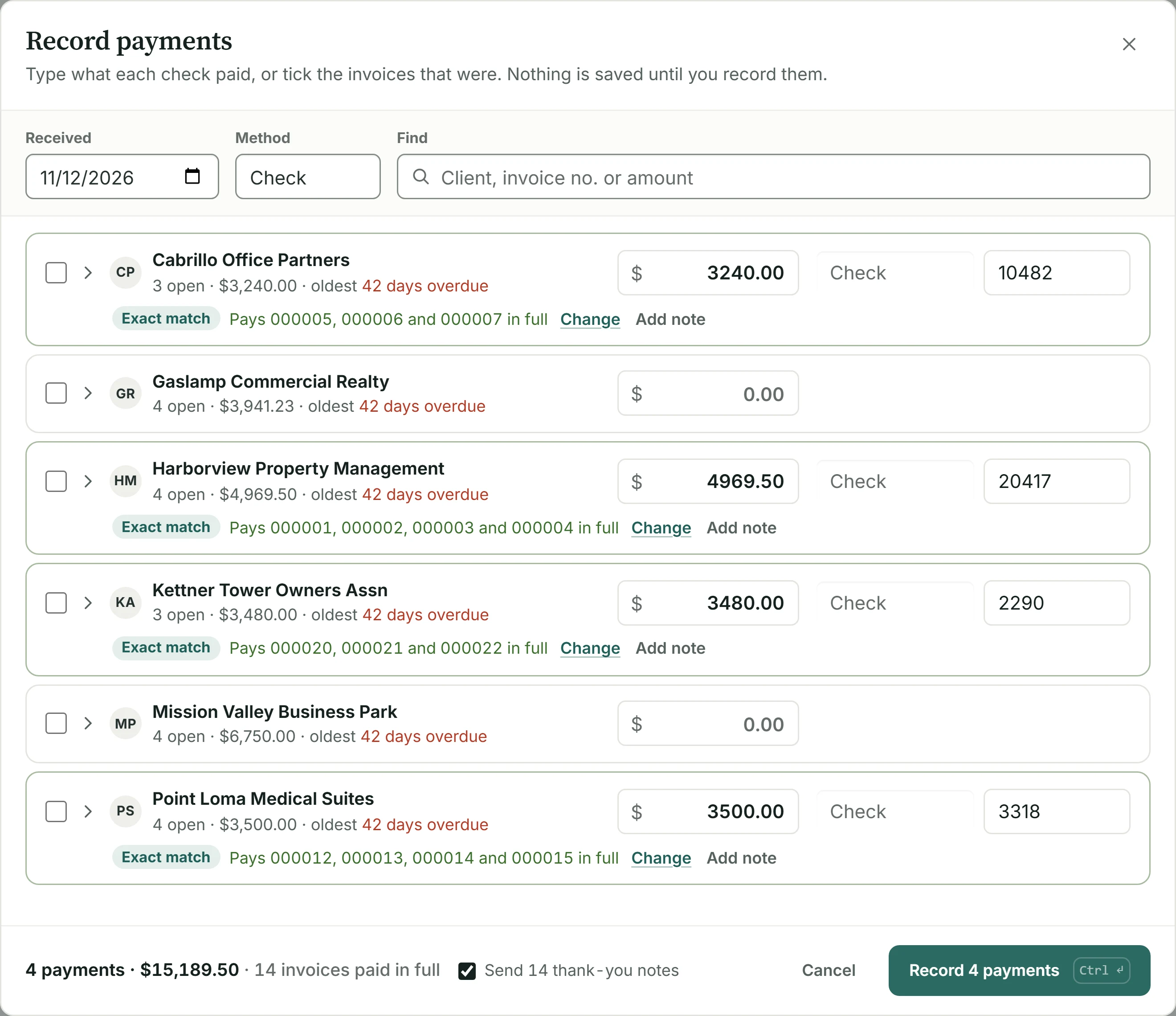
A stack of checks. One list.
Enter each check beside its customer. Review the invoices it pays, then record the whole stack together.
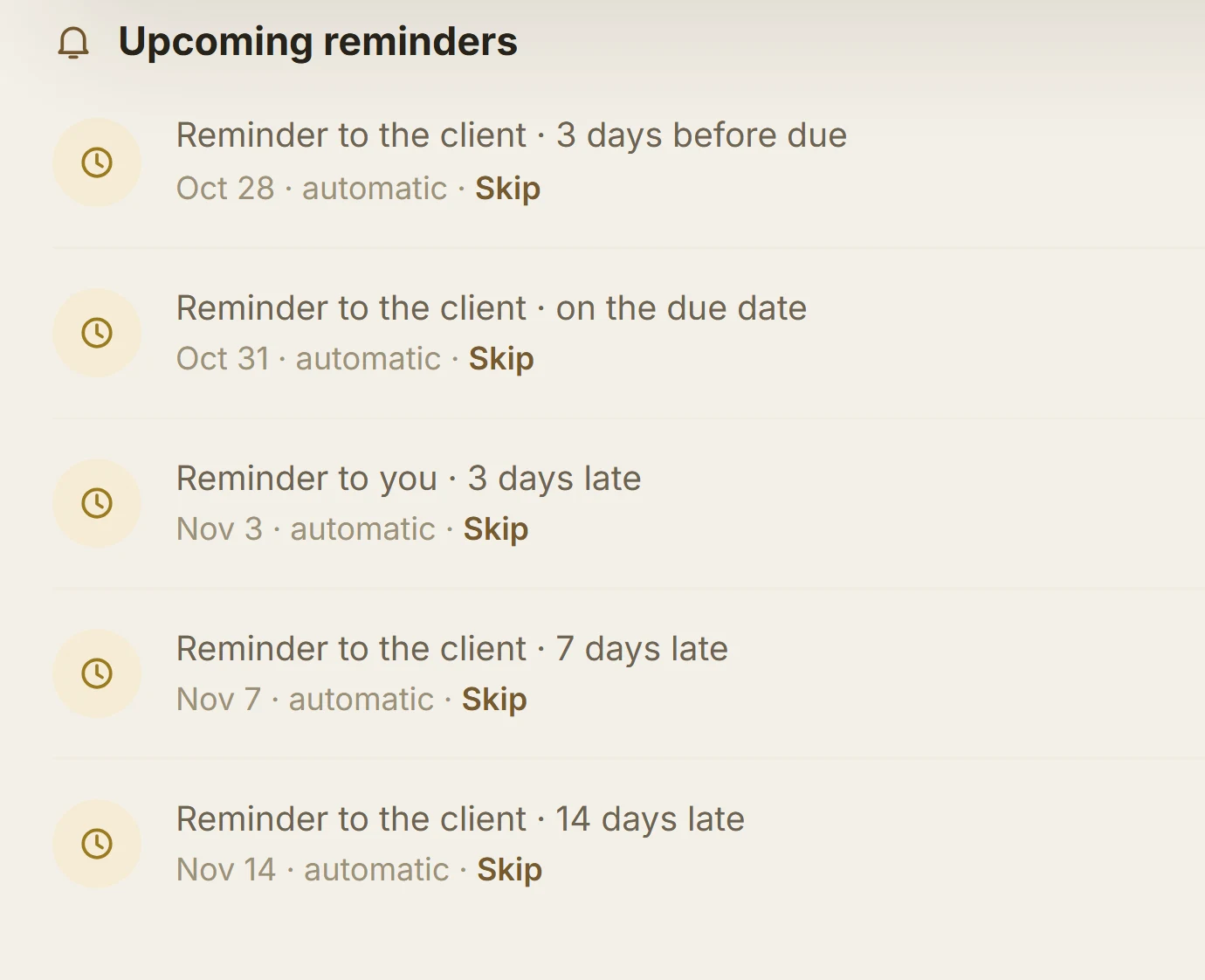
Chasing, handled.
On Pro or Team, send reminders before and after the due date. They stop when the invoice is paid.
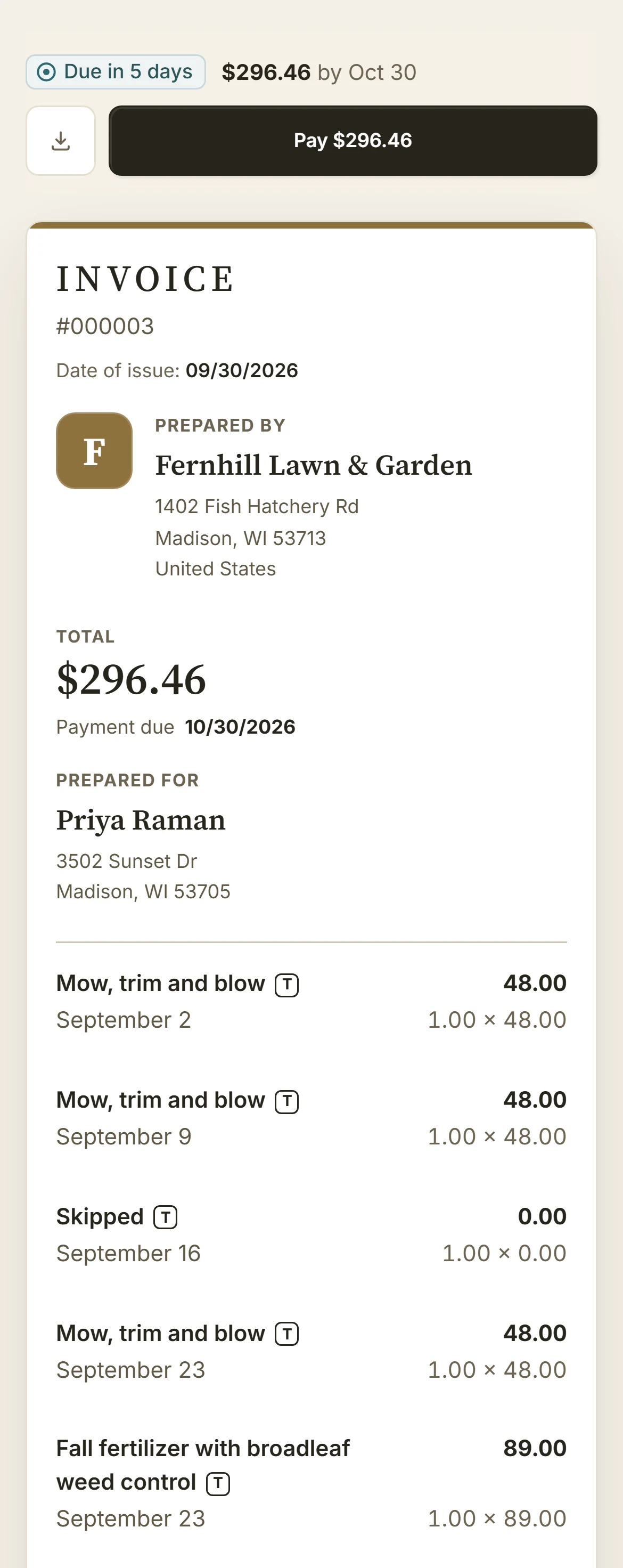
Or paid by phone.
Accept cards through your own Stripe account, with US bank payments for eligible USD invoices. Stripe’s processing fees apply.
$10 a month.
Pro includes unlimited customers and invoices. No fee per route, truck or job.
Six trades. Six ways to bill.
Made for the route.
See how a sample business in your trade handles invoices and payments, on real BillGrid screens.
- Cleaning Twenty-nine suites. One sitting. Brightline Building Services, San Diego Read their month
- Lawn and snow 140 lawns. One invoice each. Fernhill Lawn & Garden, Madison Read their month
- Painting and drywall Forty lots. Every one by its PO. North Ridge Painting, Phoenix Read their month
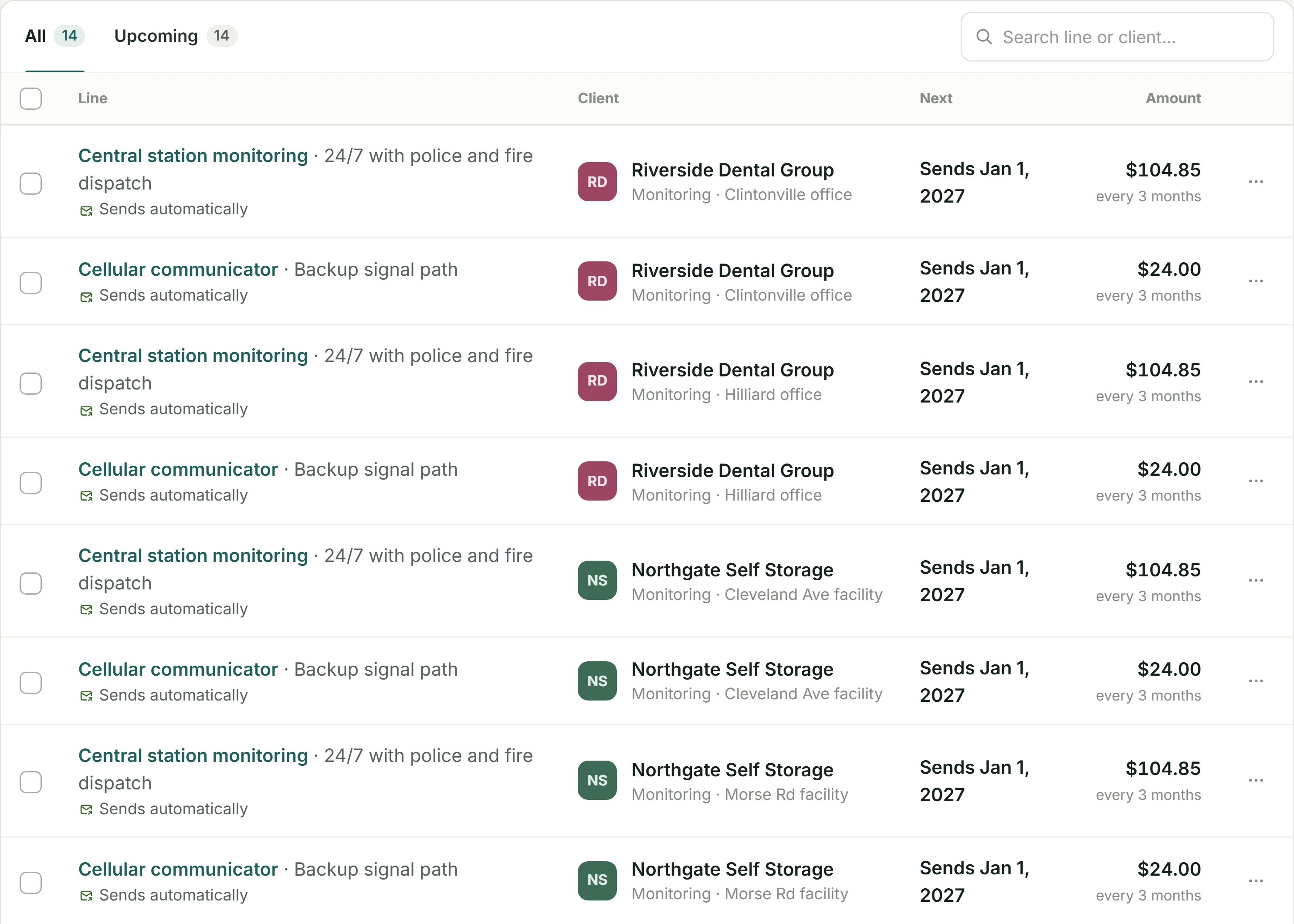
- Alarm monitoring Every site monitored. Every quarter billed. Keystone Security, Columbus Read their month
- Maintenance and repair Every work order. Labor and parts, on time. Copperline Property Services, Phoenix Read their month
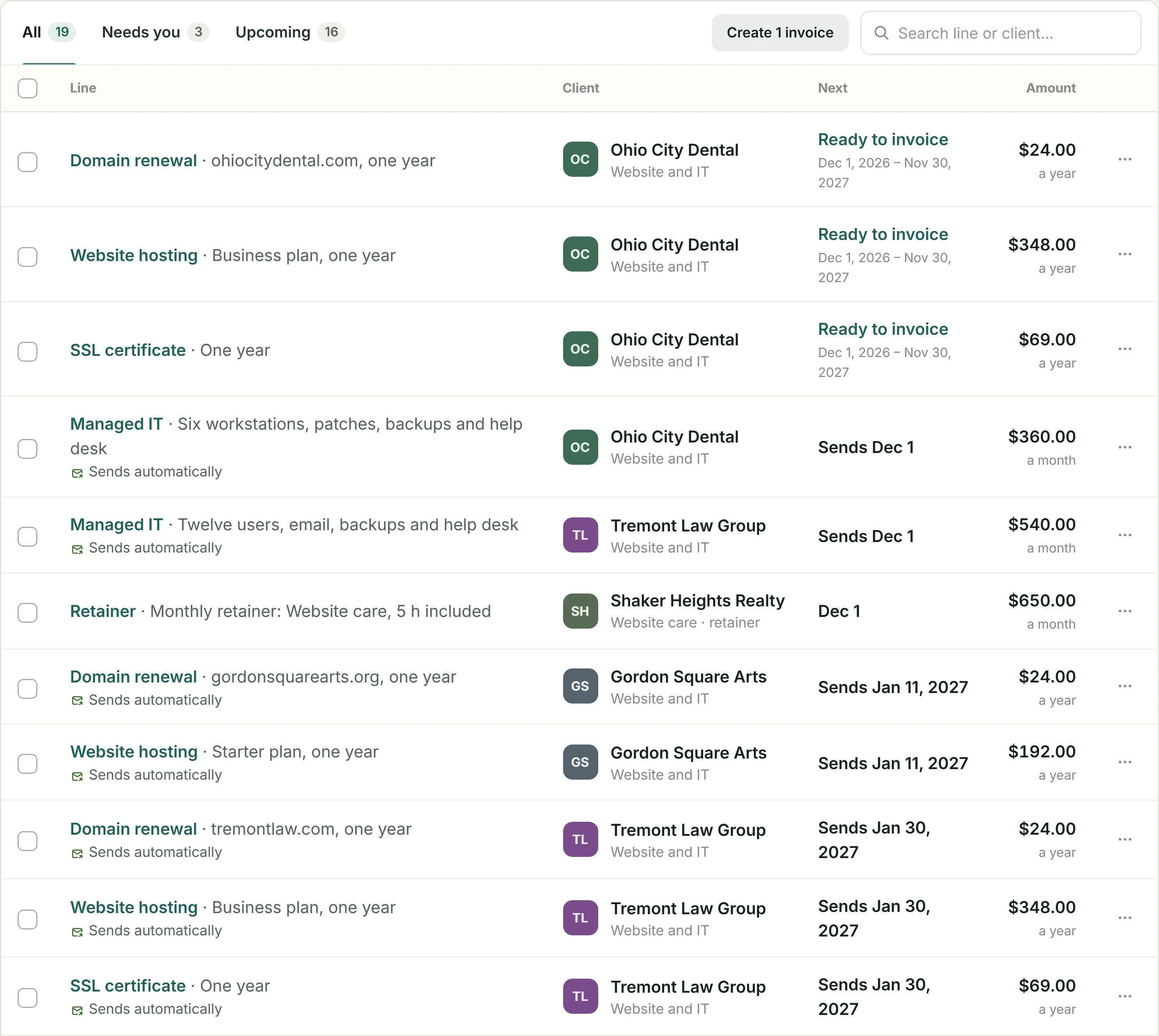
- Hosting and IT Every renewal billed. Not one forgotten. Northbeam Hosting, Cleveland Read their month
Need dispatch, crews and GPS? A field service suite does that. Need the billing done? Start here.
Questions
Can one customer have several sites?
Yes. Save the locations on the customer record and choose a site when you invoice. Updating a saved address refreshes drafts. Sent documents keep the address you sent unless you correct the document.
Can I bill last month again?
Yes. Invoice several brings last month back as rows, or takes your route sheet pasted from a spreadsheet. Change what changed, then send.
Do my customers need an account?
No. They can open the invoice from its email link and use the payment methods you offer. If you enable online payments, they can pay there; if you accept checks, record them when they arrive.
What does it cost?
Nothing on Free, for three active clients and three documents a month; $10 a month for unlimited customers and invoices.
More on BillGrid
See every feature, pricing, or how BillGrid compares. Also for: Designers, Consultants, Web developers, Cleaning companies, Lawn and snow companies, Painting and drywall contractors, Alarm companies, Maintenance and repair companies, Hosting and IT companies.