Free
Track time and costs, then send an invoice and schedule payment reminders.
Free for three active clients and three documents a month. Invoices, estimates and contracts share the sending limit. Drafts don't count.
Start for freeInvoicing for consultants
Log client hours and expenses as you go. Review both on an invoice draft. On Pro or Team, see what a retainer covers before billing extra time.
Free for three active clients and three documents a month; Pro from $8 a month, billed yearly.

A consultant’s month
Two ways to bill the work, shown on real BillGrid screens with sample data.
When you bill by the hour
Run a timer or log time by project. Review the entries and their saved rates, then bring billable time and expenses onto an invoice. Group the work or show the client each time entry before you send.
See the time-to-invoice steps
When the client keeps you on
On Pro and Team, set a monthly or quarterly fee and include hours if your agreement calls for them. See what is used, cap any carry-over, and choose whether the extra time goes on an invoice.
See how retainers settle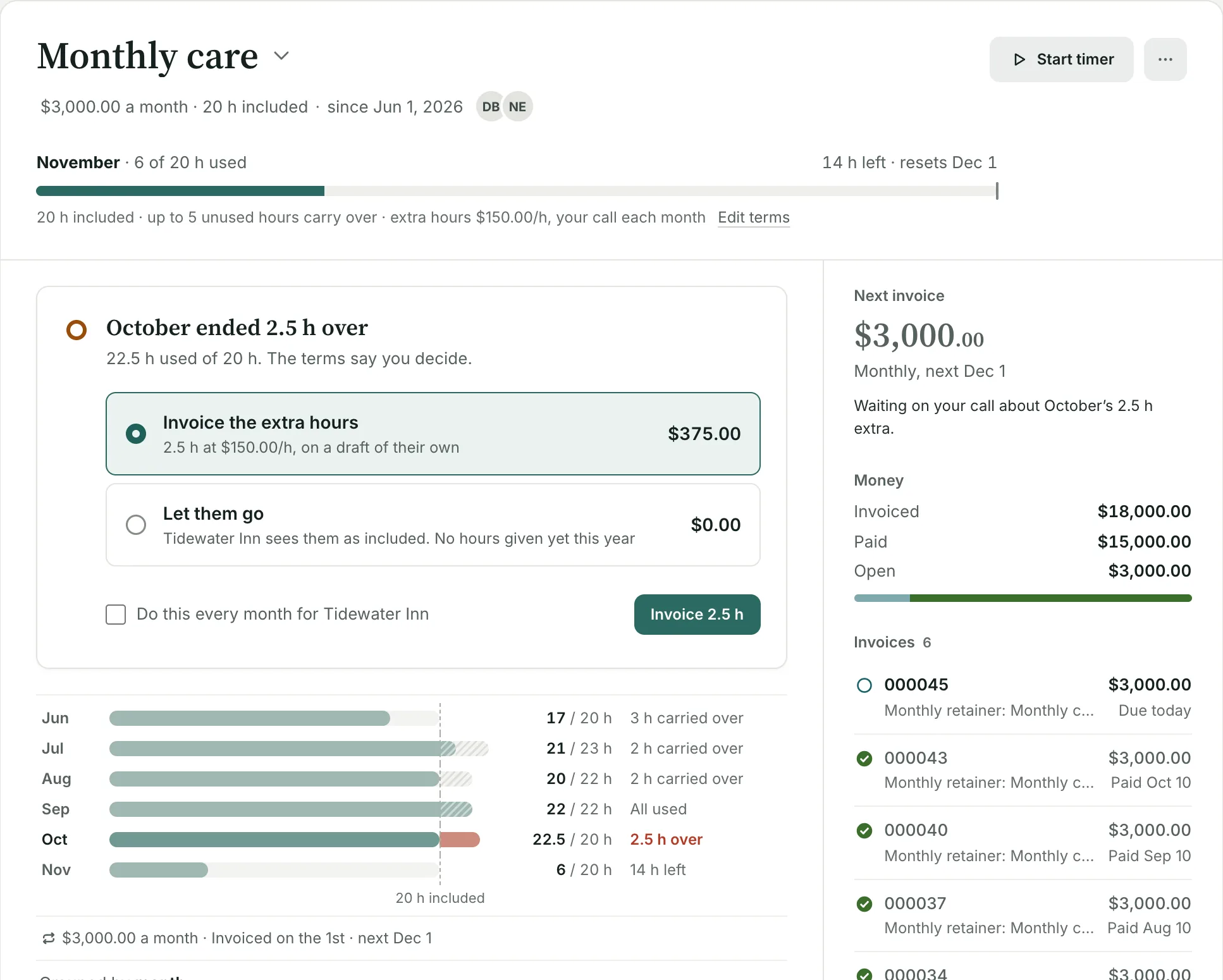
Your next job
Track time and costs, then send an invoice and schedule payment reminders.
Free for three active clients and three documents a month. Invoices, estimates and contracts share the sending limit. Drafts don't count.
Start for freeUse retainers, or move to Team when associates need their own logins.
Unlimited clients and invoices. Pro is $10 a month.
See plans and pricingUse BillGrid for client work and billing. Keep bookkeeping, bank feeds and payroll in your accounting tools. If you want invoicing and accounting in one app, see the FreshBooks comparison.
Yes. Choose one line per entry to show the date, project and note, or group related hours for a shorter invoice.
Yes, on Team ($5 a month per extra login). Assign them to the projects they work on and review their time with yours.
Yes. See what moves from Harvest, including which records come across as history and how to try the first live billing cycle.
Rules vary by where you work and who hires you. See the freelance payment laws guide for contract and payment requirements.
Need one invoice before you decide? The free consulting invoice template fills in online and downloads as a PDF, no account needed.
See every feature, pricing, or how BillGrid compares. Also for: Designers, Web developers, Service companies, Cleaning companies, Lawn and snow companies, Painting and drywall contractors, Alarm companies, Maintenance and repair companies, Hosting and IT companies.