Features · Time tracking
Track the hours. Bill them in a click.
A timer for now and timesheets for catching up, with every billable hour ready to turn into an invoice, for you and, on the Company plan, your team.
Track time the way you work
- A timer that keeps going. It's saved as it runs, so it carries on if you close the tab or switch devices.
- Timesheets by day or week for logging time after the fact.
- Notes and a billable flag on every entry, so admin time stays off the invoice.
- Projects and tasks, so hours land under the job they belong to.
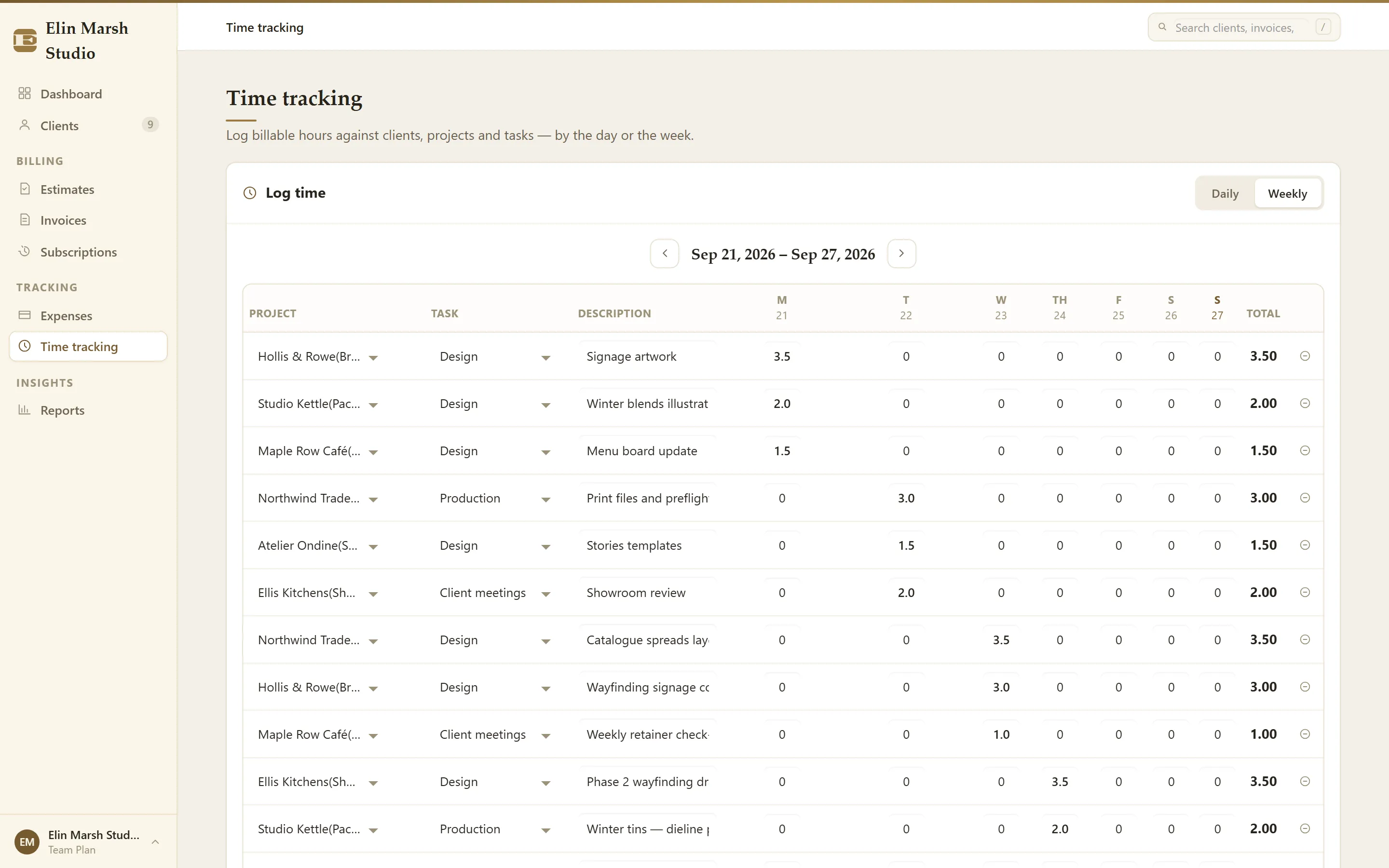
Turn hours into an invoice
- Pick a date range, the client and projects, and whether to include only billable time.
- Choose one invoice line per entry (with its date, project and note) or one line per project and task.
- Enter your hourly rate and create the invoice. Hours carry over exactly, to two decimal places.
Hours on an invoice are locked against edits and left out of later imports, so the same time can't be billed twice. On the Company plan ($20 a month plus $5 per extra staff login), managers can bring in their team's hours and show who did each piece of work.
What it doesn't do
One hourly rate applies to each import, so work at different rates means separate imports. Hours aren't rounded for you, timesheets have no approval step, and project budgets aren't yet tracked against hours. If deep team time reporting is the main job, Harvest is built for that; our guide on invoicing hourly work covers rounding and describing work fairly.
Questions
Can my team track time?
Yes, on the Company plan. Each person gets their own login and timesheet, and managers bill their time.
Can I bill expenses with the hours?
Yes. Log expenses, or import them from a CSV file, and pull the billable ones onto the next invoice.
Is time tracking on the cheapest plan?
Yes. It's on the $8 Professional plan, with unlimited clients and invoices.
Go further
Step by step in the Help Center: Logging time and converting it to a billable invoice. Weighing other tools? See how BillGrid compares.