Quiet for your clients.
Importing sends nothing. No emails, reminders or invoices go out until you create and send them yourself.
Features / Data import
Move to BillGrid without retyping. Bring in your client list, the hours you haven't invoiced yet and your expenses, then pick up billing where you left off.
Included on every BillGrid plan, including Solo and trials. The account owner imports from Settings > Import data.
A client export from FreshBooks, Wave, QuickBooks, Xero, Zoho Invoice or Invoice Simple works as it is. So does any spreadsheet with a column for the client's name. Check the preview, then import; clients already in BillGrid are left out.
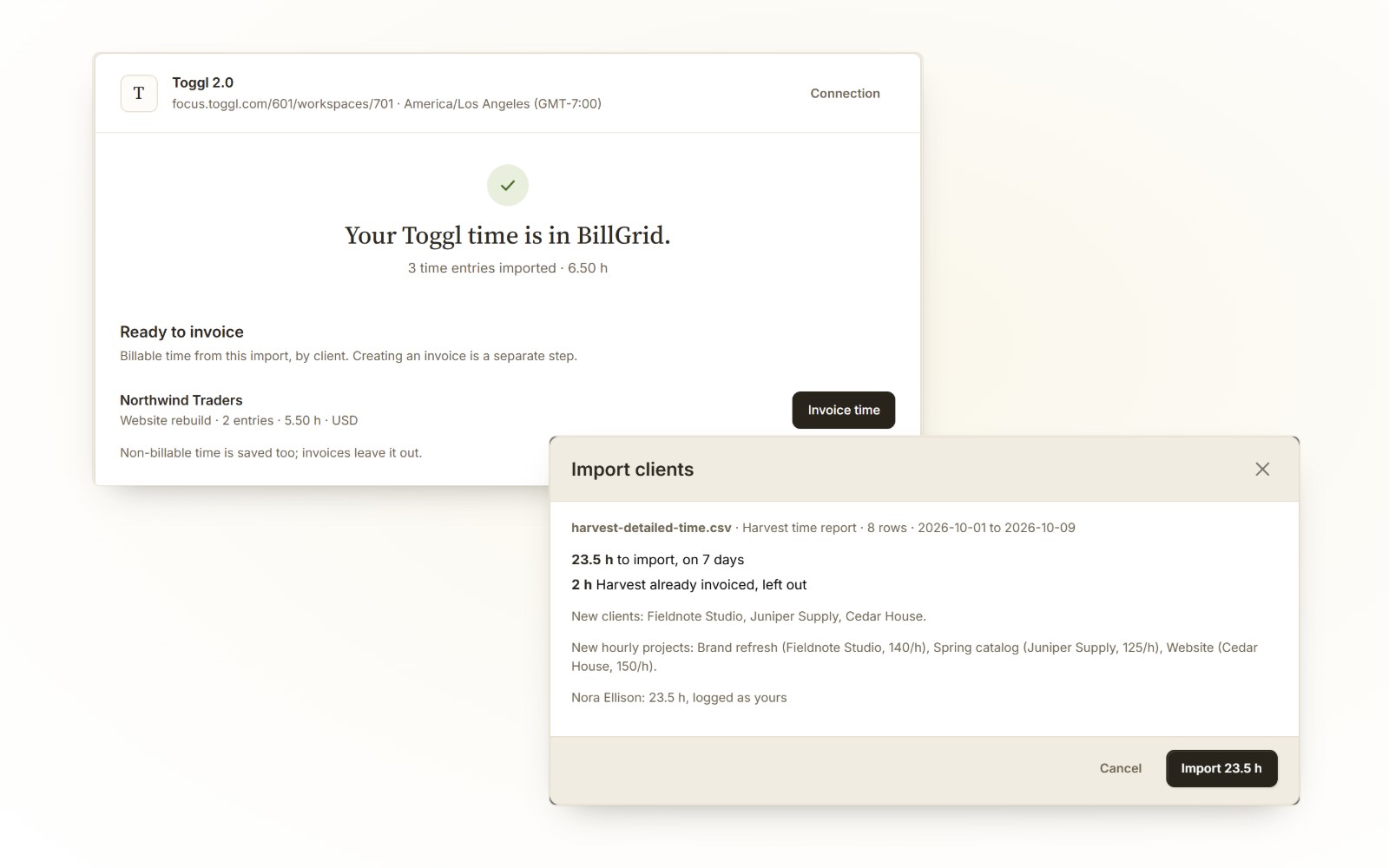
Export Harvest's Detailed time report as CSV. Its clients, hourly projects and the hours not yet invoiced come in with the rates they carry, ready to review for an invoice. Importing the same file again adds nothing.
Connect Toggl 2.0 with your own API key and import your completed time, up to 31 days at once. Choose a BillGrid project for each Toggl project, then invoice the time with your BillGrid rates. Disconnect when you're done.
Import expenses from a CSV with a date, the client and project, an amount and a description on each line. Add the billable ones to the client's next invoice. See the expense format.
Client lists leave out clients already in BillGrid. A Harvest file imported again adds nothing, and Toggl dates imported again never add an entry twice. Expense files add every line, so import each file once.
Toggl 2.0, formerly Focus: your own completed entries, a month at a time. Classic Toggl Track isn't supported. Read the Toggl guide.
Hours come in for the people on your BillGrid team, matched by name. The preview shows who each person's hours go to before anything is saved; invite or rename someone first if their hours are left out.