Free
Send a build estimate or invoice and take payment through your connected Stripe account.
Free for three active clients and three documents a month. Invoices, estimates and contracts share the sending limit. Drafts don't count.
Start for freeInvoicing for web developers
Quote a website with a deposit and a balance. Bill hosting and maintenance as recurring lines; on Pro or Team, share handoff files and send them automatically.
Free for three active clients and three documents a month; Pro from $8 a month, billed yearly.

Build, launch, maintain
Follow a build and a recurring care plan on real BillGrid screens with sample data.
Before you build
Put the scope, optional extras and payment schedule on an estimate. Attach a contract if you need one. When the client approves the scheduled estimate online, the invoice follows with the agreed deposit and balance.
See how approval creates the invoice
When the site goes live
Bill your tracked hours, finished milestones or project expenses when they apply. On Pro or Team, keep launch documents or a handoff link on the invoice and choose whether they open now or after the invoice is paid in full.
See how to share deliverables
After launch
Make hosting and updates a recurring line, ready for your review on its date, or sent automatically on Pro or Team. If a care agreement includes support hours, use a retainer instead and review the extra hours before you invoice them.
Compare recurring invoices and retainers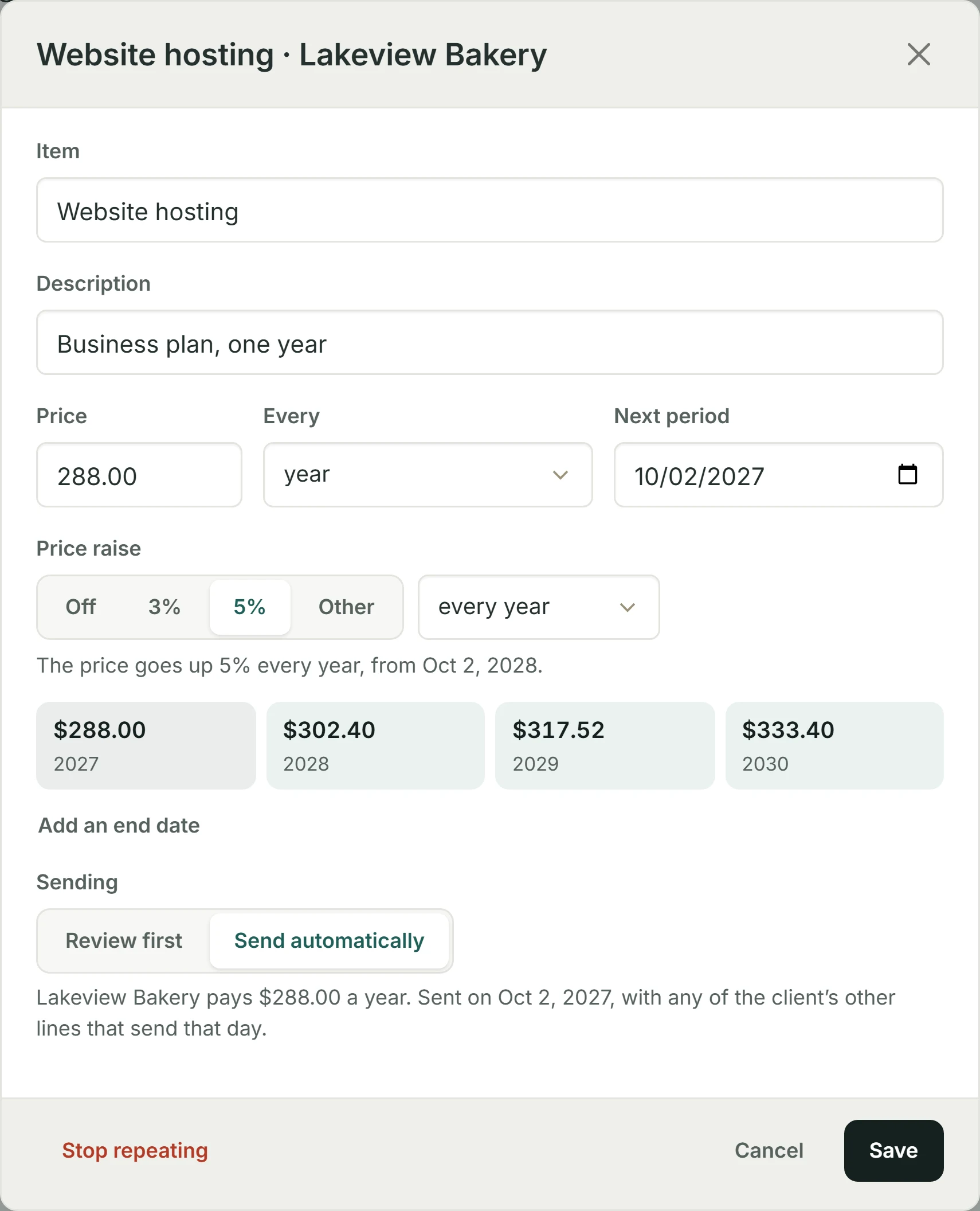
Your next job
Send a build estimate or invoice and take payment through your connected Stripe account.
Free for three active clients and three documents a month. Invoices, estimates and contracts share the sending limit. Drafts don't count.
Start for freeSend a contract to a new client, deliver files after payment, and automate recurring care invoices.
Unlimited clients and invoices. Pro is $10 a month.
See plans and pricingKeep your own registrar, hosting and deployment tools. For business tasks you can connect compatible AI assistants on eligible plans. BillGrid does not offer general REST endpoints, webhooks or a Zapier integration.
On Pro and Team, yes. Turn on automatic emailing for the schedule. BillGrid sends the invoice; the client still pays from its link.
Yes. With a retainer, set the fee and included hours, then review any excess and choose whether to invoice it.
Yes. With Pro or Team, you can send a contract to a new client. On Free, send the client an invoice or an estimate without a contract first, then email the contract. Marking a document sent without emailing it does not count.
Rules vary by where you work and who hires you. See the freelance payment laws guide for contract and payment requirements.
Need one invoice before you decide? The free web design invoice template fills in online and downloads as a PDF, no account needed.
See every feature, pricing, or how BillGrid compares. Also for: Designers, Consultants, Service companies, Cleaning companies, Lawn and snow companies, Painting and drywall contractors, Alarm companies, Maintenance and repair companies, Hosting and IT companies.