Batch Invoicing: Bill Every Customer in One Sitting
Checks were still 26% of business-to-business payments in the Association for Financial Professionals' 2025 survey, down from 81% in 2004, Nacha reports. For a cleaning, lawn or alarm company that means two chores a month: a pile of invoices out, a stack of checks in. Here is the month in one sitting.
Repeat Last Month
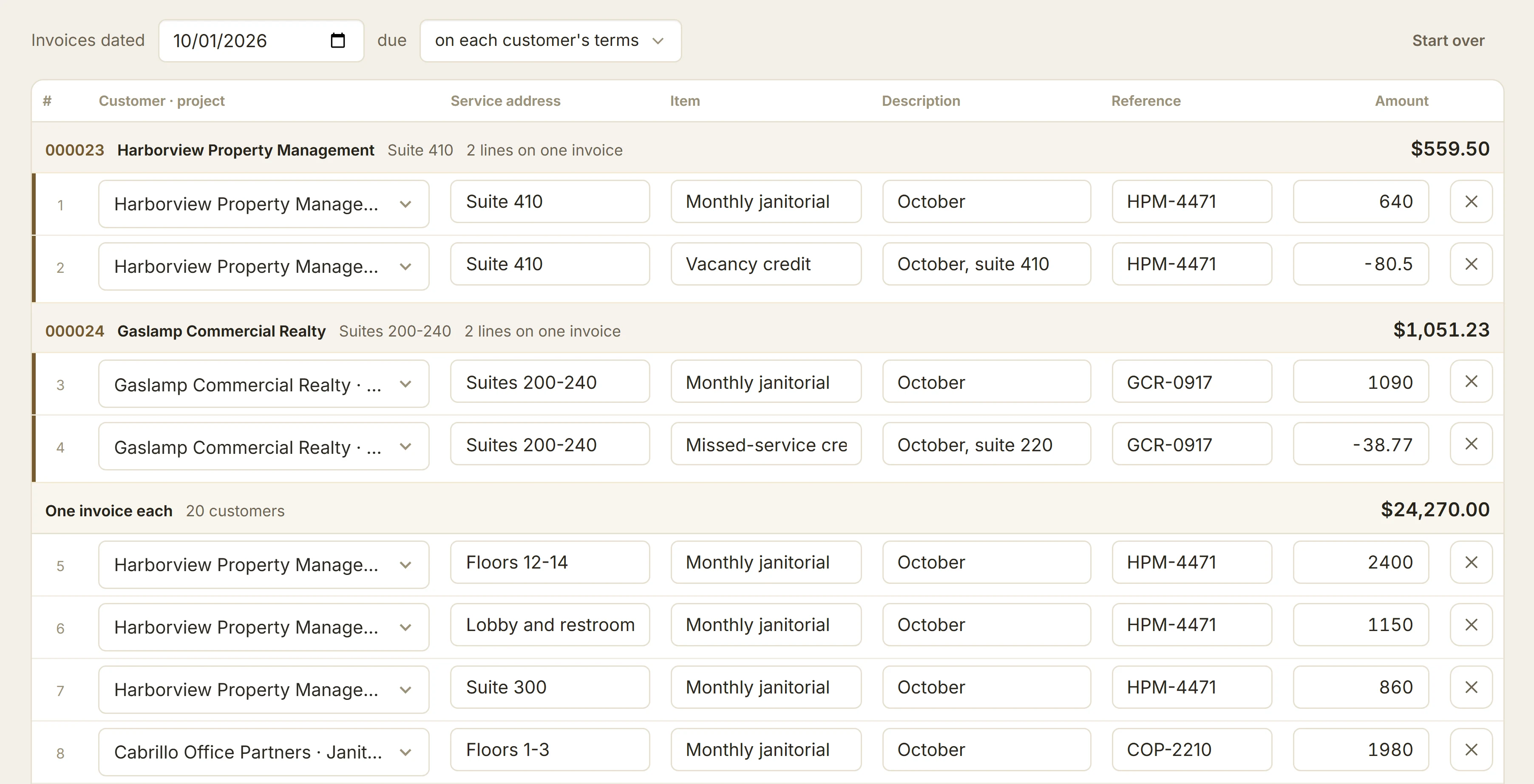
On Invoices, choose New, then Invoice several, and repeat last month's invoices. Every customer and site comes back as a row, with its PO. Change what changed, a vacant suite or a new price, and leave the rest.
One Invoice per Site, the PO on Top
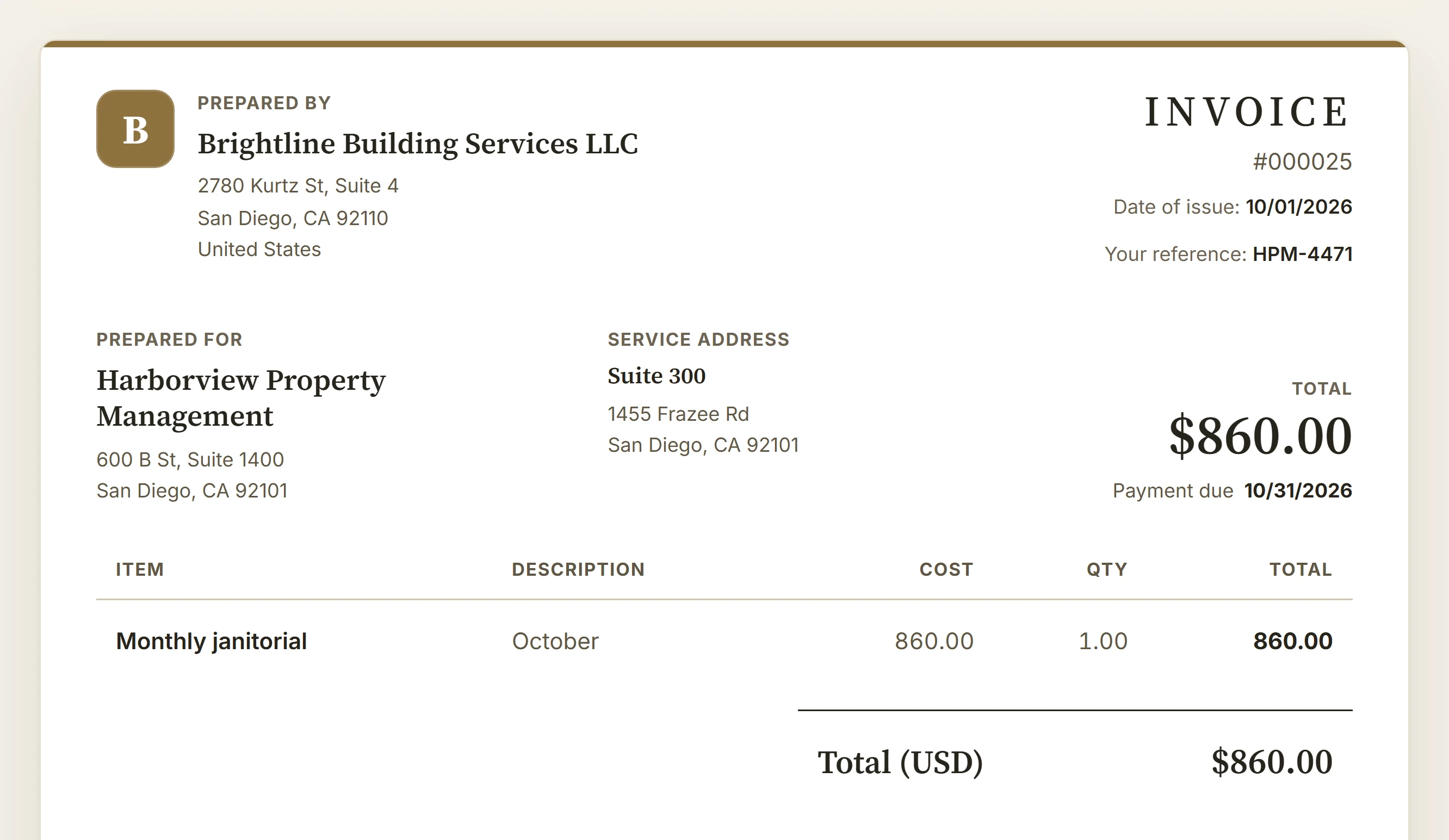
Rows for the same customer and site become one invoice. It names the service address beside the billing address and prints the customer's PO as Your reference, so accounts payable can match it.
Send Them Together
Create and send emails each customer once, with all of their invoices. To print or check them first, mark them as sent or save drafts instead.
Record the Stack of Checks
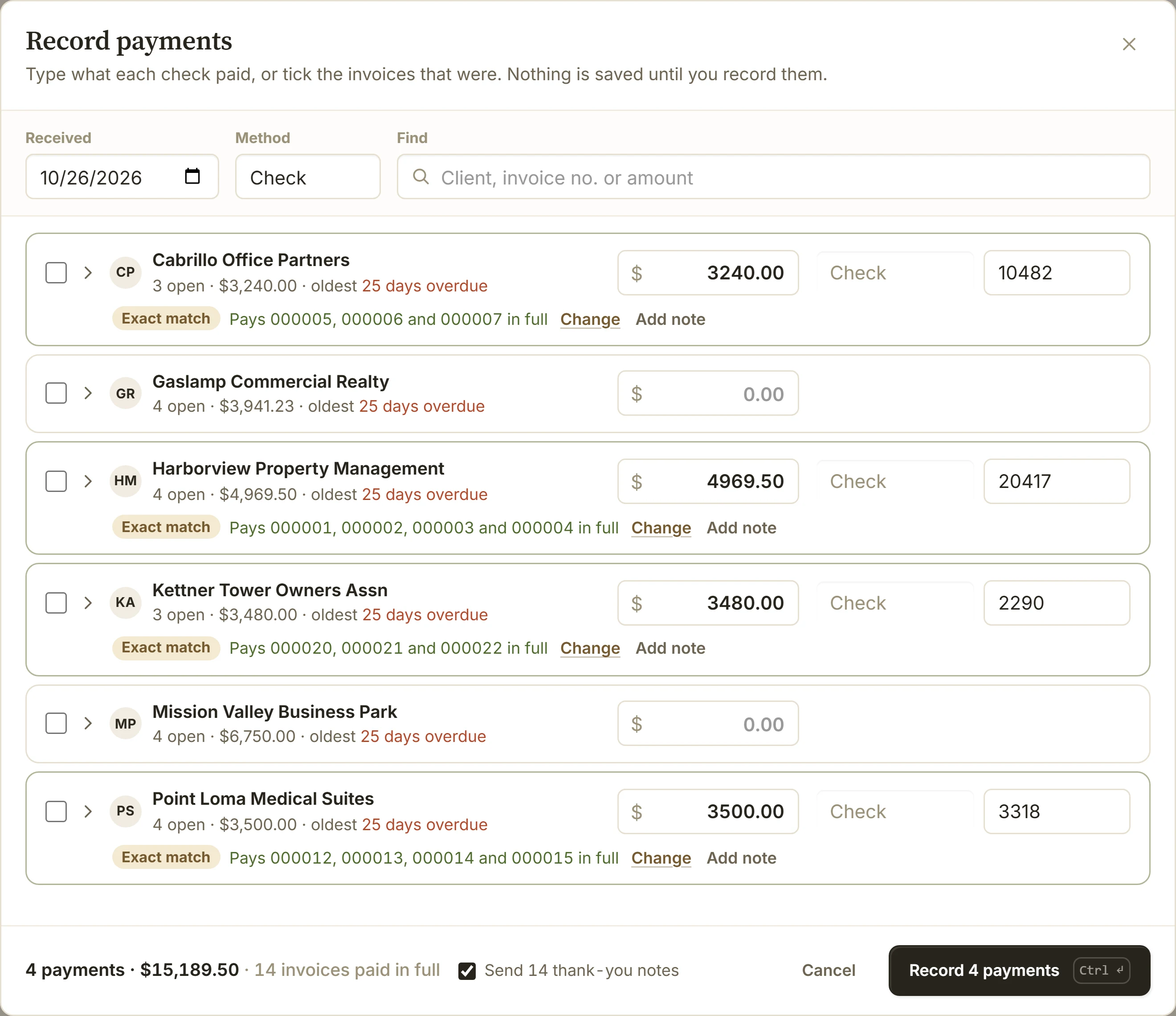
When the checks arrive, open Payments and choose Record payments. Type each check next to its customer and BillGrid shows the invoices it pays. Record them all at once, with one Undo.
Let Reminders Chase the Rest
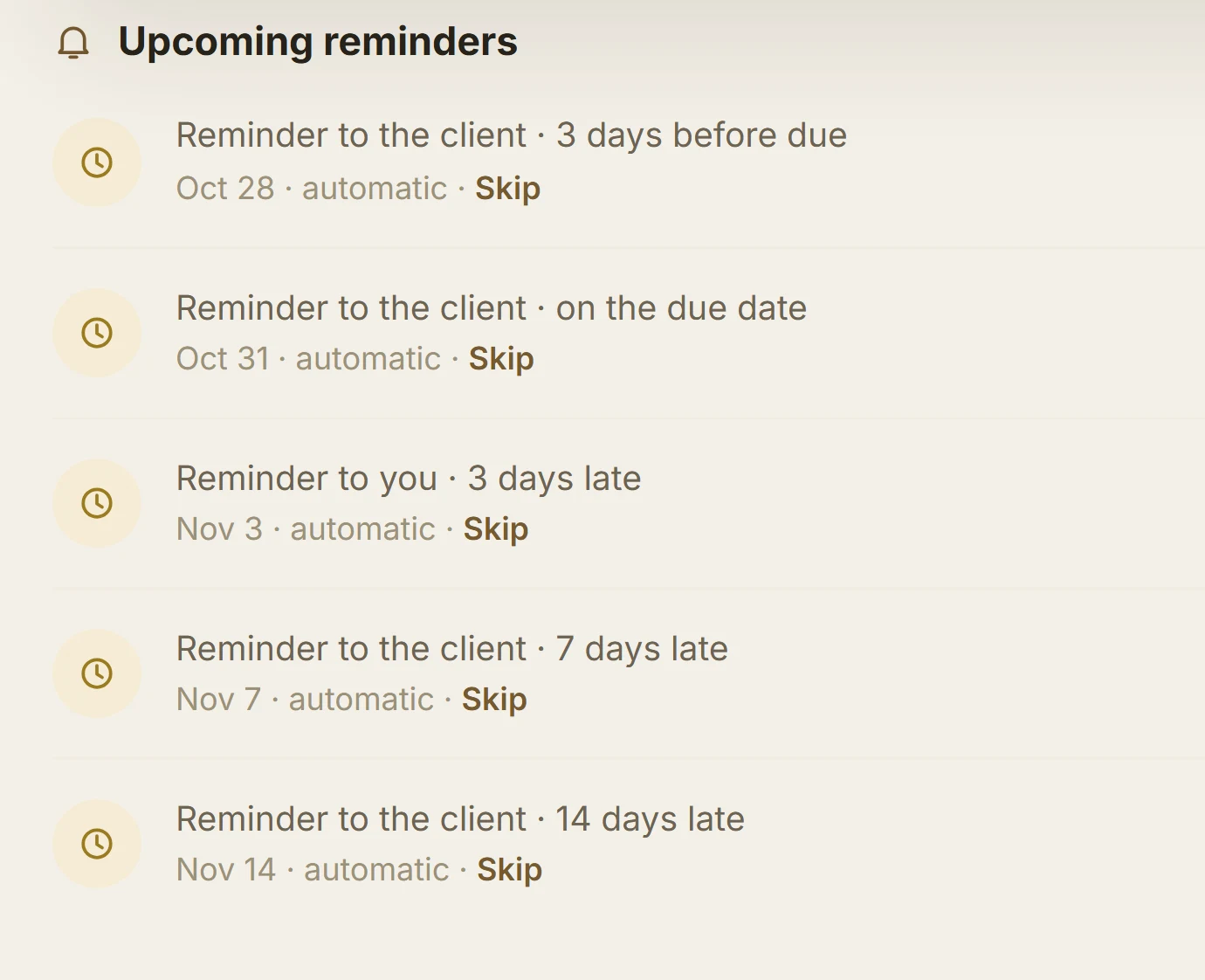
Anyone who hasn't paid gets a reminder before and after the due date. Recording their check stops them.
Tips
- A new PO? Type it over the old one; BillGrid warns if it was billed before.
- A long route? The sheet takes 100 rows at a time, so bill a bigger month in two runs.