Moving to BillGrid, Without Starting Over
In Gartner's 2025 survey of 3,500 software buyers, 59% regretted at least one purchase from the previous 18 months. Moving your billing is a bigger bet than most, because the work you haven't invoiced yet is money.
The fear is usually the history. In a 2024 survey of 1,000 UK finance decision-makers by the accounting software maker iplicit, 42% said fear of losing historical data kept them from changing systems. So BillGrid starts by showing you what you have, then moves the part you need next: your clients and the work still to bill.
See Your Harvest Account First
From Settings > Import data, connect Harvest as an administrator. BillGrid reads your account at Harvest's own pace and lays it out: clients, projects, people, time, expenses, invoices and estimates, with totals kept apart by currency. Choose a year, or unbilled work only, to see just that.
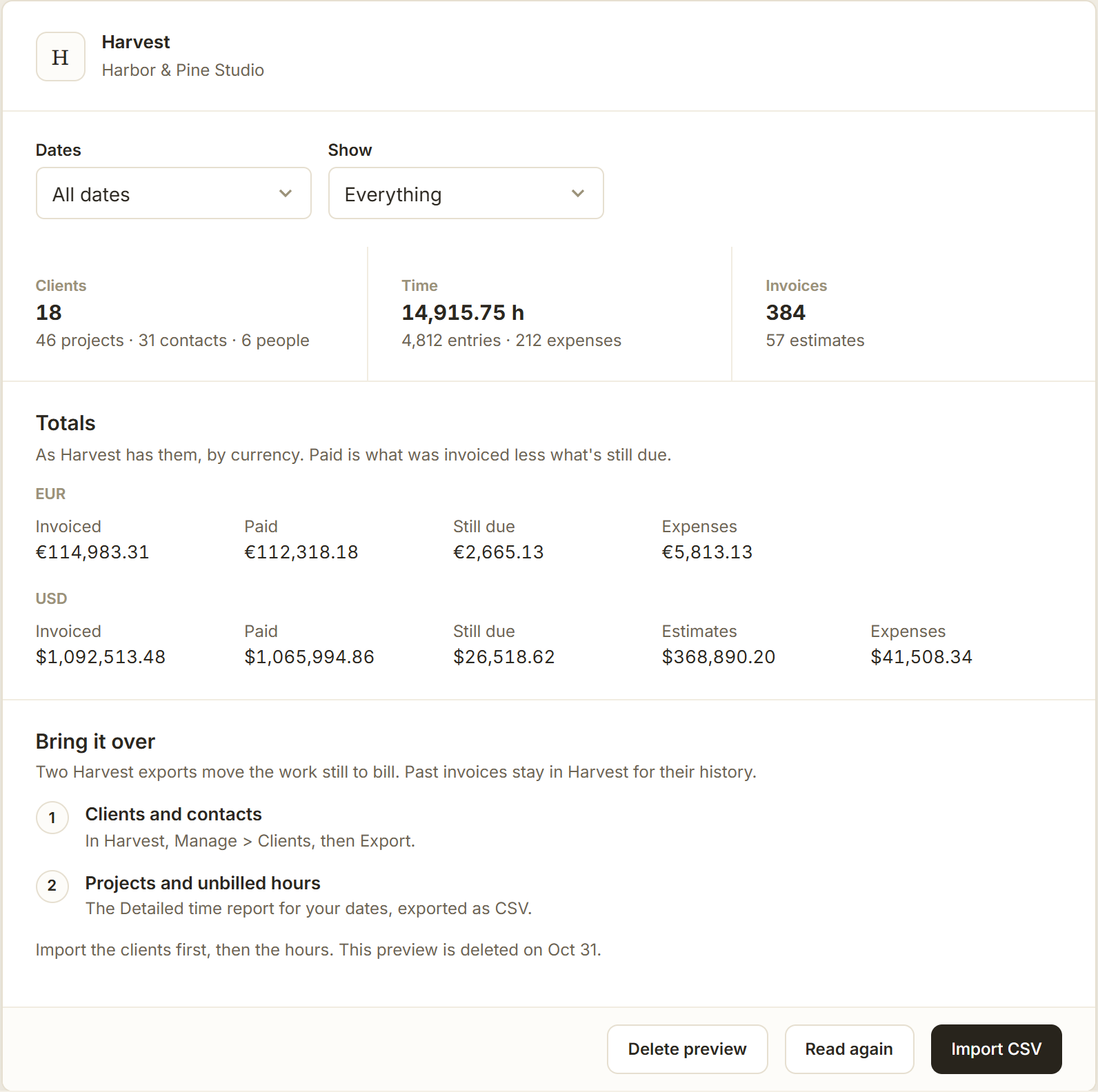
It only reads. Nothing in Harvest changes, BillGrid lets go of your Harvest access once the reading is done, and the preview is deleted after seven days.
Bring the Work Still to Bill
Two Harvest exports carry the rest. Export clients and contacts from Clients > Import/Export, then the Detailed time report as CSV. Hourly projects and the hours Harvest hasn't invoiced come in with the rates they carry; hours already invoiced stay out.
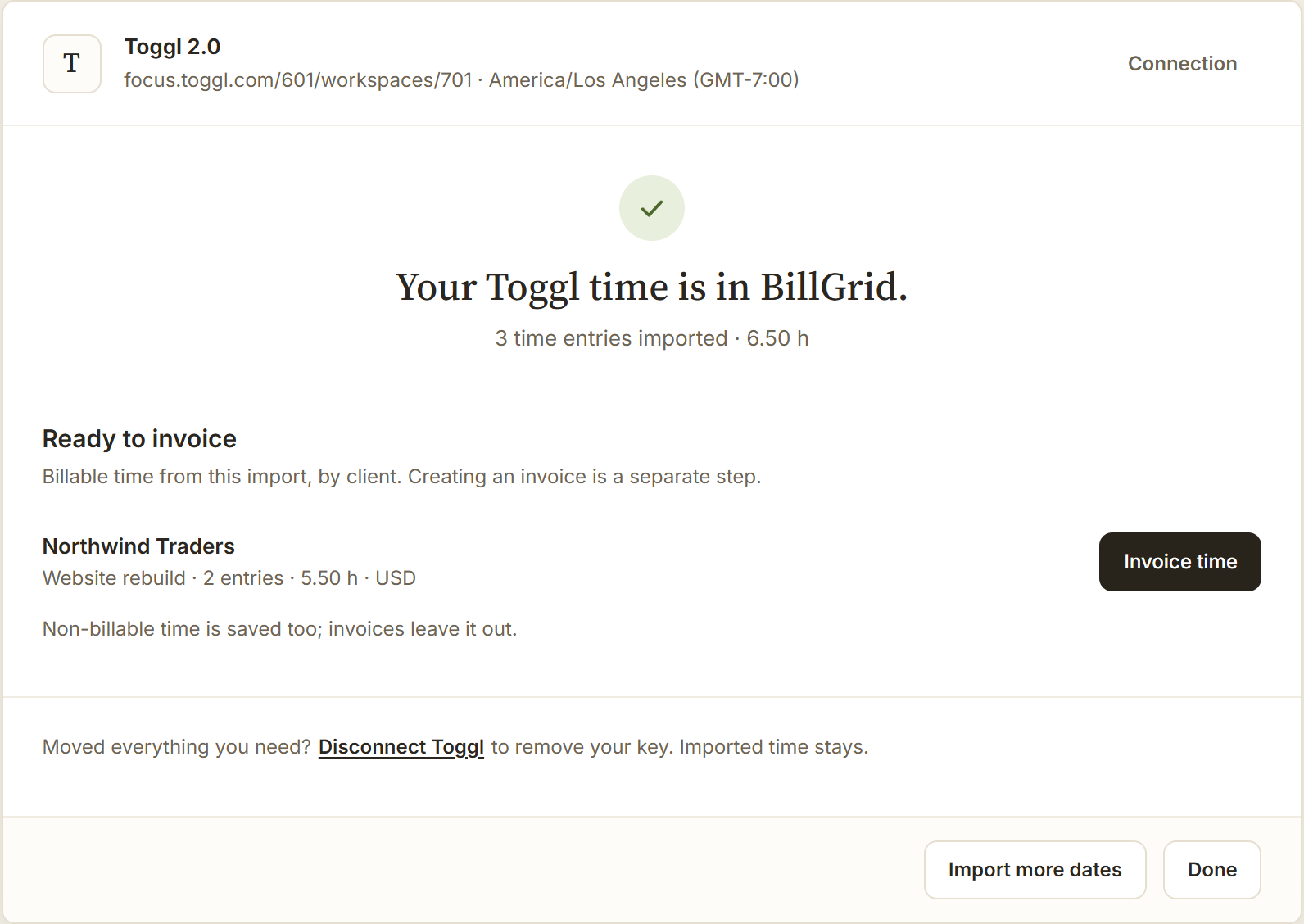
From elsewhere, a client export from FreshBooks, Wave, QuickBooks, Xero or Zoho Invoice works as it is. Toggl 2.0 needs no file: since Toggl opened its API, BillGrid imports your completed time a month at a time, at your BillGrid rates. Classic Toggl Track isn't supported. Expenses come from a simple CSV.
Nothing Saved Before You've Seen It
Every import shows what it found first: new clients, columns used, skipped rows and why, hours and rates. Importing the same Harvest file or Toggl dates again adds nothing twice. And importing is quiet: no email, reminder or invoice reaches a client until you send one.
What It Doesn't Do Yet
Connect Harvest and the account import brings clients, projects, time and expenses, with past invoices, estimates and payments as protected history; the two exports remain for files. Collect invoices still open in Harvest until they're paid. Toggl rates and notes aren't copied. The moving guide has the steps for each tool.