Time Tracking That Catches the Hours You Miss
When 401 managers and professionals estimated their own computer time after the fact, individual estimates missed the logged figure by a median of 47%, according to a study in Management Science. Billing from memory has the same weakness: Friday’s account of Tuesday is a guess. We rebuilt BillGrid’s Time page to catch hours while they’re fresh, show you the ones you missed and carry the rest to an invoice.
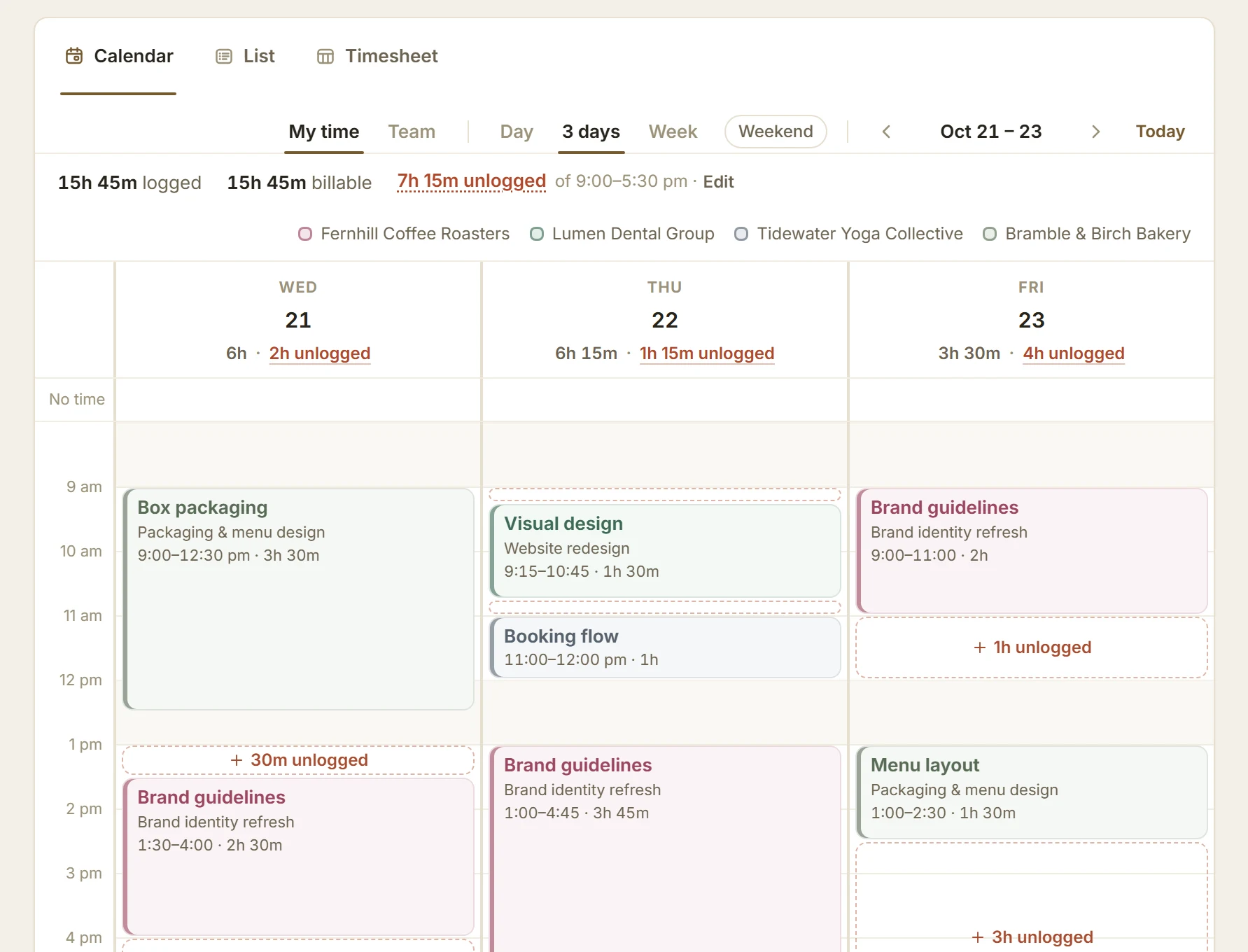
Log It the Way You’d Say It
Type a line such as Brand guidelines 9–10:30am yesterday and BillGrid marks what it understood: the task, the span and the day. Press Enter and it’s logged. Leave out the time and Enter starts a timer instead. Durations (45m, 1:30), days (last fri, Oct 21) and #nb for unbilled work read the same way, and every save can be undone.

If you think in days rather than sentences, drag across the calendar to log a span, drag a block to move it, or Alt-drag to copy it. The Timesheet shows the week by project; type hours straight into a cell, starting from last week’s rows if you like.
See the Hours You Missed
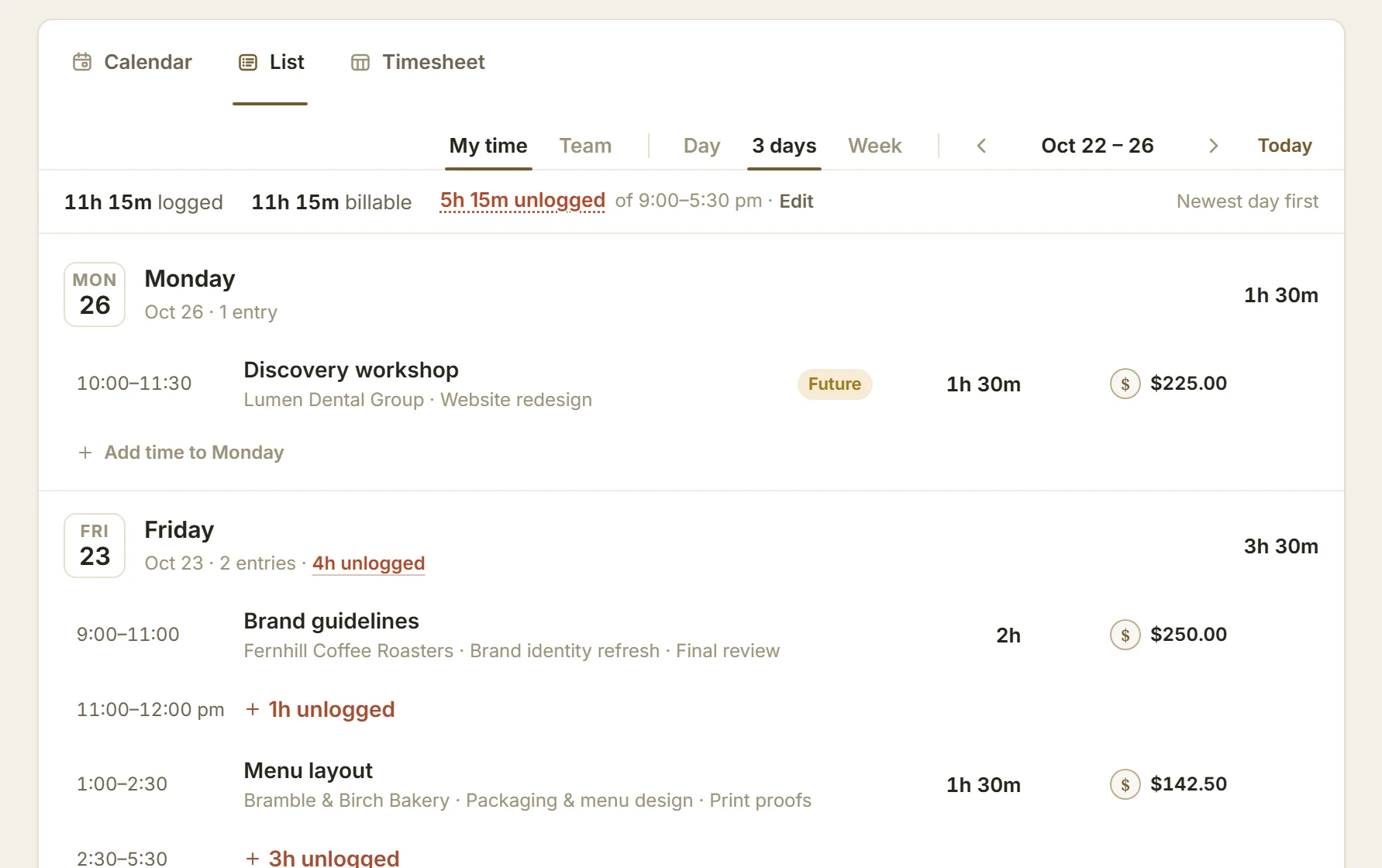
Set your workday once, lunch included, and the Time page outlines this week’s stretches you haven’t logged. In the List, a gap that runs through lunch reads as one stretch, not two. Press G for the next gap, then log it or mark it Not work. Only you see your gaps, and your workday can differ from the company’s.
Fix a Time, or Plan Ahead
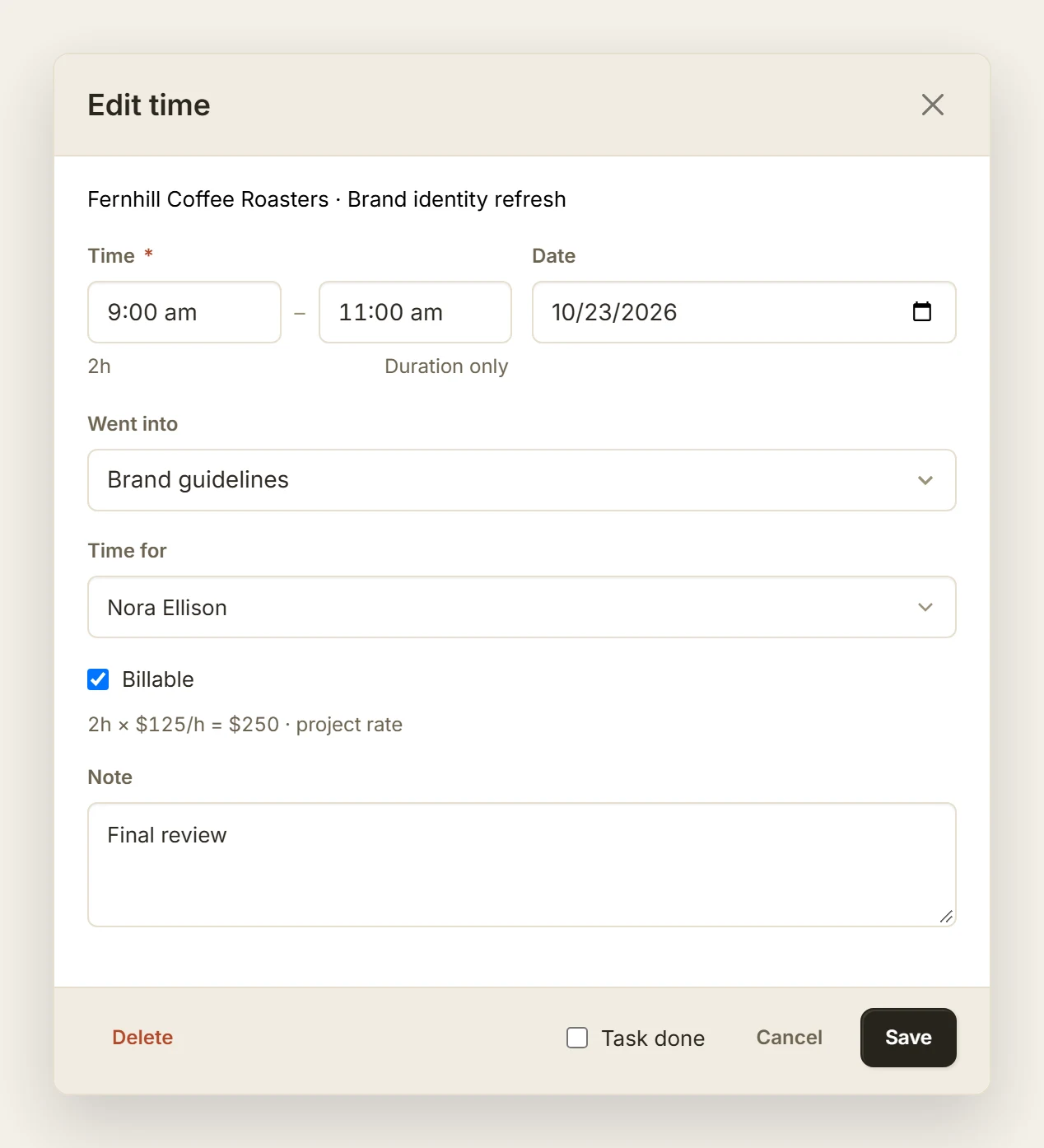
Open any entry to change it. Add start–end turns a bare duration into a time of day, and Duration only takes it back.
Time you log ahead, such as tomorrow’s workshop, is saved like any other and marked Future until it has happened: tagged in the List and ringed in amber on the calendar.
From Hours to a Draft Invoice
Admin eats into billable time: freelancers in Smallpdf’s 2026 Freelancer Freedom Index said they lose an average of 204 hours a year to admin and paperwork (a vendor survey of 397 freelancers, consultants and solo operators). The last step from hours to an invoice should be the shortest.
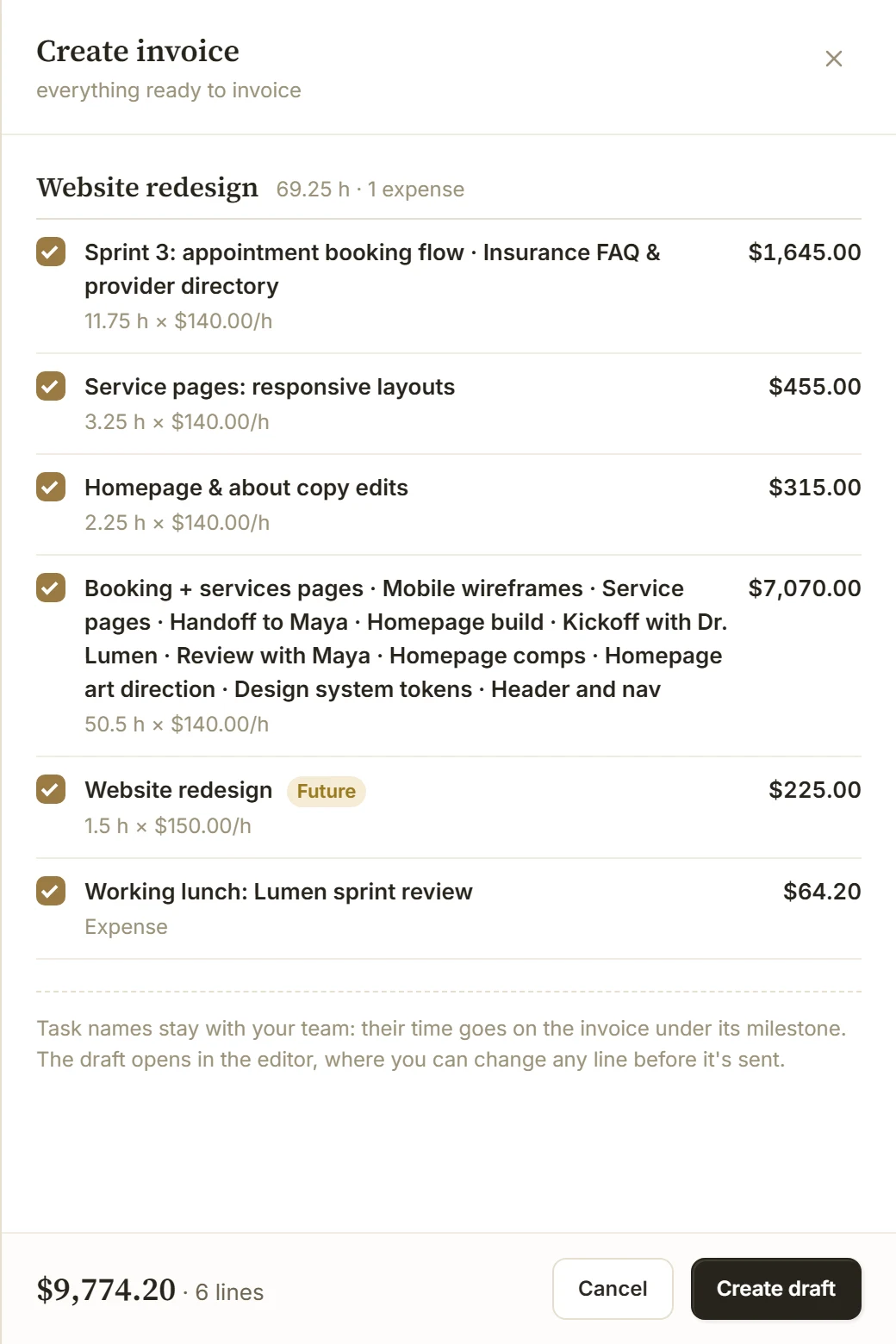
Each entry keeps the rate it was logged at, so a later change never rewrites past work. Unbilled totals the time waiting by client and currency, with a dot when some of it is two weeks old or still needs a rate. Choose a client there and Create invoice opens with their hours already picked. Create draft makes the invoice; nothing reaches your client until you send it. A line holding Future time says so, and time on an invoice locks.
On a team, owners and people who see money switch to Team for a lane per person, and owners can log time for anyone on a project. Who sees rates and who can invoice is set per person. The Time guide covers every shortcut.
What It Doesn’t Do Yet
There are no timesheet approvals, payroll or rounding rules, and nothing tracks you automatically: the Time page records what you log. On a phone you get the List and a capture line docked at the bottom, not calendar dragging. Moving from another tool? Import your Toggl 2.0 time, or bring Harvest hours with a time report.