From Work to Paid. All in BillGrid.
In Intuit's 2025 survey, 56% of U.S. small businesses reported unpaid invoices. Billing needs more than a good-looking document. It needs a clear path from the work to the payment.
That figure comes from the Intuit QuickBooks Small Business Late Payments Report. Our latest updates bring more of that path into BillGrid: preparing a month's invoices, managing ongoing work and handing over the finished files.
One billing run. Every client.
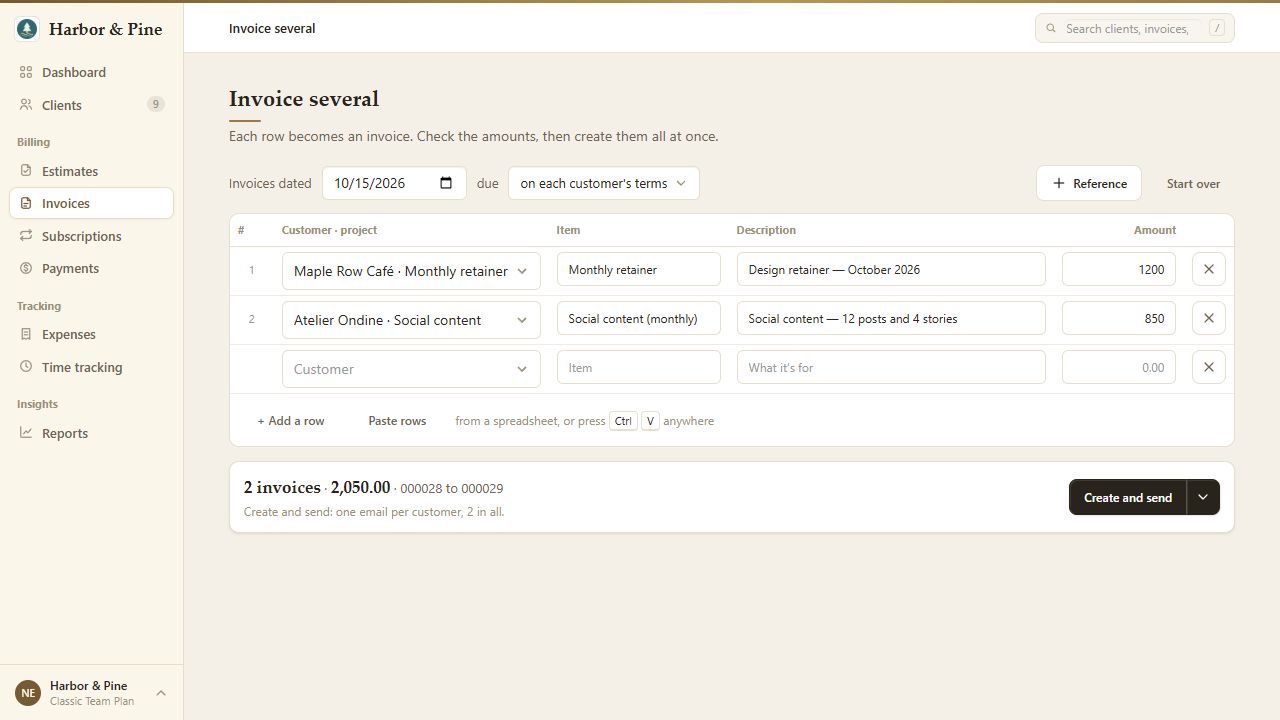
Month-end shouldn't mean opening the same form twenty times. With bulk invoicing, type or paste work into one sheet, start from last month's invoices, or use selected invoices as a starting point. Group lines by client or make an invoice for each row, then review the result before creating drafts or sending.
Where to find it: Open Invoices, click the arrow beside New Invoice, then choose Invoice several. From the dashboard, open the create menu and choose Several beside Invoice.
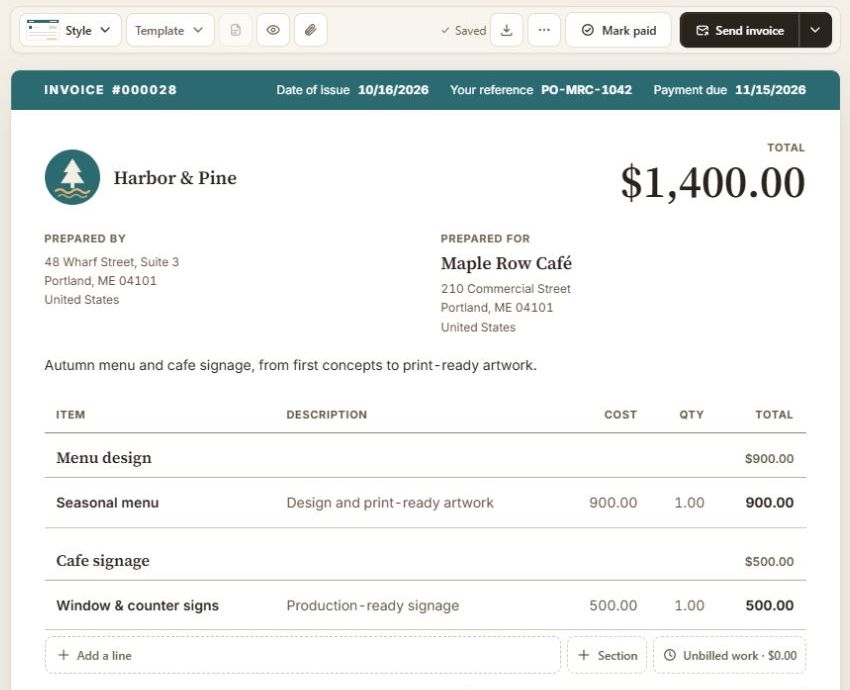
The document is the editor. Click into your invoice or estimate and build it right on the page. Organize the work into sections, introduce it with a summary, and add a reference for your client's PO or project code. No separate form to fill out. Your layout, logo and brand color carry through to the PDF.
Manage the work. Then bill it.
Open Clients, choose a client, then open a project. Your client workspace keeps the website build, brand refresh and ongoing support together, with a separate budget and billing arrangement for each project. See what the client owes and what is ready to invoice without piecing the picture together from different lists.
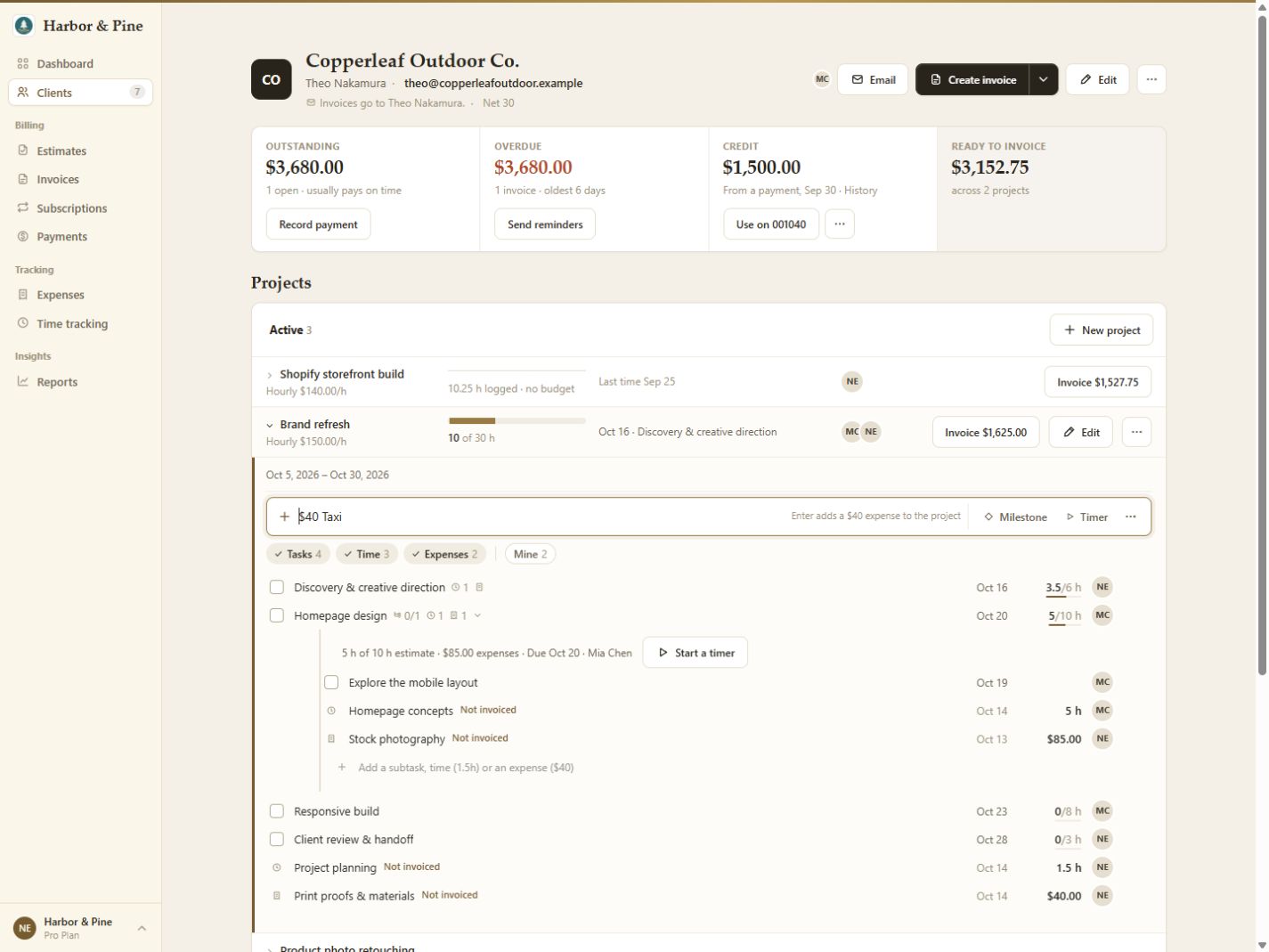
Break a project into tasks and subtasks, assign the work, and keep time and expenses beneath the task they belong to. Start a timer, or type Design 1.5h to log an hour and a half. On a dollar project, $40 Taxi records the expense from the same add line.
When it is time to bill, use the project's invoice action and review the selected time, expenses or milestones before creating the draft. Finish or archive the project when the job is done; its history stays available. This workspace is for your team. Customers use the invoice and estimate links you share.
For ongoing work, a retainer project brings a monthly or quarterly fee together with optional included hours, carry-over and decisions about extra time. Use it for a design partnership or a support agreement with an hours allowance. Just repeating the same service charge? A recurring invoice is the simpler fit. Neither automatically charges a client's card.
An approved estimate can also become an invoice draft or the starting point for project setup. See both handoffs.
Files ready. Payment first, when you choose.
Add deliverables under Enclosed and choose who can open them: Only you, Client or, on an invoice, After payment. With the last option, your client sees what is waiting, access opens when the invoice is paid in full, and BillGrid emails them when the files are ready.
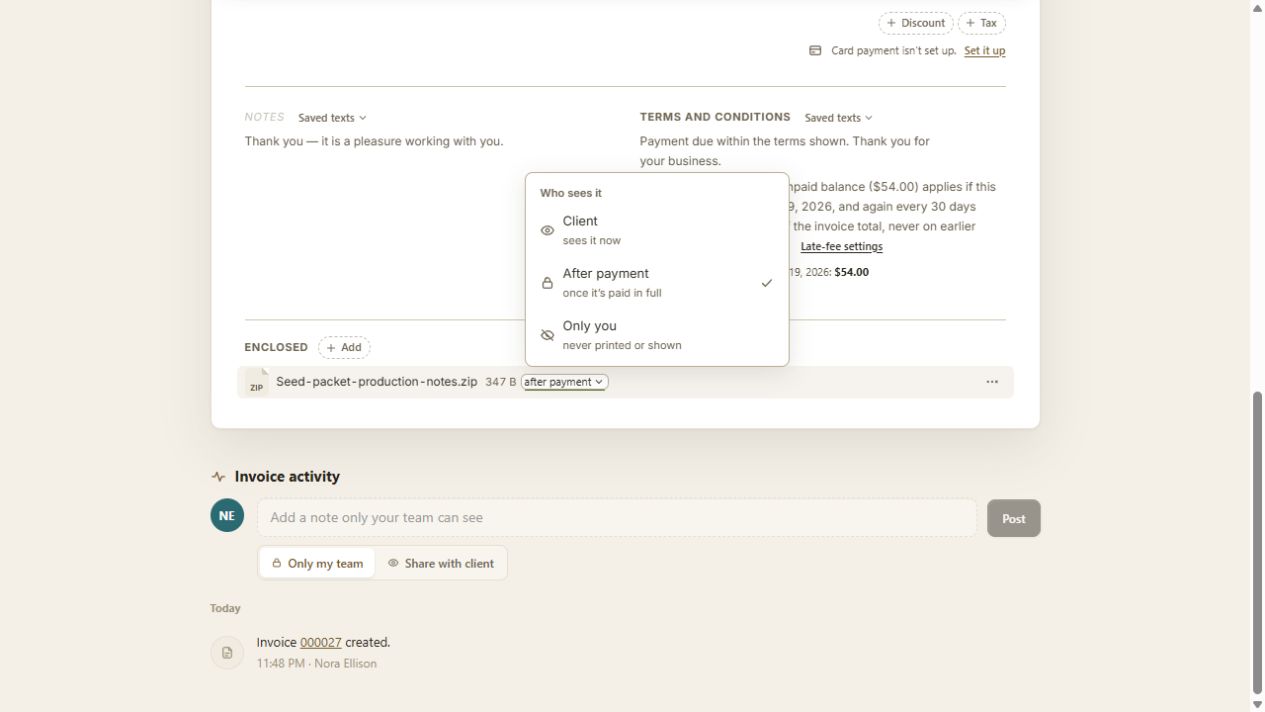
Payment unlocks apply to invoices, not estimates; partial payment doesn't open the files. For shared links, the external service's permissions still apply. Read the file-sharing guide.
Follow-up, on agreed terms.
Late fees start with terms the client sees in advance. Enable advance warnings, then review each charge or let BillGrid add it automatically. You can waive an unpaid fee with a note, and pausing reminders pauses fees too. The guide covers setup and exceptions.
Together, these updates extend the rebuilt BillGrid: less repeated entry, clearer agreements and a deliberate handoff when the job is done.