How to use AI as a freelancer, from brief to invoice
Imagine a café asking for two menu concepts. Your draft proposal promises three. A designer can catch that extra word in ten seconds. Drawing the extra menu could take an afternoon.
Follow an example commission for Northbeam Coffee from brief to bill. The most useful question at each step is simple. What would it take to check the answer?
Start with work you can check
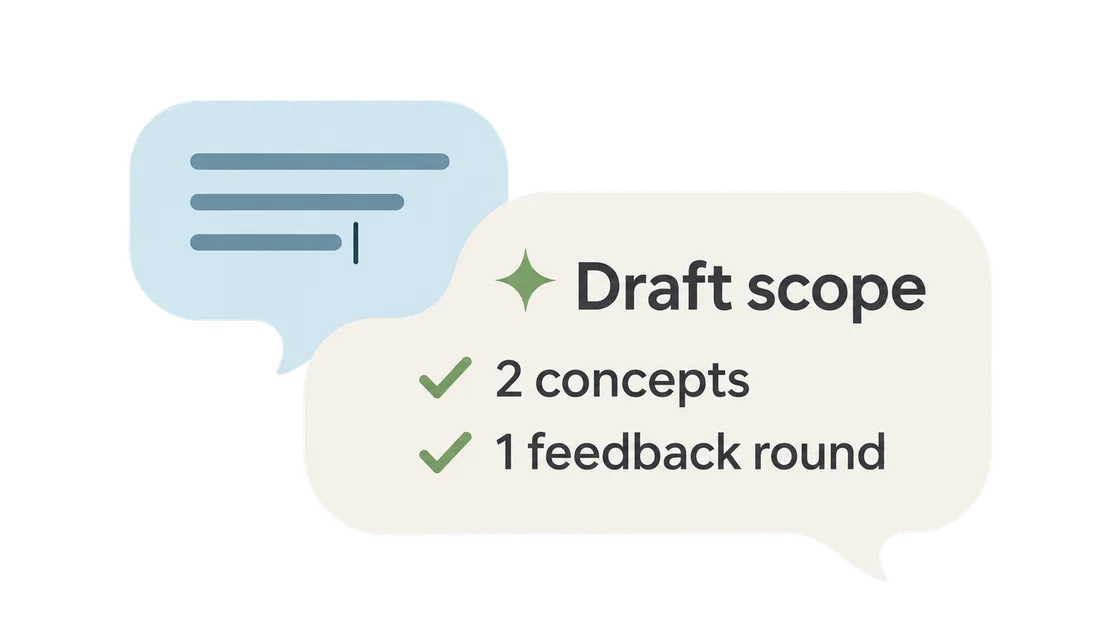
A designer can turn approved notes into a scope checklist. A writer can ask for three openings and check each factual claim against the interview. A developer can ask for test cases, then run them against the client’s acceptance criteria. Each job has a reference you can inspect yourself.
In a randomized study, 453 professionals completed short writing assignments. Those given ChatGPT took 40% less time on average and earned 18% higher quality scores. In a separate experiment with consultants, access to GPT-4 made participants 19 percentage points less likely to solve one business case correctly. A proposal can read beautifully and still promise the wrong thing. Writing experiment in Science · Consultant experiment in Organization Science (PDF).
Turn the client’s words into a usable brief
First agree on what the tool may see. If the café hired you to keep its relaunch under wraps, even the client’s name can give the project away. Check the agreement and the provider’s data settings. Leave unreleased artwork, customer lists and personal details out. When permission is unclear, work from a fictional brief or keep that step offline. UK NCSC guidance on sensitive inputs.
Here’s a short note a designer could send before starting: “May I use our approved AI tool to organize the notes from this call? I’ll leave out your name and unreleased artwork. I’ll design and review the final menus myself.” Save the answer with the project brief. Permission to summarize notes covers a different use from generating artwork for the final handoff.
Use only these notes: “Two menu concepts. One feedback round on the chosen design. Deliver print-ready files.” List what I’ve promised. Quote the words that support each item. List everything I should ask before I quote a price.
Read the draft like the person who has to deliver it
Put the original brief beside the proposal. Circle every quantity, date, price and named deliverable. Our draft adds a third concept and offers delivery by Friday. The brief supports neither. Restore the count and ask the printer for its production deadline before promising a handoff.
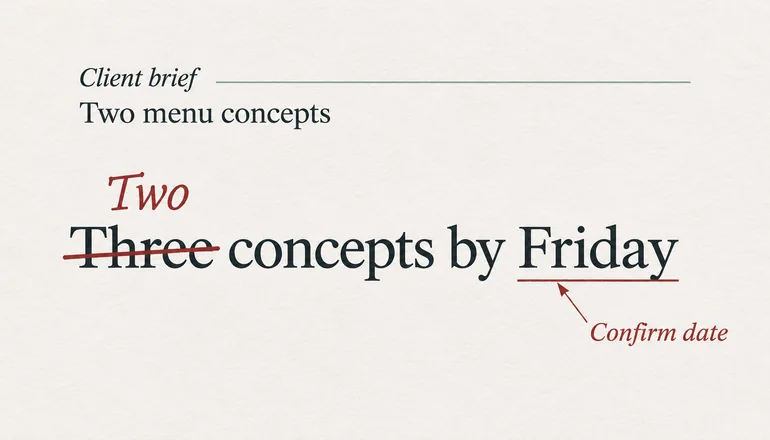
The email can be two sentences. “I’ll present two menu concepts and refine your choice through one round of feedback. Can you confirm the printer’s specifications and deadline so I can schedule delivery?” Now the client has a decision to make, and you have a written answer to work from.
Bill for the deal you made
Suppose the café approves $125 an hour for print proofs. You spend 15 minutes preparing the proof, an hour checking the copy and layout, and 15 minutes packaging the handoff. Record the time you worked. If you quoted a fixed $900 for the full commission instead, invoice the agreed fee when its milestone is met.
- Hourly agreement
- 90 minutes at $125 an hour = $187.50 for print proofs. Last month’s two-hour handoff doesn’t add half an hour to today’s invoice.
- Fixed-fee agreement
- $900 covers the agreed scope. If the café wants to develop both directions, price the extra design and get approval before starting it.
Try this on three comparable jobs. Record minutes spent preparing inputs, drafting, checking and correcting. Count revisions after delivery, too. If a five-minute first draft takes forty minutes to repair, compare the full forty-five with your usual process before using the tool again.
Go from approved work to an invoice in BillGrid
With a connected assistant, start by asking BillGrid for the unbilled entries on the client’s project. Check the dates, descriptions and hours against your records. Ask it to prepare a draft from the entries you approved. In our example, the $187.50 in print proofs joins $1,812.50 of earlier unbilled work. That makes a $2,000 draft.
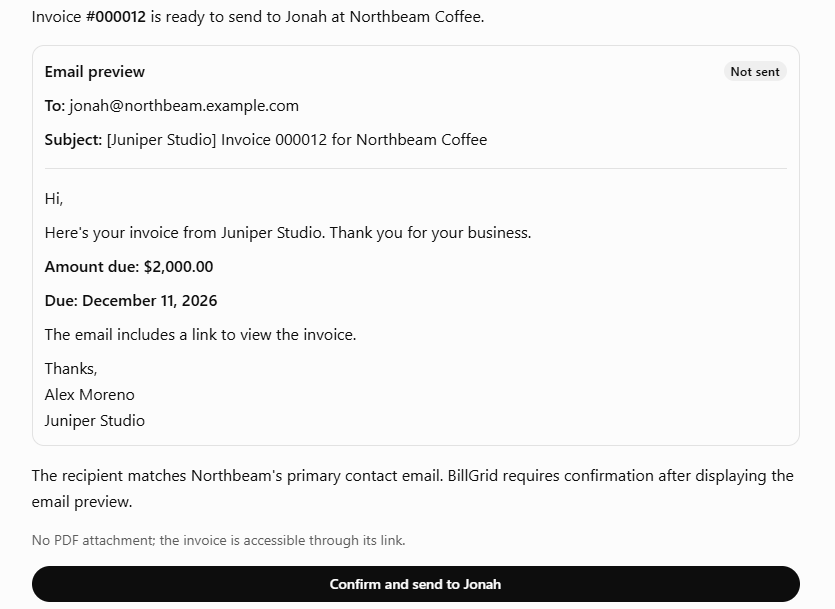
Owners control assistant access, and existing BillGrid permissions still apply. Sending requires permission and a separate preview. You can also open the draft in BillGrid and send it yourself. See what a connected assistant can do.