Features / Contracts
Good work starts
on the same page.
Your terms. Your client's signature. An agreement that stays with the work.

Create & customize
A head start.
Every word yours.
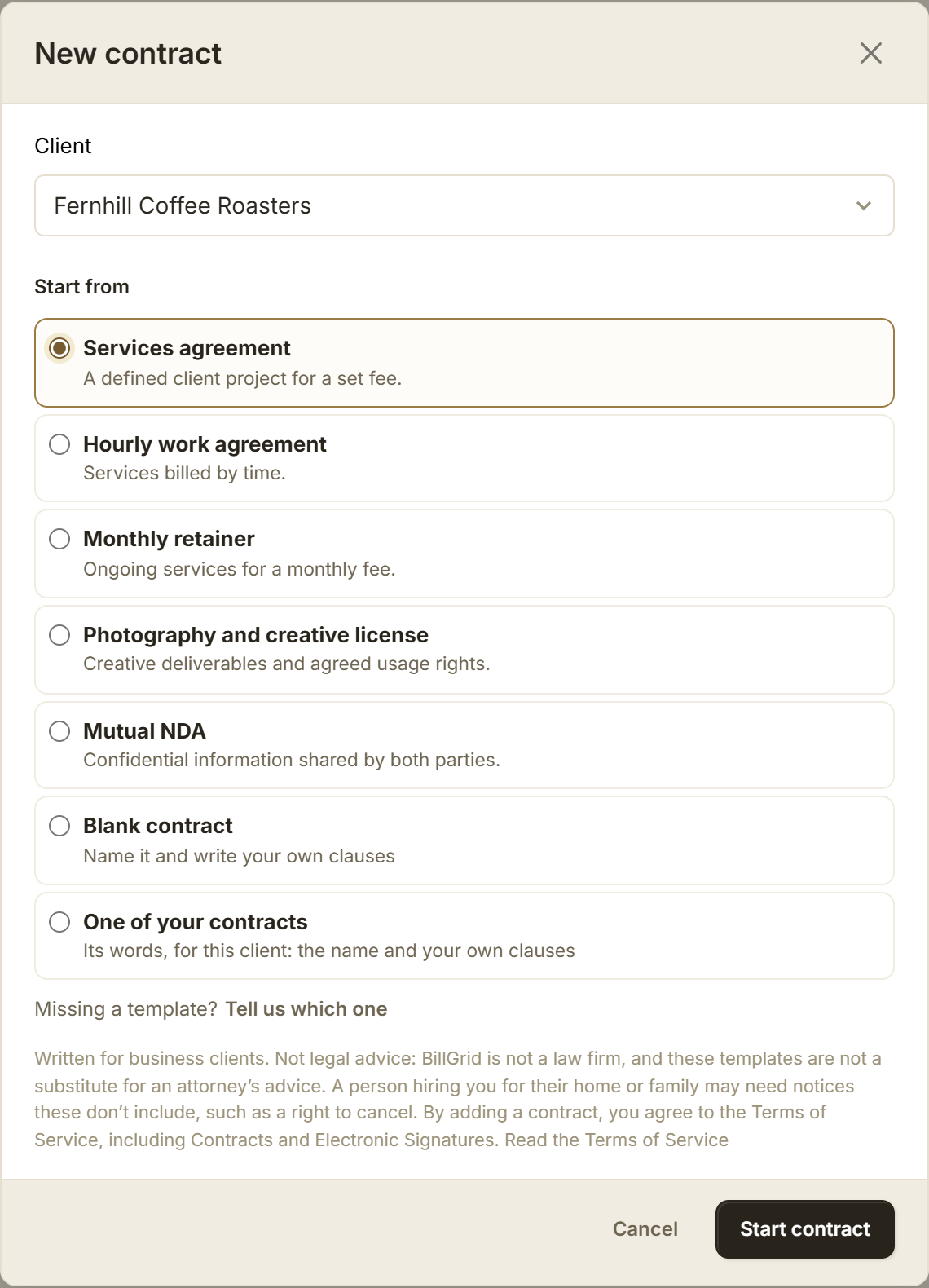
In BillGrid, choose a template, reuse your wording or start with a blank page. Name the agreement. Edit, add and arrange its clauses.
Connect an estimate
The right terms.
For the chosen work.
Add a contract with + Contract on an estimate. Payment terms follow its billing details. Clauses can follow a package or extra, so the agreement reflects what your client chooses.

Get it signed
From review
to signature.
Choose Send for signature to send it on its own, or send it with an estimate. Your client reads it, confirms their email with a code and types their name. No client account needed.

All your contracts
Know where
each agreement stands.
Find drafts, agreements waiting to sign and contracts in effect. See what needs your signature. Open the agreed version and follow its links to the estimate or project.

Before you send
Make the expectations clear.
Check the scope, payment dates and how changes will be agreed. Our guide walks you through the details.
Good to know.
Read the contracts guideCan I use my own terms?
Yes. Start blank, type or paste your wording, or copy clauses from one of your contracts. You can edit and arrange the clauses on the page.
Who signs for my business?
Sending as the owner or an admin signs for the business. If another staff member sends it, the owner or an admin countersigns after the client.
What record do we receive?
After both sides sign, download the agreement and signing certificate as a PDF. Keep your file; online links depend on the account and project staying open. Contracts signed with an estimate also have a sealed PDF record.
Can a signed agreement cover more work?
A new estimate can reference the signed agreement. The client approves the new estimate without signing that contract again. Draft invoices can reference it too; the original agreement stays unchanged.
What is free, and what needs a BillGrid account?
The free templates tool creates unsigned drafts without an account. In BillGrid, you can draft during the trial; sending requires a paid account or a client you have already emailed a document through BillGrid.
Does a retainer agreement start monthly billing?
Set the fee and schedule in a project retainer separately. The agreement records your terms.
Are the templates legal advice?
No. They are starting drafts for business clients. Review them for your work and the law that applies, and get qualified advice where needed. See the Contracts and Electronic Signatures terms.