A calendar day, in your time zone.
Choose Tomorrow, another offered day or Pick a date. The chosen day follows your company's time zone; there is no time-of-day picker.
Features / Sending invoices
Prepare the invoice, write the message and check who receives it. Send when it is ready, or choose a later day for an invoice or estimate email.
Open the invoice and choose Send invoice. Review the subject, message and people before it leaves.
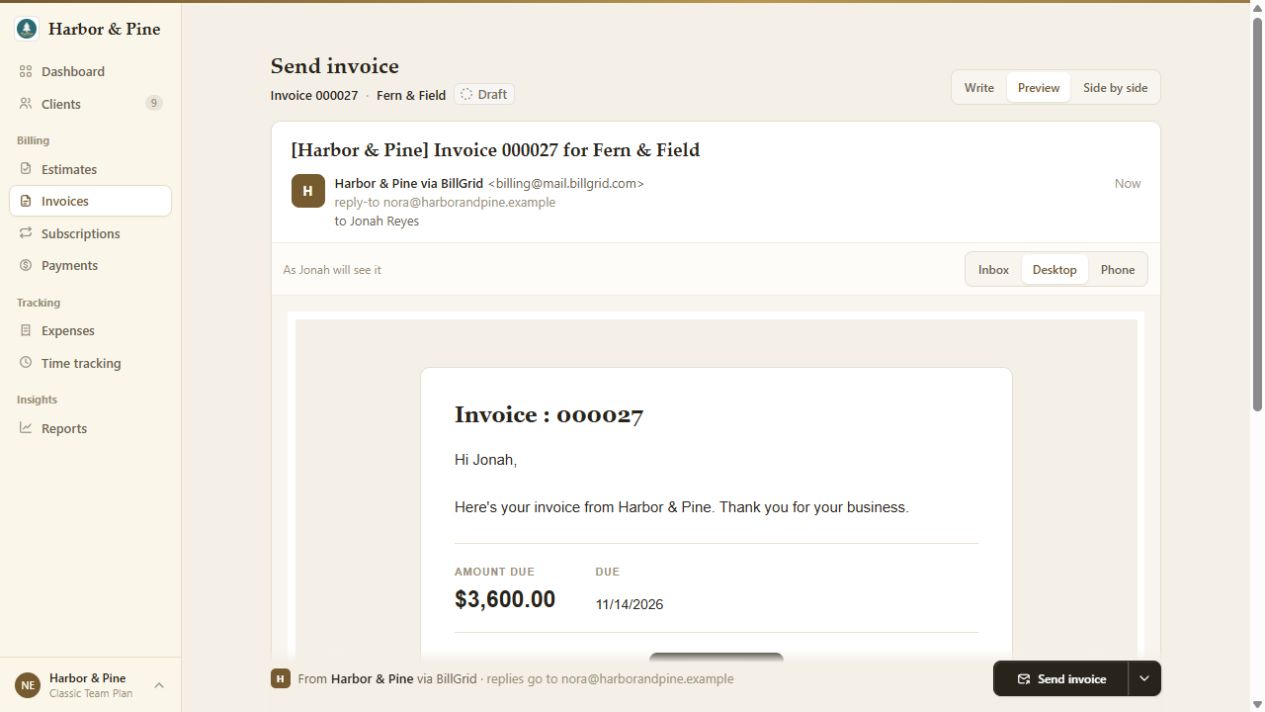
Switch from Write to Preview to see the message with its fields filled in. Add the invoice PDF if the client needs a copy.
Send now, or open the arrow beside Send to select a later day. Check the chosen date before confirming.
Prepare ahead
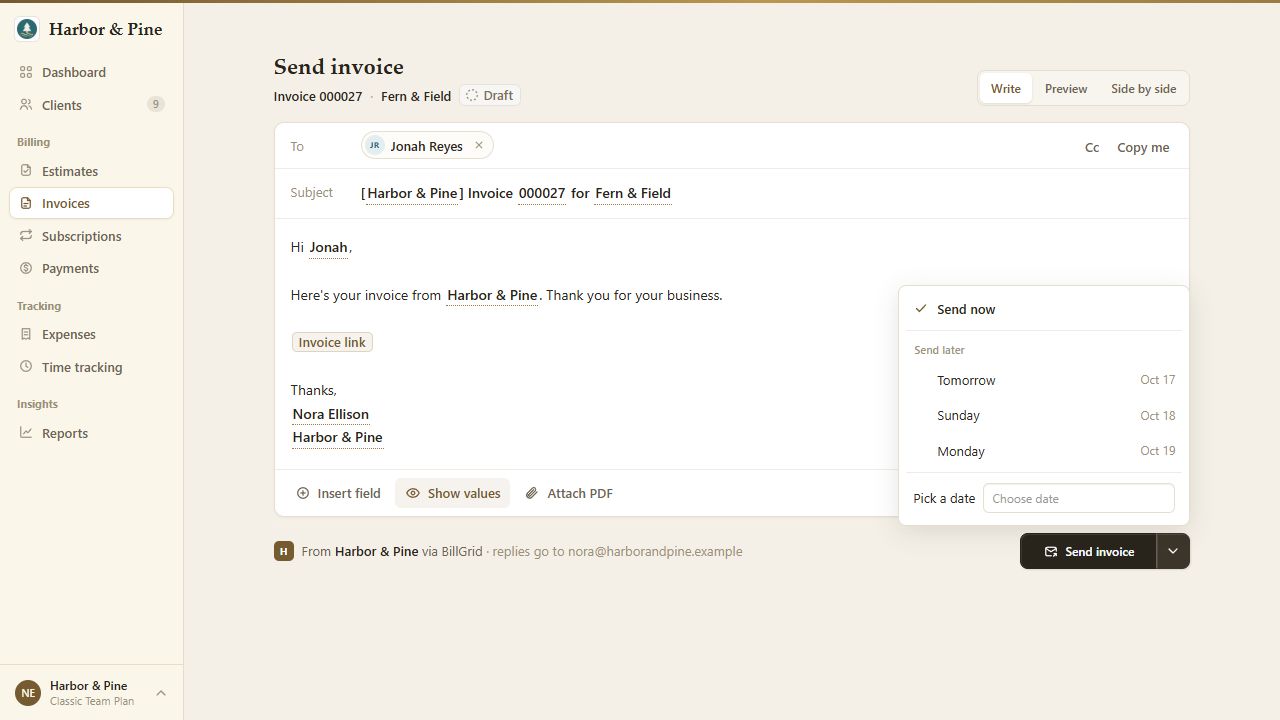
Choose Tomorrow, another offered day or Pick a date. The chosen day follows your company's time zone; there is no time-of-day picker.
Fields in a scheduled subject and message are filled in when the email sends. Review date-sensitive wording: a balance field can change before the chosen day.
Your wording, reused
In Settings > Email Defaults, choose the email type and save its message. Defaults cover invoices, estimates, expenses, client emails, thank-you notes and payment reminders.
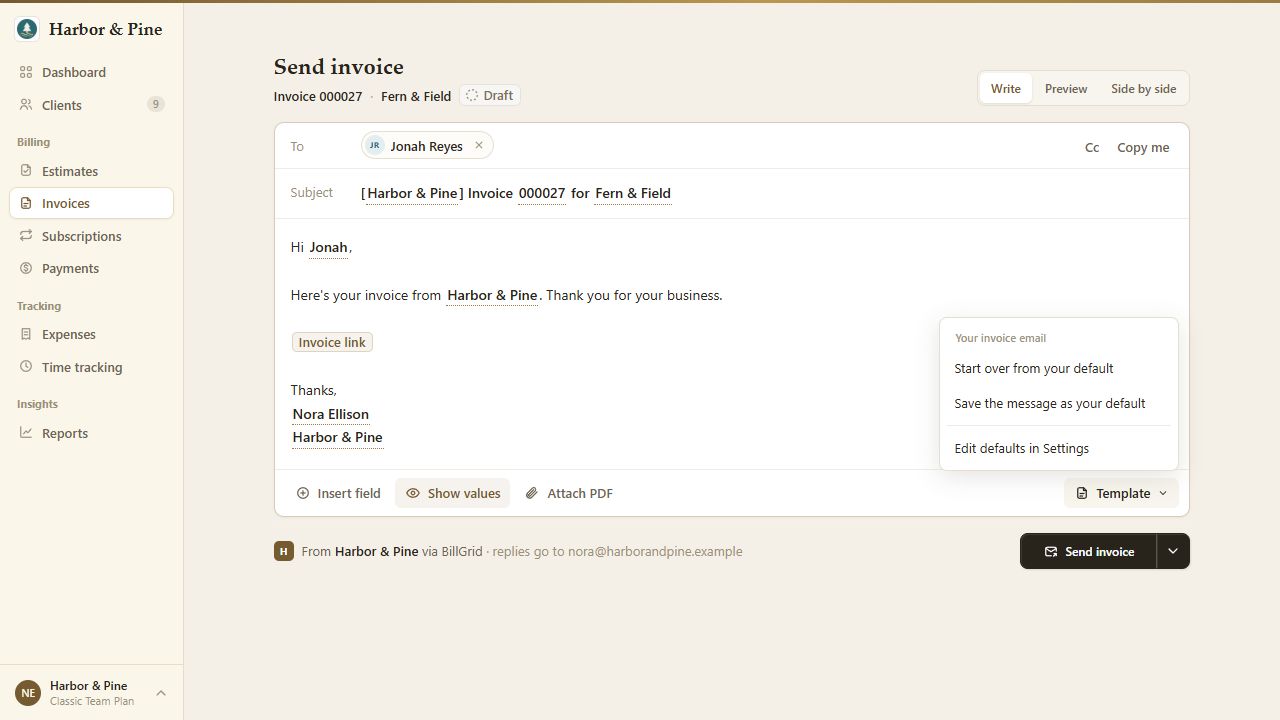
The composer's Template menu can start over from your default. Admins can save the current message as the new default. This saves the body for that type; review the subject separately.
Before it leaves
No. Scheduling sends a prepared email later. Recurring invoices create invoices repeatedly; payment reminders follow the due-date rules.
Use the document conversation to keep replies with the invoice. Replies sent by email are not added to that conversation.