A cost on a client's project can go on that client's invoice, at cost or with your markup, with its receipt enclosed.
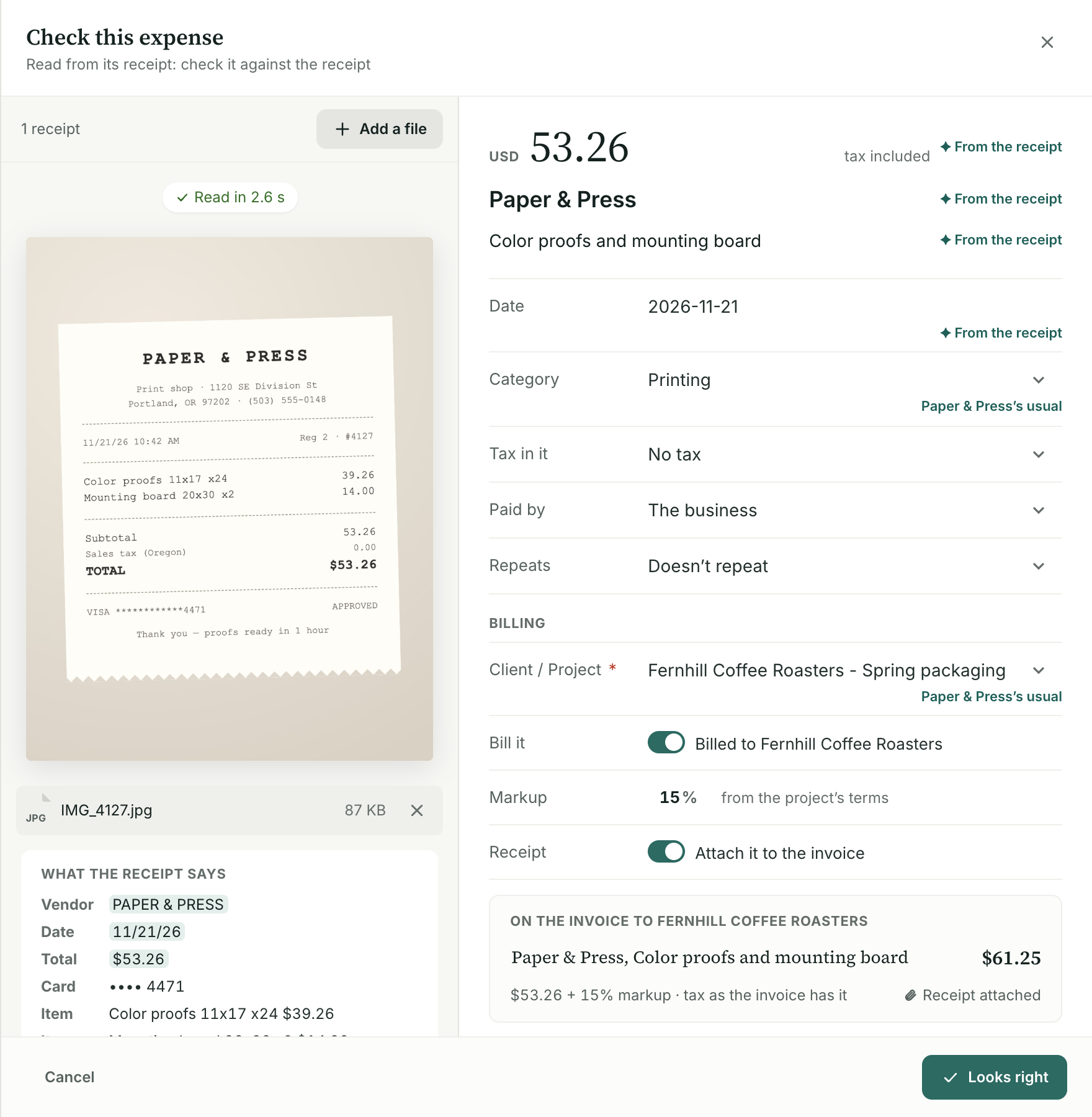
Bill it
Open a cost and choose its Client / Project. Bill it is on when the cost goes to the client. Turn it off to keep the cost on the project without billing it. A refund, or a cost for your own business, is never billed.
Whether new costs start with Bill it on is set in Settings > Expense defaults: costs on a client's project are billed to the client or kept as costs.
Markup
The markup is the percent added on top of the cost. A cost takes the first one set of:
- its own Markup,
- its project's terms (Costs are billed at cost, or with a markup of a percent),
- the business's, in Settings > Expense defaults.
The field says where its markup comes from. To set it on several costs, tick them and choose Change > Markup. A cost already on an invoice keeps what it was billed at.
Only people who see money see the markup and the client's price. A teammate on Work only never sees them.
The tax in what you bill
In Settings > Expense defaults, choose to bill costs as paid, tax included, or before the tax in them if you reclaim the tax on what you buy. Either way, the invoice's own tax applies to the line.
The line on the invoice
Under the cost, On the invoice to shows the line as the client will read it, with its price and how it's made. Change the words if the client should read something else. Your team's note never goes on the invoice.
Enclose the receipt
For a billed cost with a receipt, someone who sees money can turn on Receipt: Attach it to the invoice. Your client can open the receipt with the invoice and in their client hub, and it prints after the invoice in its PDF. Once the invoice is sent, the choice is fixed.
Put it on an invoice
- From Expenses: choose Add to invoice in a cost's row menu, or tick several and choose Add to invoice.
- From a project: create its invoice, and its costs ready to bill are ticked with its time and milestones.
Each line says From expense with its date. Review the draft before you send it. Adding costs to an invoice takes Handles money.
Related: recording expenses and files on invoices.