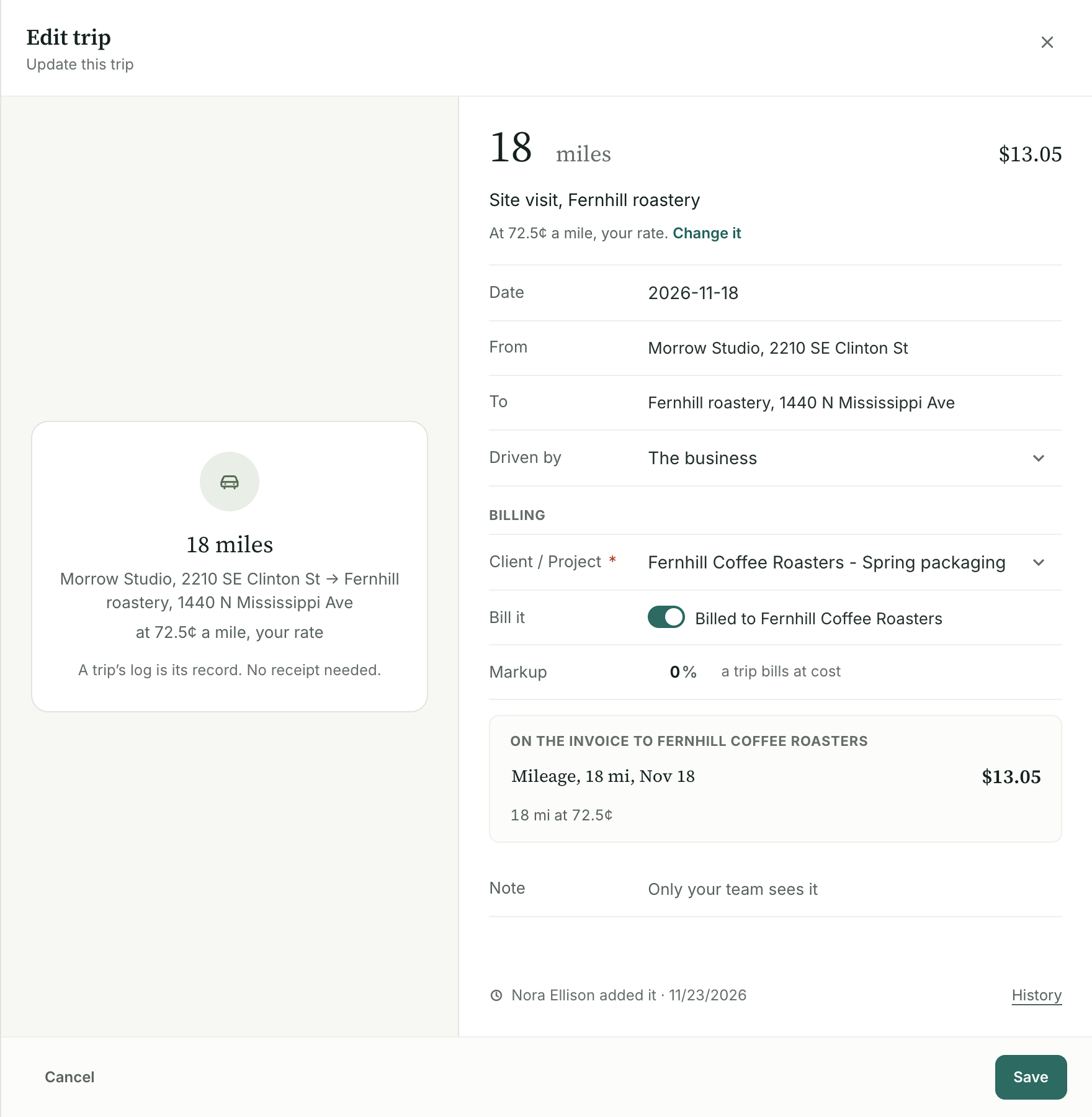
Log a trip by its distance. BillGrid works out what it comes to at your mileage rate. The trip's log is its record, so it needs no receipt.
Add a trip
- On the add line, type the distance with its unit, like site visit 18 mi for Cedar. Before your first trip, press Trip once to set your rate.
- Or choose Trip on the add line, or + New > A trip. Enter the distance, the day, and where you went From and To.
Choose the client's project if you'll bill the trip. Trips bill at cost unless one sets a markup.
Your mileage rate
Your first trip asks for your rate. It's kept for every trip after. The owner and admins change it in Settings > Expense defaults > Mileage. A new rate applies to trips from today; earlier trips keep the rate they were logged at.
Use the rate you claim, such as your tax authority's rate for business driving.
Miles or kilometers
Trips are counted in miles or in kilometers, and you choose which beside your rate. Until you do, your business's country suggests one: miles in the US and its territories, the UK, Liberia and Myanmar, and kilometers everywhere else.
Type distances in the unit your rate is in. A distance in the other unit isn't converted: the add line asks you to type it in your unit.