Credit Card Fees, Seen Before They're Paid
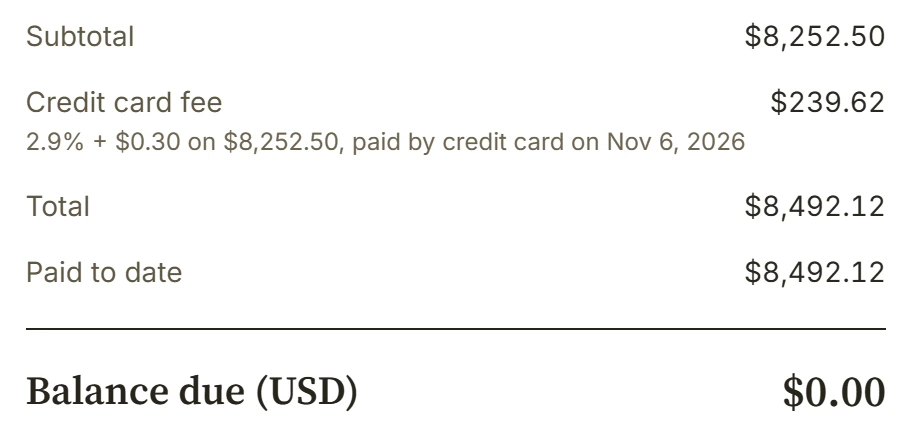
US businesses paid a record $198.25 billion to accept cards in 2025, according to the Nilson Report. On an $8,252.50 invoice paid by card, your share is $239.62. Now your client can cover it, and see it coming.
Turn it on under Cards.
In Settings > Online Payments, Cards has a new setting: Credit card fee. Choose a percentage, a flat amount, or both, the way Stripe prices a card. Match Stripe sets Stripe's US price, 2.9% + $0.30. A worked example shows what your client pays and what you keep, on $100, $1,200 or $8,000.
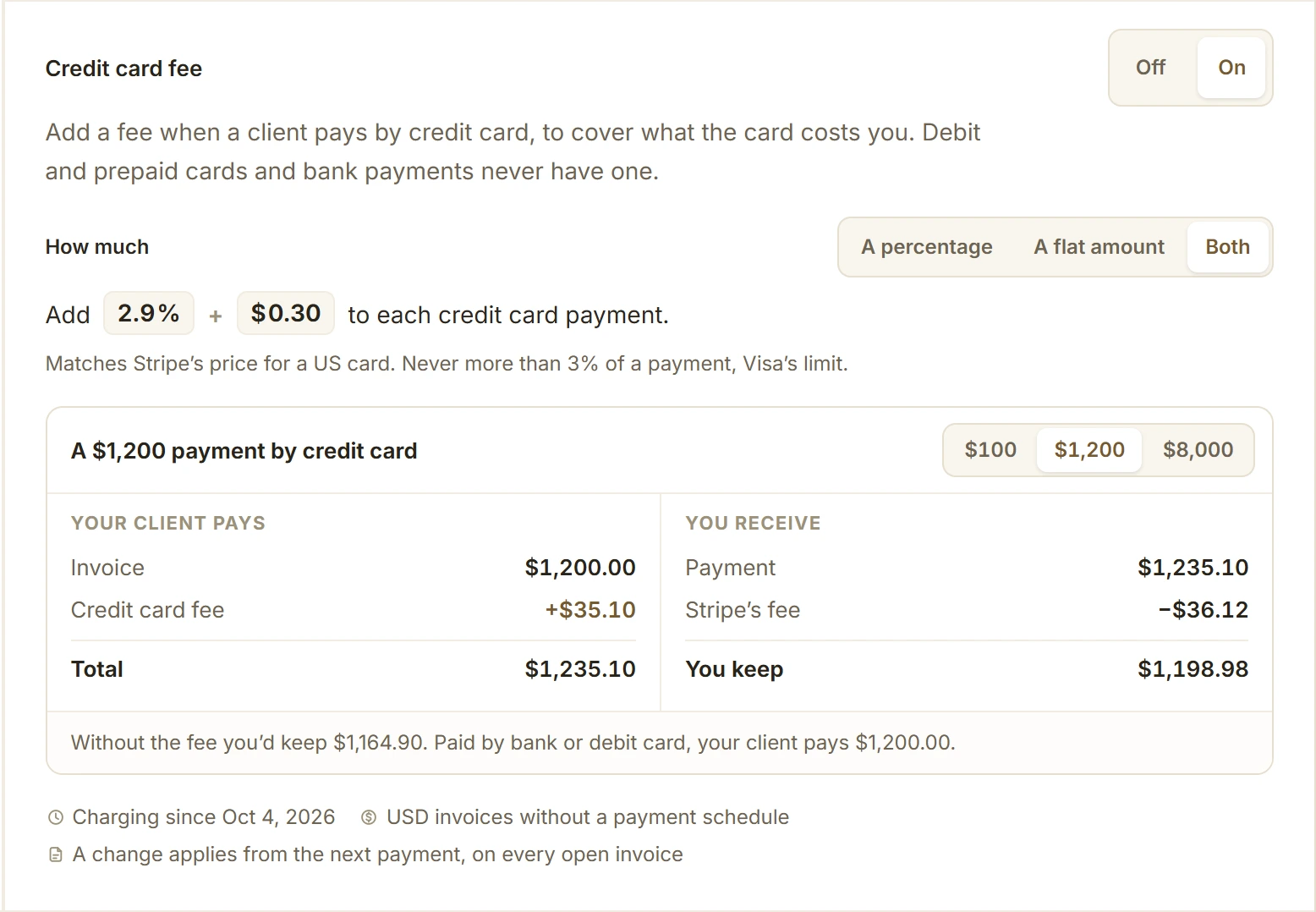
Only credit cards pay it.
Debit cards, prepaid cards and bank payments never do; BillGrid reads the card's kind from Stripe before charging. Visa caps a card fee at the lower of 3% and what the card costs you, so BillGrid holds every payment's fee to 3%, your state's limit (2% in Colorado and Oklahoma) and Stripe's price for that payment. It isn't offered where state law bans it: Connecticut, Massachusetts, Maine and Puerto Rico. This is general information, not legal advice.
Your client sees it before paying.
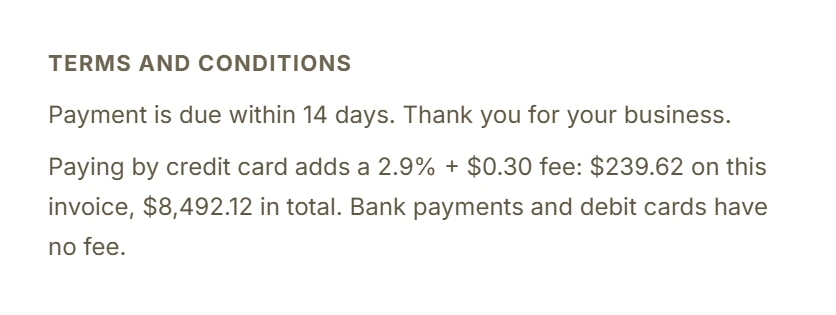
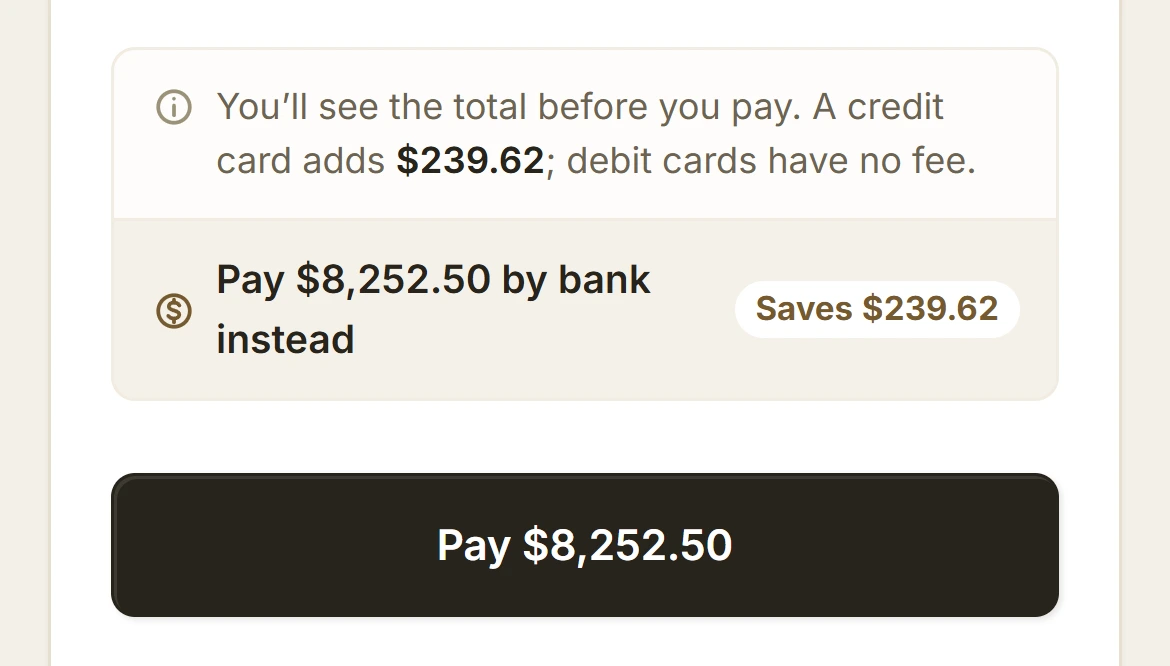
The invoice's terms end with the fee in dollars on what's due. On the payment screen, before Pay, your client sees what a credit card adds, and, with US bank payments on, a one-tap way to save it. At Stripe's 0.8%, capped at $5, a bank payment costs you less too.
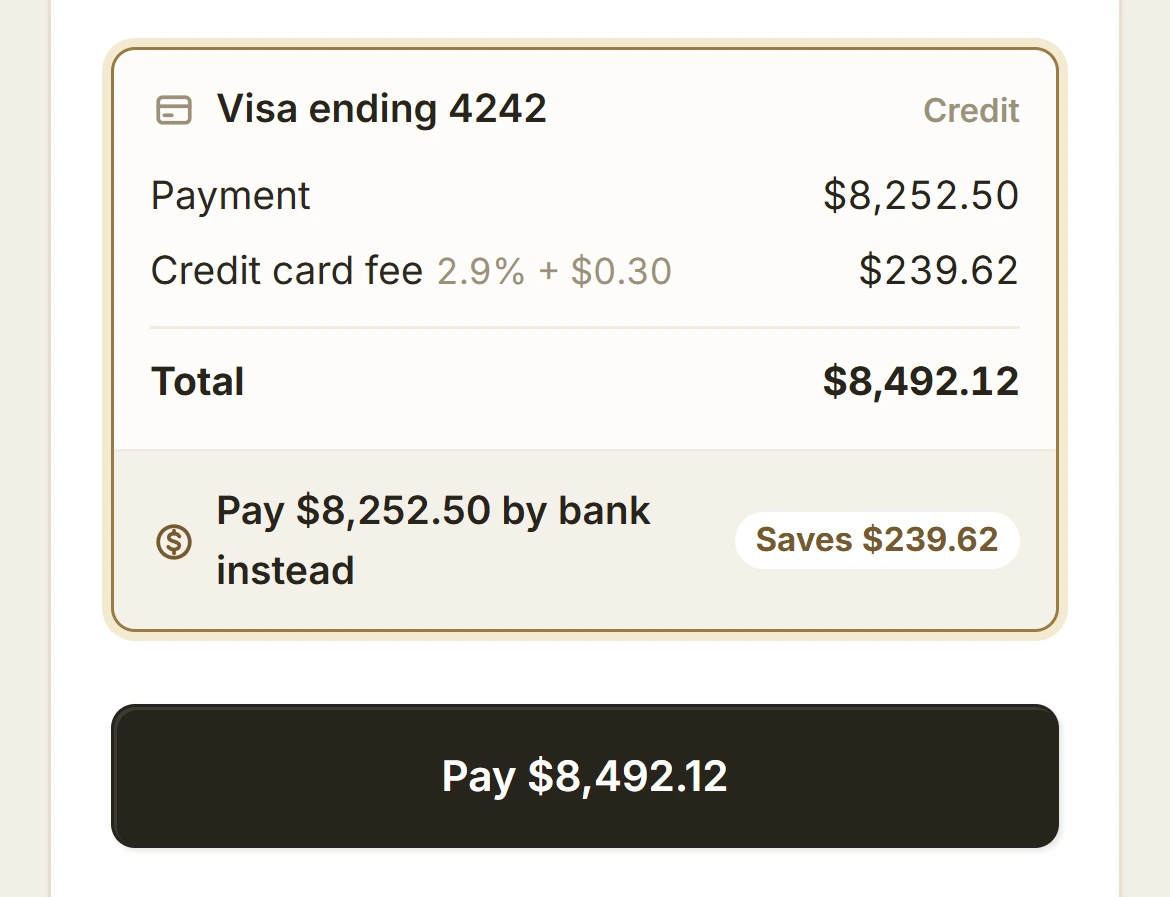
A credit card is never charged a total its holder hasn't seen. The first Pay charges nothing: it shows the card, the fee and the total, and the button then says Pay $8,492.12.
Paid, and on the invoice.
The fee becomes its own dated line under the work, and the balance falls by exactly what was owed. Stripe takes its percentage of the whole payment, fee included, so of the $8,492.12 you keep $8,245.55: within $7 of the invoice, instead of $239.62 short.
What it doesn't do yet.
For now there's no fee on invoices with a payment schedule, or with Apple Pay and Google Pay: each needs its own place to show the fee first. The fee is for USD invoices, and there's no per-client exception yet.