What replaced subscriptions: recurring lines.
In January 2025, 56% of US small businesses were owed money on unpaid invoices, $17,500 on average, a QuickBooks survey of 2,487 owners found. The invoice you send every month for the same thing shouldn’t add to that by going out late. Subscriptions are now recurring lines: one charge at a time, sent on its date.
In three steps
Set it up once.
It comes back on its own.
-
01 / Start it
From what you already bill.
Repeat an invoice you’ve sent, give a saved item a schedule, or tick what BillGrid found in your past invoices.
-
02 / Choose how it’s sent
Review first, or automatically.
Look over each invoice before it goes, or let it go out on its date, numbered and branded like any other.
-
03 / Invoice it
Every period, on time.
Ready lines wait beside the next invoice you write; automatic ones send themselves. Each names the period it bills.
01 / Where it went
Subscriptions is now
Recurring.
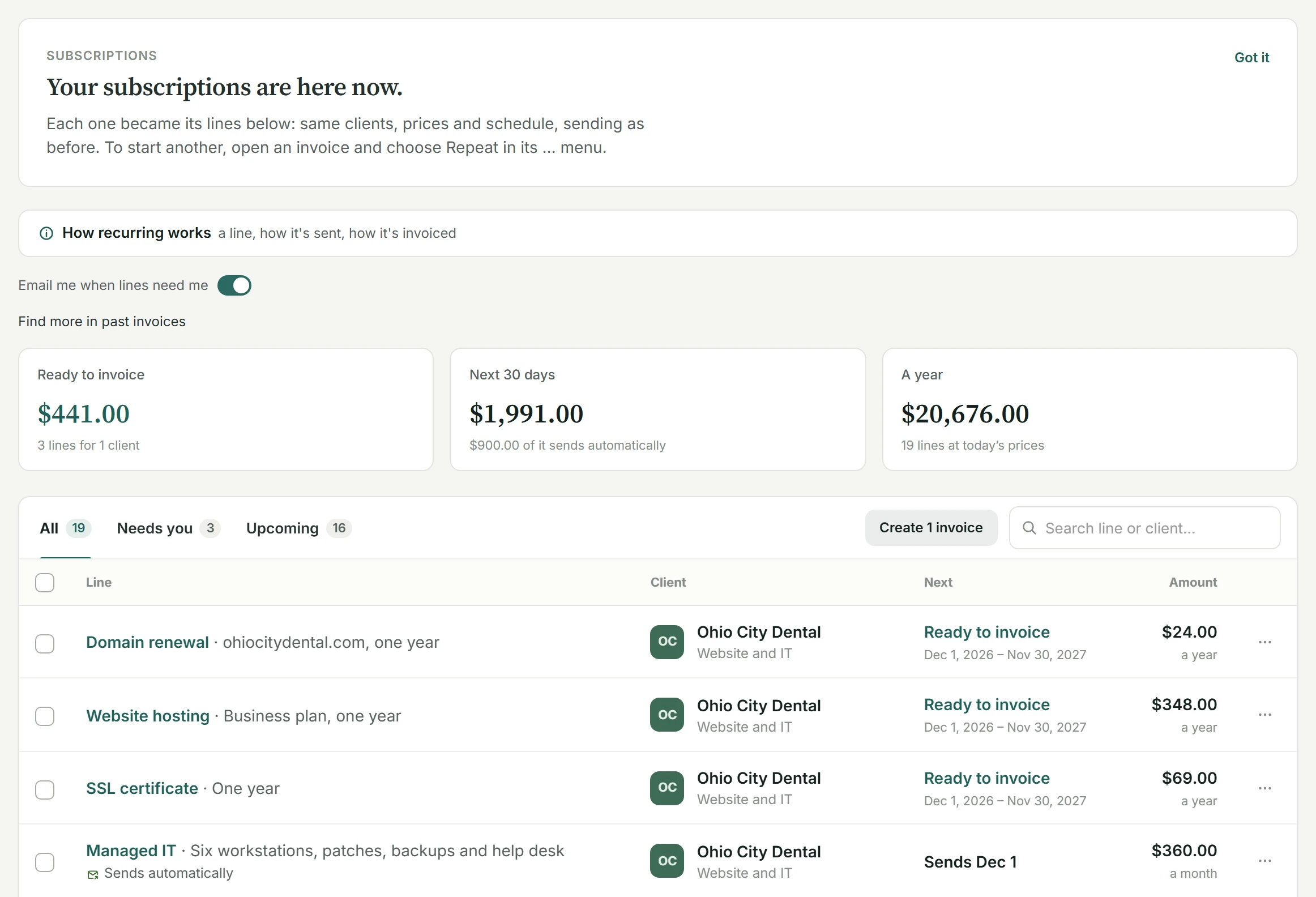
Open Recurring in the sidebar, under Get paid. Every subscription you had is there, already moved: same clients, prices and schedule, sending as before. A note at the top says so, once.
-
Then: a subscription
Now: its lines.
Each line of a subscription’s invoice became its own recurring line, with its schedule and service address. Change one price or stop one service without touching the rest.
-
Then: New subscription
Now: Repeat, on any invoice.
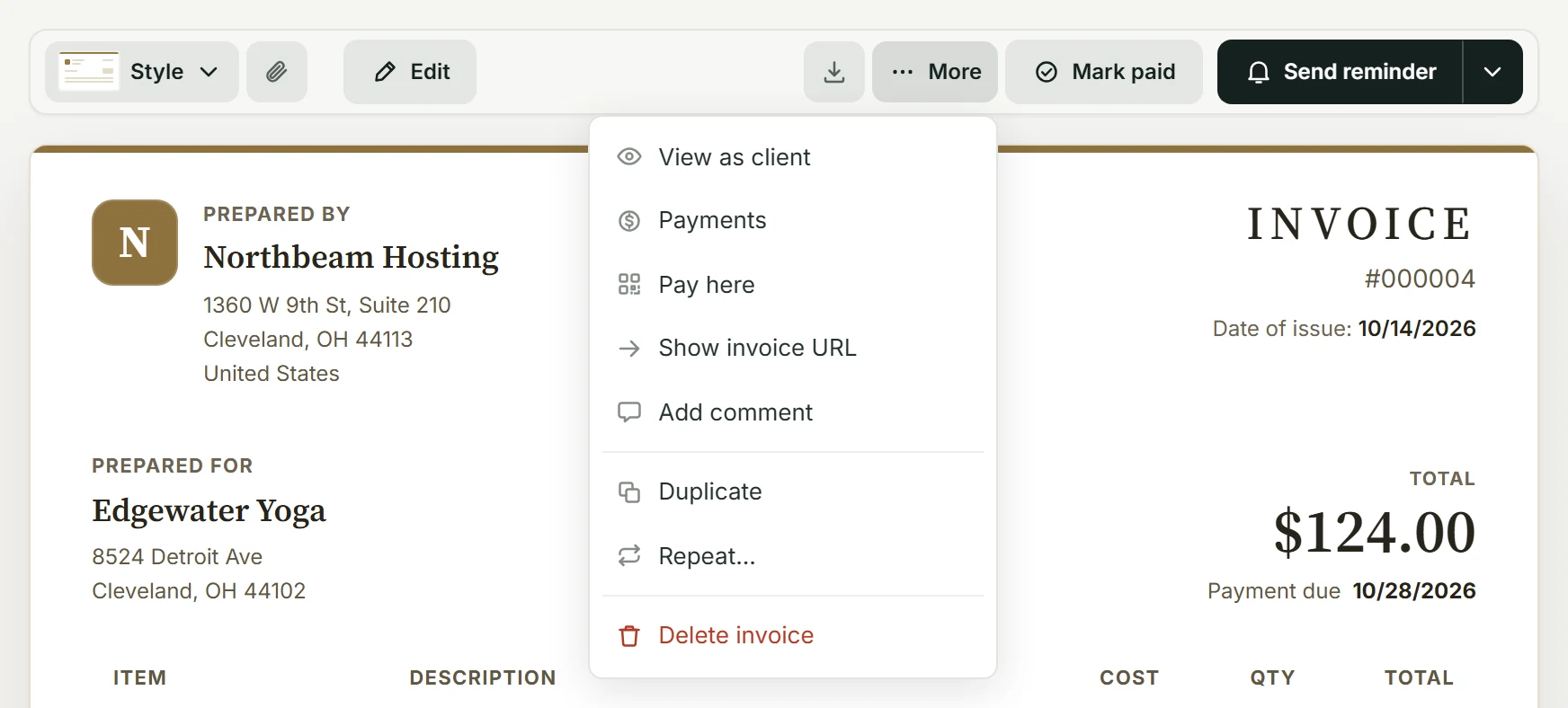
Open an invoice you’ve sent and choose Repeat in its … menu. Its lines come back together, on one invoice.
-
Kept
Every invoice it made.
Invoices your subscriptions already made stay where they were, numbered and paid as before.
02 / Make any invoice repeat
The invoice you just sent.
Every month from now on.
Hosting, a care plan, a retainer’s fee: if it’s on an invoice, it can come back. Open the invoice, then More and Repeat.
Tick what comes back
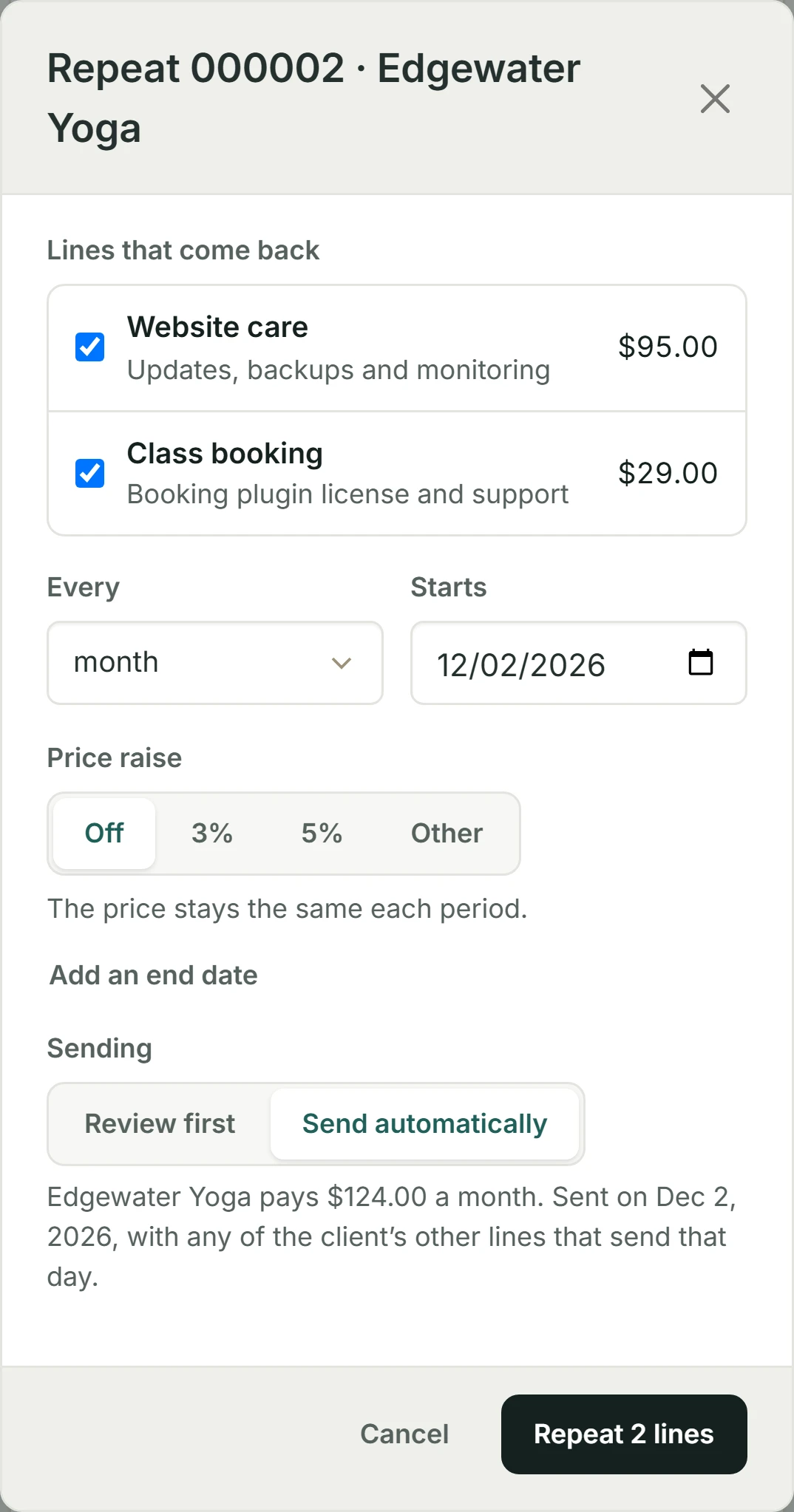
Its lines, together, on one invoice.
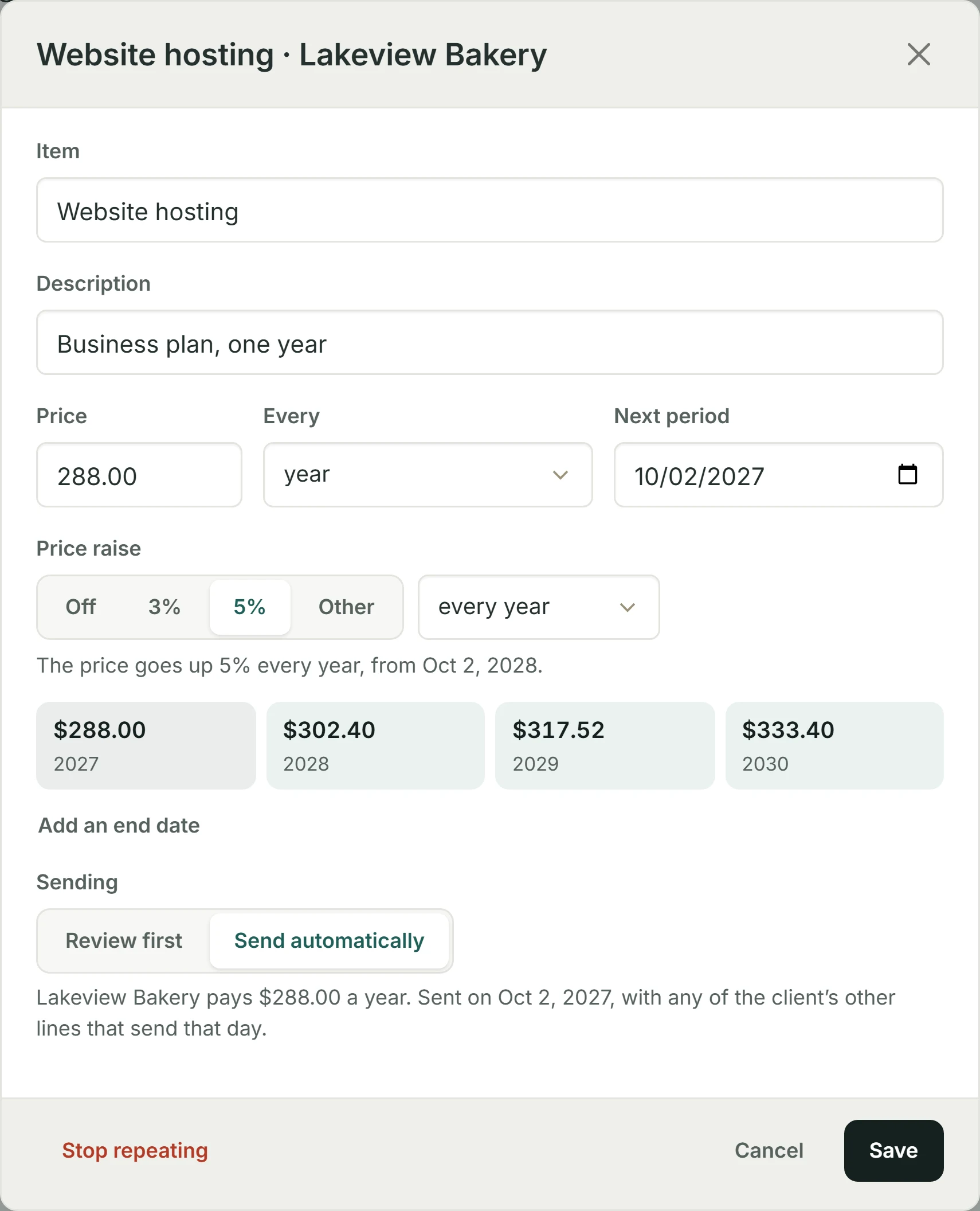
Choose how often (every week to every two years) and the day it starts, a period after the invoice’s date. Add a price raise or an end date if you like, and say how it’s sent.
A line that already repeats is left unticked, so nothing is billed twice.
03 / Review or send
Check it first.
Or let it go.
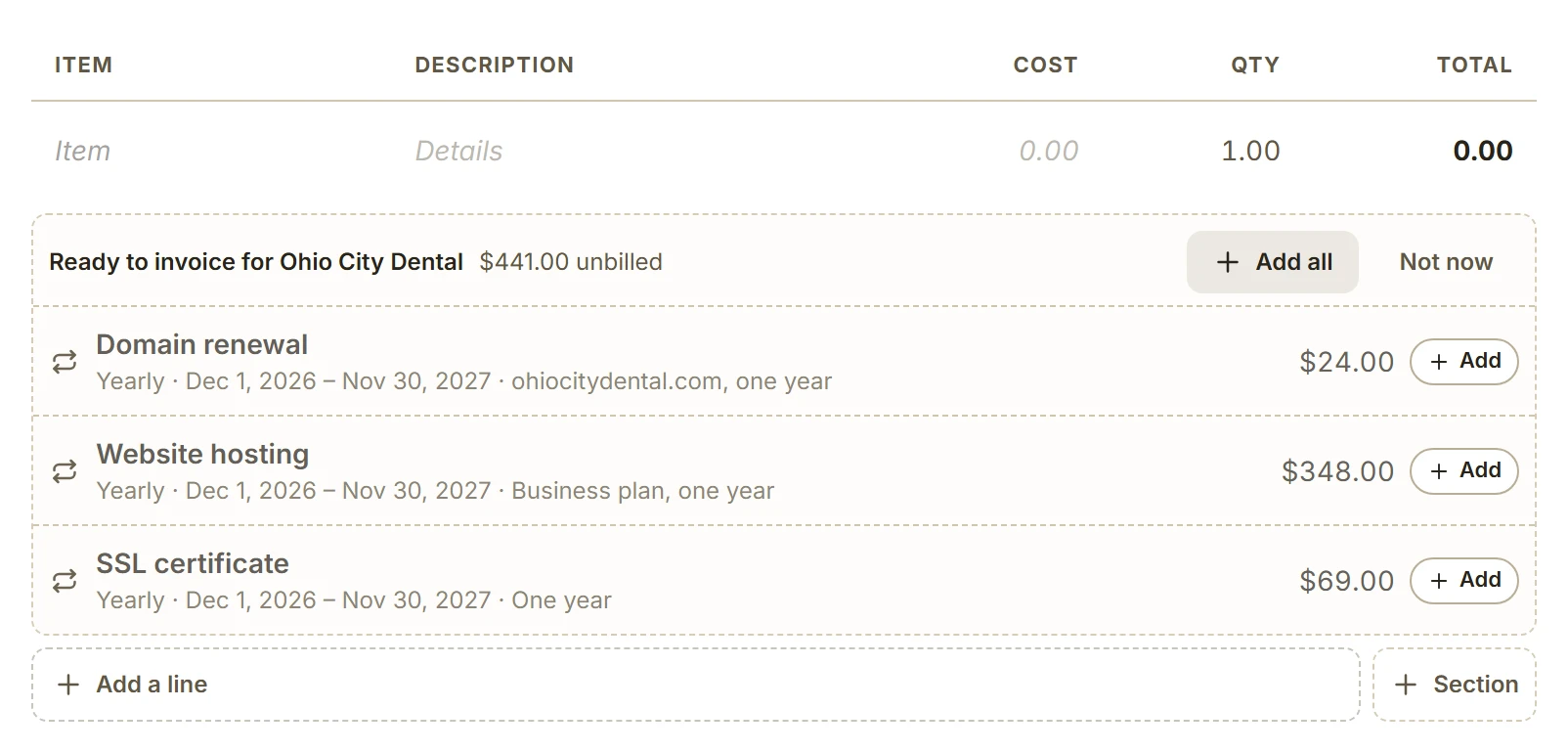
Review first waits in Ready to invoice on its date, and the morning email lists what’s new. Create the invoice from Recurring, or add the client’s ready lines to any invoice you’re writing, next to their time and expenses.
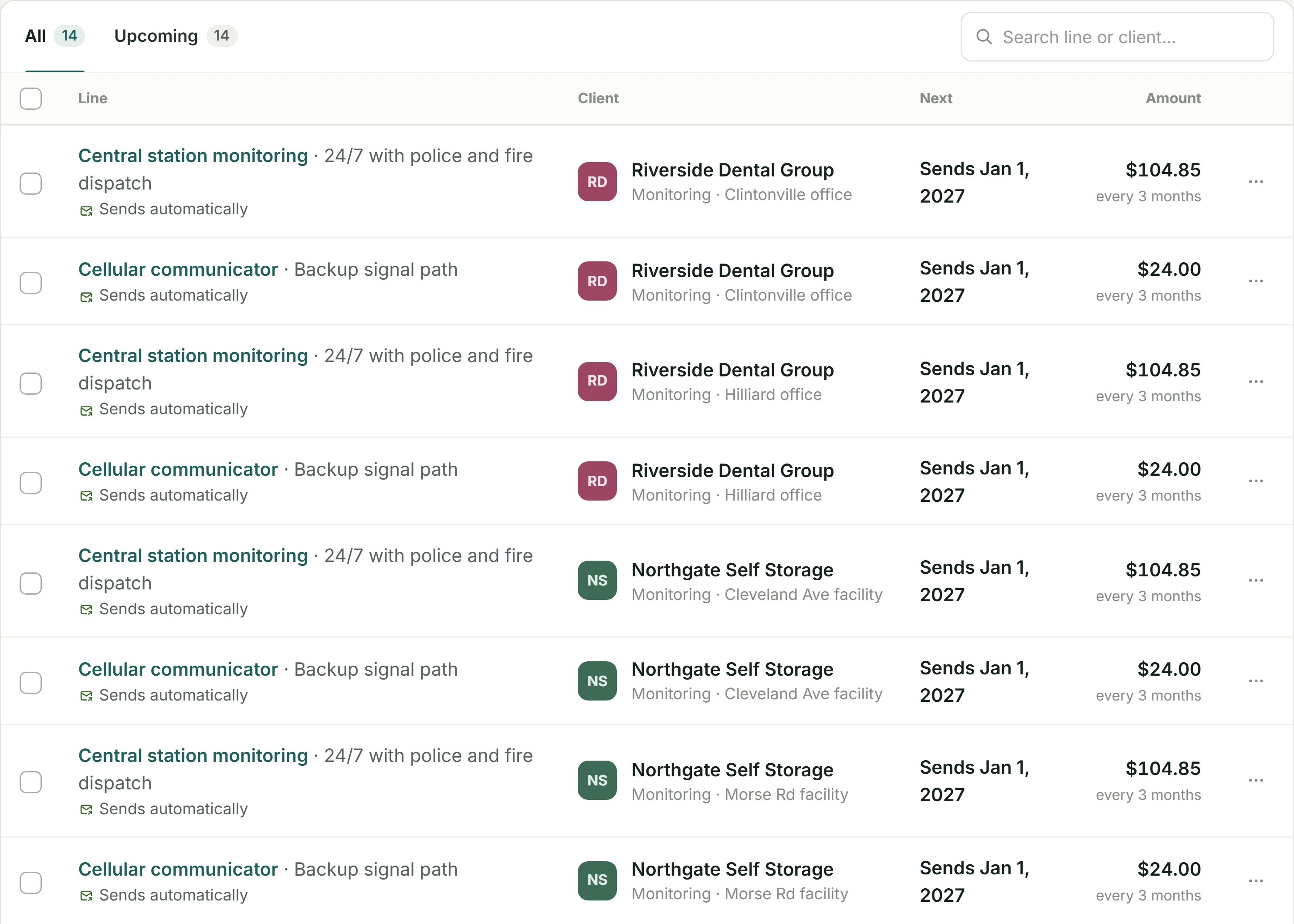
Send automatically makes the invoice and emails it on its date, with nothing for you to do: the subscription you had.
Review first
Ready lines wait beside the invoice you’re writing.
Start an invoice for the client and their ready lines are right under it. Add one, or all of them.
On the invoice
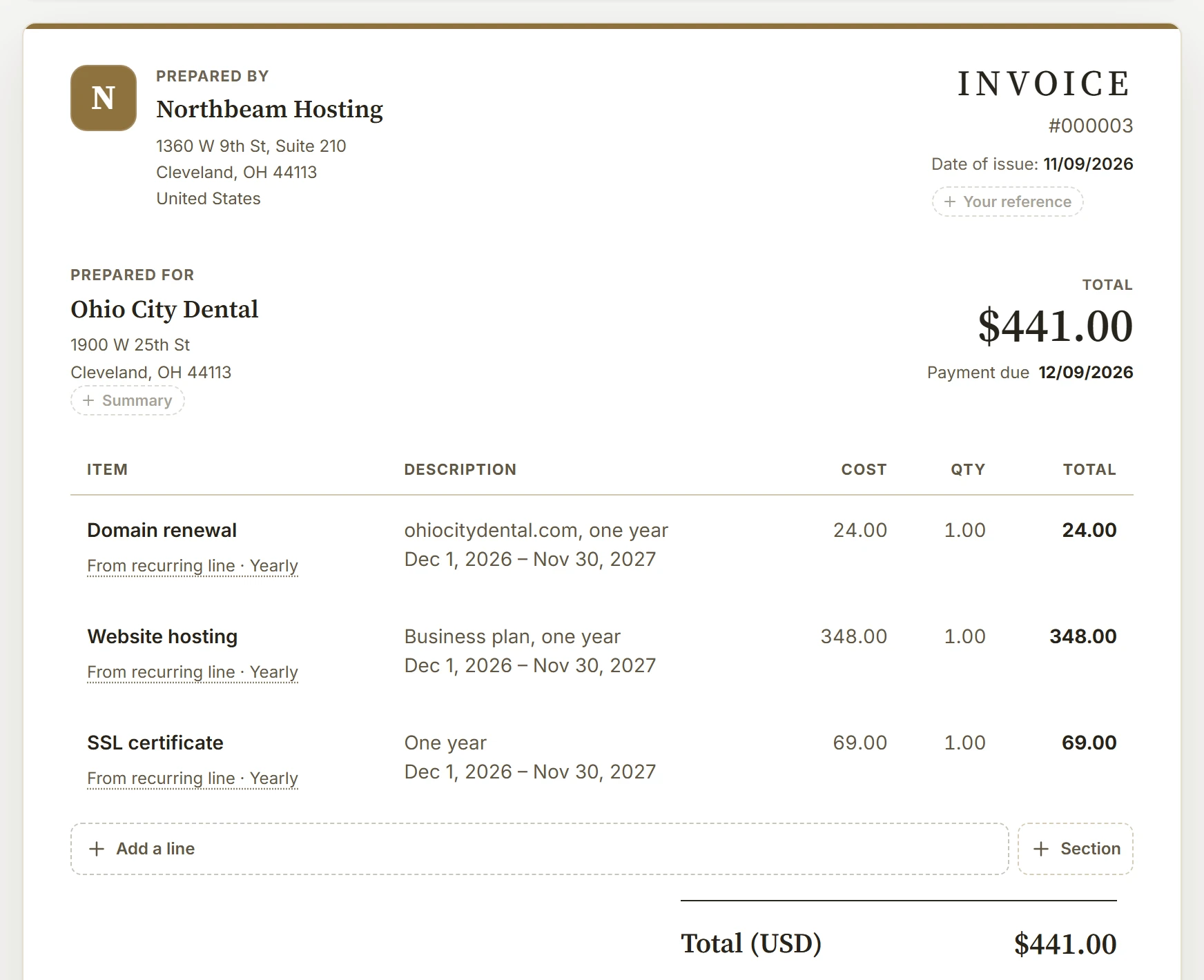
Every line says which period it bills.
So a month, or a year, is never invoiced twice, and your client sees exactly what they’re paying for.
One invoice a day, not one a line
A client’s lines go out together.
On any day, a client’s lines that send automatically share one invoice, whatever their rhythm: a monthly plan and a yearly renewal that both fall on Dec 1 go out on the same invoice. Each service address gets its own, as each site does here, and so does a line taxed at a different rate. How lines share an invoice.
04 / Found for you
Already billing by hand?
BillGrid noticed.
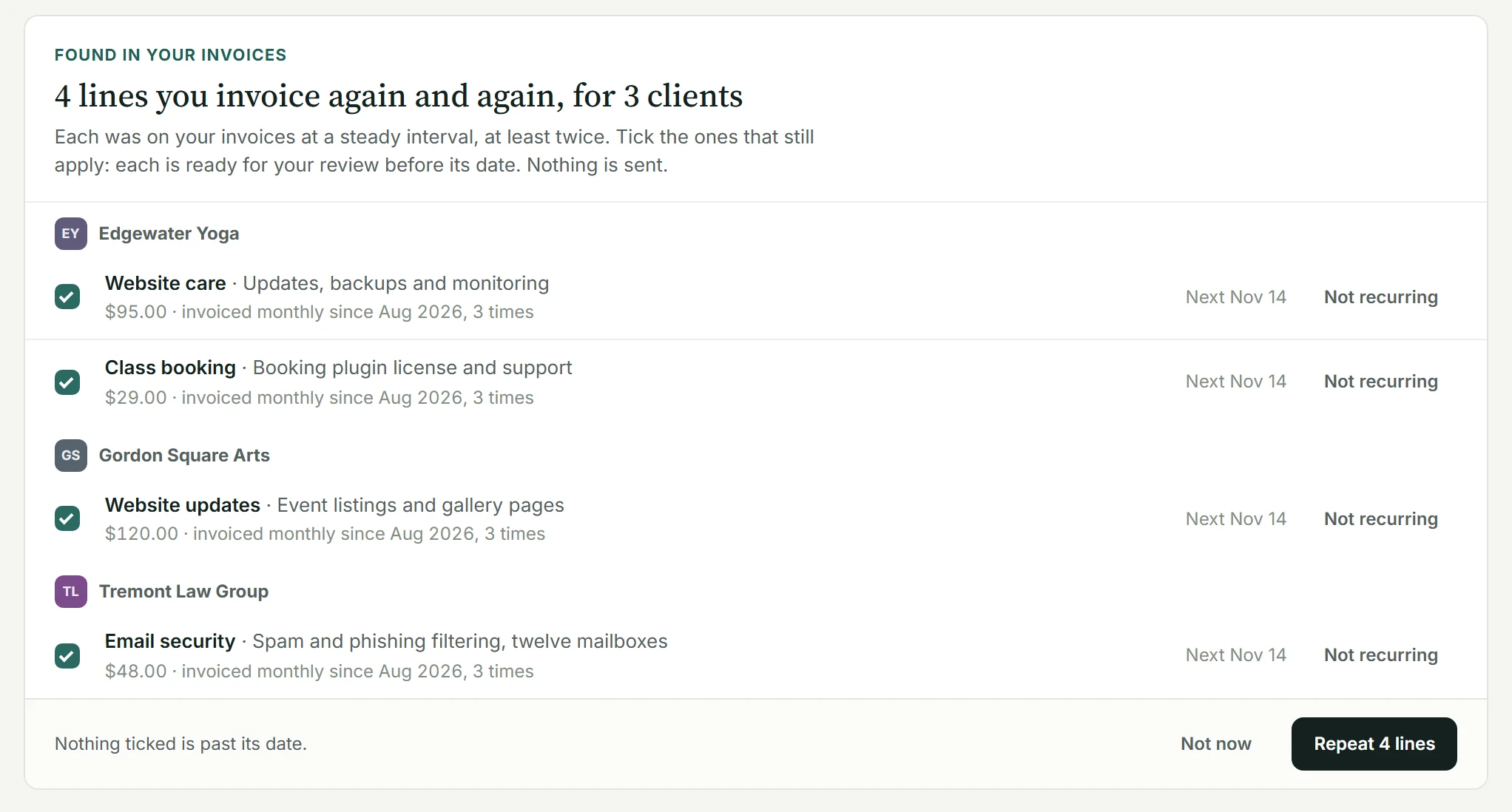
BillGrid reads the last three years of your sent invoices for an item a client paid at a steady interval, monthly or yearly, at least twice, and offers it as a line. Tick the ones that still apply and choose Repeat. Nothing is sent: every line it makes waits for your review.
05 / Saved items
Your usual services.
On their usual schedule.
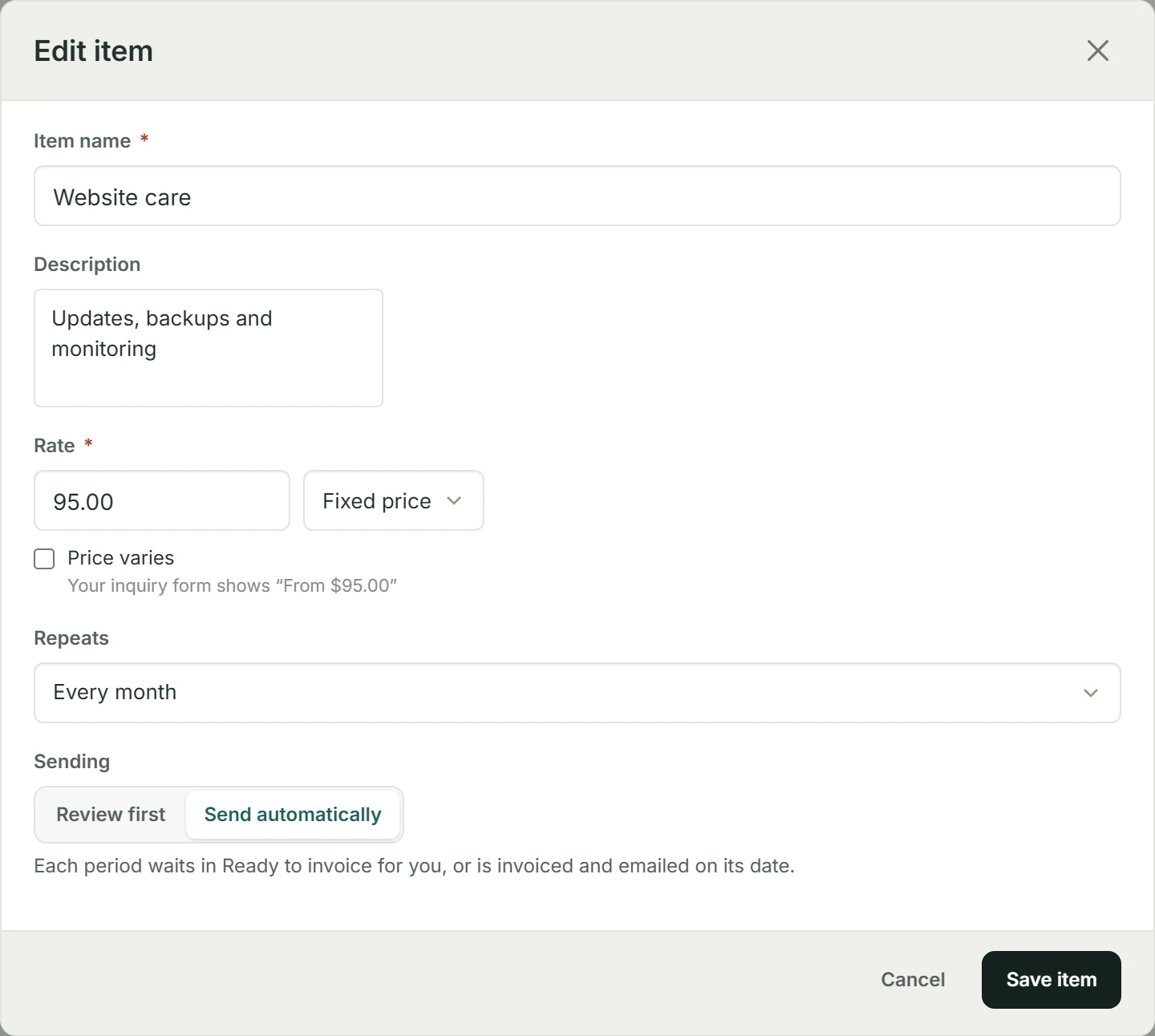
In Settings › Saved line items, give a fixed-price service how often it repeats and whether it sends itself. Pick it for a new recurring line, or repeat an invoice that bills it, and it arrives with its price, schedule and sending already set.
Change one, keep the rest.
Change a price, skip a period or stop a service, each with Undo. Changes start with the next period; invoices already made keep theirs.
Month ends handled.
Billing on the 31st? Shorter months use their last day, and dates follow your company’s time zone.
Your branding throughout.
Every invoice a line makes carries your logo, colors, numbering and payment options, and your payment reminders.
What it doesn’t do yet.
Sending automatically is part of Pro and Team; on Free every line waits for your review. A proposal or contract doesn’t start lines yet, and a contract’s renewal date isn’t on the dashboard. A client can’t yet have a saved card pay their invoices on their due dates.
Real BillGrid screens, with fictional businesses and example work.