Drop a receipt on Expenses and it becomes a cost. BillGrid reads the vendor, date, amount and tax, and you check them.
Add receipts
Drop photos or PDFs anywhere on Expenses, or choose Receipts on the add line. Each file becomes a cost of its own, with its receipt attached. To add a receipt to a cost you already have, open it and drop the file on it. Files can be up to 100 MB. Only your team sees receipts, unless you enclose one with an invoice.
What's read
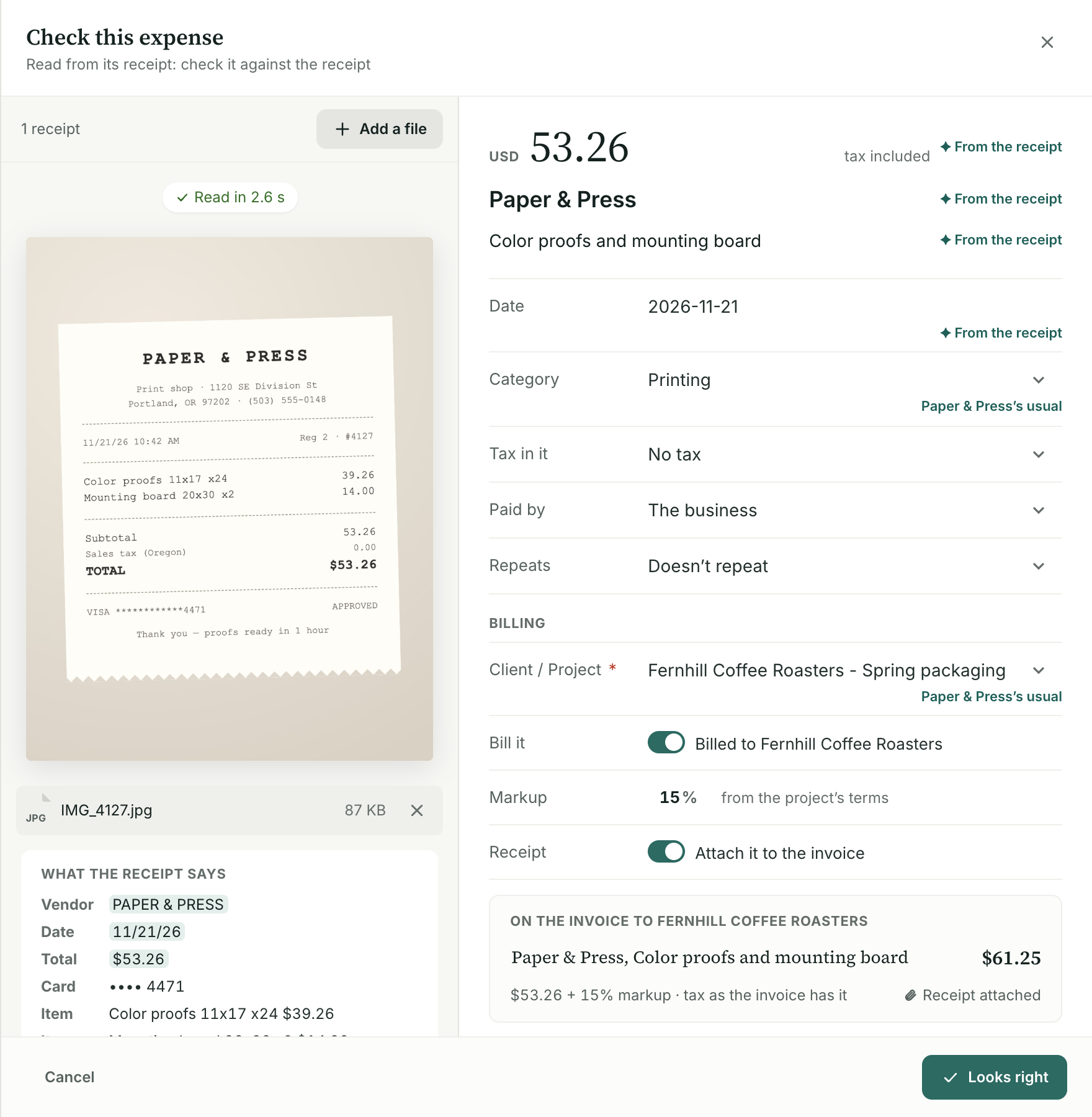
A few seconds later, the cost fills in: the vendor, the day, the amount and the tax. Each field it filled says From the receipt until you change it. What the receipt says, under the receipt, shows the receipt's own words. You can type meanwhile: what you type stays.
A vendor you've filed before brings its usual category and client, marked with the vendor's name, like Paper & Press's usual. If you typed an amount that differs from the receipt's total, the cost says so, with Keep mine.
Check it in To review
Costs made from receipts wait in To review, and a gold line over the list says how many. Open one, compare it with its receipt and choose Looks right. Nothing is billed until you do. The next one opens.
A receipt that couldn't be read waits there too, for you to fill in. So does one that looks like a cost you already have; see possible duplicates.
Good to know
- Search finds a cost by any word on its receipt.
- BillGrid reads up to 500 receipts a day for each business. Past that, the costs wait in To review for you to fill in.
- Forwarding receipts by email isn't available yet.
- Export > Their receipts, as a ZIP downloads the receipts for the period.