Decide once whether a teammate's cost needs your yes before it's billed or repaid. This shows on a team of two or more.
Set the rule
The owner or an admin sets it in Settings > Expense defaults > Approval. Costs from teammates need approval:
- never: costs are ready to bill and repay as soon as they're saved. This is the default.
- always: every cost a teammate adds waits.
- over an amount: a cost over it waits; smaller ones go straight through. A cost in another currency than your business's always waits.
The rule applies to costs saved from now on. The owner, admins and anyone who handles money approve, and their own costs never wait. A refund never waits.
What your teammate sees
When a cost will wait, its Save button says Send for approval. While it waits, it can't be billed or repaid. Changing an approved cost's amount, or who paid it, sends it for approval again.
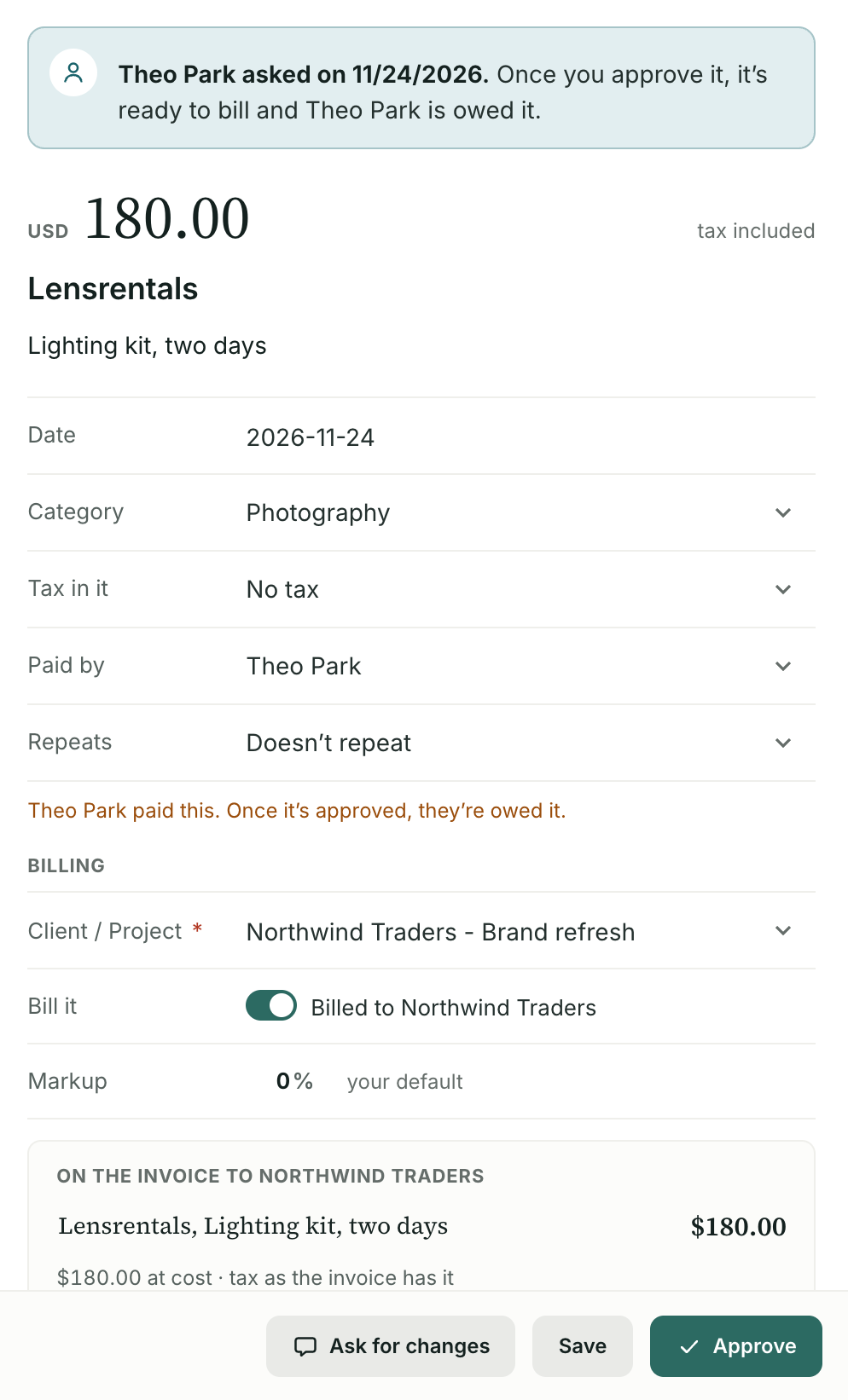
Approve
When costs wait for you, a gold line over Expenses says how many. Its Approve button opens To approve. Open a cost to see who asked and when, which client it bills and who paid, then choose Approve. J and K open the next cost and the one before.
To approve several, tick them and choose Approve in the bar. The message offers Undo.
Ask for changes
Choose Ask for changes and write what should change, like Add the rental receipt, please. The cost goes back to whoever added it, with your note. They find it in To update, make the change and choose Send again.
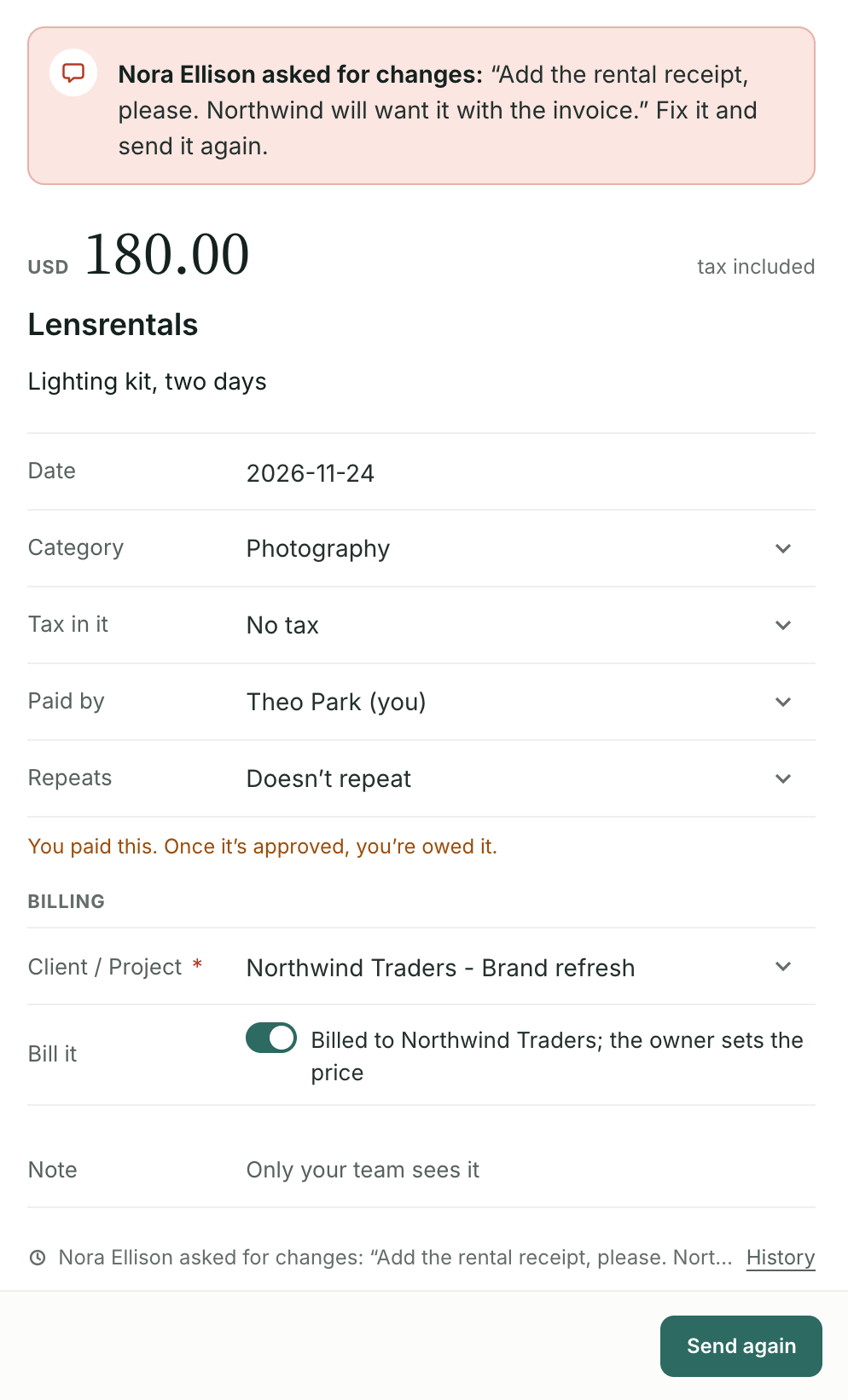
Once approved, the cost is ready to bill. If a teammate paid it, it moves to To repay. See repaying a teammate.