When someone on your team pays for a cost themselves, the business owes it to them. BillGrid keeps track until you pay them back. This shows on a team of two or more.
Say who paid
Open the cost and choose Paid by: The business, or the person who paid. A cost added by a teammate who doesn't handle money starts as paid by them. Someone on Work only can name only the business or themselves.
The cost says what happens next, such as You paid this. Once it's approved, you're owed it. When your business asks for approval, a cost is owed once it's approved. See approving your team's costs.
To repay
To repay, over the list and in its views, gathers what the business owes, whenever it was spent. Its figure says to whom. Each cost's row says who paid, and whether it's still to repay.
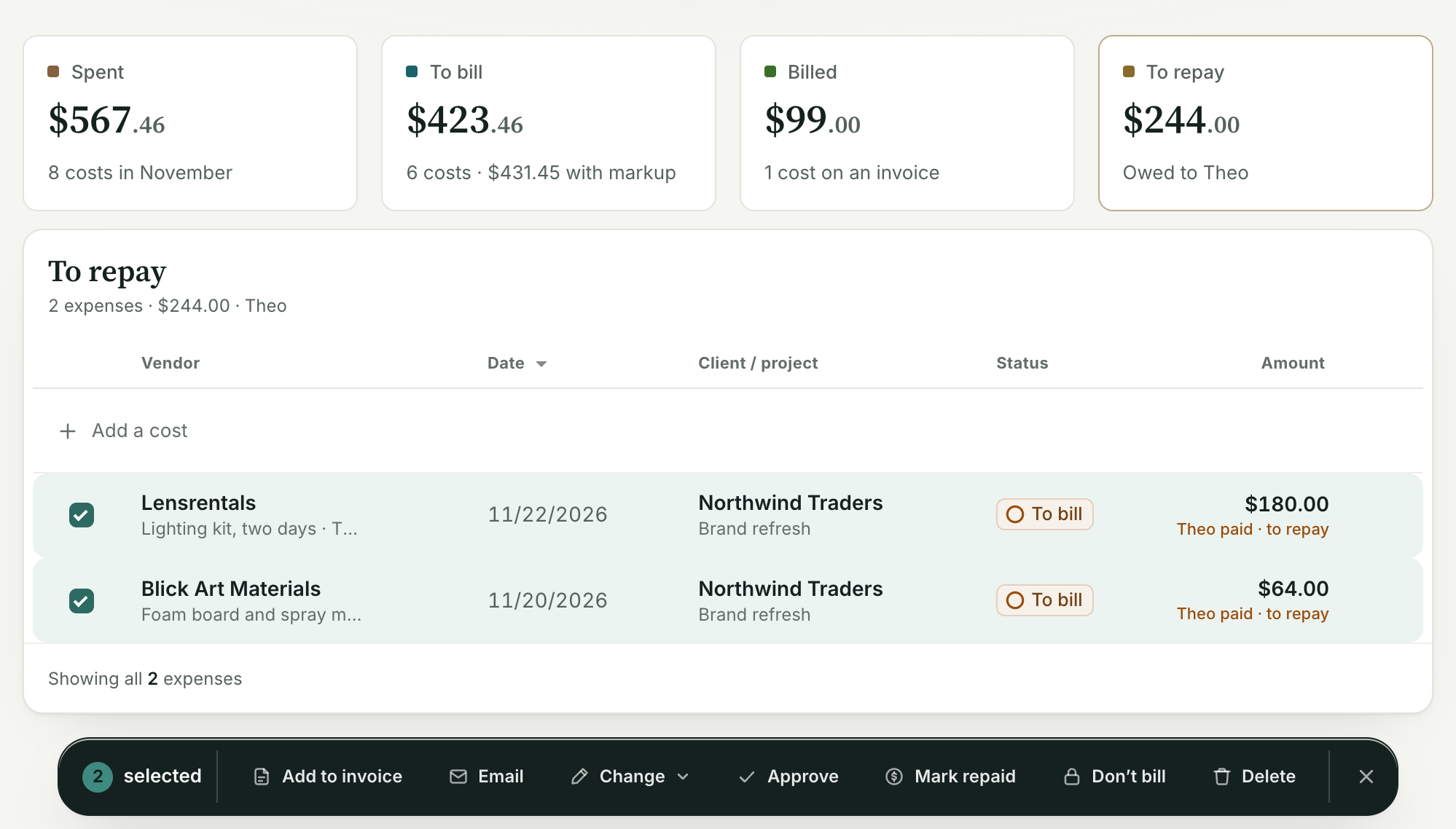
Mark repaid
Once you've paid them back, tick the costs and choose Mark repaid, or choose it in one cost's row menu. The message offers Undo, and Mark not repaid in the row menu puts one back. Marking repaid takes Handles money.
Repaying a teammate doesn't change billing. The cost still goes on the client's invoice when it's billed.
What your teammate sees
Someone who sees only their own costs sees You spent and To repay you, with Waiting for approval while your business asks for approval.