Automatic Payments: Paid on the Due Date
In January 2025, 47% of US small businesses had invoices more than 30 days overdue, a QuickBooks survey of 2,487 owners found. Now a client can pay you automatically: their card pays each invoice on its due date, and they hear about it first.
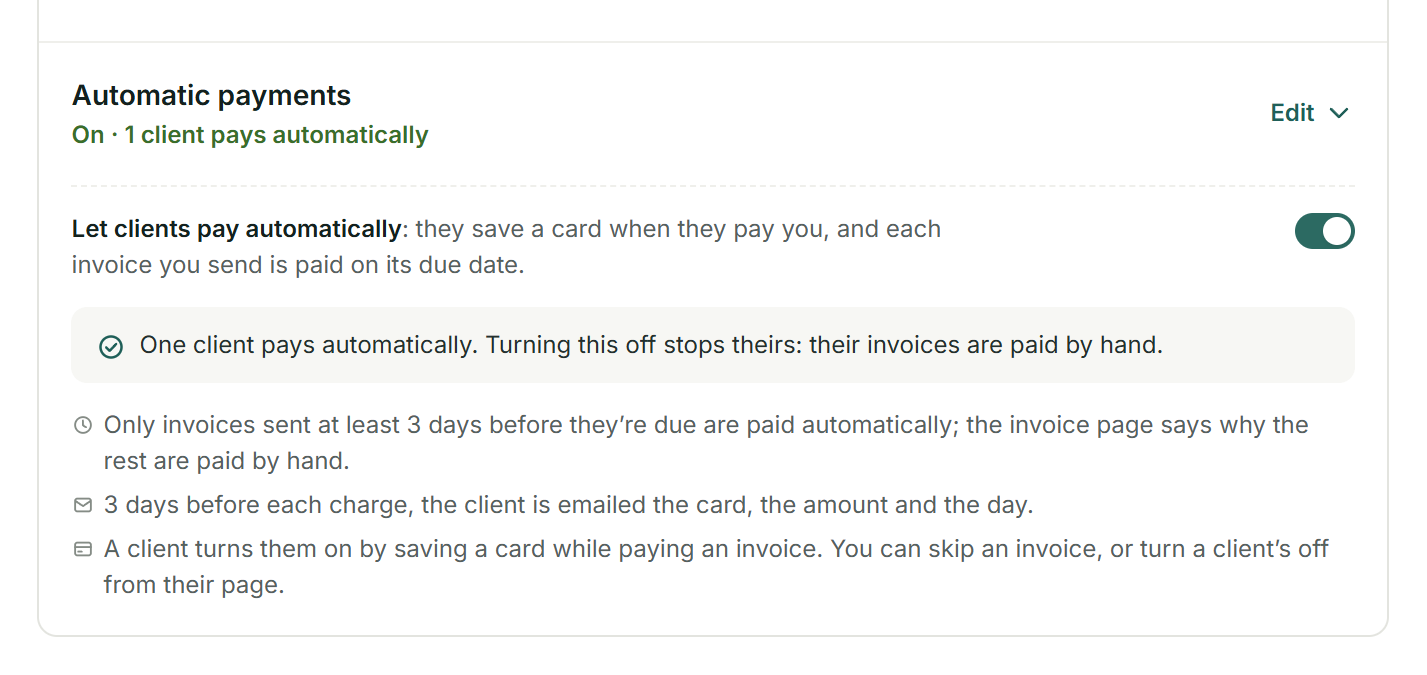
Turn it on once.
In Settings > Online payments, under With card payments, switch Automatic payments on. No card is charged without notice, so it needs a reminder to clients 3 or more days before the due date; if your schedule has none, Add a reminder 3 days before adds it in one click.
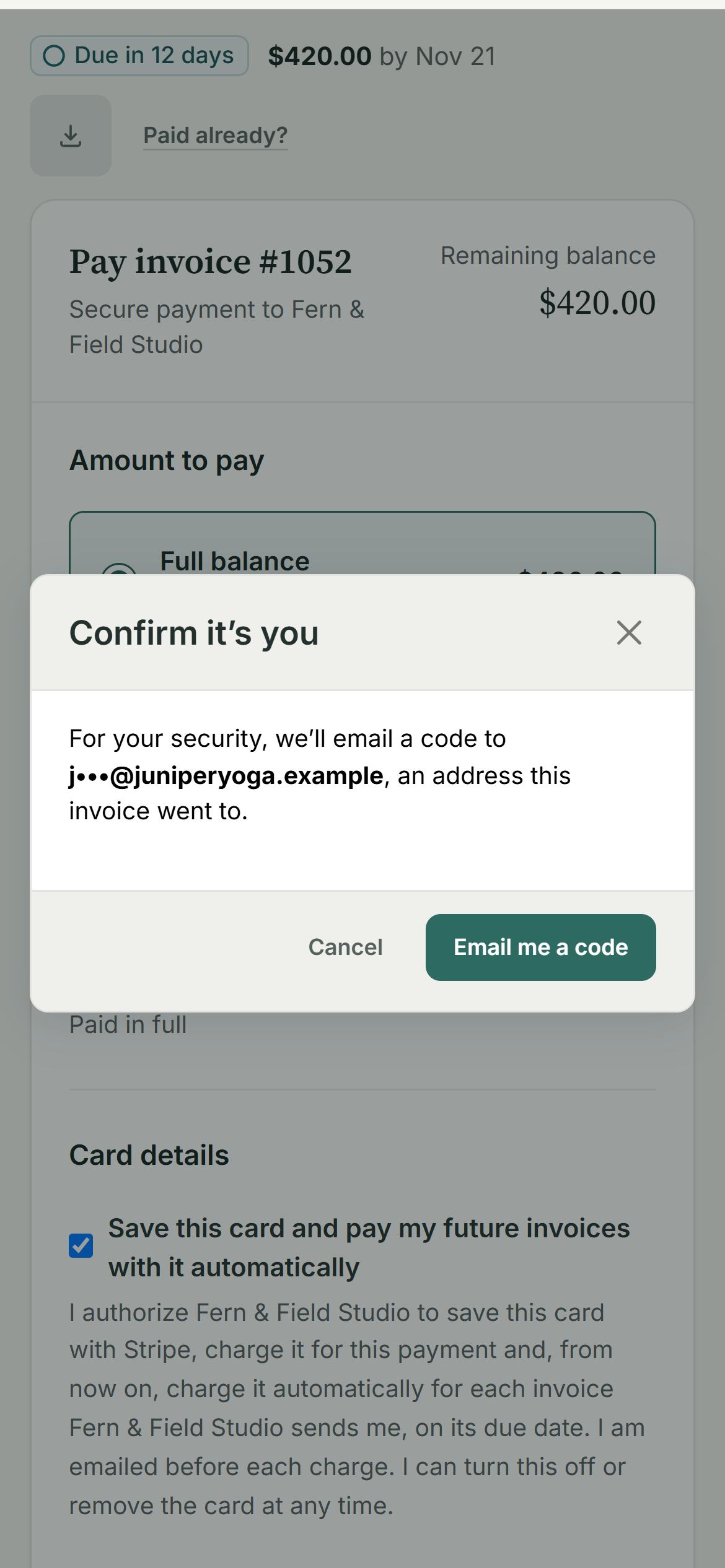
Your client saves a card while paying.
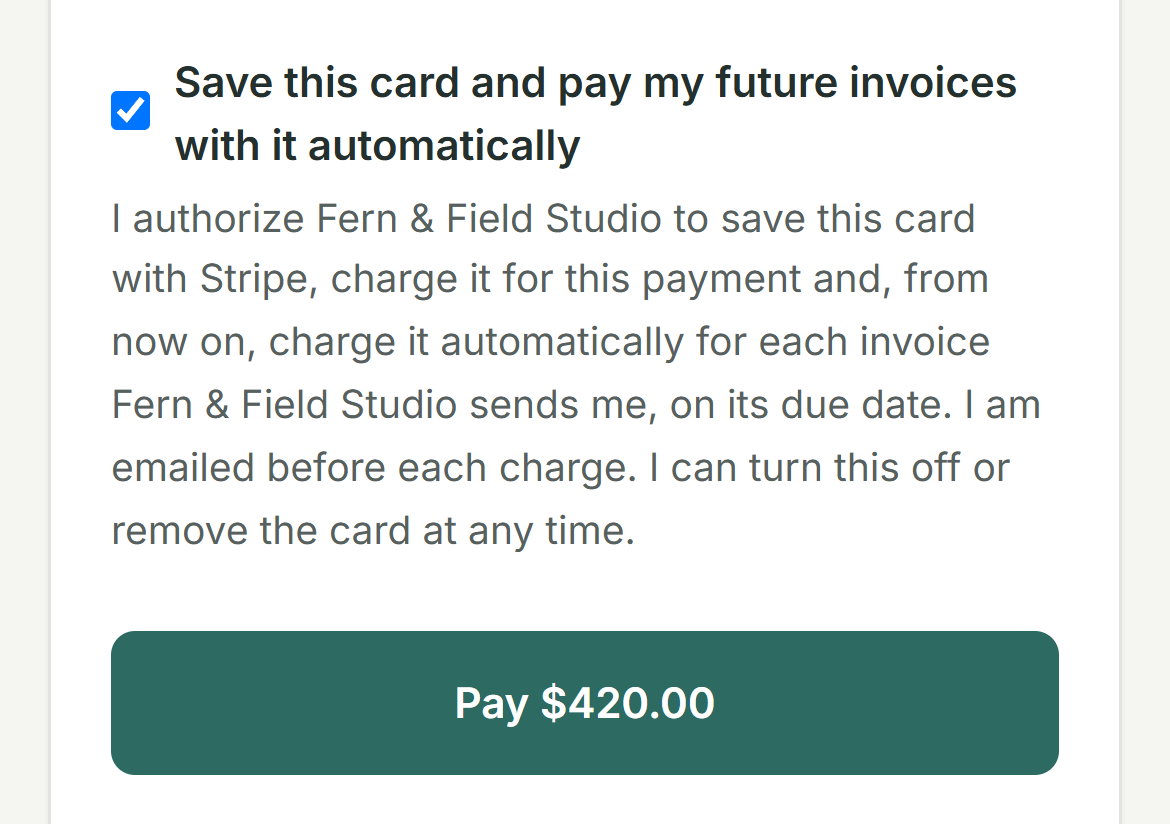
Paying your invoice by card, your client can tick Save this card and pay my future invoices with it automatically, under the exact words they agree to. An invoice link can be forwarded, so first they confirm it’s them with a code emailed to an address the invoice went to. Stripe keeps the card; BillGrid keeps its brand and last four digits.
Every invoice says when.
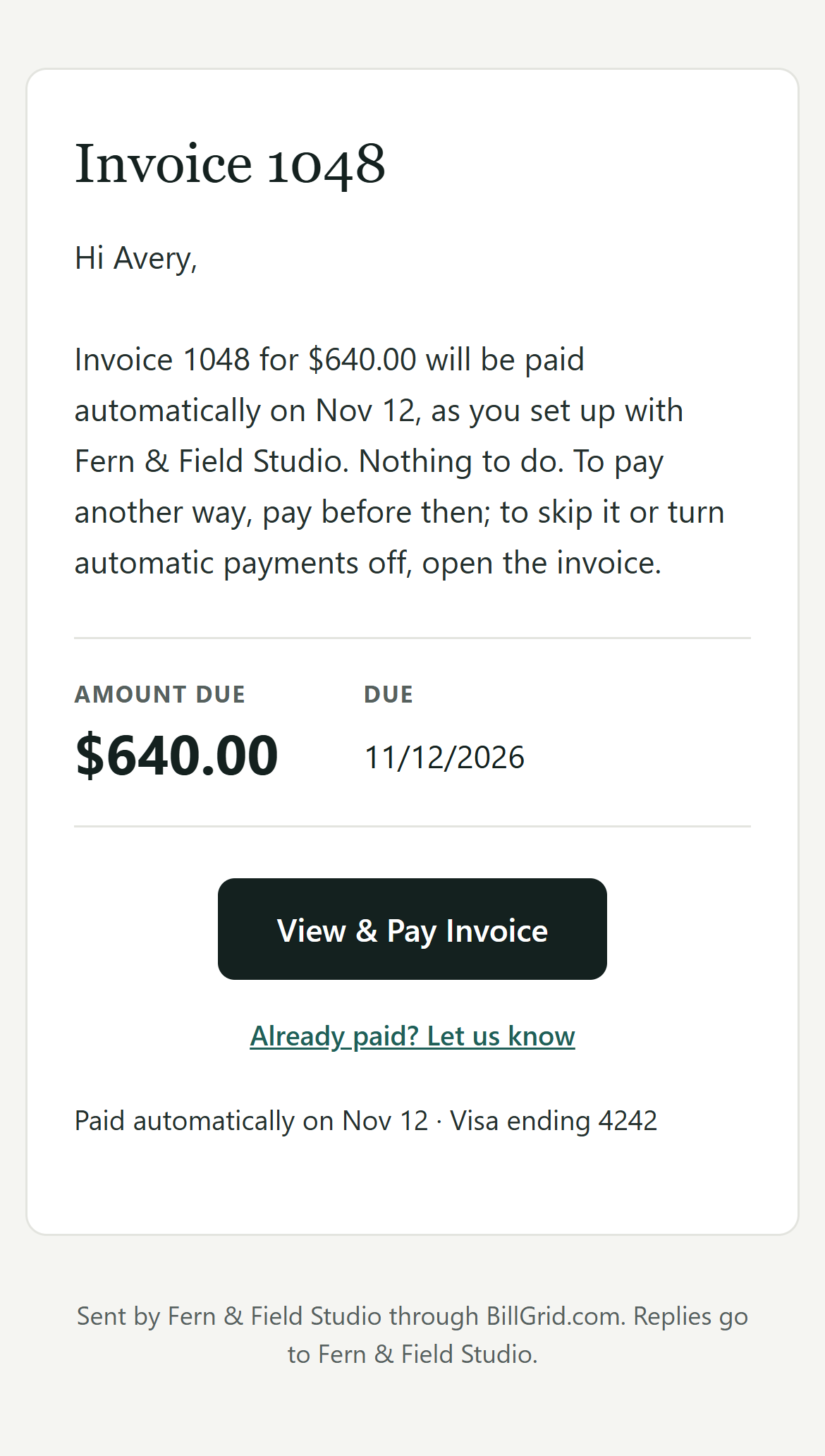
From then on, each invoice you send at least 3 days before it’s due says so, in the email and on the page: Paid automatically on Nov 12 · Visa ending 4242. Your client can choose Skip this one, or turn automatic payments off from Manage; you can leave one out with Not this invoice.

Your reminder 3 days ahead says it again, with the card and the amount. On the due date the card is charged once, and a receipt follows in place of your thank-you note.
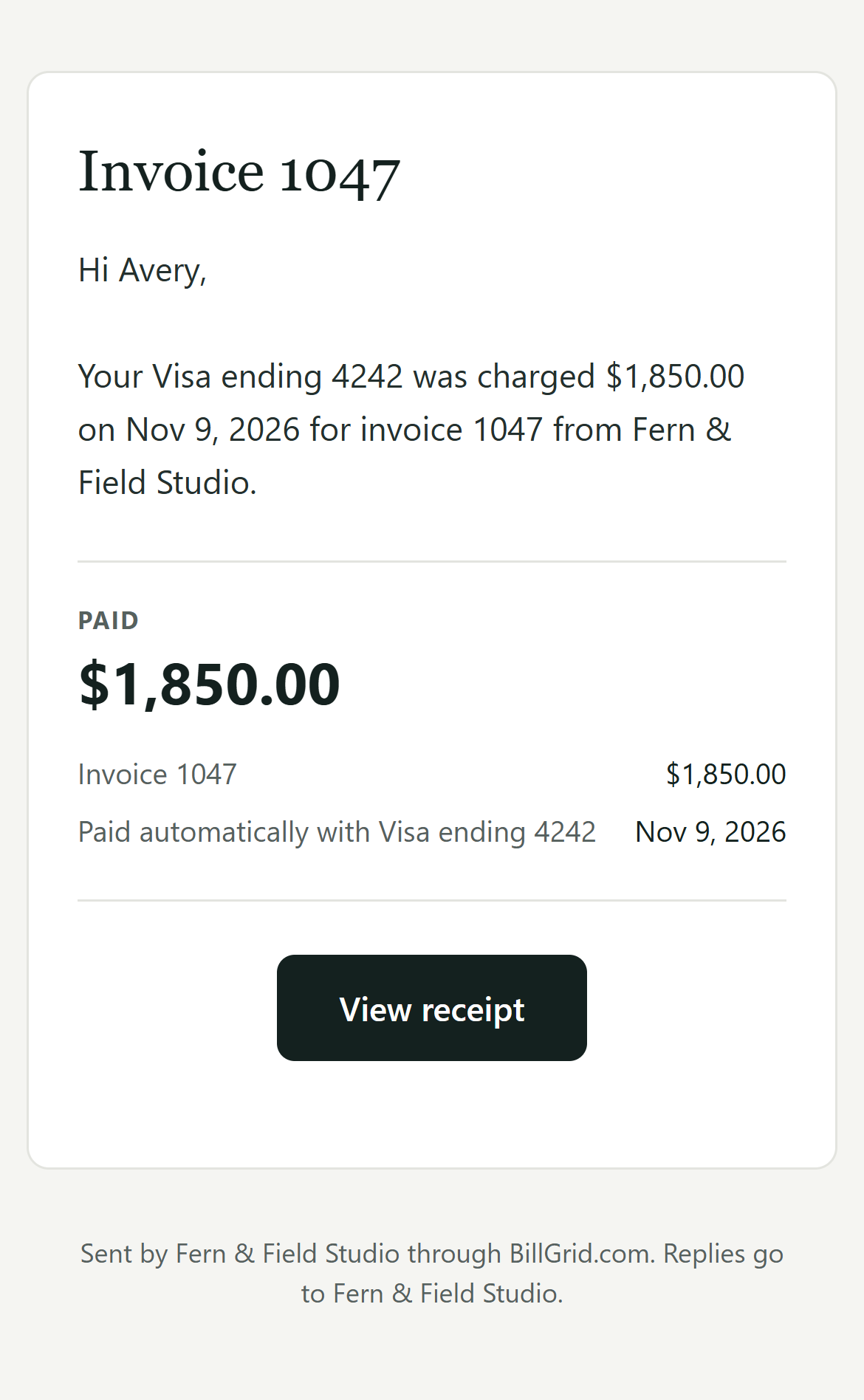
When something changes.
A declined card emails you and your client; the invoice is then paid by hand, your late-fee terms apply, and the next invoice is still paid automatically. Two weeks before the card expires, your client is asked for a new one. On the client’s page, See the record lists every change, notice and charge, who made each change, and the words they agreed to.
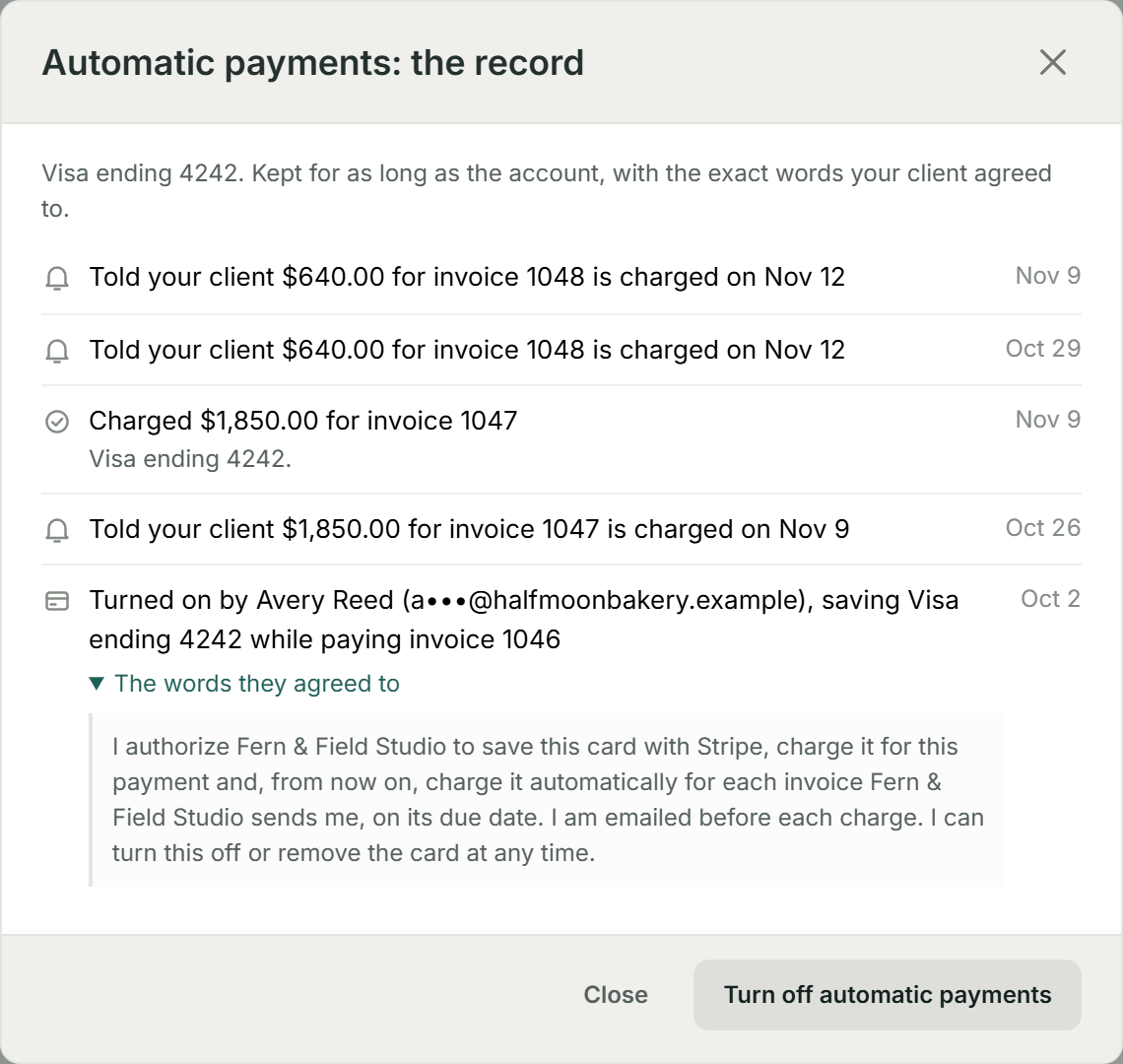
What it doesn’t do yet.
It’s cards only, through Stripe: no saved bank accounts yet, and no PayPal. A client saves a new card by paying with it; there’s no Add a new card on its own. Only your client can turn it on. Invoices sent fewer than 3 days before they’re due, on a payment schedule, or in a currency cards don’t take are paid by hand, and the invoice page says why. A declined card is tried once, not again, and there’s no credit card fee on automatic charges.
Real BillGrid screens, with fictional businesses and example work.