Get paid at every yes.
71% of freelancers struggle to collect payment at least once in their career, and the average unpaid freelancer loses almost $6,000 a year, a Freelancers Union survey of more than 5,000 people found. Much of that money doesn’t go missing at the end of a project. It slips away in the middle: the design is “looking great!” in an email, and the invoice for it never went out. So we built it around one promise: when your client approves the work, the payment for that work is due, and they can pay it right there.
01 / The plan
Three payments.
Decided once.
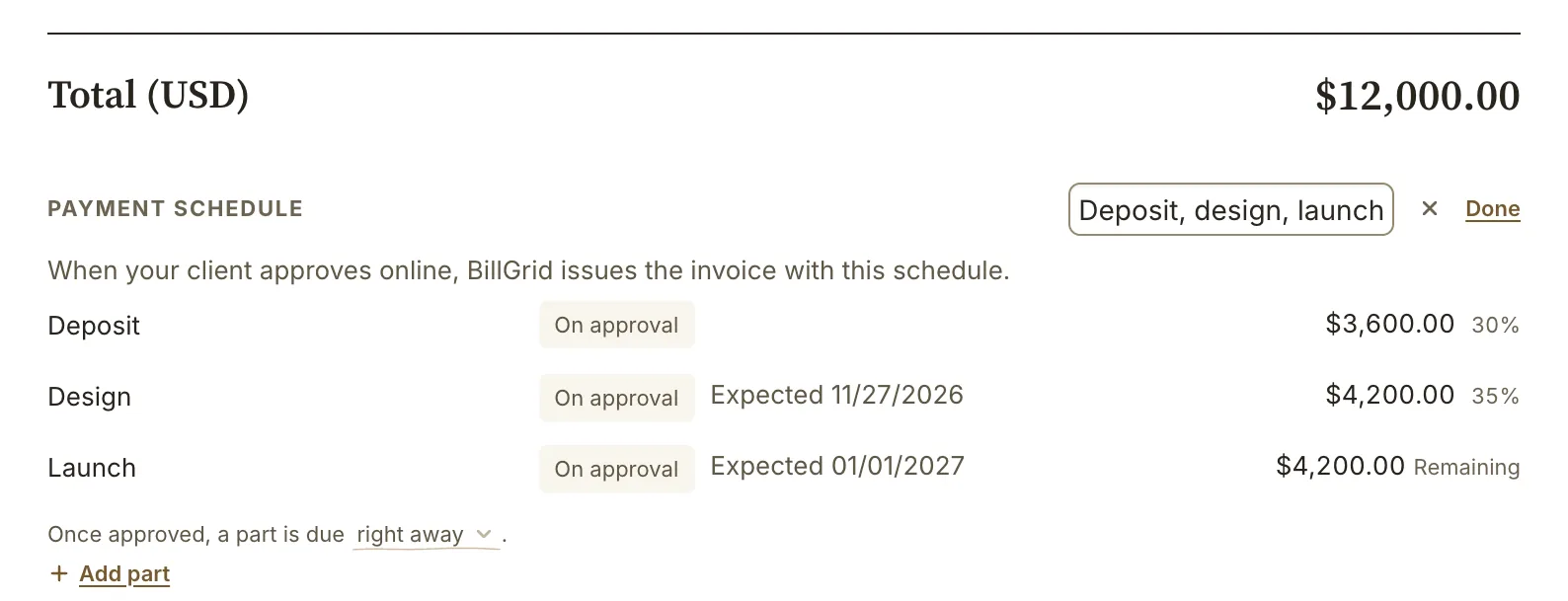
Nora runs Morrow Studio. Larkspur Hotel wants a new website for $12,000, and Nora splits it the way studios always have: a deposit to start, a payment when the design is approved, the rest at launch. On the estimate, Payment schedule has that plan built in: Deposit, design, launch, 30%, 35% and 35%.
The deposit is due On approval of the estimate. Design and Launch are due on approval too: their own. They get no due date until Larkspur approves that stage, so there’s nothing to guess and nothing to write as “TBD”. The expected dates beside them are Nora’s own, for planning; Larkspur never sees them. One line underneath settles the rest: Once approved, a part is due right away, or 7, 14 or 30 days later.
What Larkspur reads
“On design approval.” Never a guess.
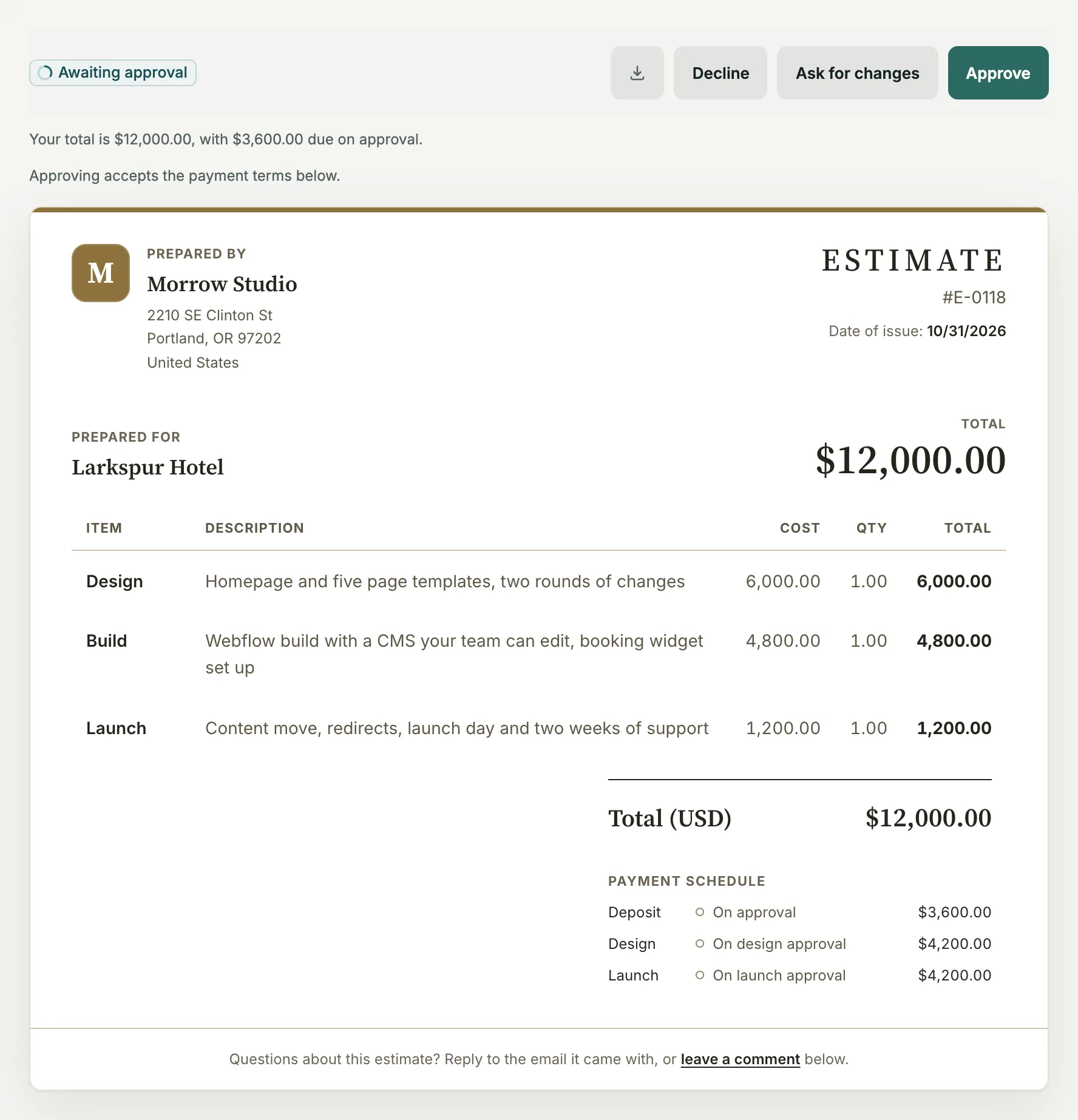
Elena Ruiz, Larkspur’s general manager, opens the estimate from the email: no account, no password. It says what’s due today and when everything else comes due, in words. Elena approves, pays the $3,600 deposit, and BillGrid issues the invoice on the agreed schedule by itself.
The invoice
Waiting isn’t late.
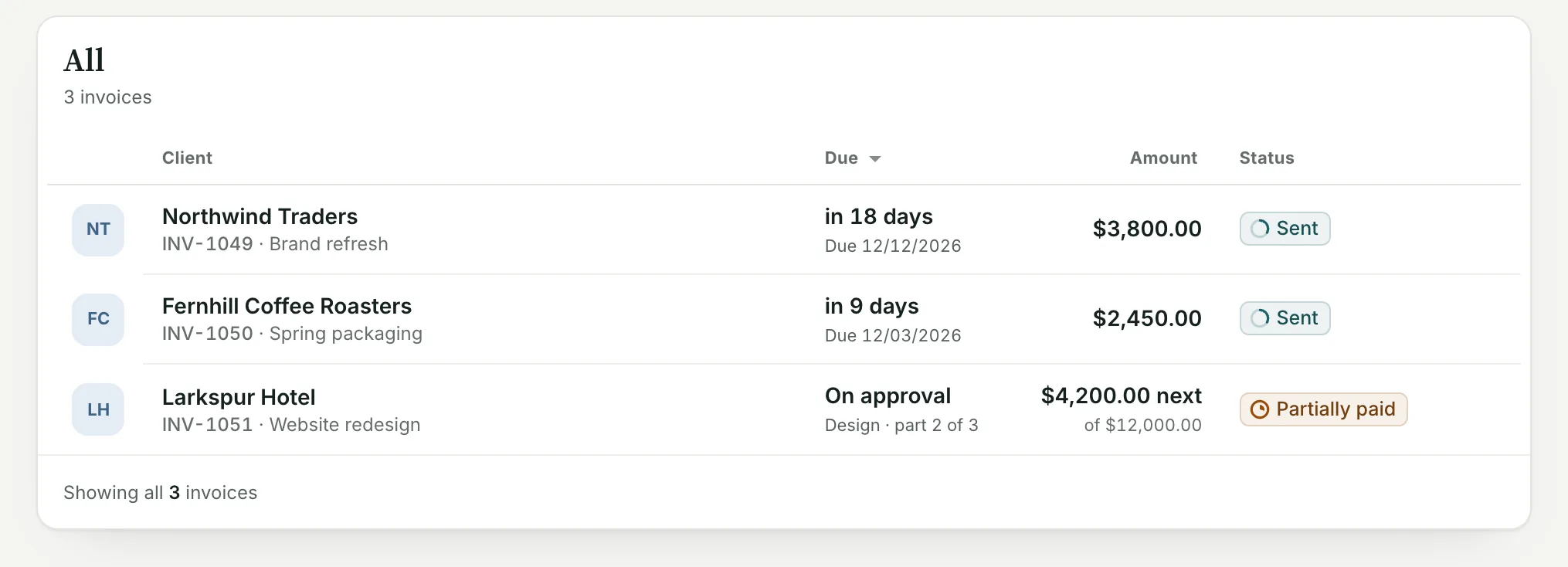
On Nora’s Invoices, the row says what comes next: On approval, Design, part 2 of 3, $4,200 next of $12,000. A part that waits for a yes is never due and never overdue. It gets no payment reminder and no late fee. Larkspur can still pay ahead if they like.
02 / Ask
Show the work.
Ask for the yes.
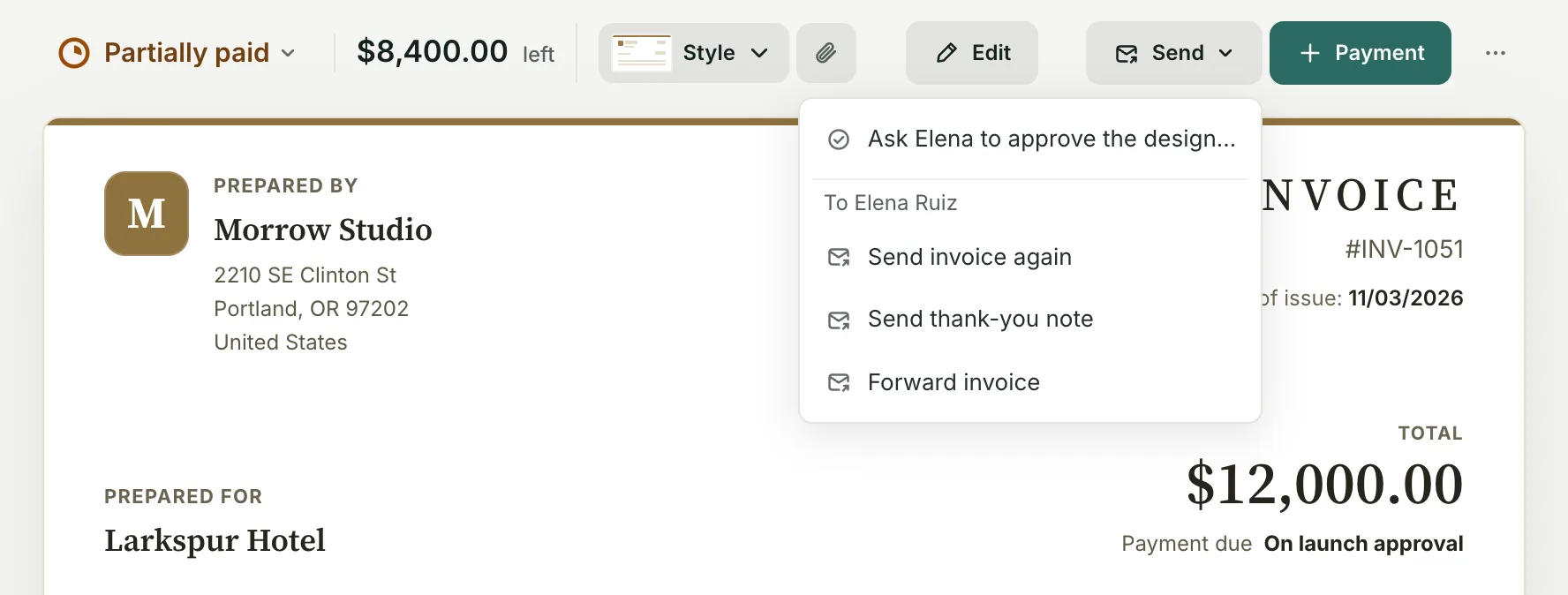
Three weeks later the homepage design is ready. On the invoice, Send now leads with Ask Elena to approve the design.
One sentence
Who, what, by when.
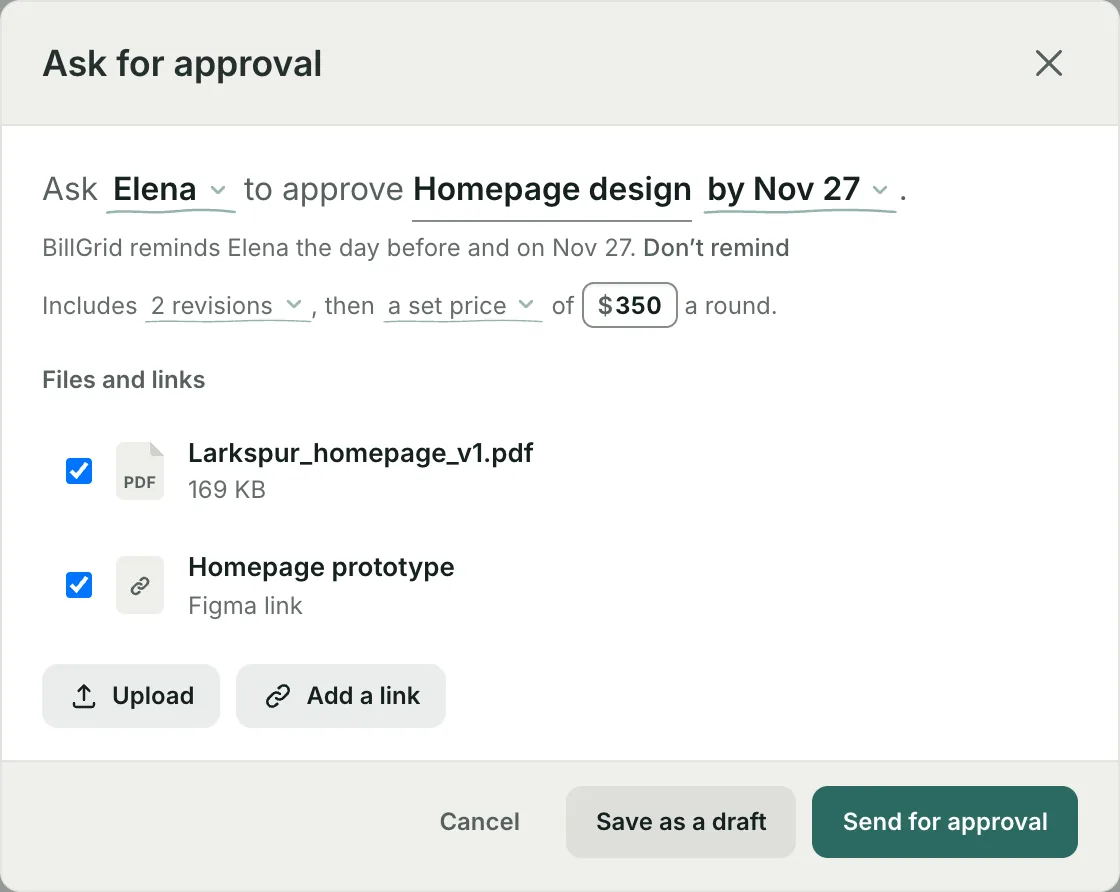
The dialog reads like a sentence: Ask Elena to approve Homepage design by Nov 27. Nora ticks the PDF and the Figma prototype. Big files and live sites stay where they are, as links. BillGrid will remind Elena the day before and on the day, unless Nora says not to. The revisions the price includes come from her settings, 2, then $350 a round, and can change for this one approval.
Elena’s side
Everything to say yes, on one page.
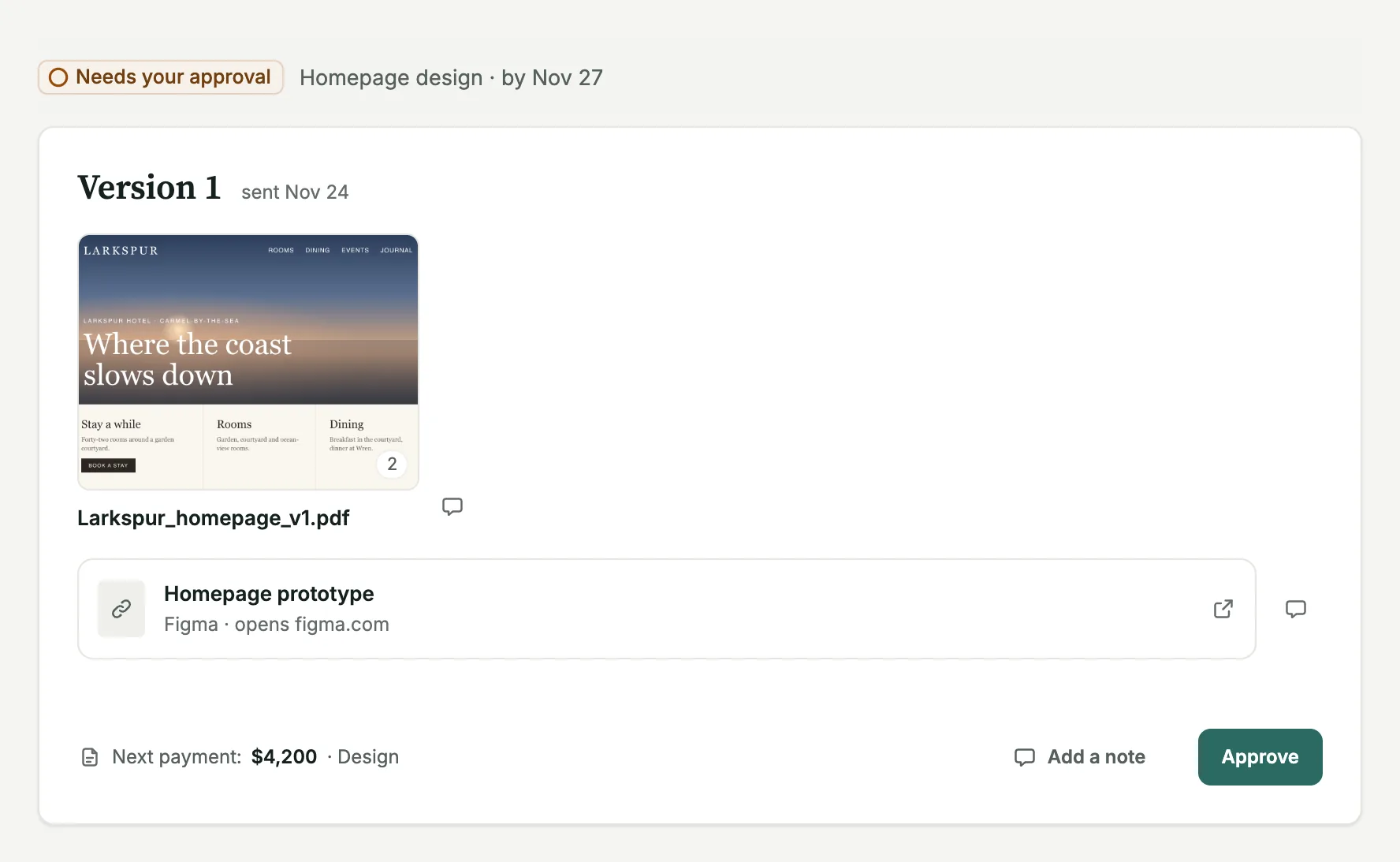
One email, one button: Review and approve. The link opens on Elena’s phone or laptop with no sign-in. The PDF shows its first page; the prototype opens Figma. Under the work, one decision: the payment that comes next, then Add a note and Approve.
03 / Changes
Say it once.
See it done.
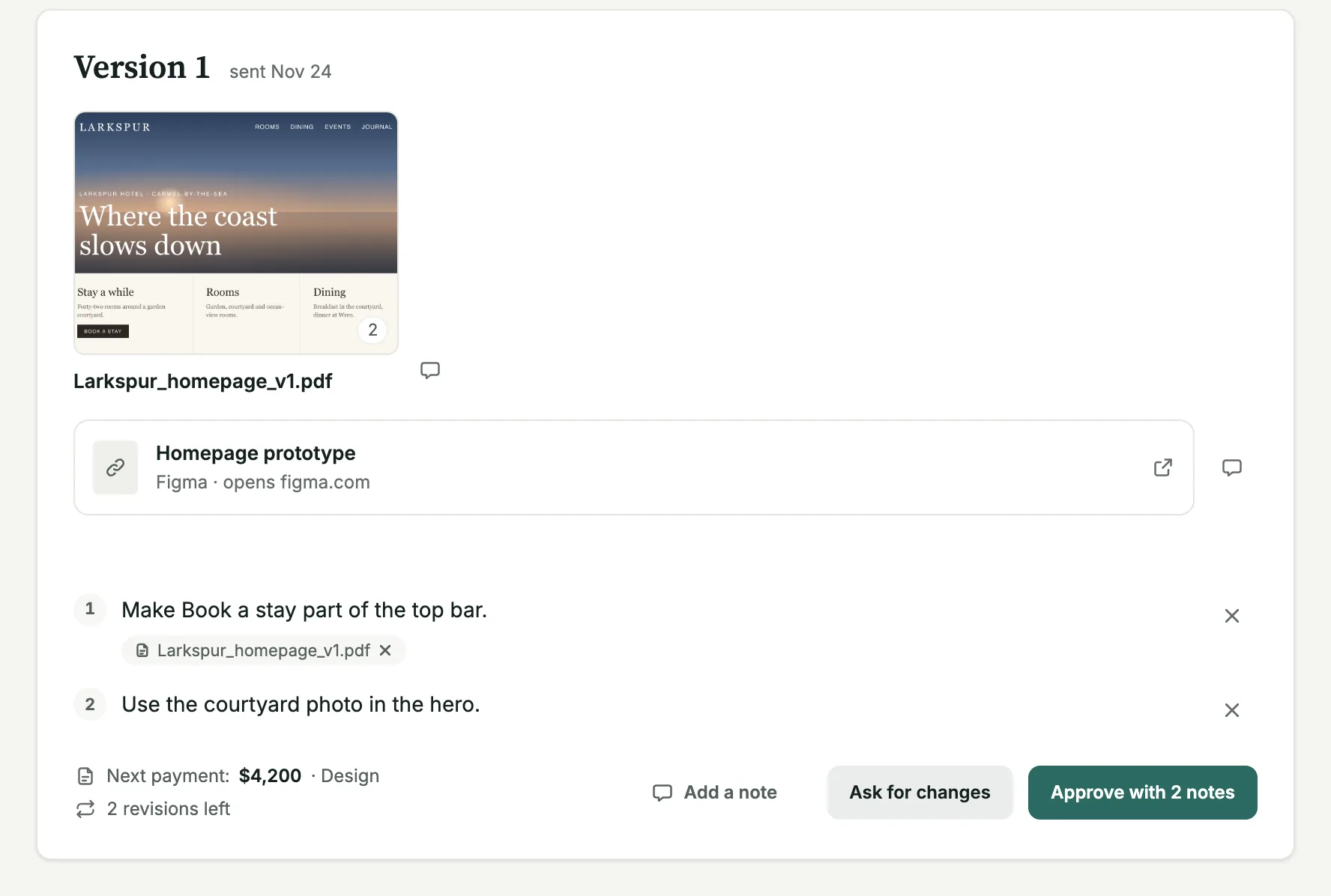
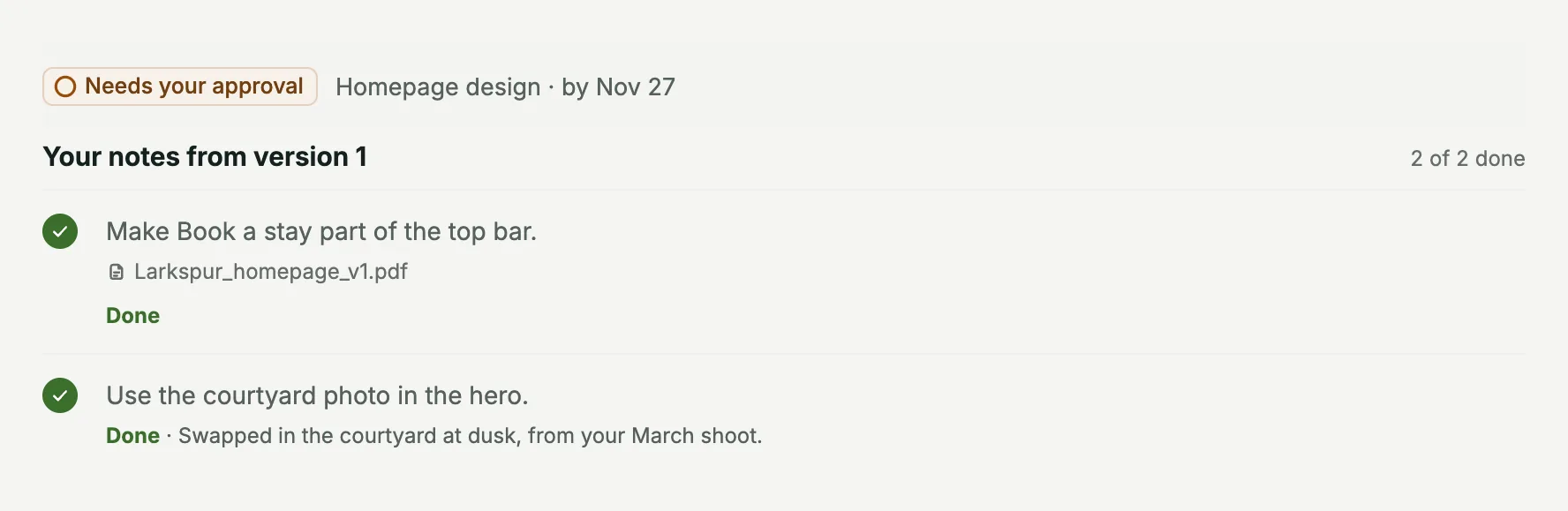
Elena wants two things changed. Each file has its own note button: she taps the PDF’s, so Nora knows exactly where to look, writes the first change, and presses Enter for the next. With notes written, the choice is hers: Approve with them as fixes to make, or Ask for changes for a new version, with “2 revisions left” beside the payment so she knows where she stands. She asks for changes. The Design payment simply keeps waiting; notes never move money.
Nora’s side
Their notes become your checklist.
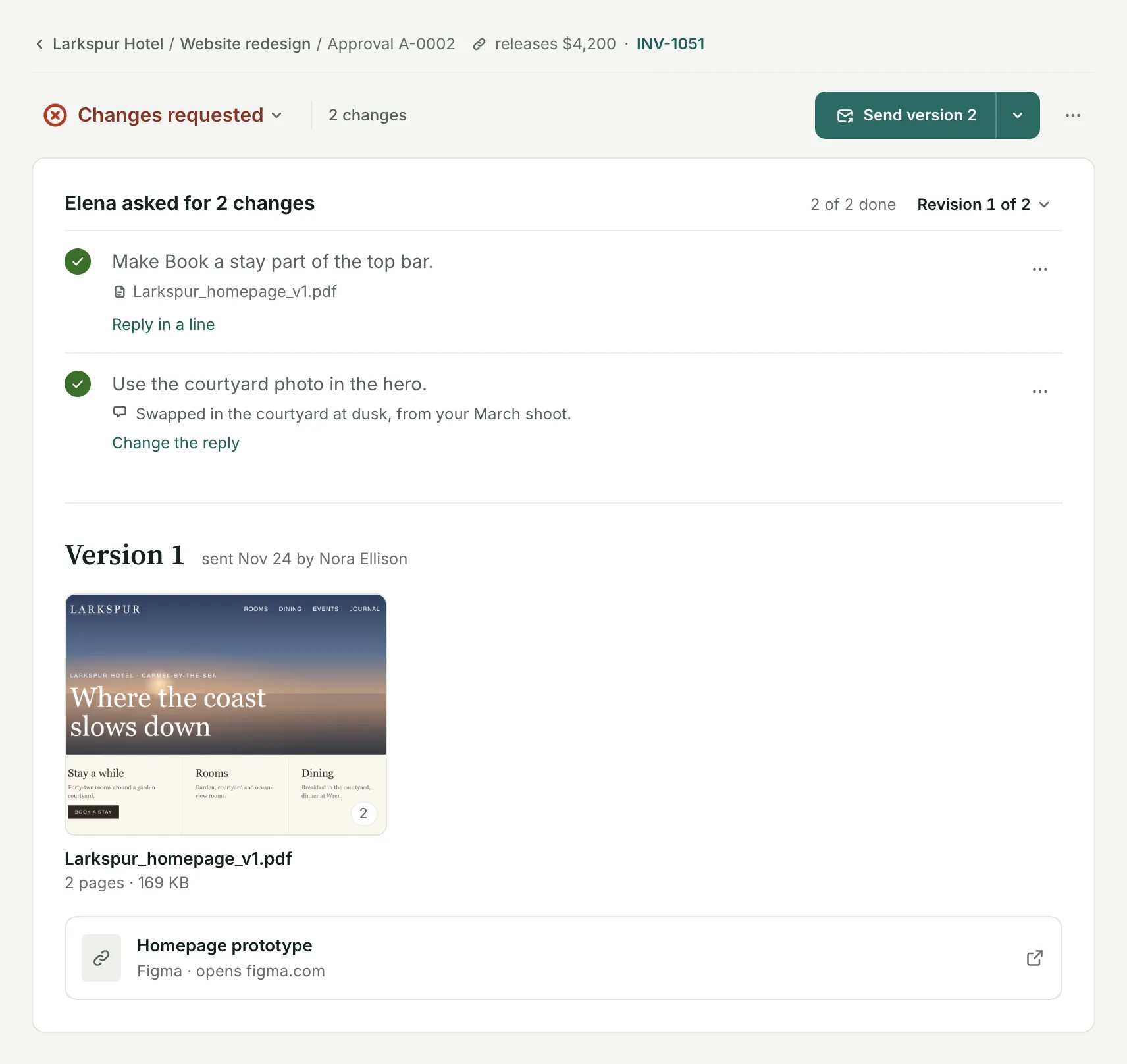
Elena’s changes land on the approval as a checklist, marked Revision 1 of 2. Nora ticks each one as it’s done, answers in a line where it helps, and sends version 2 with what changed. A change not yet ticked carries into the next round by itself.
04 / Rounds
Two rounds included.
The third has a price.
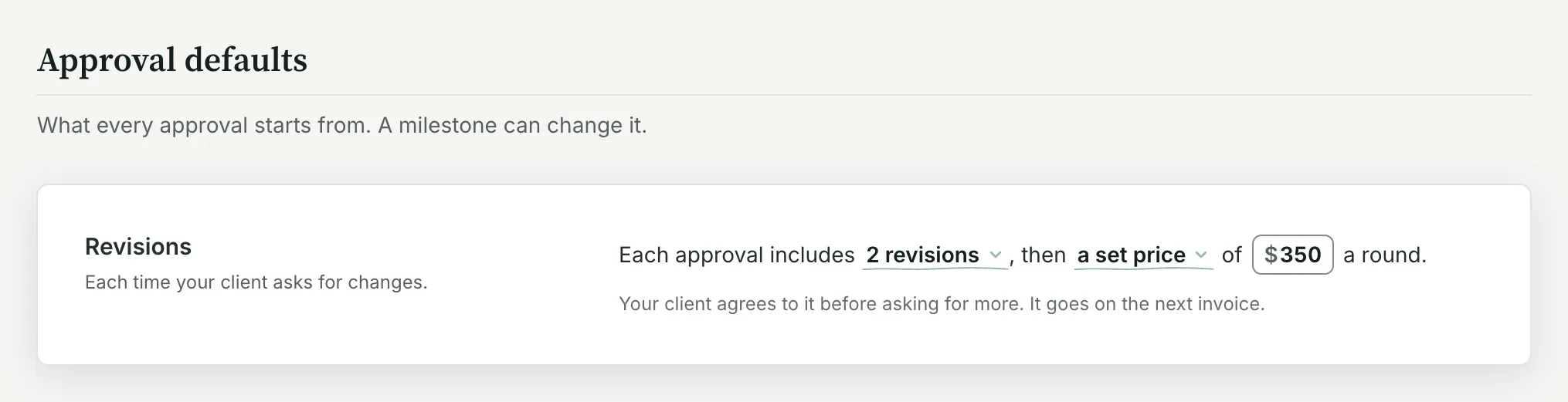
Most studios quote a design with a set number of revision rounds. Nora sets hers once, in Settings: two included, then $350 a round, or the hours it takes. A milestone can set its own, and so can each approval when she asks.
Elena’s side
She knows the price before she asks.
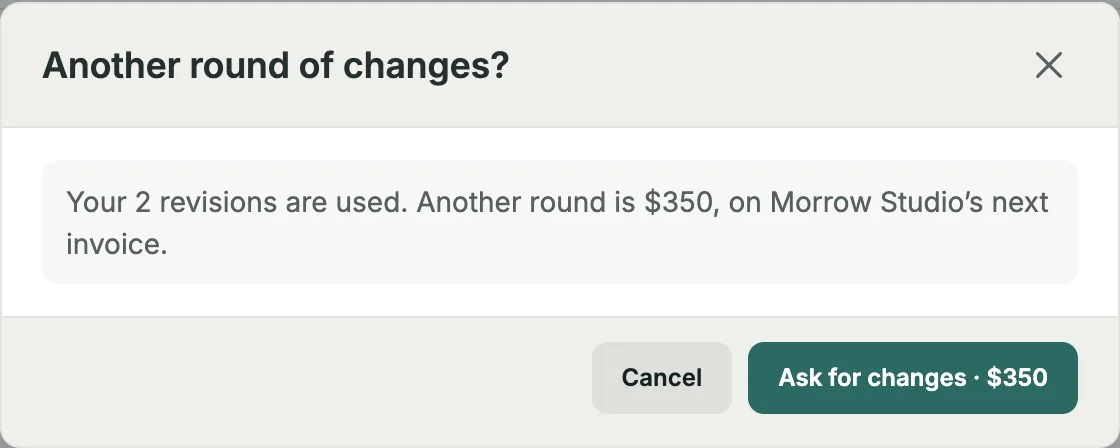
Beside her answers, Elena reads “1 revision left”. On the room pages’ third version both are used, so it reads “Another round: $350”, and Ask for changes confirms it once before anything goes. The price is agreed before the work starts, not argued over after.
Nora’s side
Count it, or don’t.
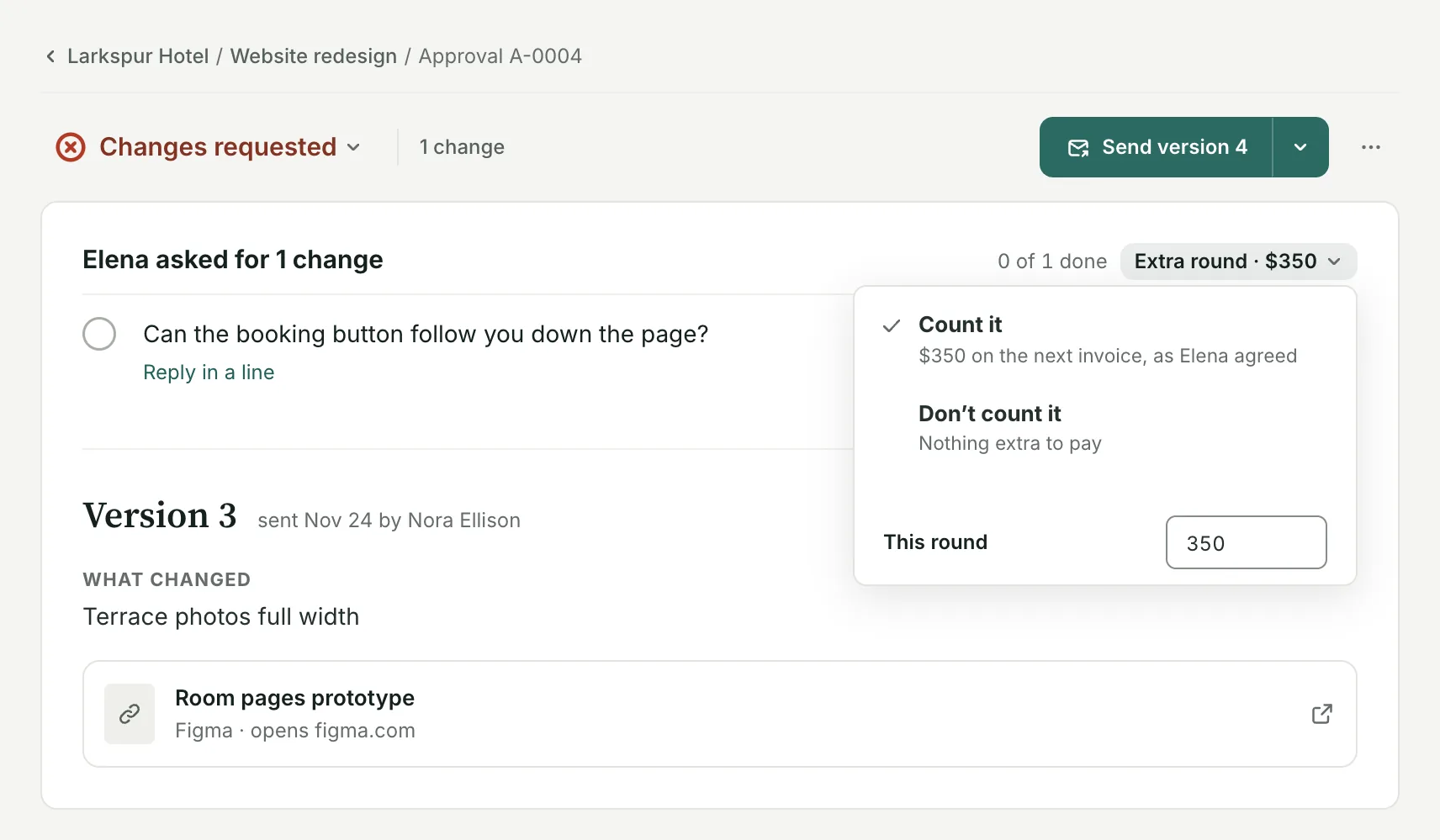
Changes that only fix Nora’s own slip needn’t cost Elena a round: one menu beside the changes. Counted, the $350 waits on the project’s next invoice with its other unbilled work. Billed by the hour, it’s a task to log the time on.
The next invoice
Already on the bill.
Counted, the round waits with Larkspur’s other unbilled work. On the next invoice it’s one line to add, named for the approval and its version, at the price Elena agreed to.

05 / Approve and pay
Approved. Paid.
Same visit.
Version 2 is right. The yes sits under the work it approves, beside the payment that comes next, in plain words: Design, $4,200. Nothing about money is ever a surprise. If there’s still a typo to fix, a note goes with the yes as a fix, and the approval still counts. Elena presses Approve.
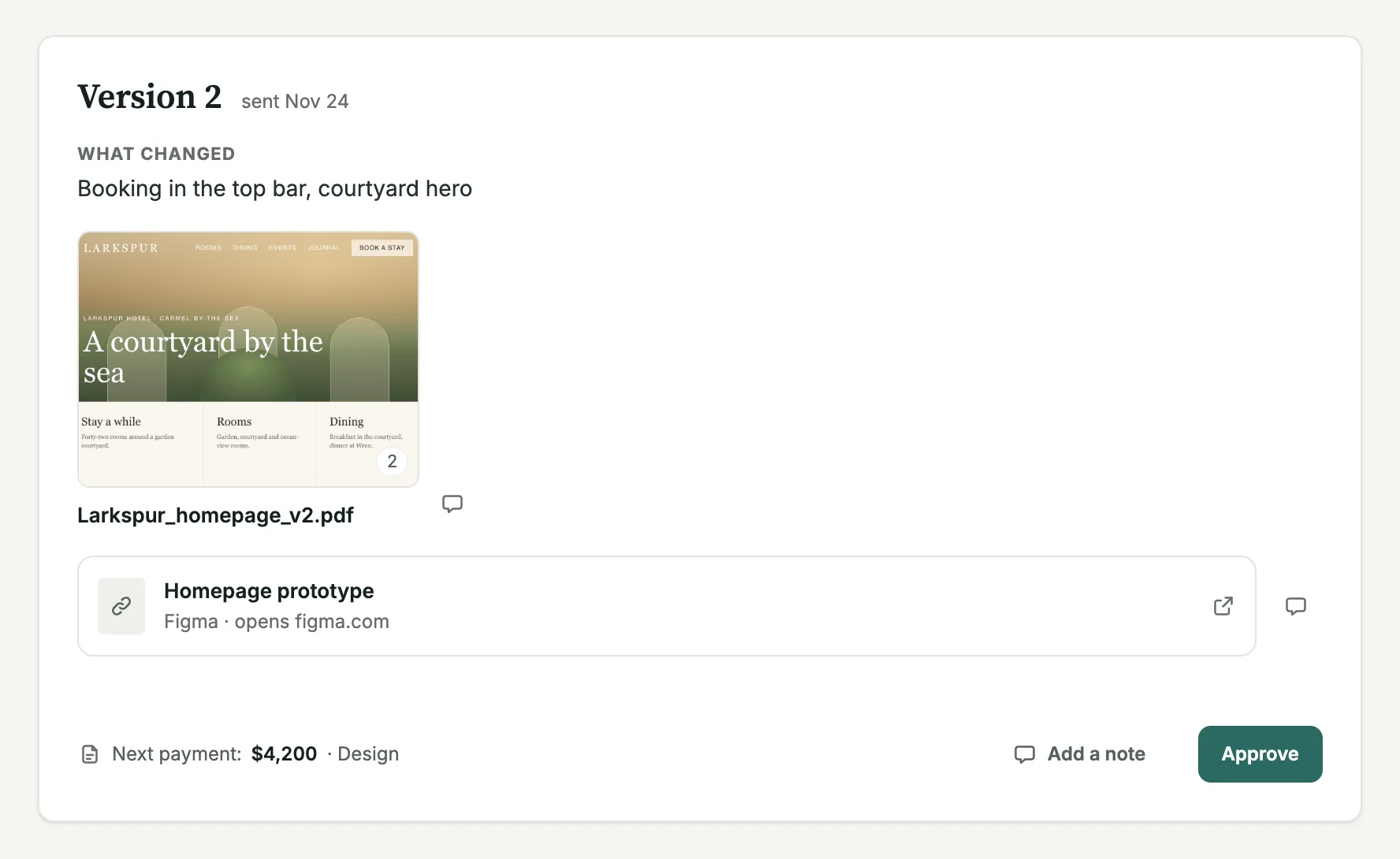
The yes
One button from approved to paid.
The page turns to Approved and offers Pay $4,200. If Larkspur’s accounts team pays on Fridays, leaving is “pay later”, and the invoice’s usual reminders take it from there. The record of who approved what is one tap away.
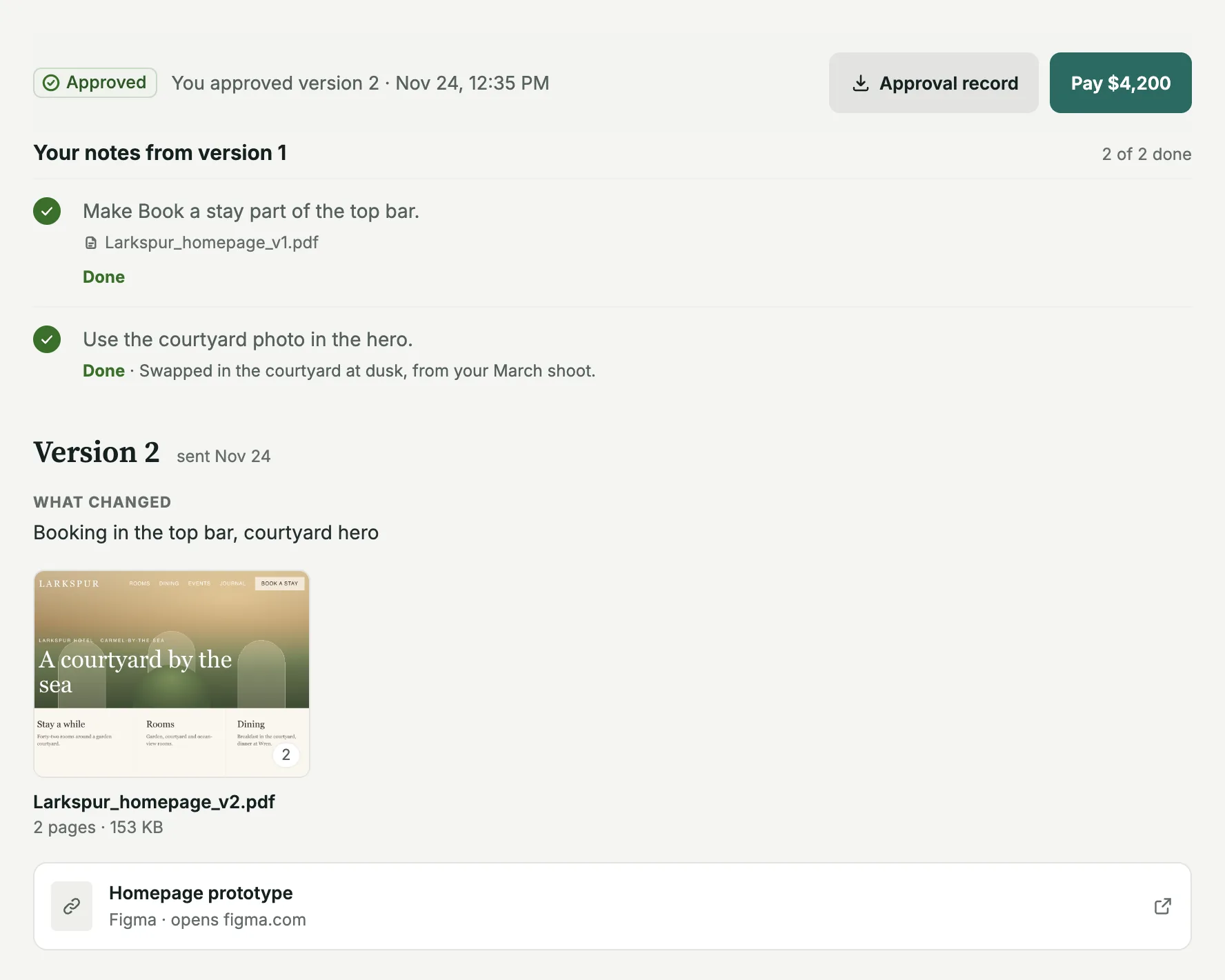
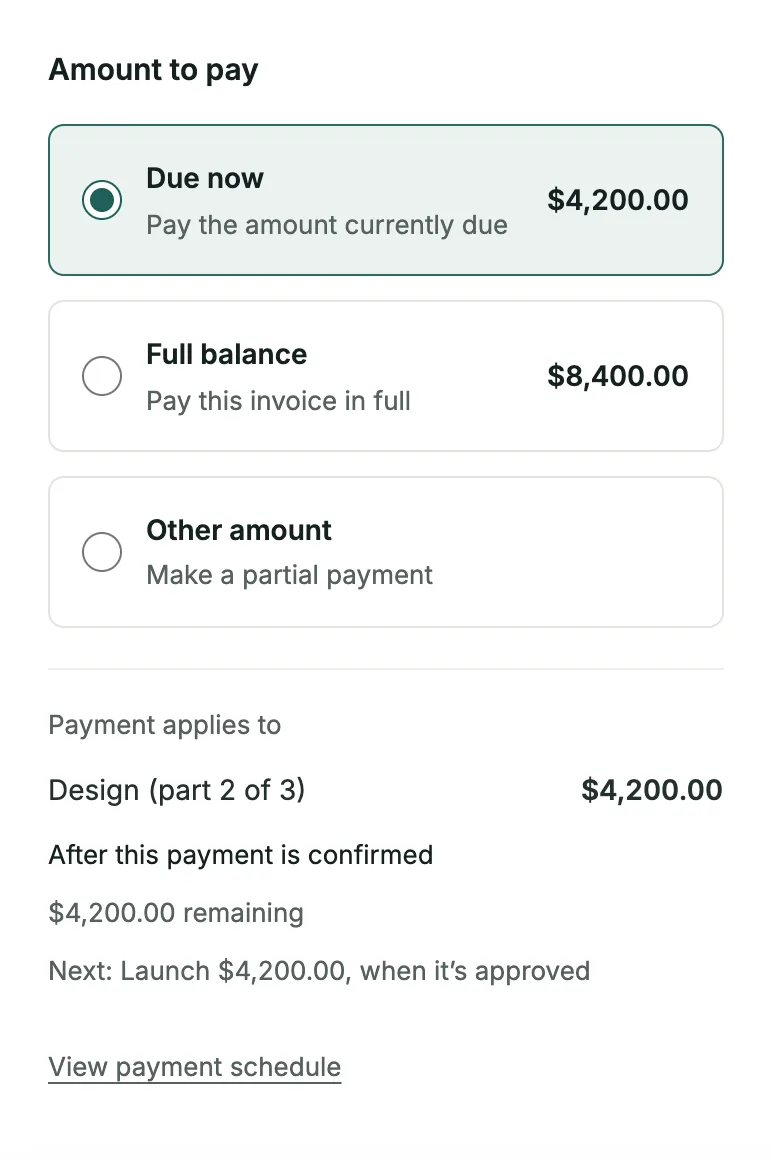
The record
The money on the invoice. The yes on the record.
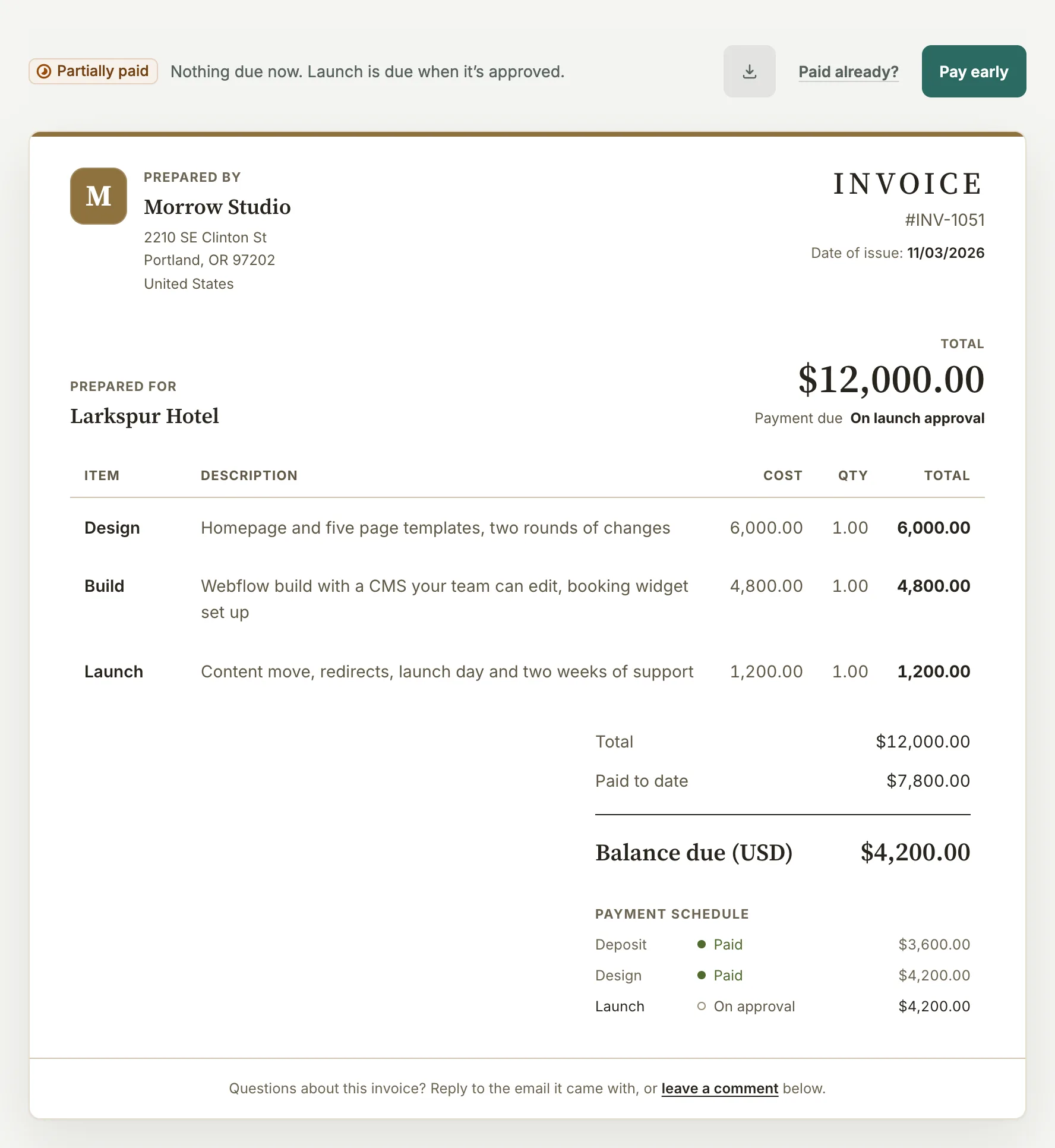
The invoice and its PDF keep to the money: under the balance, one line a payment, Deposit and Design paid, Launch waiting on its approval. Who approved the design, when and which version stay with the approval: every version frozen as it was sent, a fingerprint of each file, and the decision, ready to download as a PDF. If anyone ever asks “did we sign off on that?”, that record is the answer.
A yes on the phone
They said yes on a call? Record it.
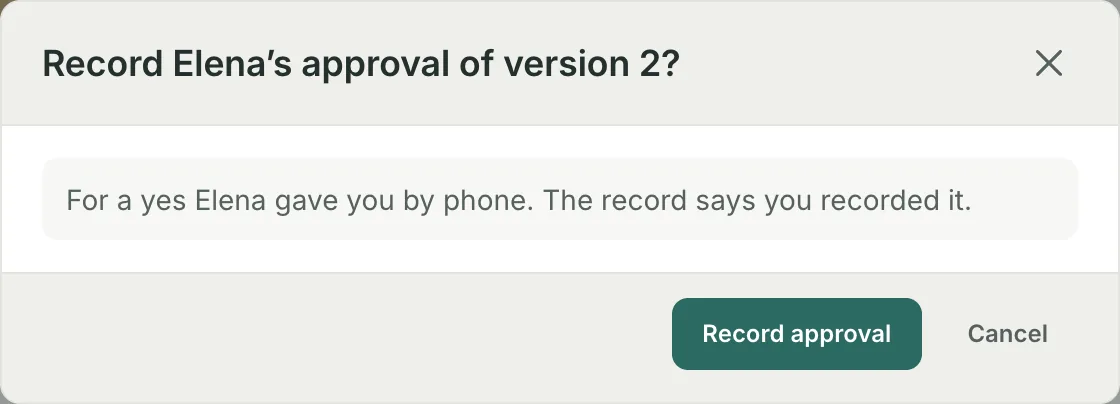
Record approval keeps the record honest: it says you recorded it. The payment falls due from the day you record it, and Larkspur’s billing contacts hear about it, with a moment to Undo first. A yes recorded late never arrives already overdue.
06 / No chasing
Nobody chases.
Not you. Not them.
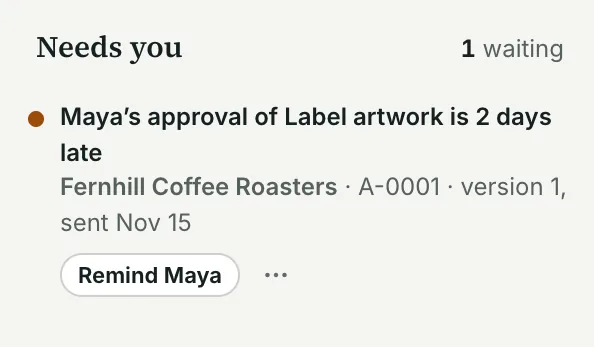
An approval reminds the approver to decide: once the day before its date, once on the day, and never again once they answer. It never asks them to pay for work they haven’t approved. If the date passes, it’s your news, not their bill: a line in your Needs you, with one button.
07 / In a project
The milestone is done
when the client says so.
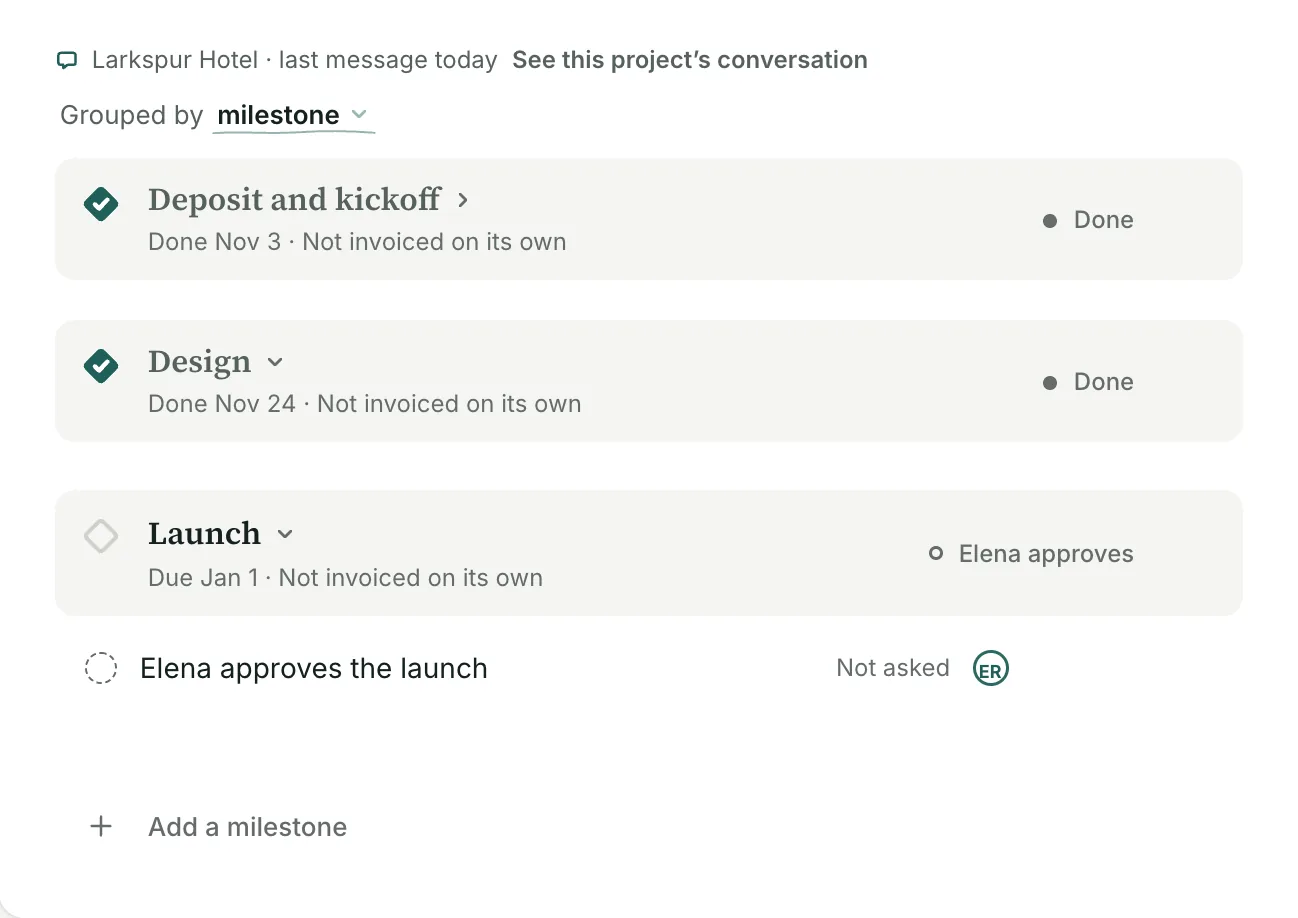
Running the work as a project? Any milestone can wait for the client’s yes: name who approves it, and its approval becomes the milestone’s last row, with Ask for approval right there once the work is ready. When they approve, the milestone is marked done for you, with Undo. Each fix they mention becomes a task under it.
Handover files can wait for the payment that buys them, too. On an invoice paid in parts, share the source files After the Launch payment, and they open the moment Launch is paid.
08 / Next time
Your way of billing,
saved.
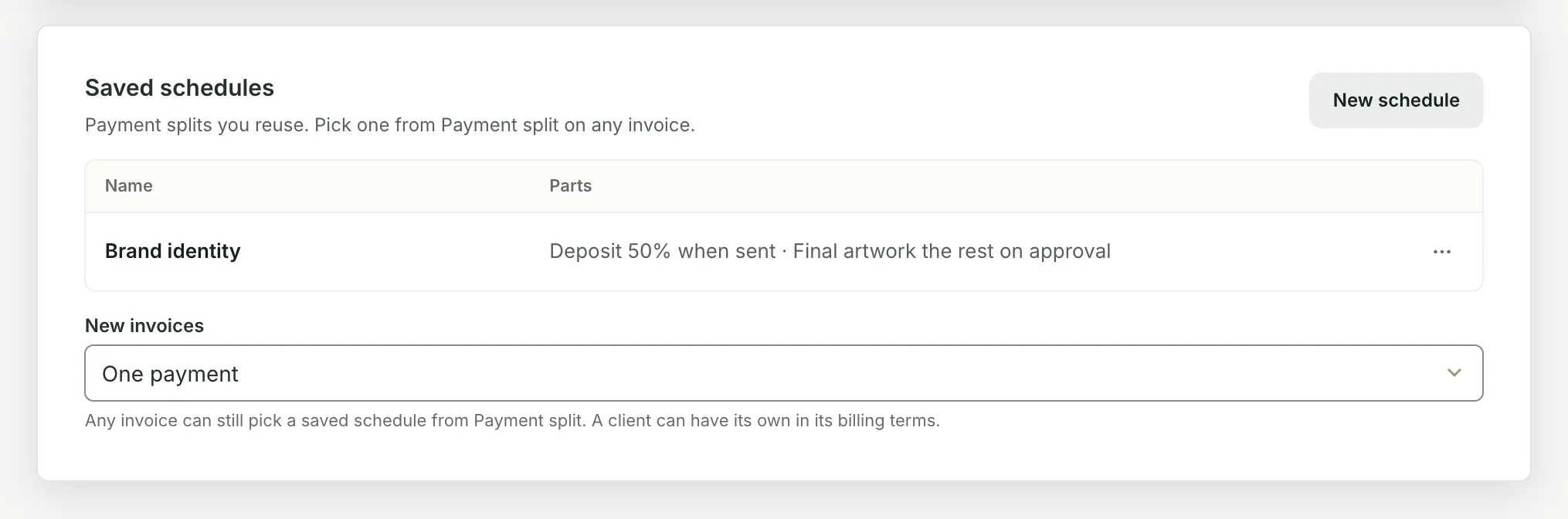
Every studio has its rhythm. Save yours in Settings › Invoice defaults, with each part’s share and timing, and it’s in the payment schedule of every estimate and invoice from then on. A client’s billing terms can make it the one their new invoices start with.
Ongoing work rather than a project with an end? That’s a retainer: see how to price and run a client retainer. And for the first payment of any project, read how to ask clients for a deposit.
09 / In short
You do three things.
BillGrid does the rest.
Split it
Pick Deposit, design, launch on the estimate and send it. Your client approves and pays the deposit; the invoice issues itself.
Ask for the design
From the invoice’s Send menu. Your client approves and pays in the same visit.
Ask for the launch
Same again. The handover files open with the last payment.
Approvers who don’t pay
Someone in marketing can approve without seeing a price. The yes still makes the payment due, and the people who pay are asked for it.
No invoice needed
Ask for approval of anything, a logo, the copy, a floor plan, from the client’s page. The same page, the same record.
A question isn’t a change
Clients can ask a question in the comments without starting a new round.
For every step, see approvals and payments due on approval in the help center.