Product updates
November 2026
-
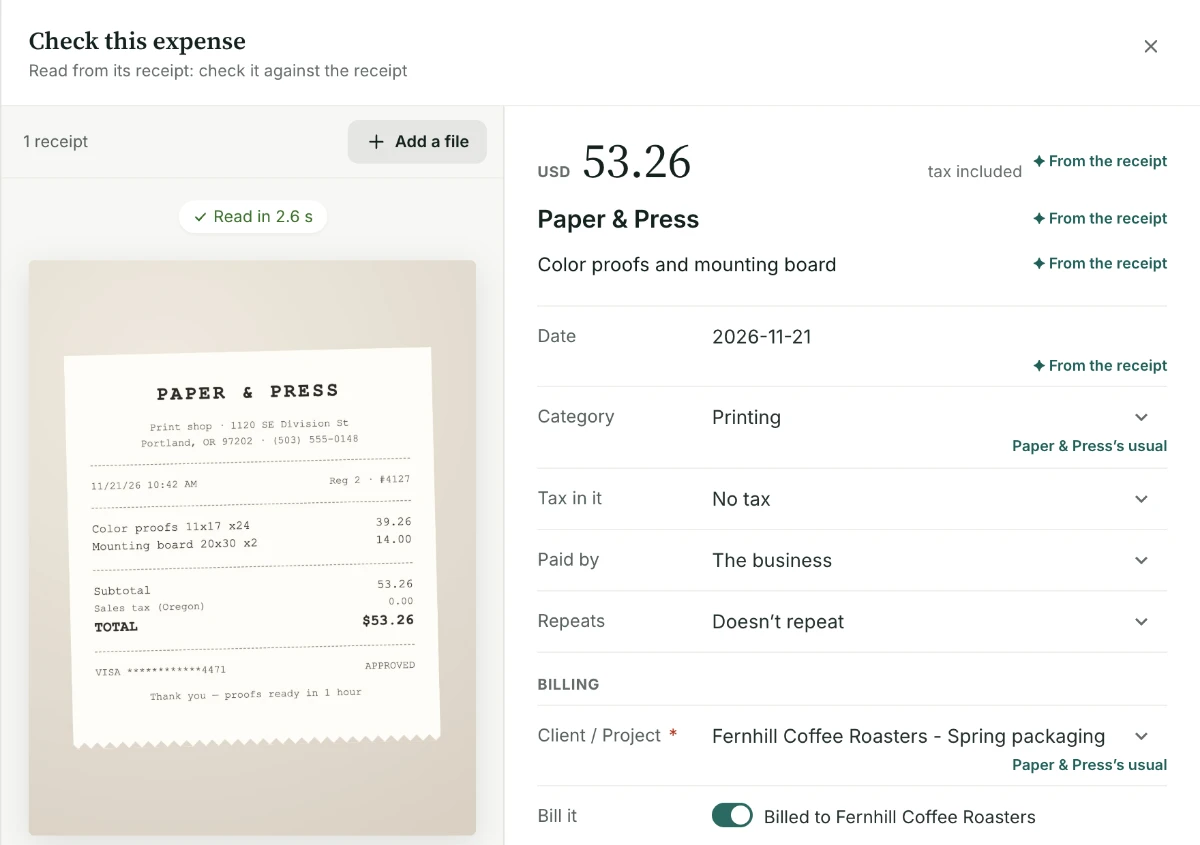
Receipts billed back, a payment at every yes, and emails you write once.
Drop a receipt and bill it back at your markup. Get paid each time a client approves the work. Write each client email once and let it fill itself in.
-
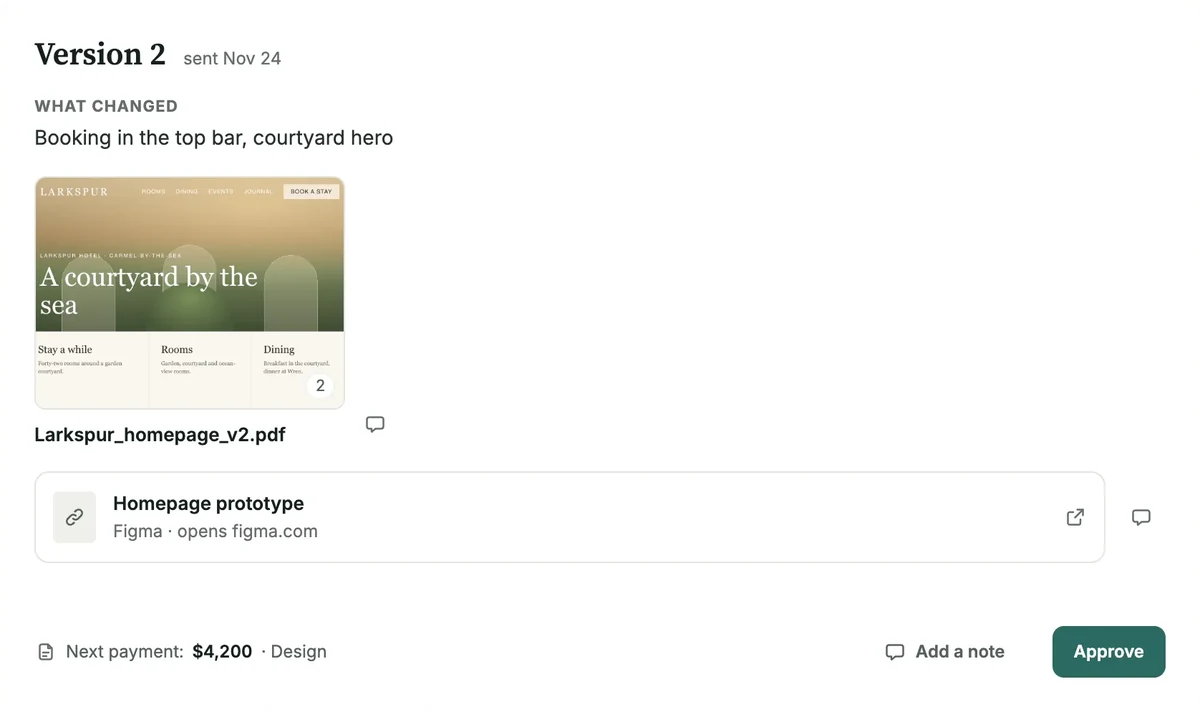
Get paid at every yes.
Split a project into a deposit, a design payment and a launch payment. Your client approves the work and pays for it in the same visit, and nobody chases anybody.
-
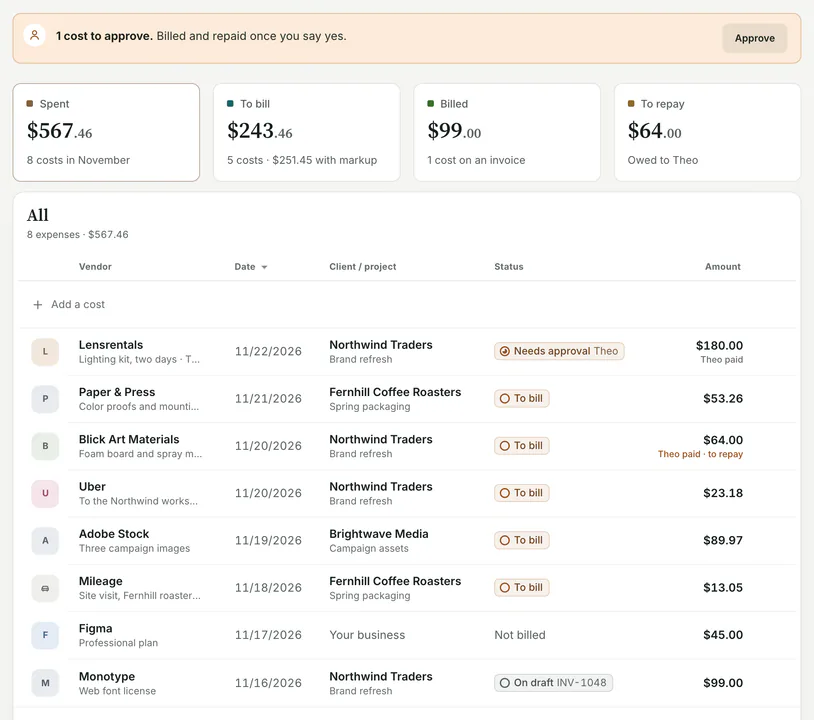
Snap the receipt. Bill it back.
Drop a receipt and watch it fill itself in. Bill it back with your markup and the slip enclosed, approve what your team spends and pay them back, and bring your costs over from FreshBooks.
-
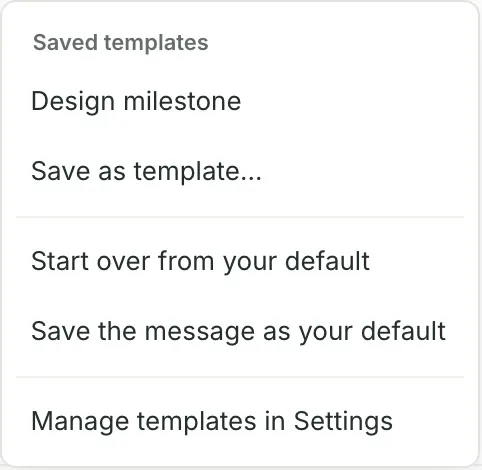
Reusable client emails, from proposal to payment
Write a milestone email once, load it for the next client, and choose the wording your team uses from proposal to payment.
-
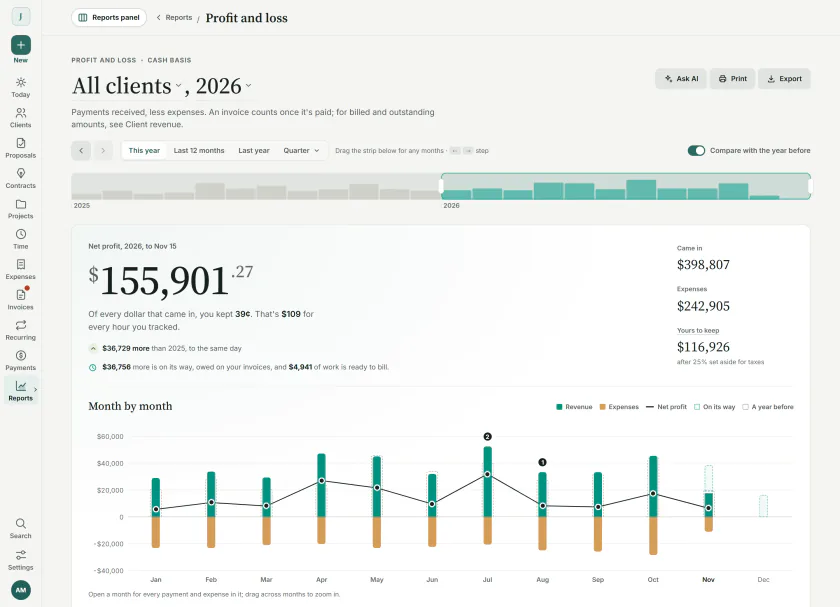
Your year, in plain words: the new reports.
What came in, what went out, who pays and how fast, and where the hours went. Then one file for your accountant, checked before you send it.
-
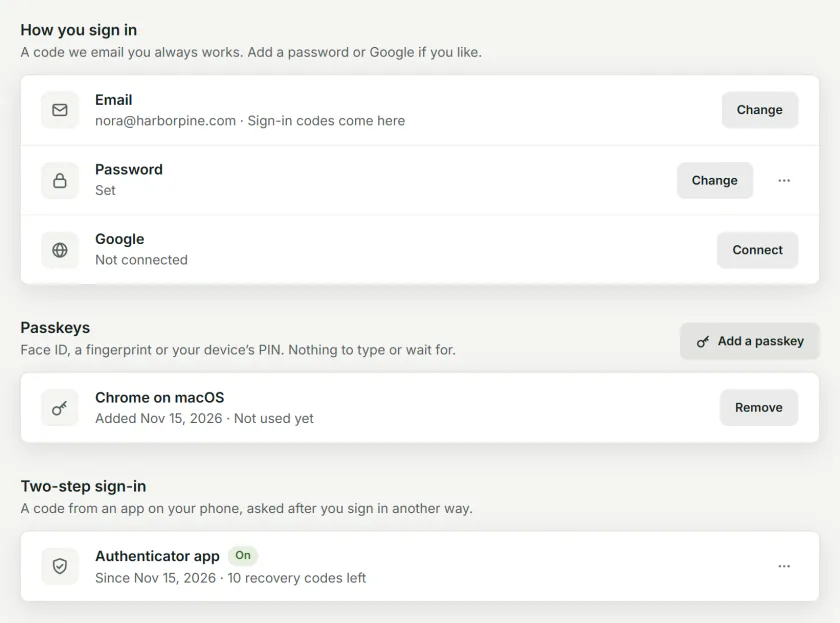
No password to steal. Nothing changes without you.
Codes instead of passwords, passkeys, two-step sign-in, a check before money moves, and every signed-in browser in plain sight.
-
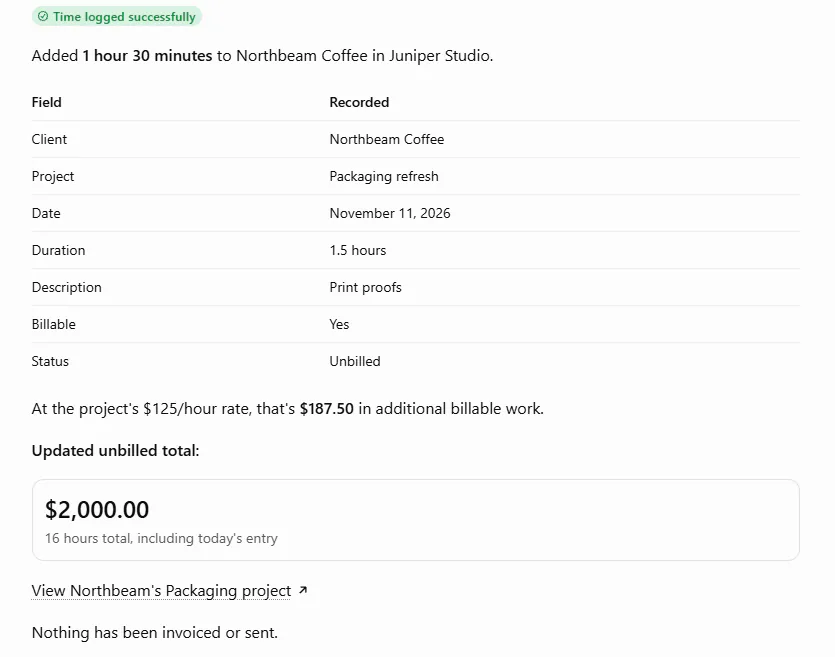
BillGrid Is Now in ChatGPT
One morning at a small studio: four sentences, one invoice, nothing sent until Alex says so.
-
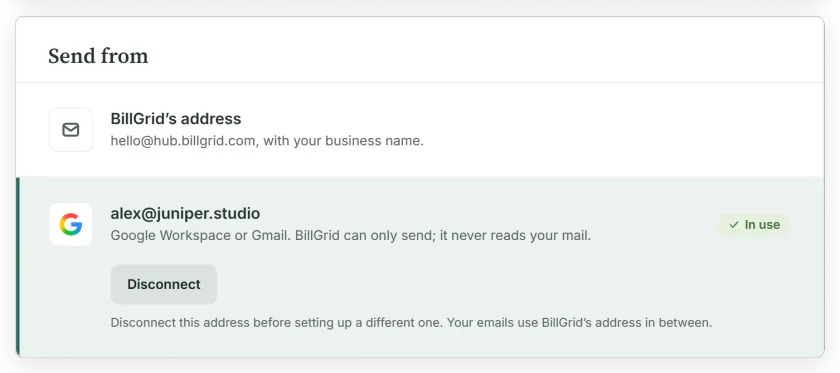
Send Invoices From Your Own Gmail
Connect your Gmail or Google Workspace mailbox and your invoices come from the address your clients already know, with a copy in your Sent folder.
-
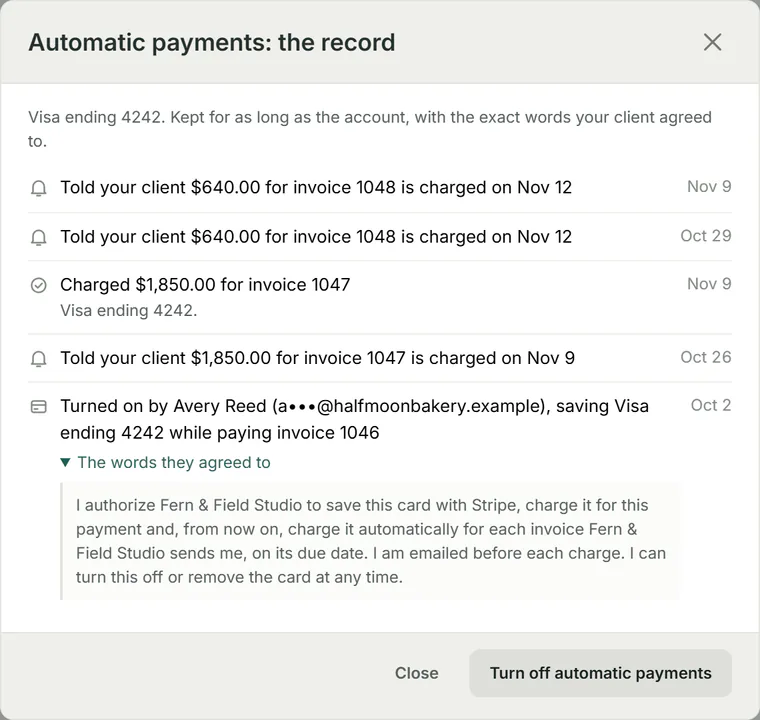
Automatic Payments: Paid on the Due Date
Your client saves a card once, and each invoice is paid on its due date, with a reminder three days before and a receipt after.
-
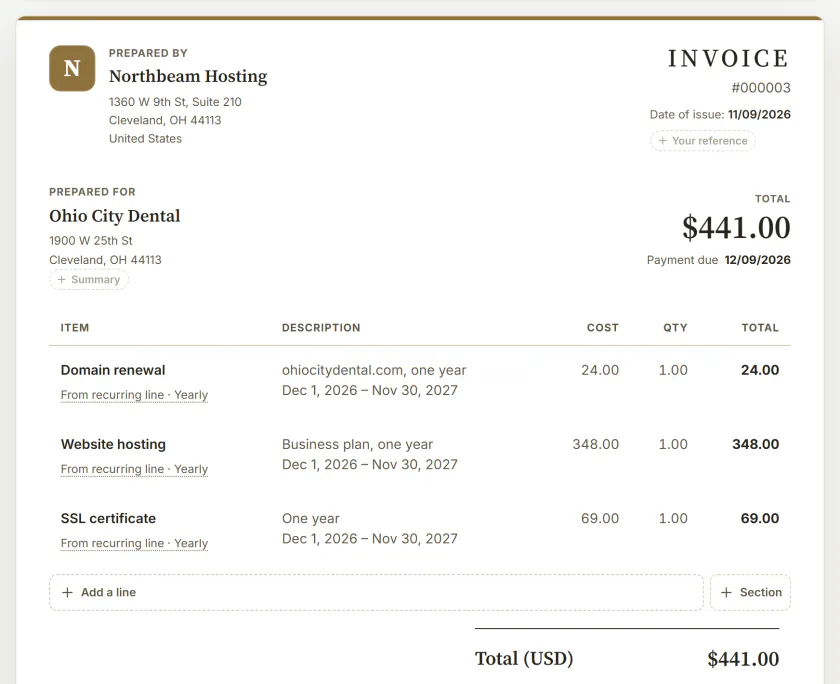
What replaced subscriptions: recurring lines.
Each thing a client pays again is now its own line: review it first or let it send, change one price without touching the rest, and let BillGrid find the ones you already bill by hand.
-
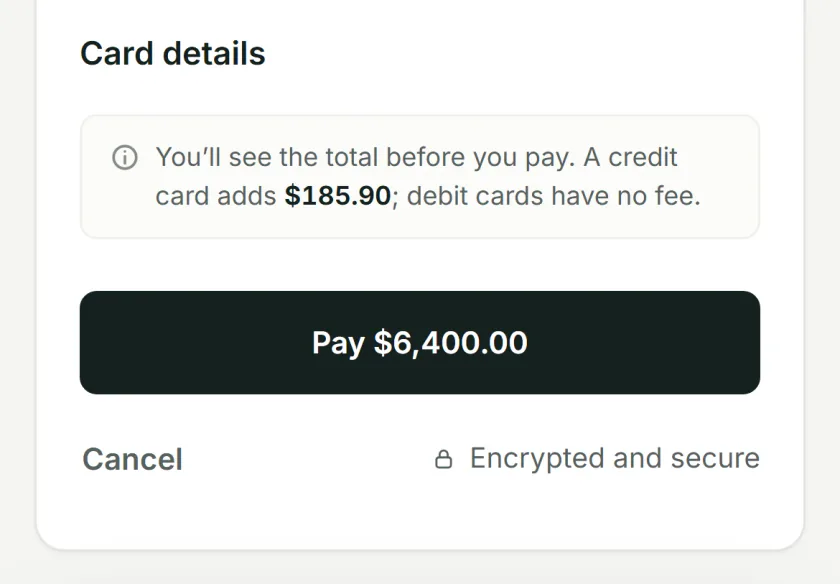
Adjust prices on recurring invoices, and add a card fee.
Set a price change on any recurring invoice line, show clients a card fee before they pay, find every repeat charge in Recurring, and send email from your own name.
-
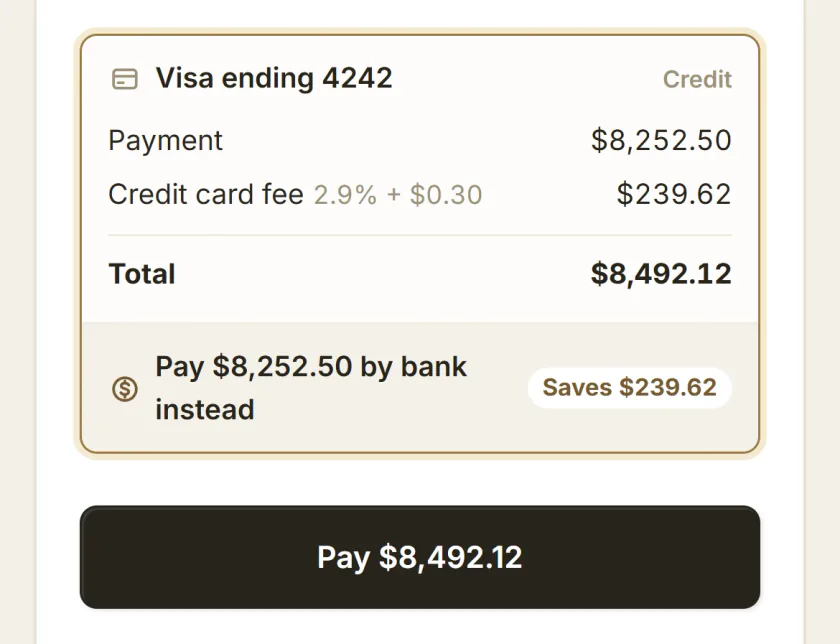
Credit Card Fees, Seen Before They're Paid
Let the card cover the card. Only credit cards pay it, your client sees it in dollars before paying, and paying by bank is one tap away.
-
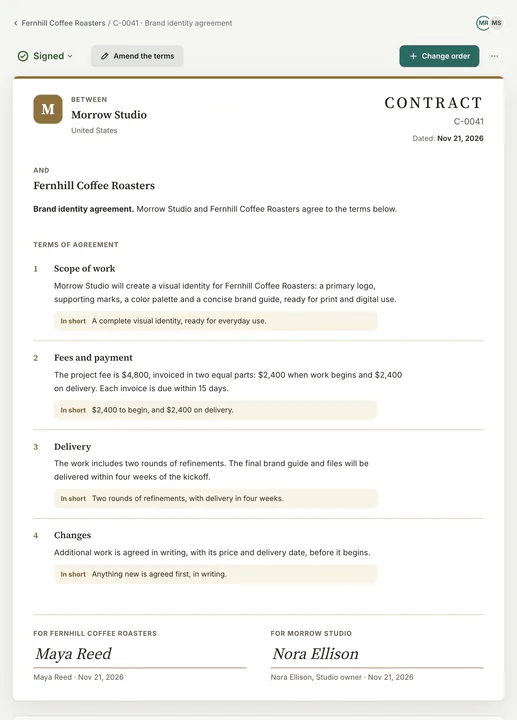
One agreement, start to finish.
Write it, send it, both sign it, and keep every change in writing: how a contract moves between you and your client.
October 2026
-
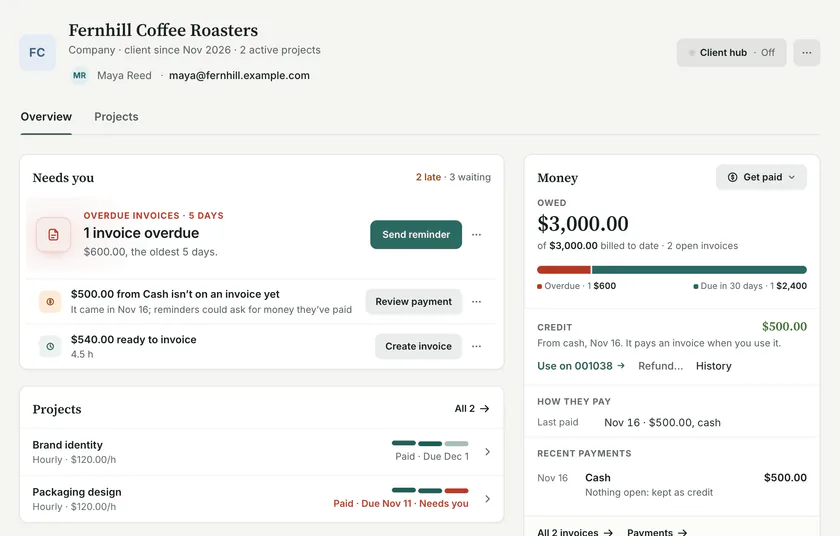
Your work, from yes to paid.
Take a payment wherever work takes you. Agree on the details, see what needs attention and bring the hours onto the bill.
-
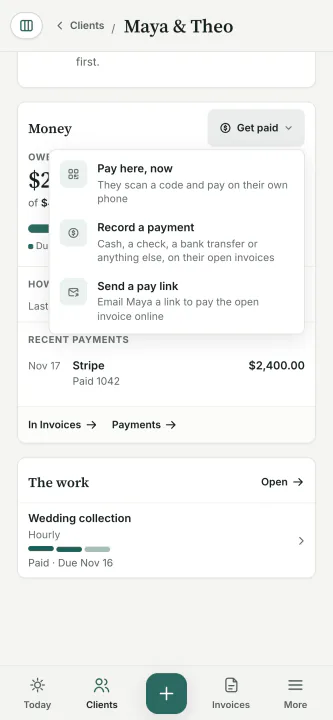
Get Paid in Person. On Their Phone.
Your client is right there. Show a code, and they pay on their own phone by card or an available wallet. Your open screen follows the balance.
-
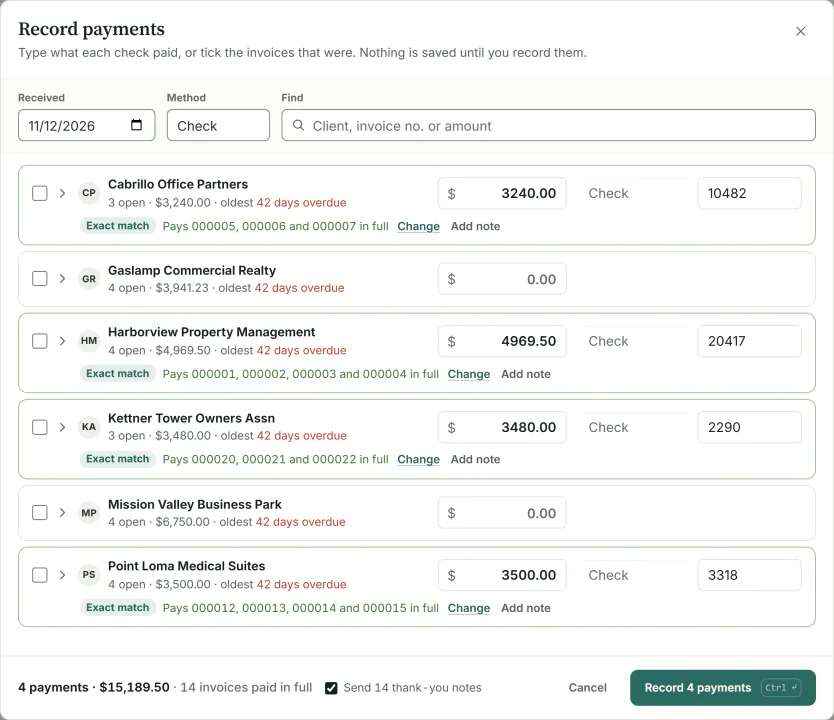
Record a Stack of Checks in One Sitting
A hundred checks shouldn't mean a hundred trips through one form. Type each beside its client, tick what it paid, or find it by amount.
-
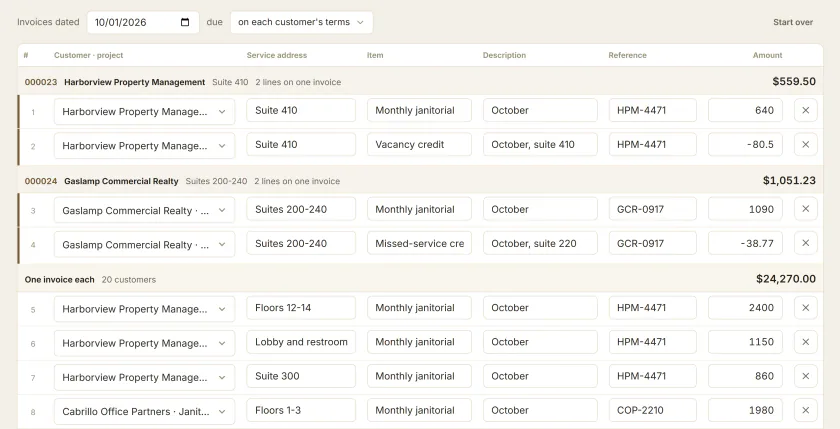
Batch Invoicing: Bill Every Customer in One Sitting
Repeat last month, one invoice per site with its PO, then a stack of checks recorded at once. A cleaning company's month, step by step.
-
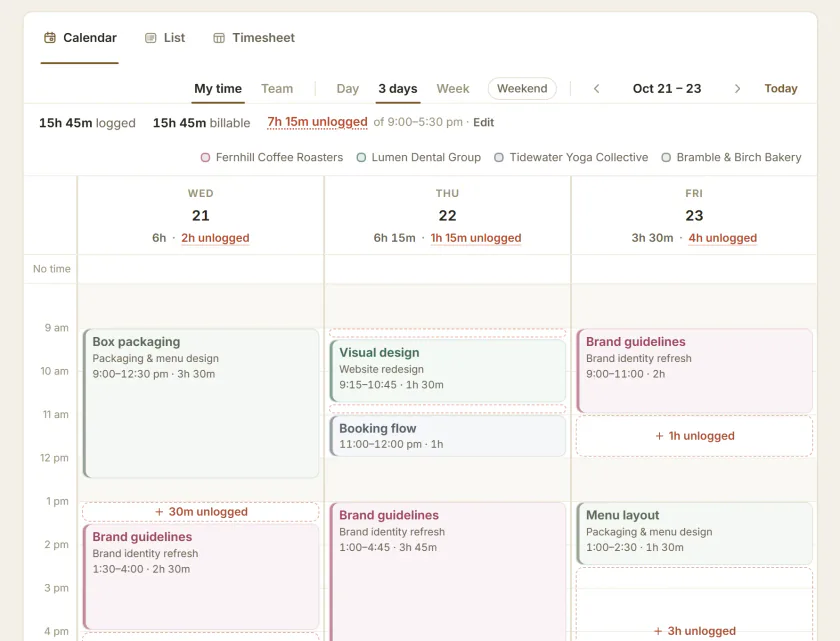
Time Tracking That Catches the Hours You Miss
Hours recalled on Friday are a guess. Log time in one line, see the stretches you missed, and carry every billable hour to a draft invoice.
-
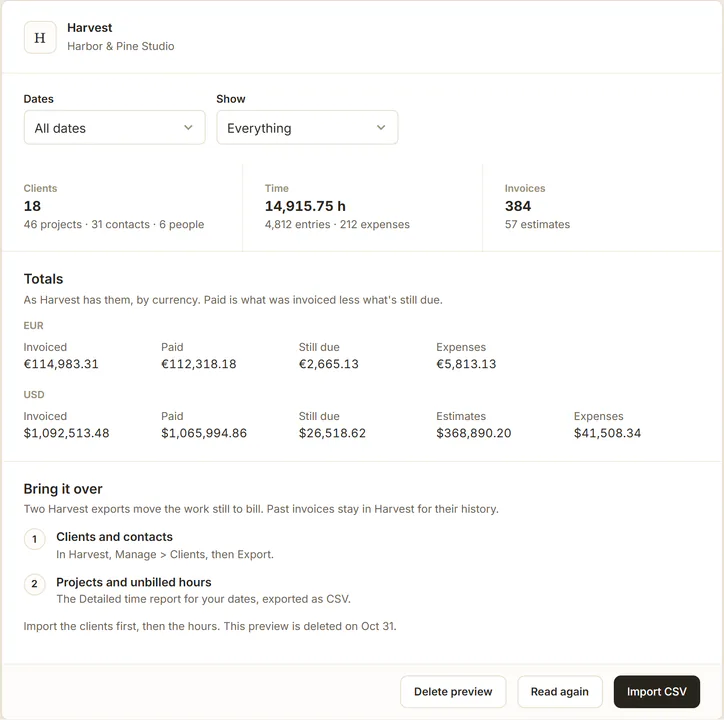
Moving to BillGrid, Without Starting Over
Review your Harvest account, bring over clients and work still to bill, and keep past documents as protected history. Toggl time and CSV options too.
-
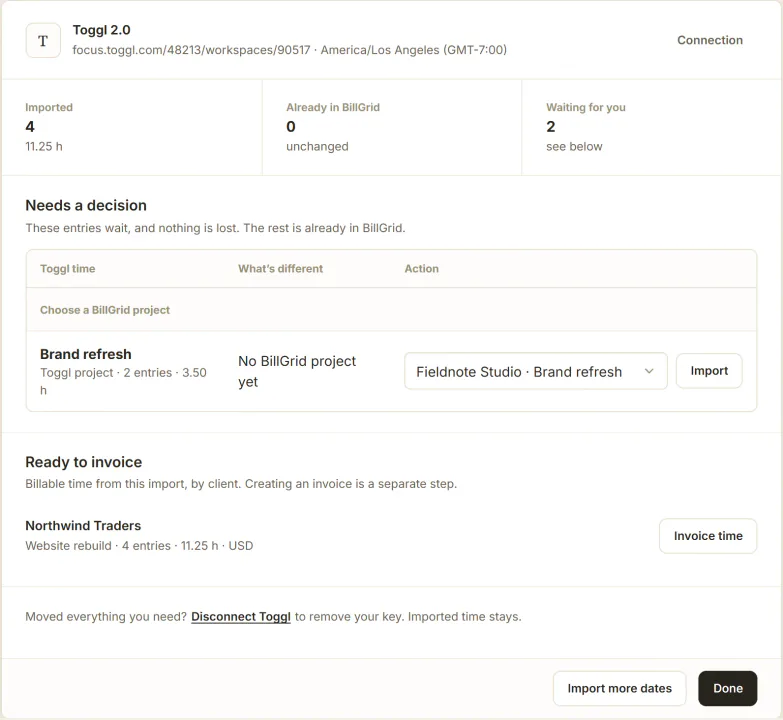
Move Your Toggl Time to BillGrid, Step by Step
Connect Toggl 2.0, import a month at a time, match each project and turn the hours into a draft invoice, with a screen for every step.
-
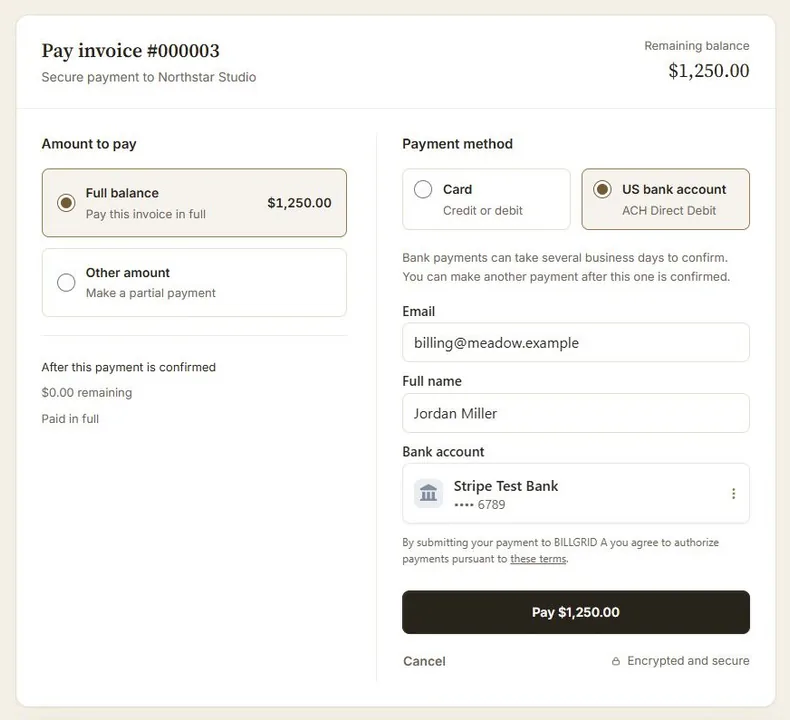
More Ways to Pay. Clearer Payment Terms.
Cards, US bank payments and a clearer checkout. Pay in parts, follow a deposit schedule and see what remains before paying.
-
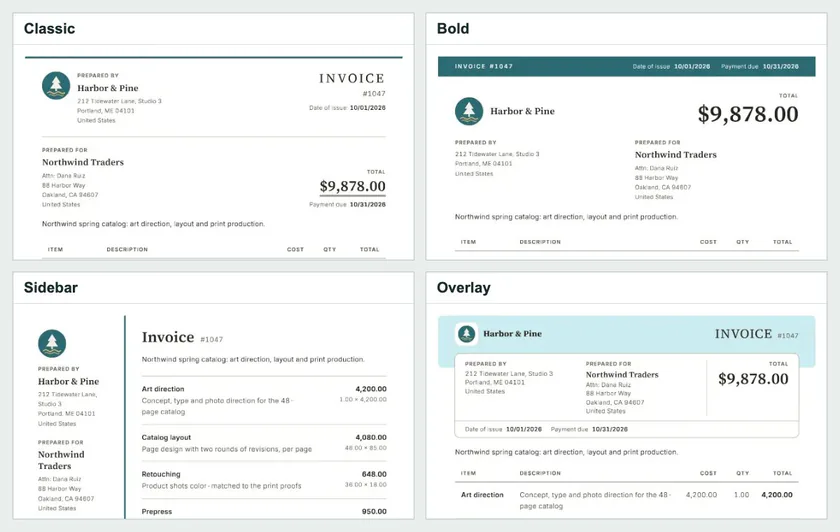
Invoice Design Examples: One Bill in Four Styles
Compare Classic, Bold, Sidebar and Overlay on one design invoice. Print the four examples and choose a layout and color your client can read.
-
A Clearer Handoff to QuickBooks Online
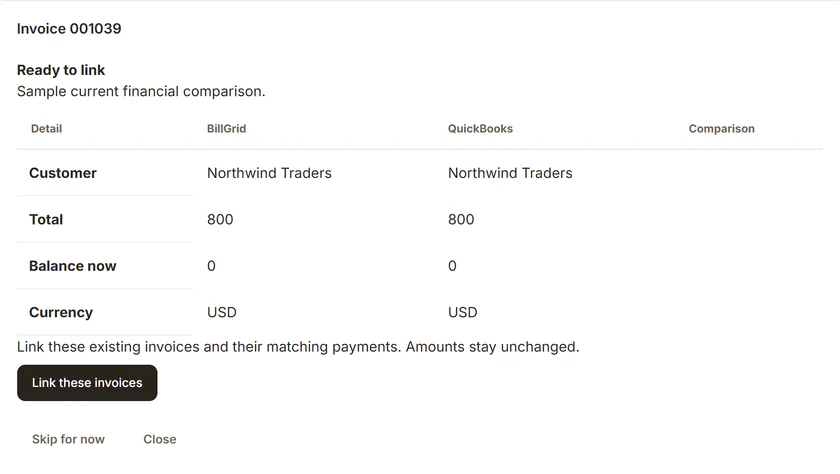
Connect your billing and books on Pro and Team: choose your timing, compare existing invoices and copy supported payments to QuickBooks Online.
-
From Work to Paid. All in BillGrid.
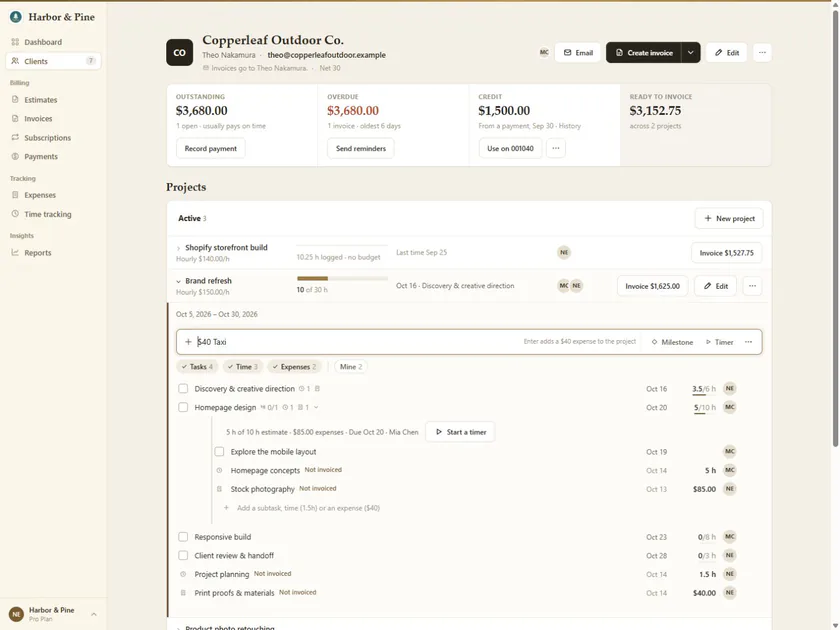
Bill a whole client list, keep project work together, and release files when paid. The latest tools for the work around your invoices.
-
Late Fees on Your Terms
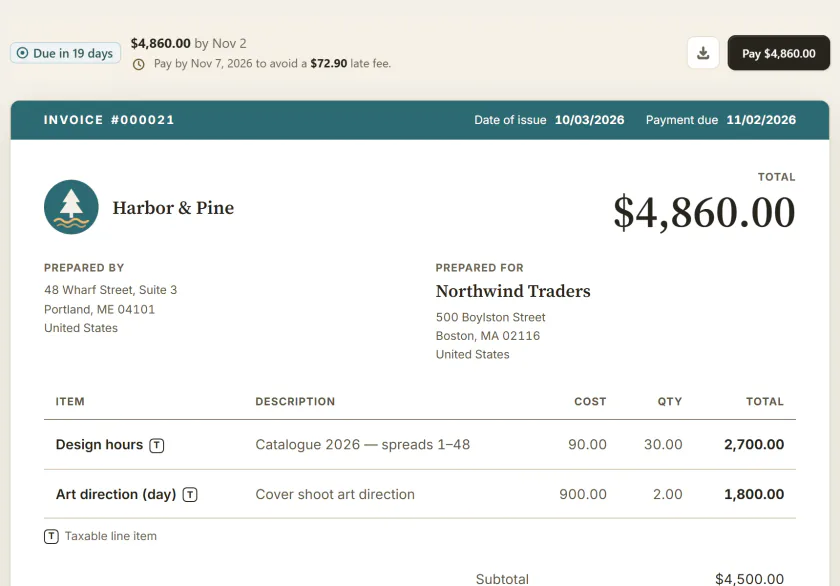
Choose agreed late-fee terms, optional warnings and how charges are added. A guide to BillGrid fee controls and their limits.