Your year, in plain words: the new reports.
Half of America’s small employers, 51%, named uneven cash flow as a financial challenge in the Federal Reserve’s Small Business Credit Survey of 7,653 firms. Evening it out starts with seeing it. BillGrid’s reports are rebuilt to show it: what came in, what went out, who pays and how fast, and where the hours went, in plain words.
In three steps
See the year.
Hand it over.
-
01 / Look
Your year, in a sentence.
What you invoiced, what came in and what you kept, with what’s worth a look beside it.
-
02 / Ask
Change the words, change the report.
The client, the months and what to count are words in each report’s title.
-
03 / Hand over
One file for your accountant.
The year-end pack agrees with your reports to the cent, and is checked before you send it.
01 / Your year
The year so far.
Then what needs a look.
Reports opens with your year in one sentence, then Worth a look: a few things the reports noticed, such as an invoice that’s long overdue or the client who grew the most, each one linked to what it’s about. Every report’s card ends on its figure for the year.

02 / Ask in a sentence
Every report reads
like a sentence.
A report’s title is a sentence, and its underlined words are menus: the client, the period, what to count. Drag across the strip of months to pick up to 24 of them, and click any figure for the entries behind it. Where there’s a year to compare, Compare with the year before puts last year beside this one.

03 / Eight reports
Eight reports.
One look.
Profit and loss shows what came in, what went out and what you kept, month by month, with tax set apart. Payment summary shows how many days clients take to pay, who pays on time and what’s likely to arrive in the next 30 days, judged by each client’s habits. Client revenue shows who you billed, who still owes and who has paid, month by month.

Time and the line by line
Where the hours went, and every record behind the totals.
Team time shows who worked on what, the share that was billable and the hours still waiting for an invoice. Projects measures each project against its deal: hourly, a fixed fee or a retainer’s hours. Invoice, Expense and Timesheet details list every record, grouped as you choose.
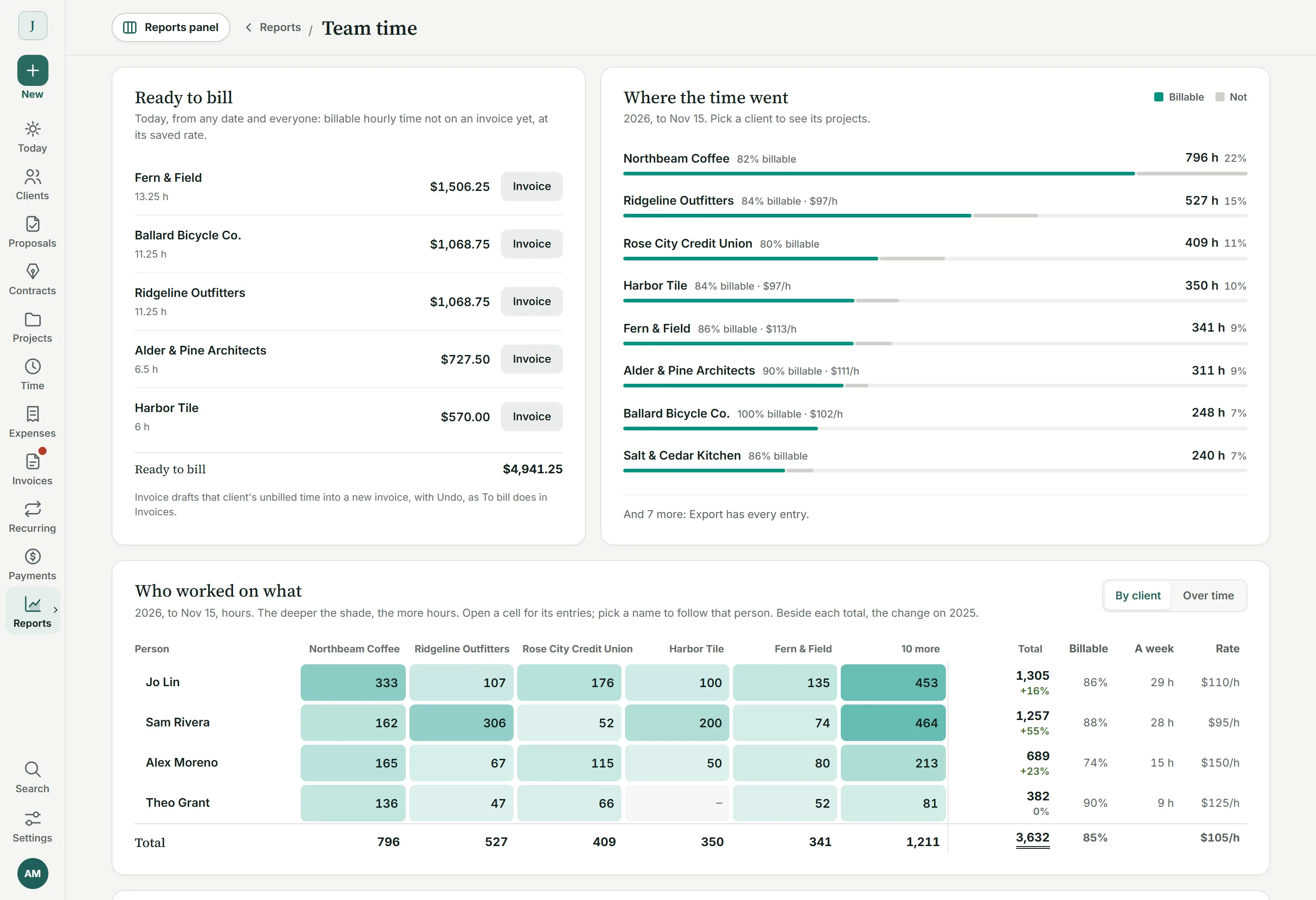
Team time
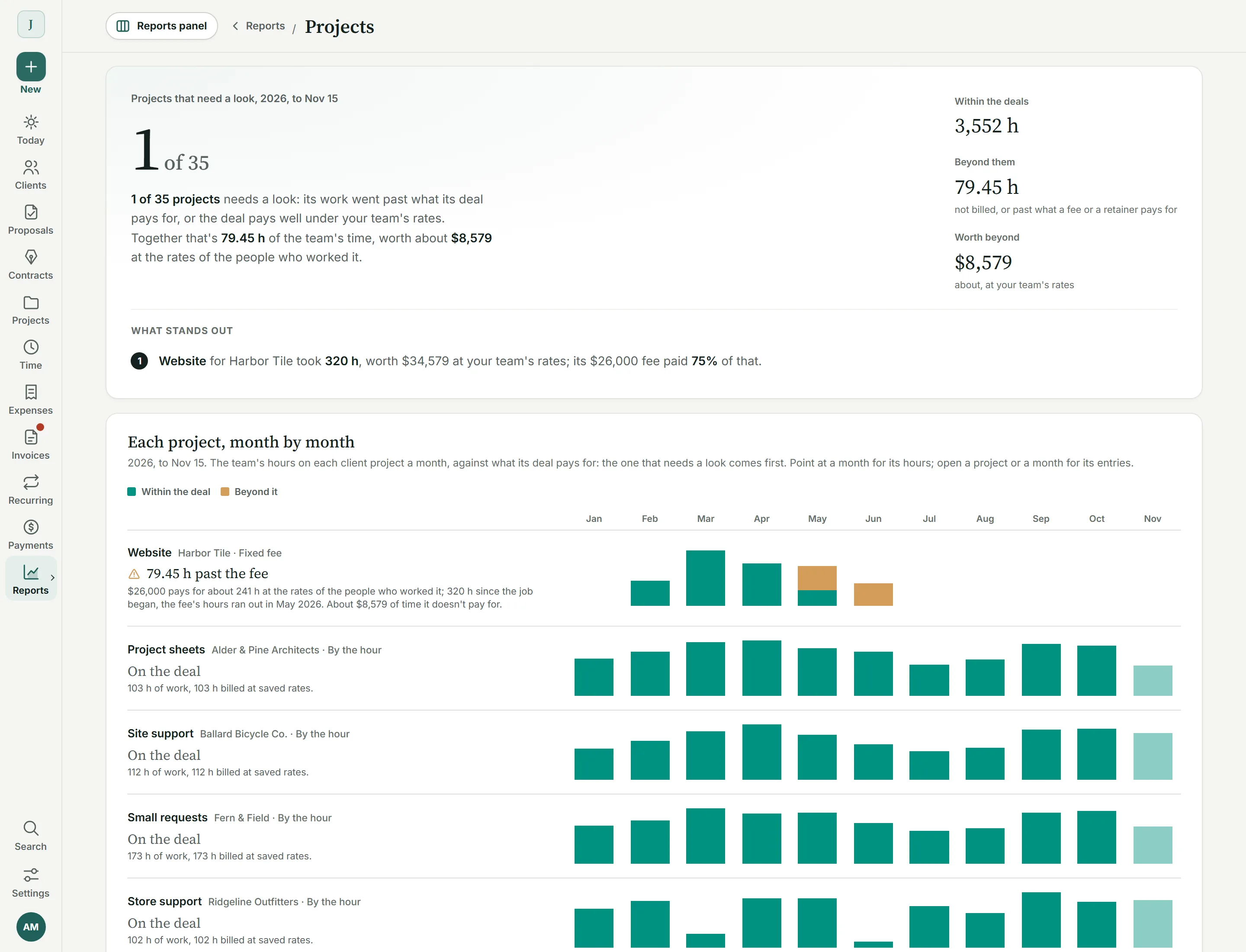
Projects
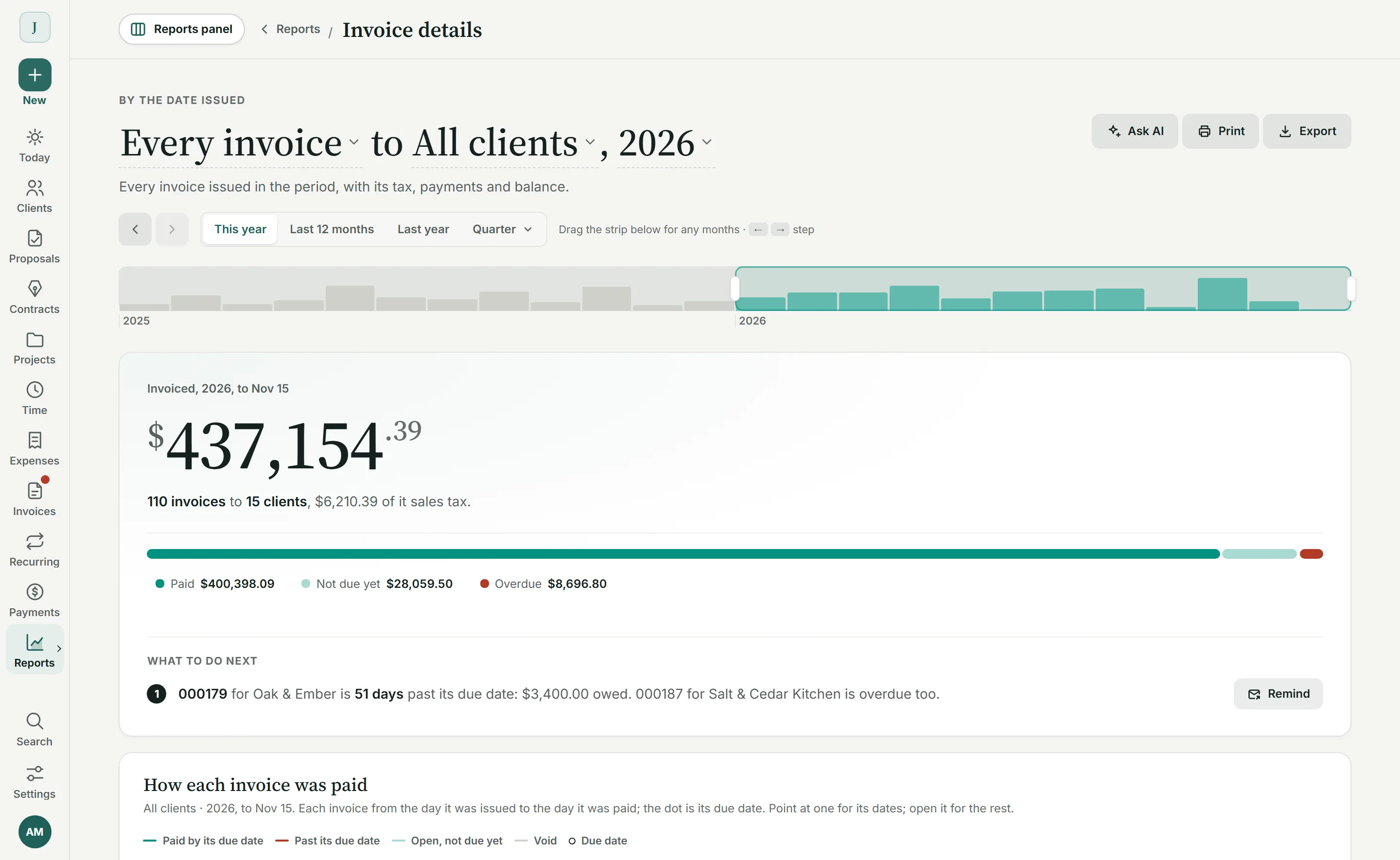
Invoice details
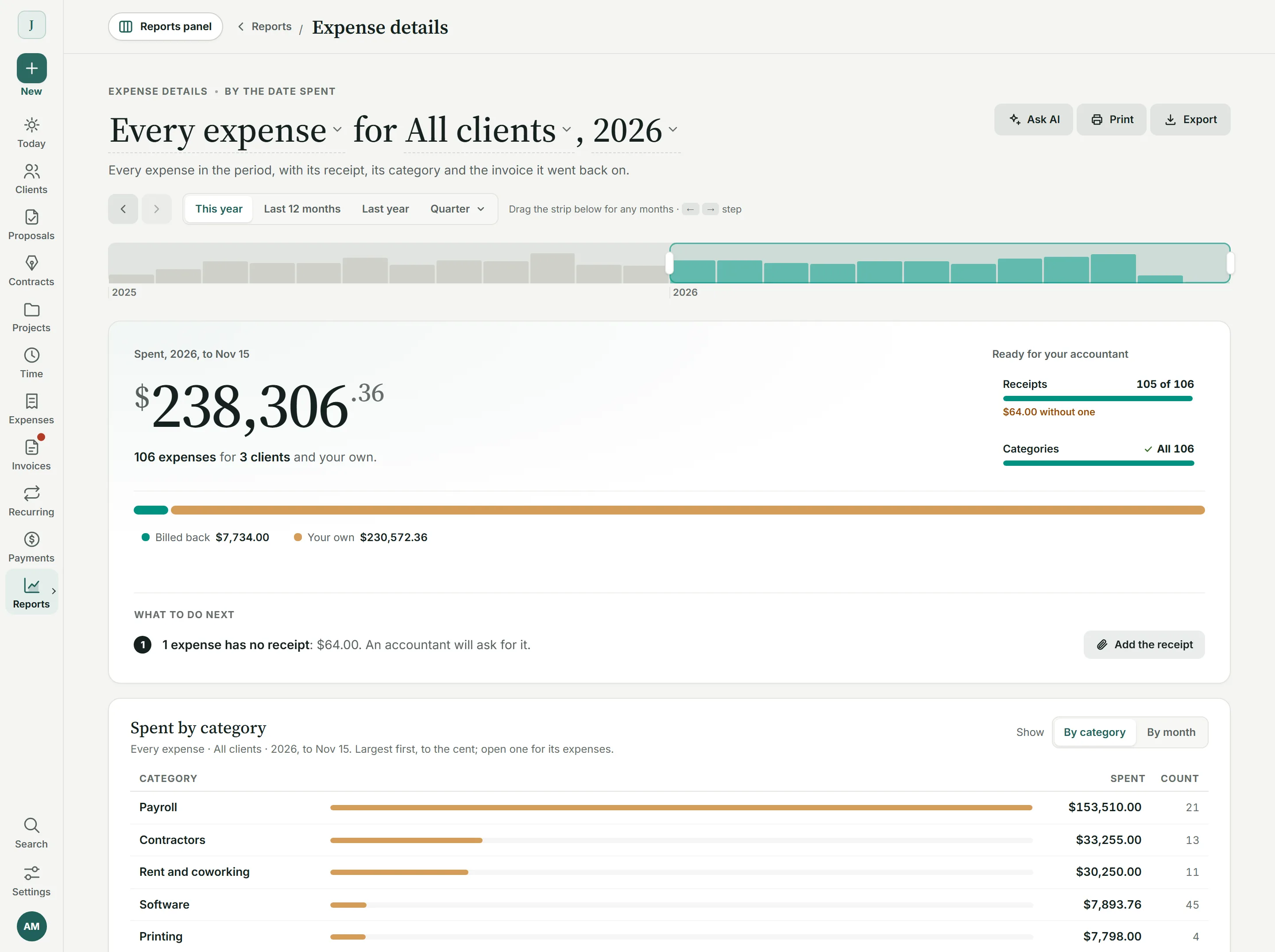
Expense details
04 / Tax time
The whole year.
One file.
In Profit and loss, Export offers the year-end pack: one Excel file, or a ZIP of CSV files, for the calendar year. It holds the statement, expenses by category, sales tax by rate and quarter, every payment and invoice, what was owed on December 31 and a card reconciliation, and each part agrees with Profit and loss to the cent.
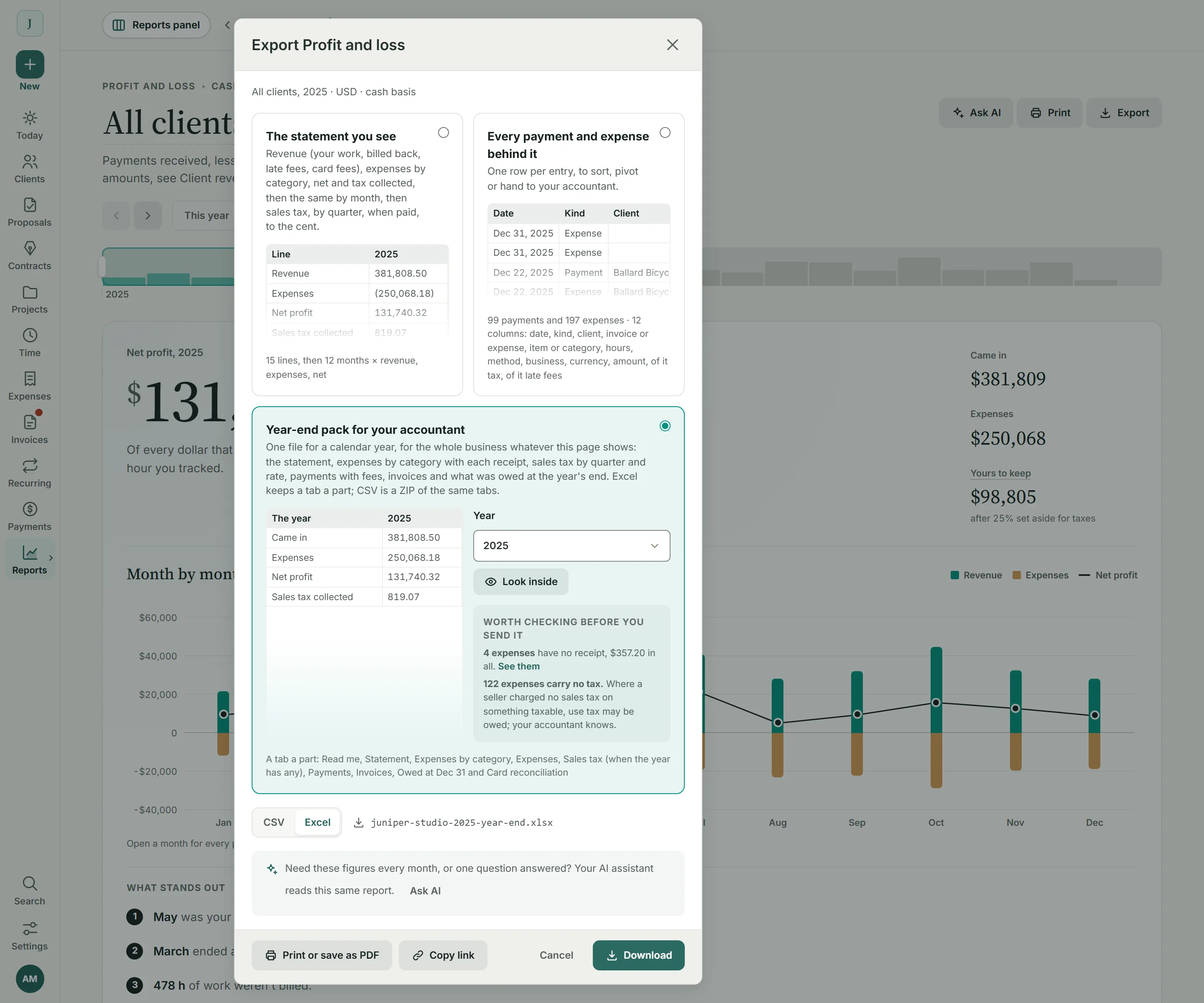
Checked before it goes.
The pack lists what’s worth checking, like an expense with no receipt or category, and gives every uncategorized expense a category in one step.
Then and now.
BillGrid remembers each pack you hand over. If a late refund changes the year, Then and now shows what moved since.
Counted where it happened.
A refund counts on its own day and takes back its share of the sales tax. What Stripe and PayPal keep shows as an expense.
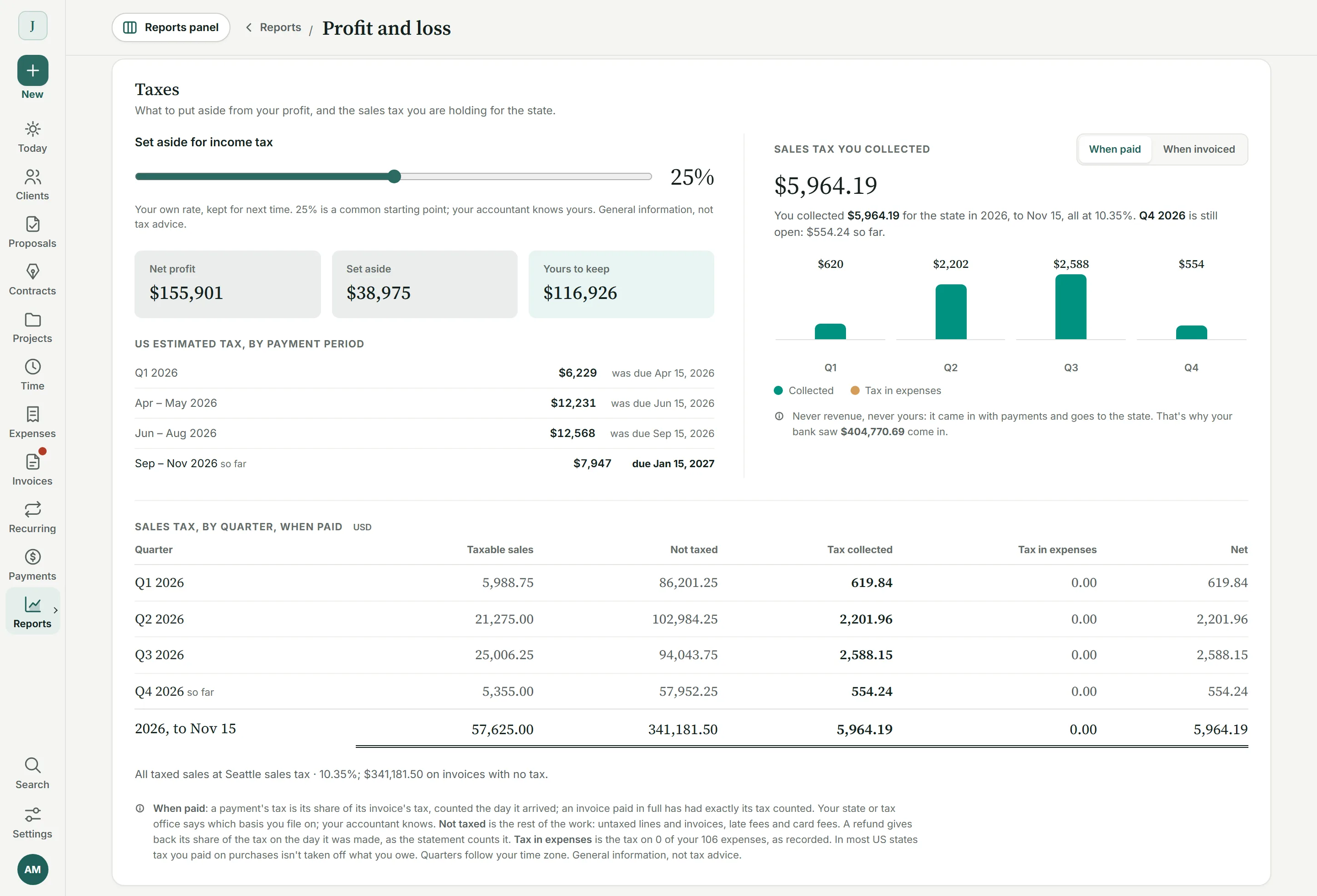
Sales tax
By rate and quarter, when paid or when invoiced.
The Taxes part of Profit and loss totals the sales tax you charged for each rate and quarter, beside what to set aside from your profit.
05 / Your accountant
Sees everything.
Changes nothing.
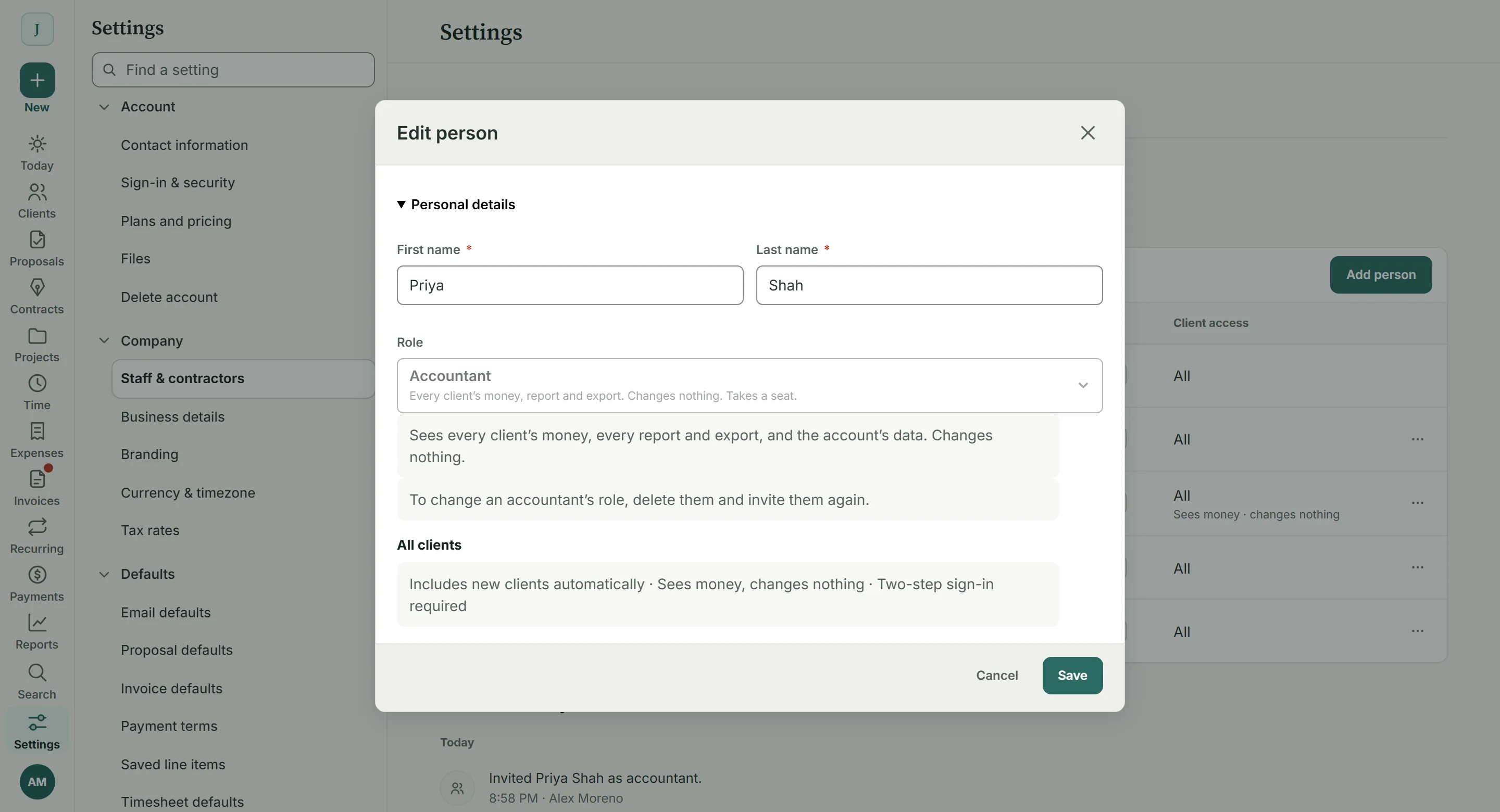
On Team, invite your accountant with the Accountant role, beside Staff and Admin. They see every client’s money, every report and every export, and can’t edit, send or delete anything. They take a regular seat, sign in with two-step verification, and start on a page that leads them to the year-end pack.
Export anything.
Export previews each file’s first rows before you take it as CSV or Excel; the Excel files open with a sheet on what they hold and how their totals tie.
Print it.
Print gives you the report as you see it, with your business’s name at the top.
Share the view.
Copy link gives a teammate the same report, with the same client and months.
What it doesn’t do yet.
Reports don’t arrive by email on a schedule yet, and there are no client statements, 1099 contractor totals or an aging report of their own (the Invoices list shows what’s overdue by age). Profit and loss is cash basis: a balance sheet and accrual books belong in your accountant’s software, and the pack is made to go there. Processing fees are recorded from this release on, not for earlier payments. BillGrid totals the sales tax you charged, but it doesn’t file returns.
Real BillGrid screens, with a fictional studio and its example books.