Product updates

Receipts billed back, a payment at every yes, and emails you write once.

3 min read

Money rarely goes missing in one big mistake. It slips through the gaps: a receipt left in a jacket pocket, a design the client called perfect in an email that never became an invoice, the same message typed from scratch for the tenth client. The average unpaid freelancer loses almost $6,000 a year, a Freelancers Union survey of more than 5,000 people found. This update closes three of those gaps.

01 / Expenses

Snap the receipt.
Bill it back.

The costs a client owes you now make it onto their invoice. Drop a photo of a receipt on Expenses and the cost fills itself in: the shop, the amount, the day, what it was for. Each field it read says From the receipt, so you know what to check. It files itself to the client you usually bill for that shop, with your markup already added. A trip is priced at your mileage rate.
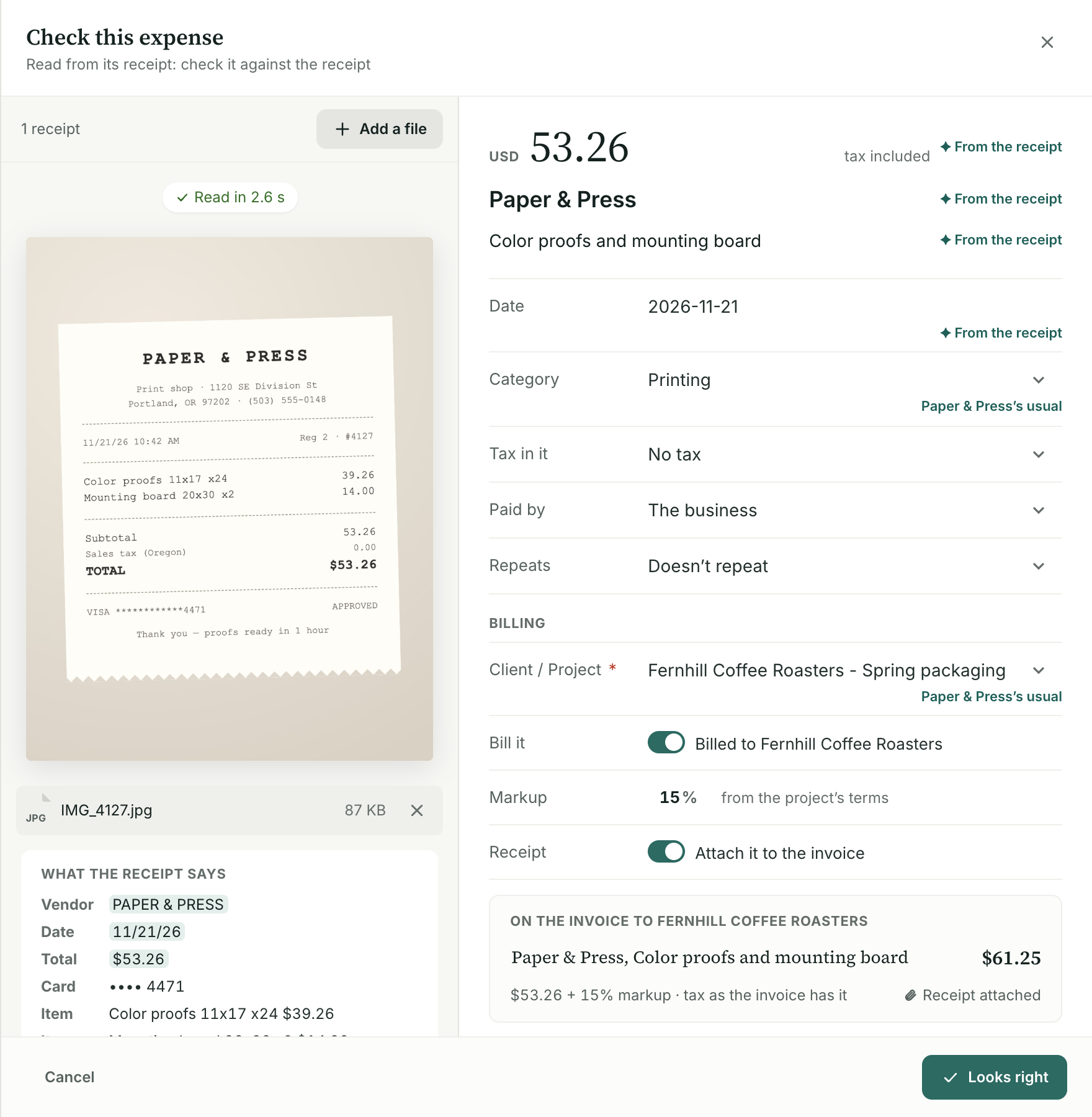
Snap the receipt, bill it back: the new Expenses

An expense open beside its receipt photo, read in 2.6 seconds: Paper & Press, $53.26, color proofs and mounting board, each field marked From the receipt, filed to Fernhill Coffee Roasters’ Spring packaging, and the line on Fernhill’s invoice at $61.25 after a 15% markup, receipt attached
Read, filed and priced for the client. One glance, then Looks right.

Billed back

On the invoice, receipt enclosed.

When you invoice the client, everything waiting for them is already ticked. Each line says which expense it came from, and the receipt goes with it, so nobody has to ask what it was for.
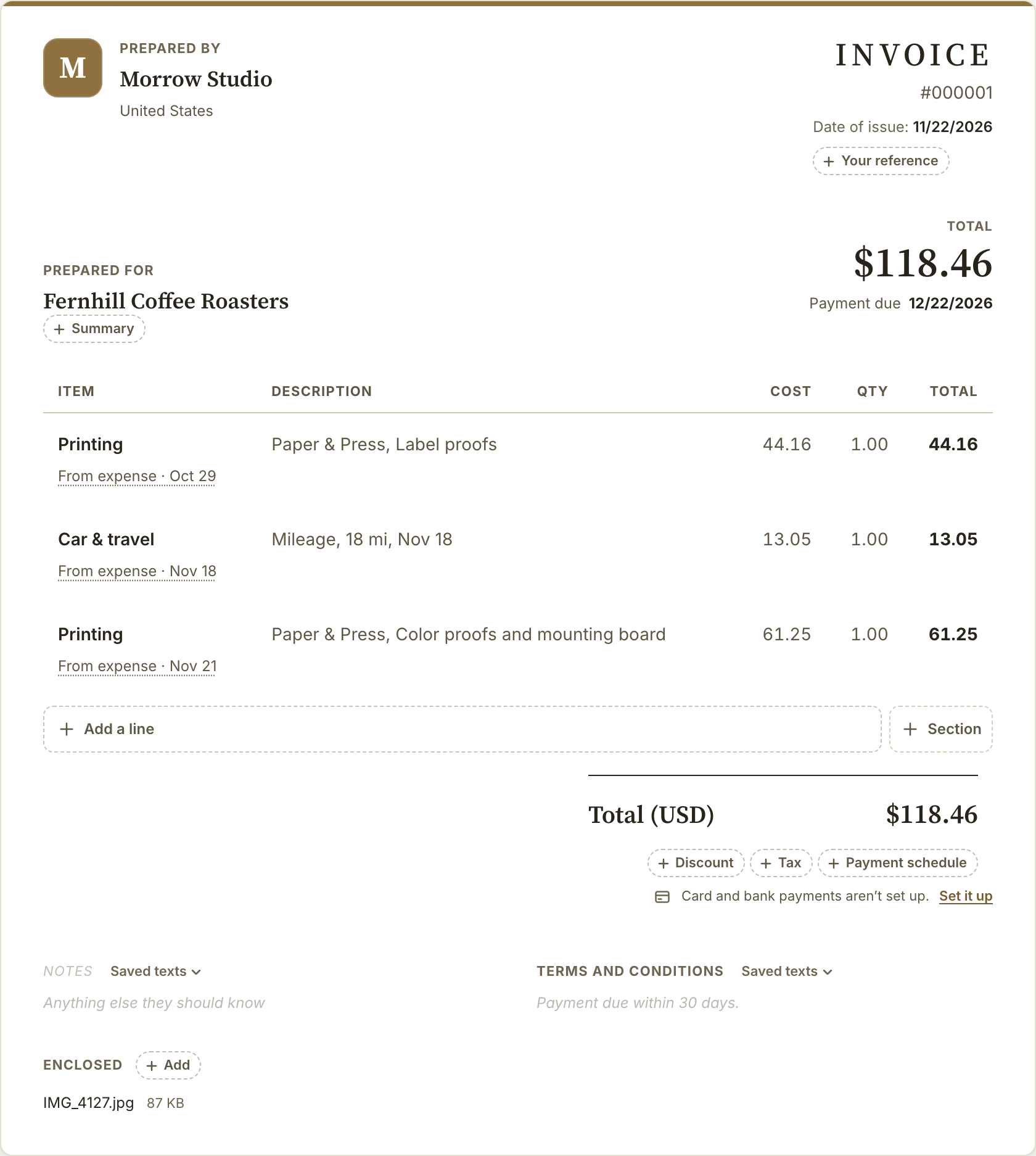
Morrow Studio’s draft invoice to Fernhill Coffee Roasters for $118.46: label proofs, an 18-mile trip and color proofs, each line marked From expense with its date, and the receipt IMG_4127.jpg enclosed
Each line says where it came from.

Your team

Approve it, then pay them back.

A teammate’s cost waits for your yes. Approve it and it’s ready to bill, and BillGrid keeps track of what you owe them. Something off? Ask for changes, in your own words.
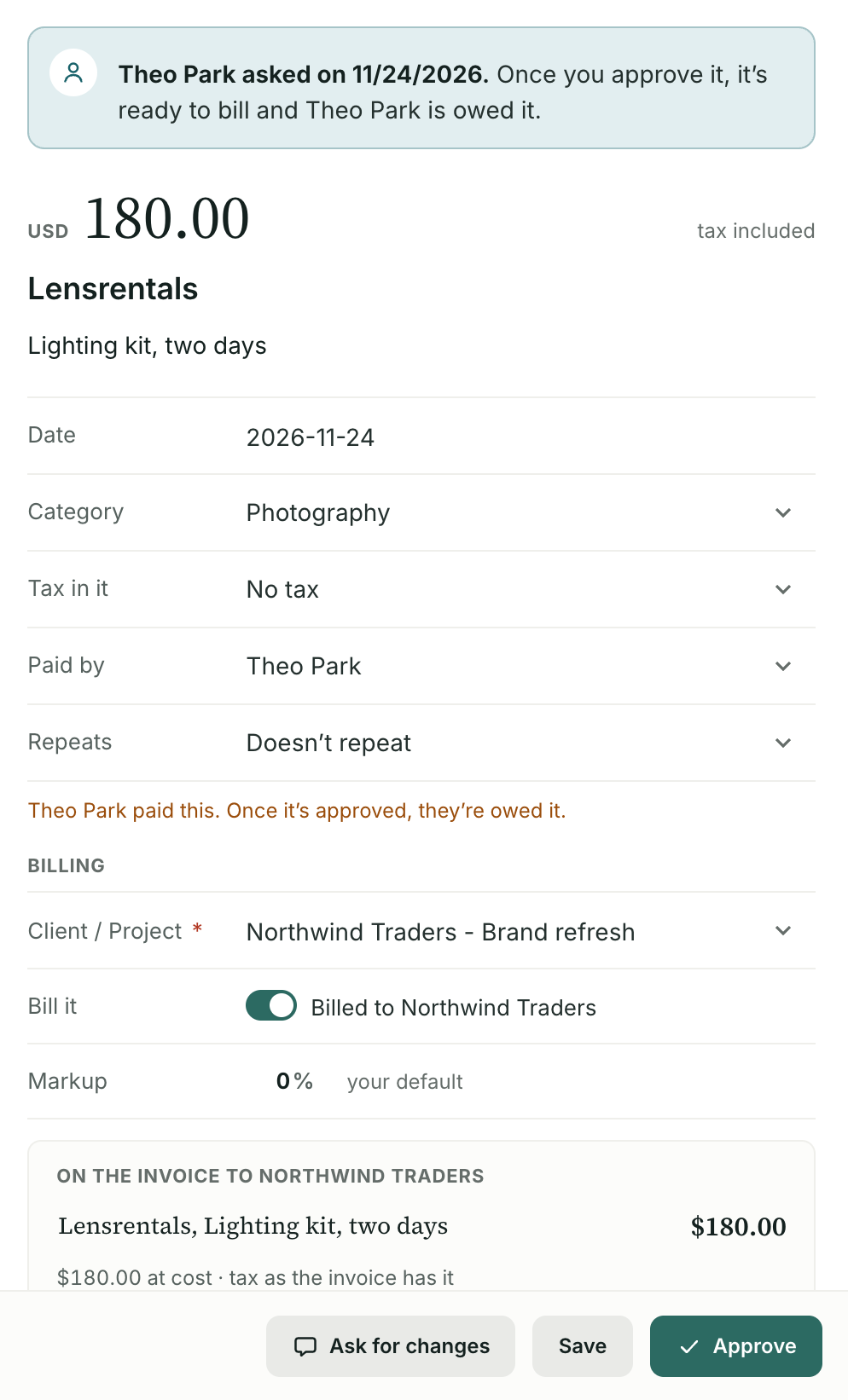
Theo Park’s $180 Lensrentals lighting kit waiting for approval: who asked and when, billed to Northwind Traders, paid by Theo, with Ask for changes, Save and Approve
Who asked, for what, and who paid.

02 / Approvals

Get paid
at every yes.

No more waiting until the end of a project to get paid. Split it into a deposit and a payment for each stage. Your client pays the deposit when they accept, and each payment is due the moment they approve that stage’s work, so they can pay it in the same visit.
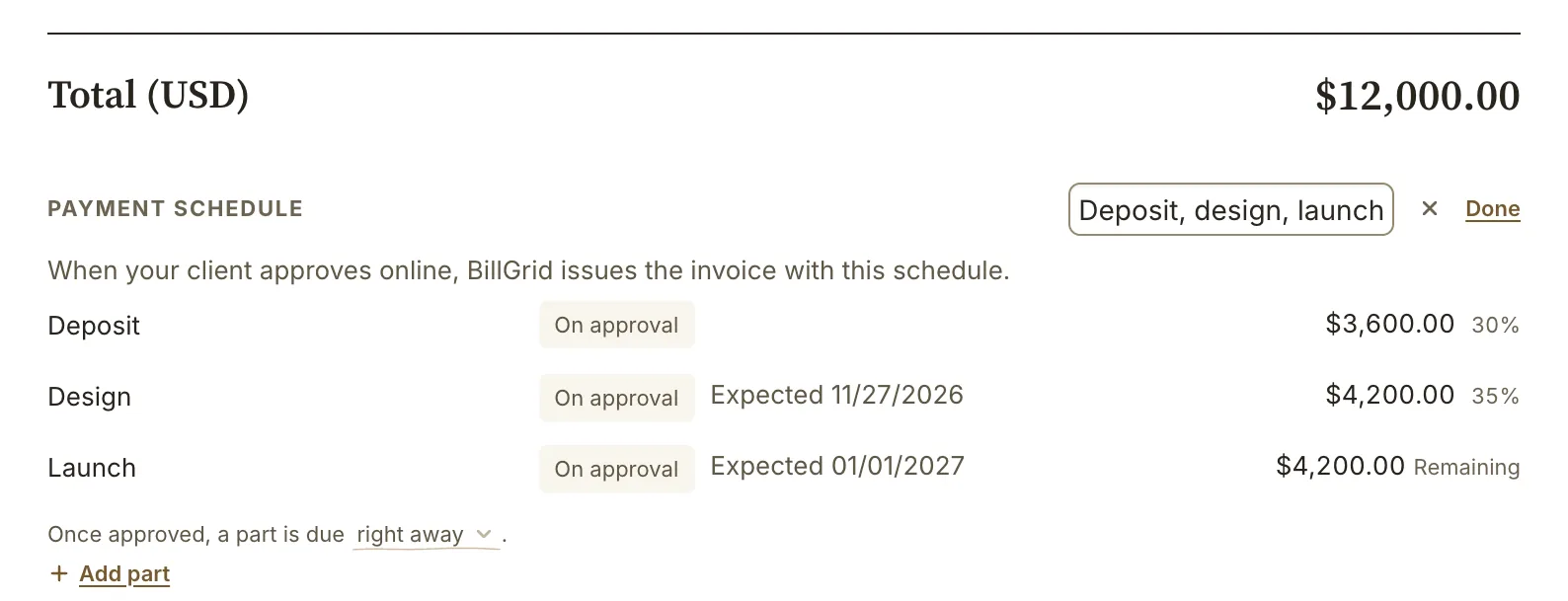
Milestone payments and client approvals

An estimate’s Total (USD), $12,000.00, and its payment schedule: Deposit $3,600.00, 30%, on approval; Design $4,200.00, 35%, on approval, expected 11/27/2026; Launch $4,200.00, the remainder, on approval, expected 01/01/2027; and the line Once approved, a part is due right away
The deposit when they accept. The rest when they approve.

Changes

Feedback in their own words.

Send the work with a sentence about it. Your client opens it, with no account to make, and approves it or chooses Ask for changes with a note on each point. No more digging through an email thread for what they meant.
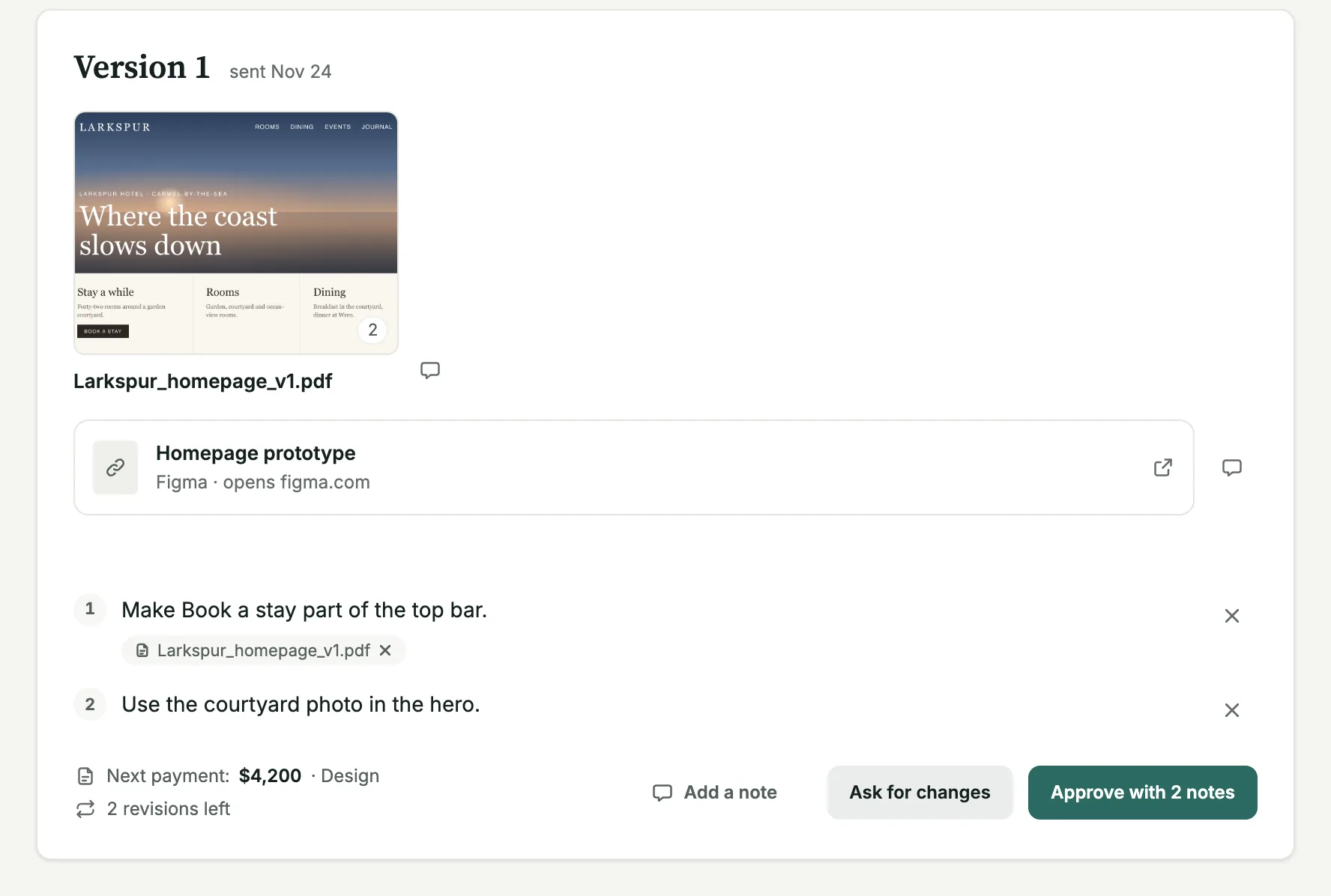
Elena’s review of version 1 with two notes: 1, Make Book a stay part of the top bar, on Larkspur_homepage_v1.pdf; 2, Use the courtyard photo in the hero; then Next payment: $4,200 · Design and 2 revisions left, with Add a note, Ask for changes and Approve with 2 notes
A note on each point, and the revisions left.

Revision rounds

Every note, done or answered.

Each note becomes a task to tick off or answer in a line. Your price includes the revision rounds you set. Past them, your client agrees to the next round’s price before you start, so an extra round is paid for, not argued over.
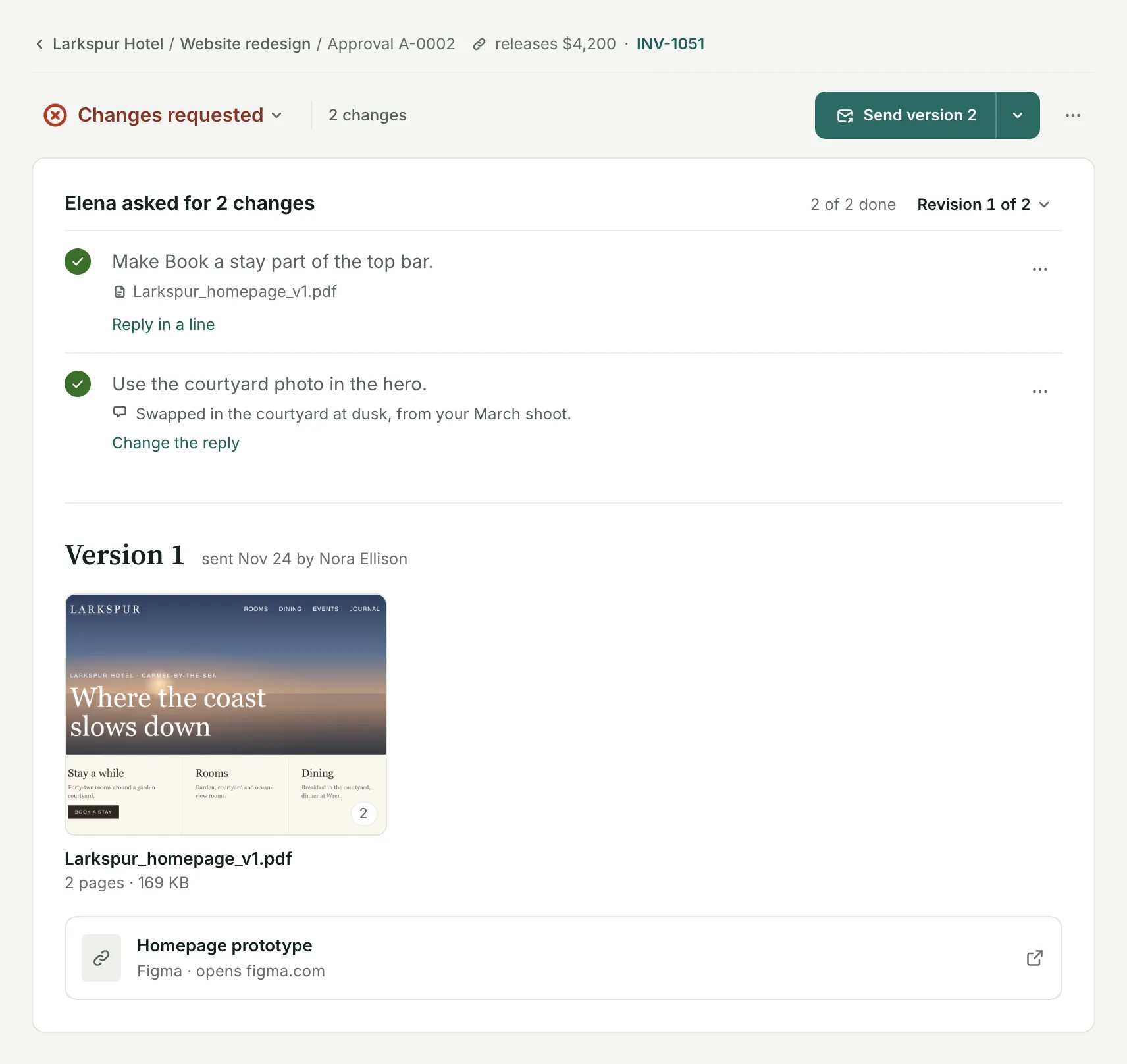
Approval A-0002, which releases $4,200 on INV-1051: Changes requested, Elena asked for 2 changes, 2 of 2 done, Revision 1 of 2, the second answered Swapped in the courtyard at dusk, from your March shoot, and Send version 2
Both done, one answered. Version 2 is ready.

03 / Email templates

Write it once.
Send it to every client.

The emails you send at each step, from the proposal to the payment reminder, no longer start from a blank box. Write each one once, with fields for the details that change. BillGrid fills them in for every client and every invoice.
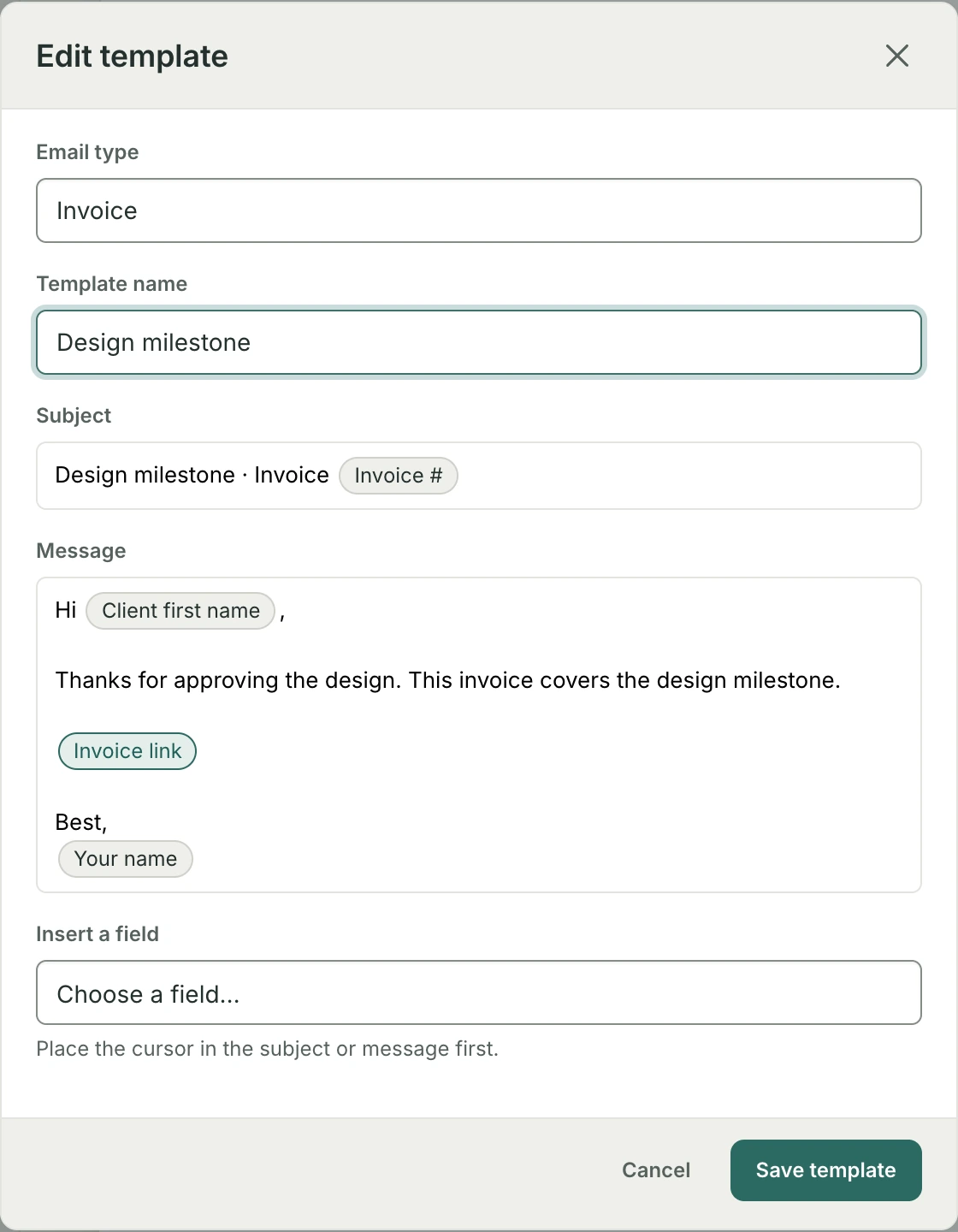
Email templates, from proposal to payment

Editing the Design milestone template for invoices: the subject Design milestone · Invoice with an Invoice # field, and a message that greets the Client first name, thanks them for approving the design, and ends with the Invoice link and Your name
Fields keep a place for each client’s details.

When you send

Pick it, and it’s written.

Choose the template by name when you send. The client’s name and the invoice number fill in, with the balance and due date beside the link. Change any word before it goes.
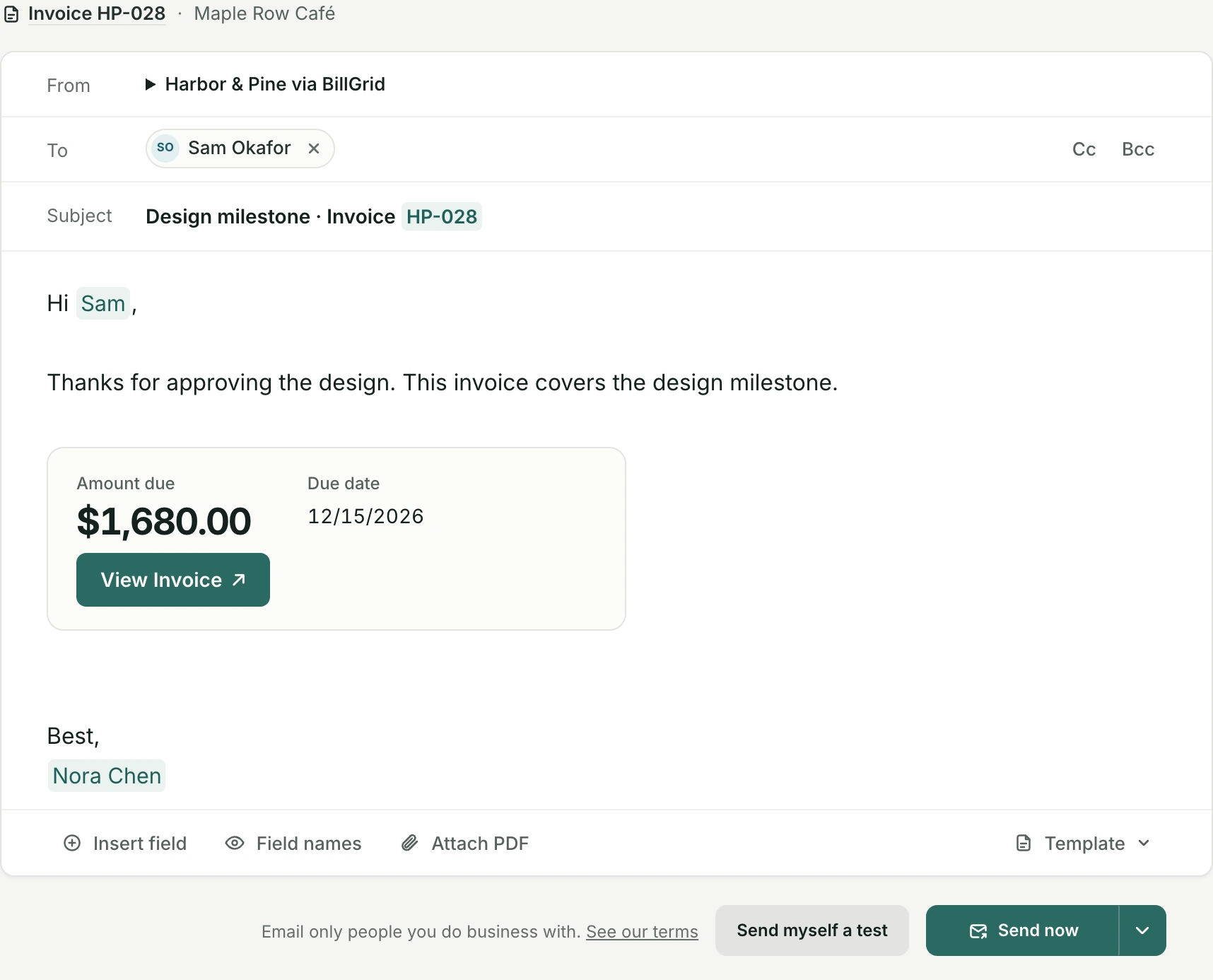
The Design milestone template loaded for Maple Row Café’s invoice HP-028: Hi Sam, thanks for approving the design, the $1,680.00 amount due by 12/15/2026 with View Invoice, signed Nora Chen
Written once, filled in for Sam.

Defaults

Everyone starts from the same words.

Set the message each kind of email starts with: an invoice, an estimate, a payment reminder. Your whole team sends the wording you agreed on.
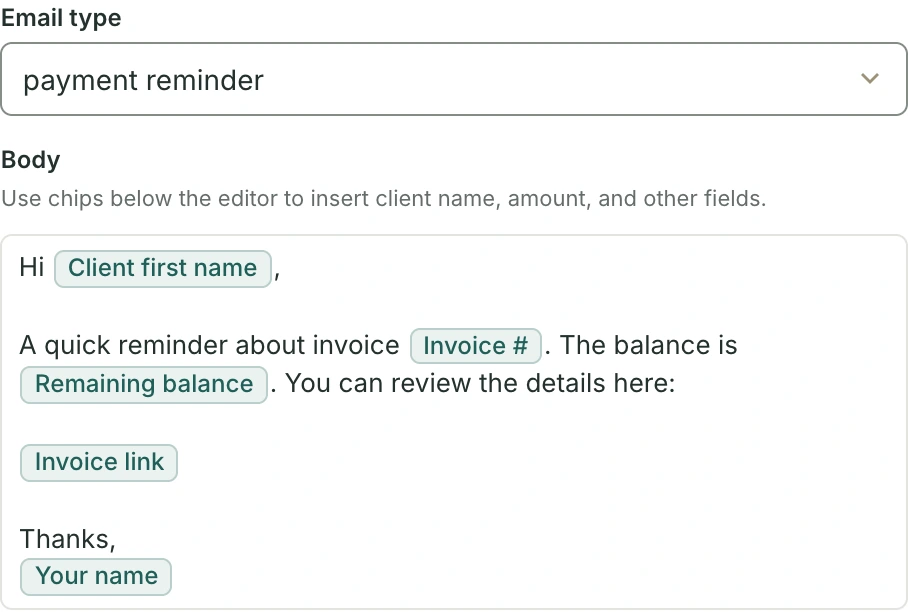
Email defaults with payment reminder selected: Hi Client first name, a quick reminder about invoice Invoice #, the Remaining balance and the Invoice link, signed Your name
The payment reminder everyone starts from.

Real BillGrid screens, with fictional businesses and example payments. Select any screenshot for a closer look.

Related reading

5 min read

Snap the receipt. Bill it back.

Drop a receipt and watch it fill itself in. Bill it back with your markup and the slip enclosed, approve what your team spends and pay them back, and bring your costs over from FreshBooks.

7 min read

Get paid at every yes.

Split a project into a deposit, a design payment and a launch payment. Your client approves the work and pays for it in the same visit, and nobody chases anybody.

3 min read

Reusable client emails, from proposal to payment

Write a milestone email once, load it for the next client, and choose the wording your team uses from proposal to payment.

Full-size screenshotScroll to explore