Snap the receipt. Bill it back.
Since 2015, Xero customers have been voting for one small thing: when a client is billed for a cost, send the receipt along. The idea has 245 votes, and one commenter says attaching receipts by hand takes him more than 30 minutes an invoice. Meanwhile the receipt is in your pocket and the client’s money is about to become “office supplies”. So we rebuilt Expenses around one idea: a receipt should take you five seconds, and every cost a client owes you should end up on their invoice.
01 / Drop it
Drop the receipt.
Watch it fill itself in.
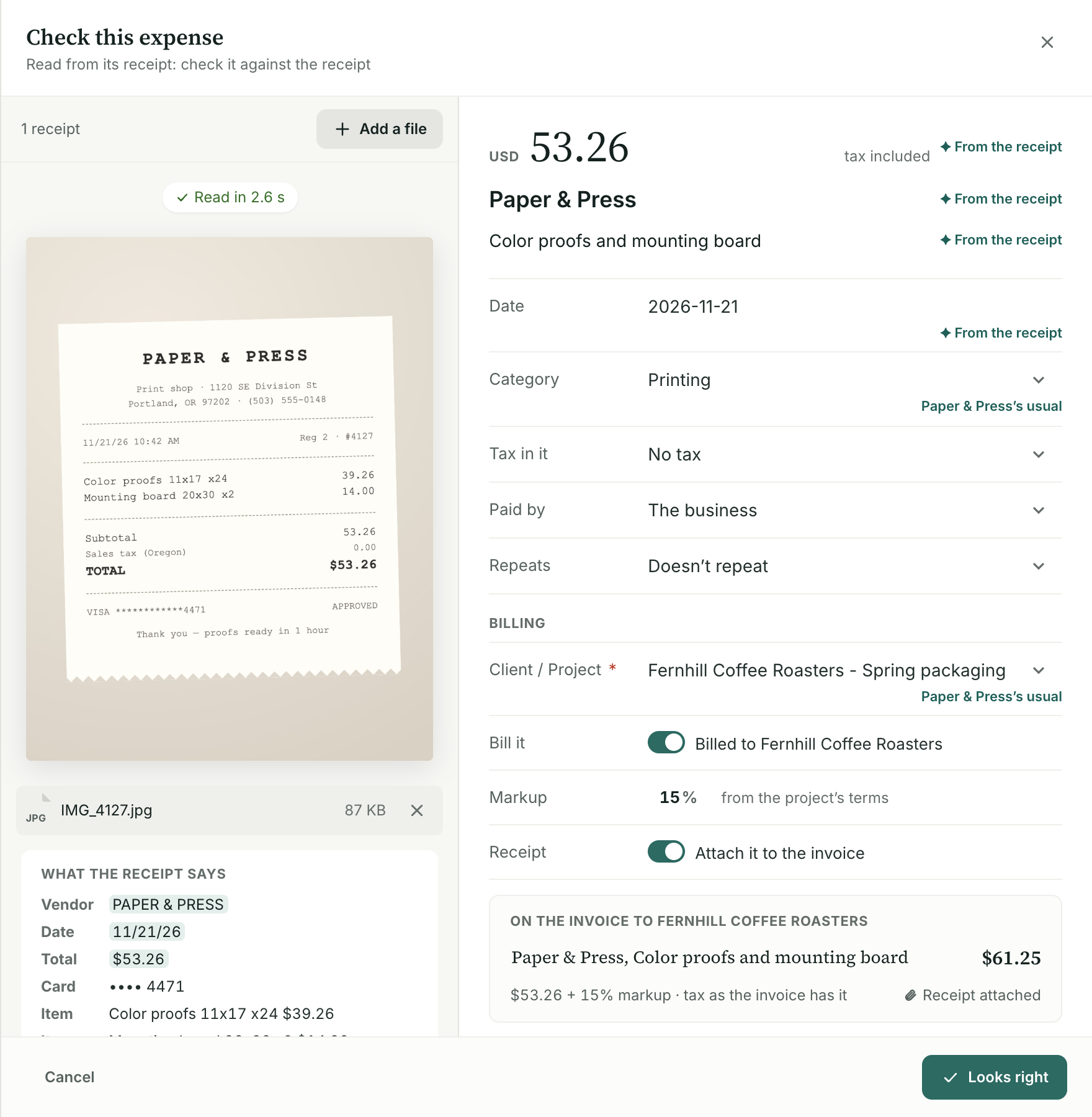
Nora runs Morrow Studio. On Thursday she picked up proofs for Fernhill Coffee Roasters’ spring packaging and photographed the slip on the way out. Back at her desk she drops the photo on Expenses. A few seconds later the cost is filled in beside its receipt: Paper & Press, $53.26, the day, what it was for. Each field it read says From the receipt, so she knows what to glance at.
It goes further. Paper & Press is the shop Nora always bills to Fernhill, so the cost files itself there, and the line Fernhill will read is already written, with the studio’s 15% markup in: $61.25. She switches on Attach it to the invoice, checks the cost against the slip and presses Looks right. Nothing counts, and nothing is billed, until she does.
02 / Bill it back
Every cost a client owes you,
in one number.
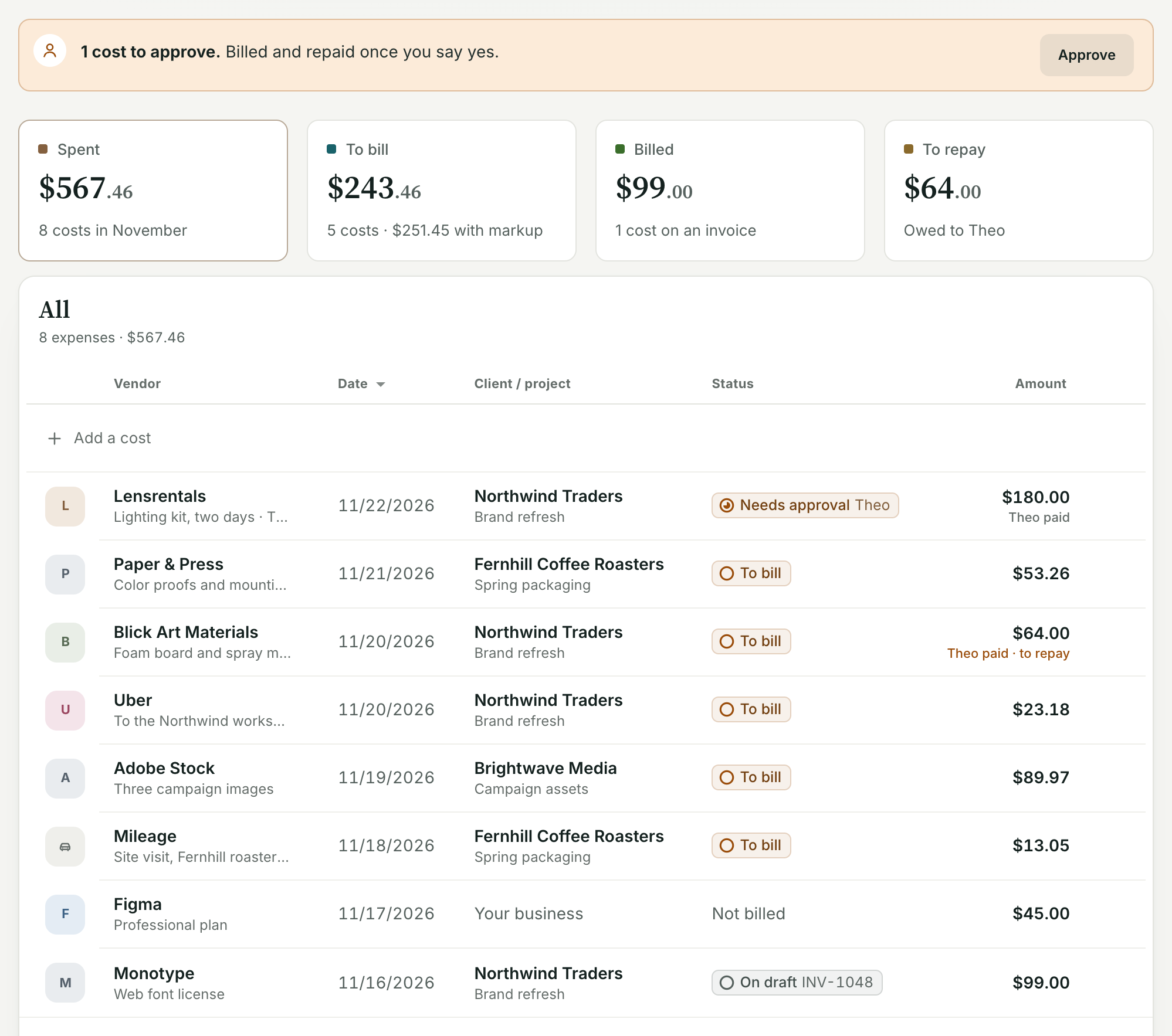
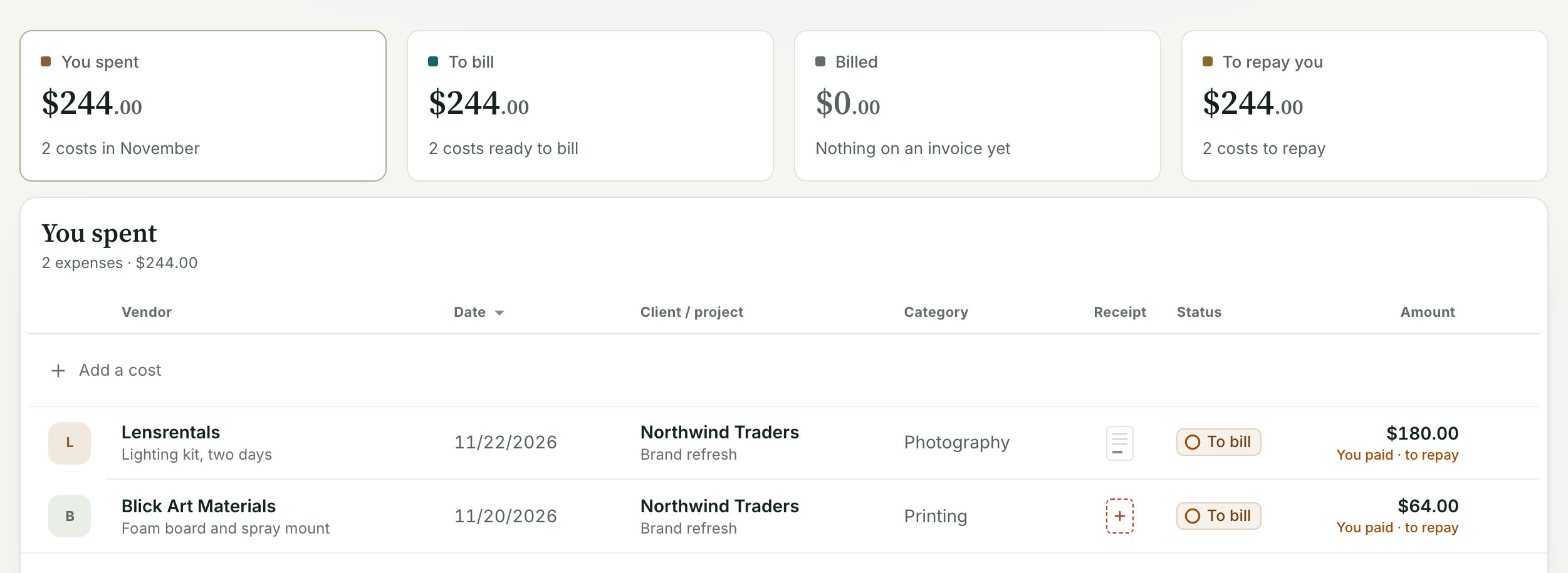
Over the list, four figures say where the month went: what you spent, what’s waiting to be billed, what’s already on an invoice, and what you owe the teammate who paid. Each opens the costs behind it. And when something waits for you, a gold line says so first.
The invoice
One click, and it’s on their invoice.
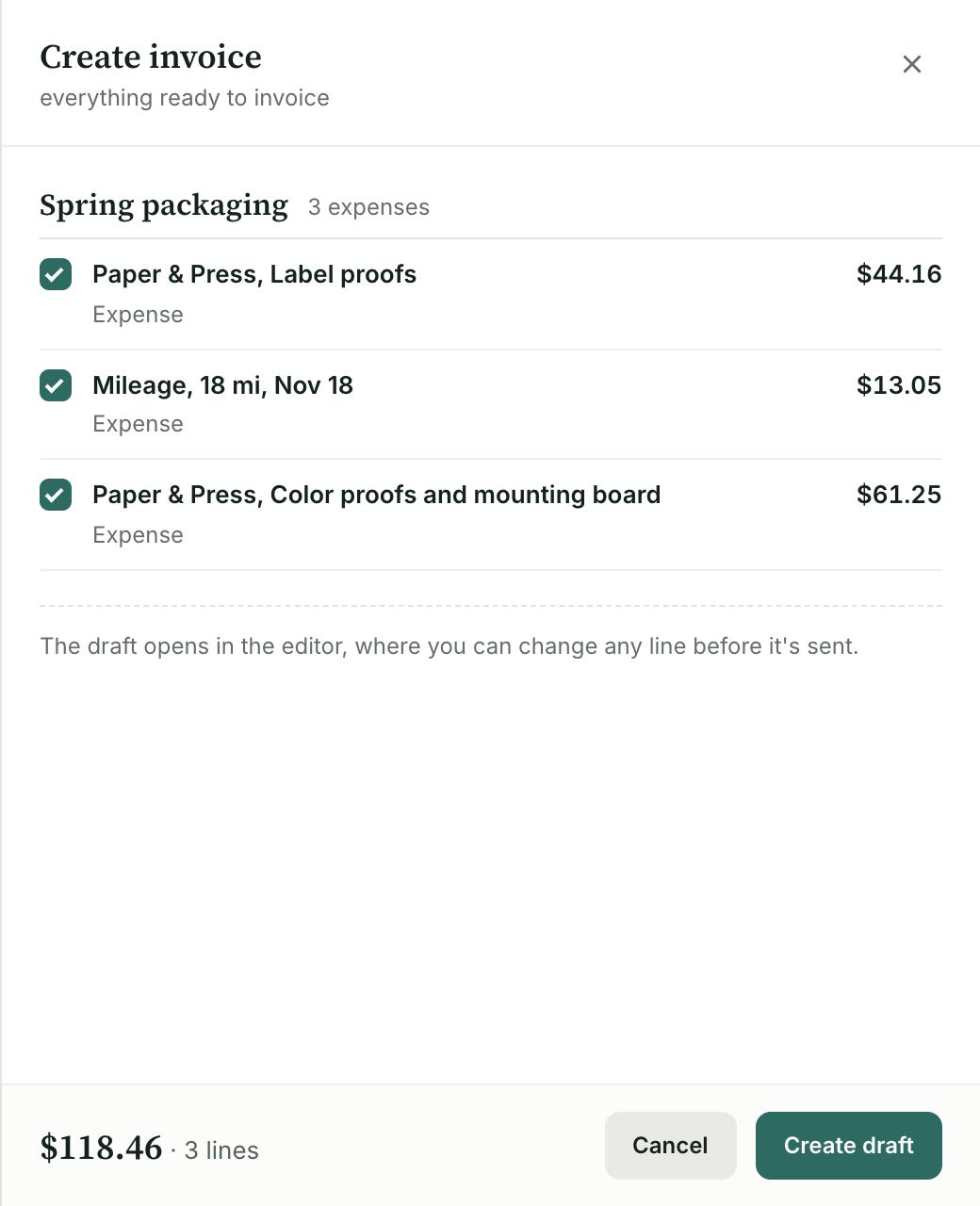
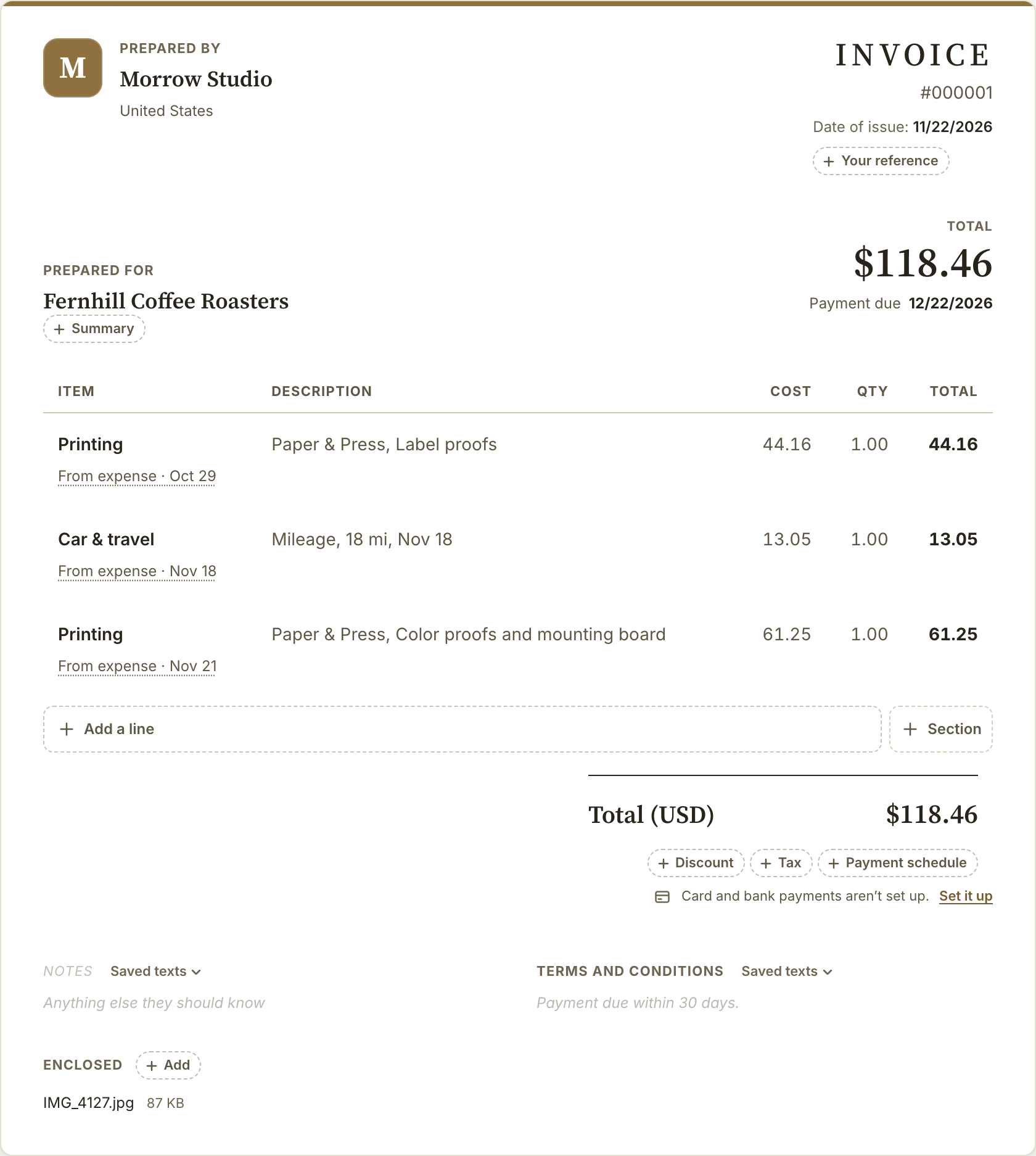
When Nora bills Fernhill, BillGrid gathers every cost that’s ready across their projects: last month’s label proofs, the trip to the roastery, Thursday’s proofs, each at the price the client will pay. Create draft, and the invoice says where every line came from, with the slip enclosed. Fernhill never has to ask for the receipt.
03 / The team
Your team spends.
You say yes.
Decide once how much a teammate spends before you look: never ask, always ask, or ask over an amount. Nora asks over $50. The owner, admins and anyone you trust with the money approve. A teammate who doesn’t see the money adds costs, sees only their own, and never sees your markup.
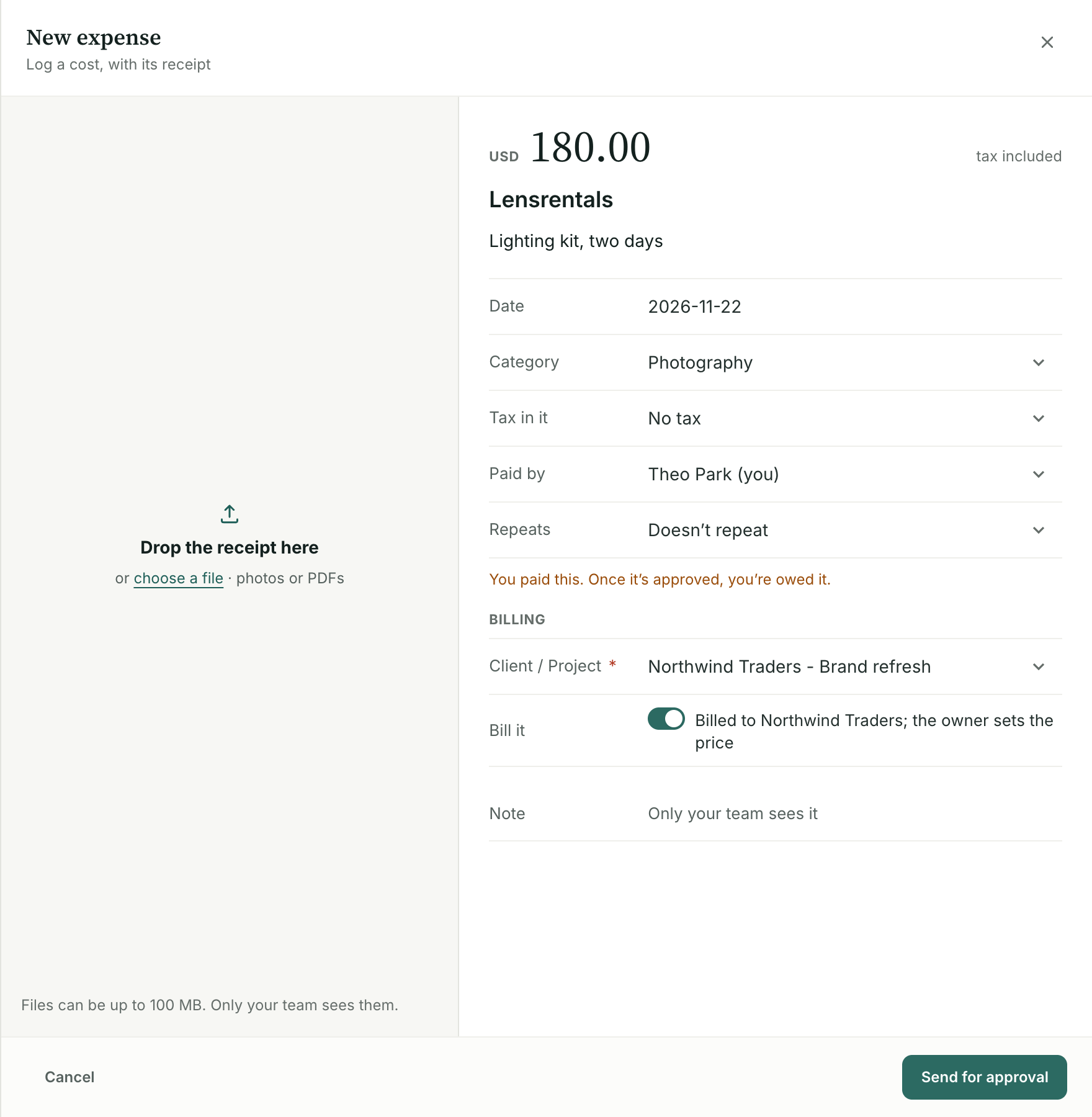
Theo is on a shoot for Northwind. He rents a $180 lighting kit on his own card and picks himself under Paid by. Before he saves, the drawer tells him what happens next: his Save says Send for approval, and once Nora approves, the studio owes him the $180.
The answer
One look. Approve, or ask for changes.
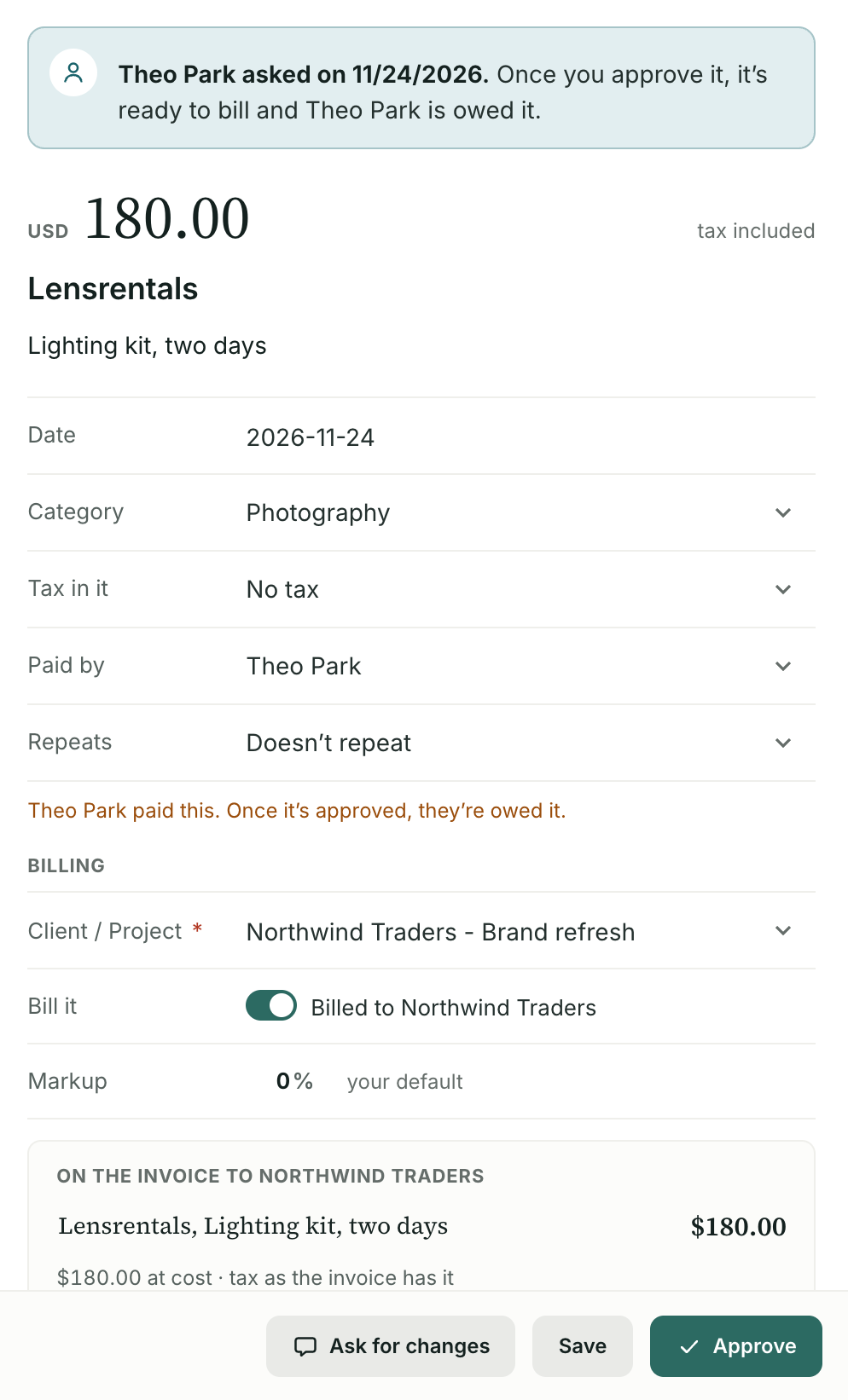
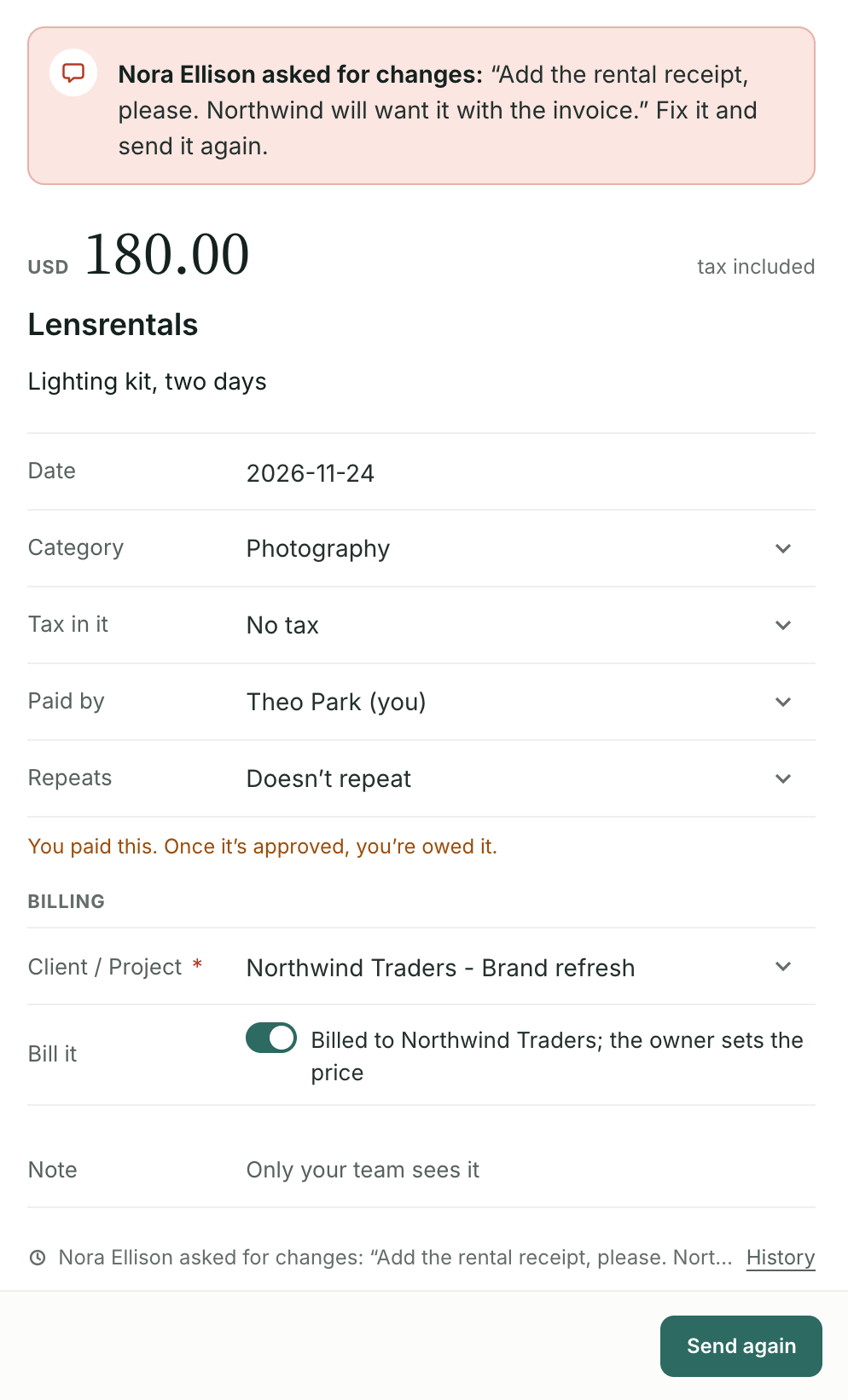
Nora’s Expenses opens on a gold line: one cost to approve. The drawer says who asked and when, which client it bills and who paid. There’s no slip yet, so she asks for changes in a note. Theo reads it word for word, adds the receipt and sends it again. Then Approve: it’s ready to bill Northwind at your markup, and the studio owes Theo for it.
Paying back
What you owe your people, in one place.
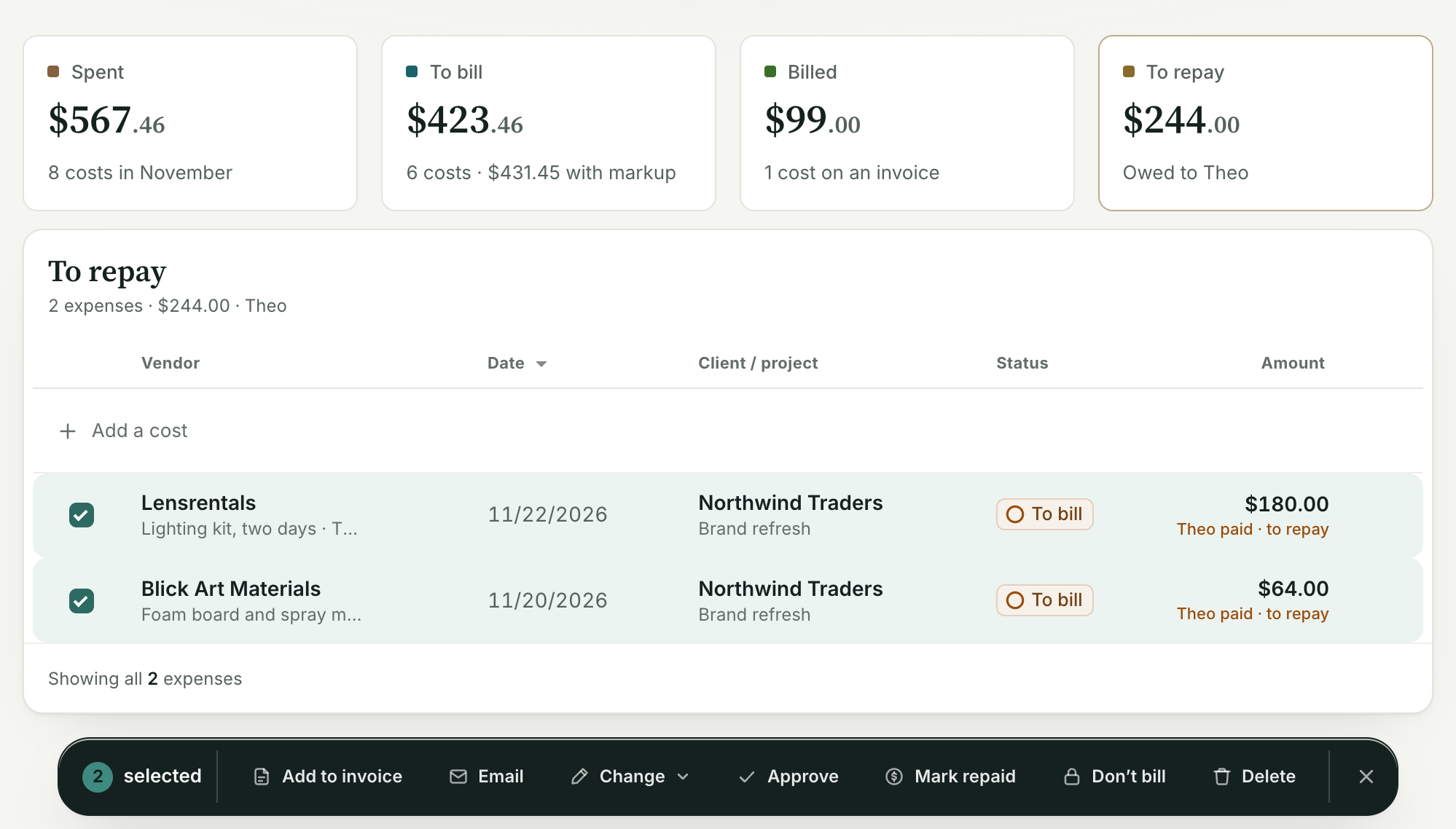
To repay gathers every approved cost someone paid out of their own pocket, whenever they spent it. When the transfer goes out, tick them and Mark repaid; a slip is one Undo away. Theo sees the same from his side: what he spent, what waits for Nora, and what he’s owed.
04 / On the road
Trips at your rate.
In miles or kilometers.
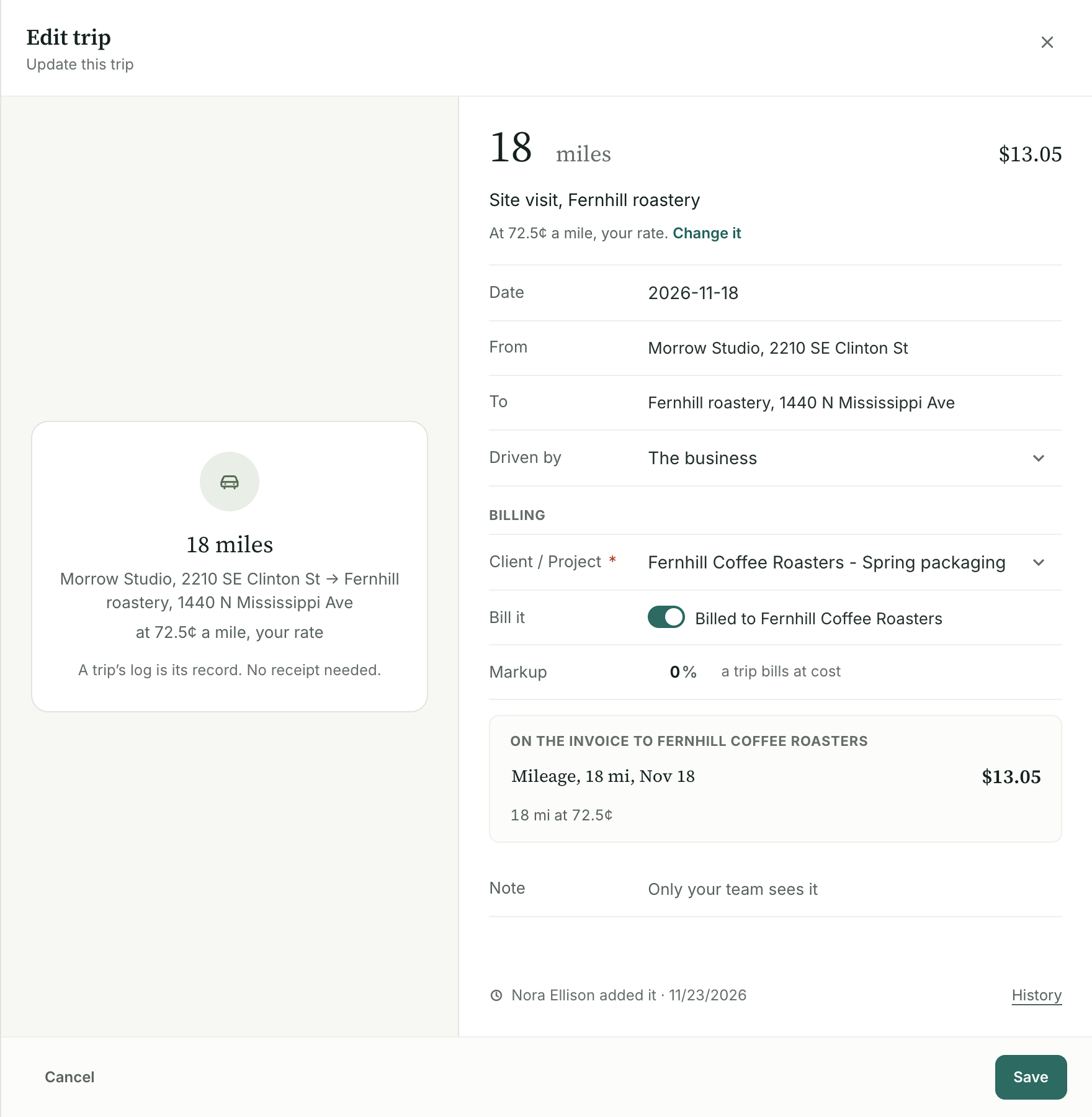
Type “18 mi” and the trip is logged at the rate you claim, and keeps that rate. Its log is its record: no receipt needed. Your first trip asks for your rate, in the unit your country uses: a studio in Portland starts in miles, one in Toronto in kilometers.
05 / Bring it with you
Moving over?
Your costs come too.
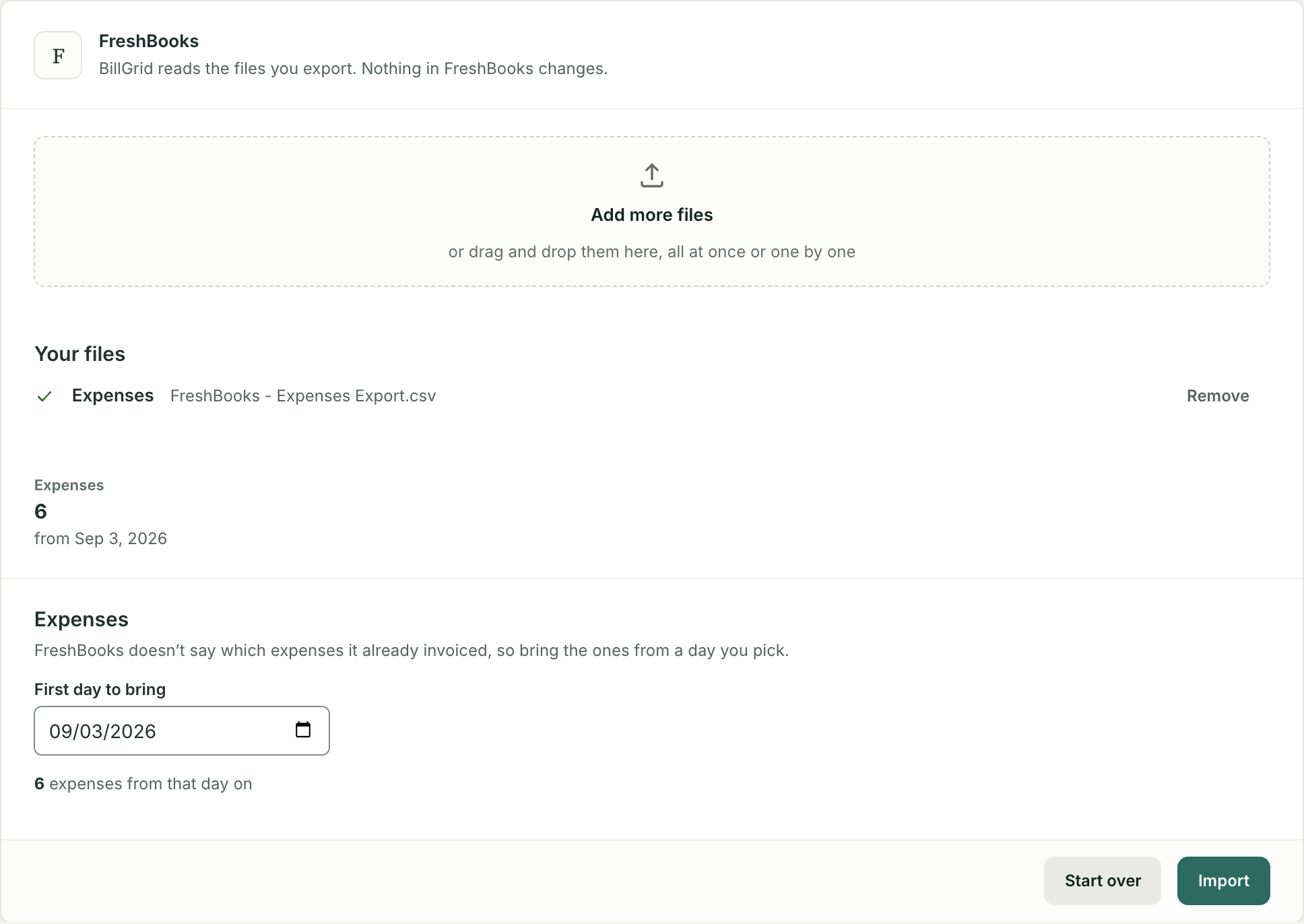
Bringing your history is a file away. Export from FreshBooks or Harvest and drop it in; from QuickBooks, Wave or a spreadsheet, a CSV does it. Your costs land on their clients’ projects, ready to bill, and nothing changes in the old account.
Rather not do it yourself? Tell us where you’re coming from, and we’ll help you bring it all over.
06 / And the rest
The small things,
done for you.
It learns your filing
Correct a cost’s category once and BillGrid offers to file that vendor the same way from then on.
Search what the receipt says
Find a cost by any word printed on its receipt, not only by what you typed.
Twice? It asks
A receipt that looks like one you already have is flagged before it counts twice. Compare the two side by side.
Costs that repeat
Hosting every month, a license every year: each one is added for you and waits for its receipt.
Change many at once
Pick costs and change their category, client, billing or markup, and see what it does before you apply it.
Ready for tax time
The year-end pack says what’s missing a receipt or might be a duplicate, before your accountant asks.
What it doesn’t do yet
Forwarding receipts by email is next, then a phone app and miles worked out by road. BillGrid reads up to 500 receipts a day for each business; past that you type the details until the next day.
See Expenses and recording expenses.