Send Invoices From Your Own Gmail
Seventy-seven percent of consumers say the sender strongly or somewhat strongly influences whether they open an email, according to Twilio's 2024 Global Messaging Engagement Report, a survey of about 4,800 people in six countries. Your BillGrid invoices can now come from the address your clients already know: your own Gmail or Google Workspace mailbox.
From You, Not From a Service
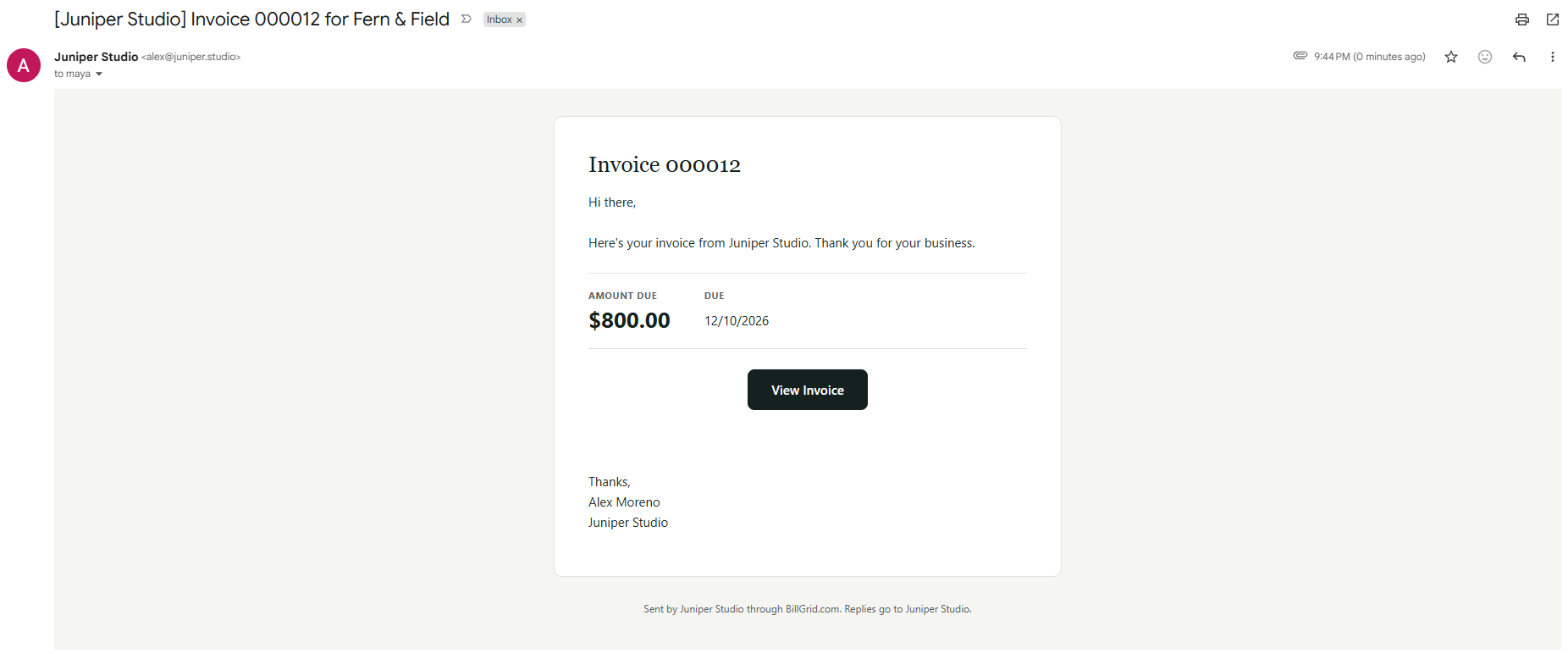
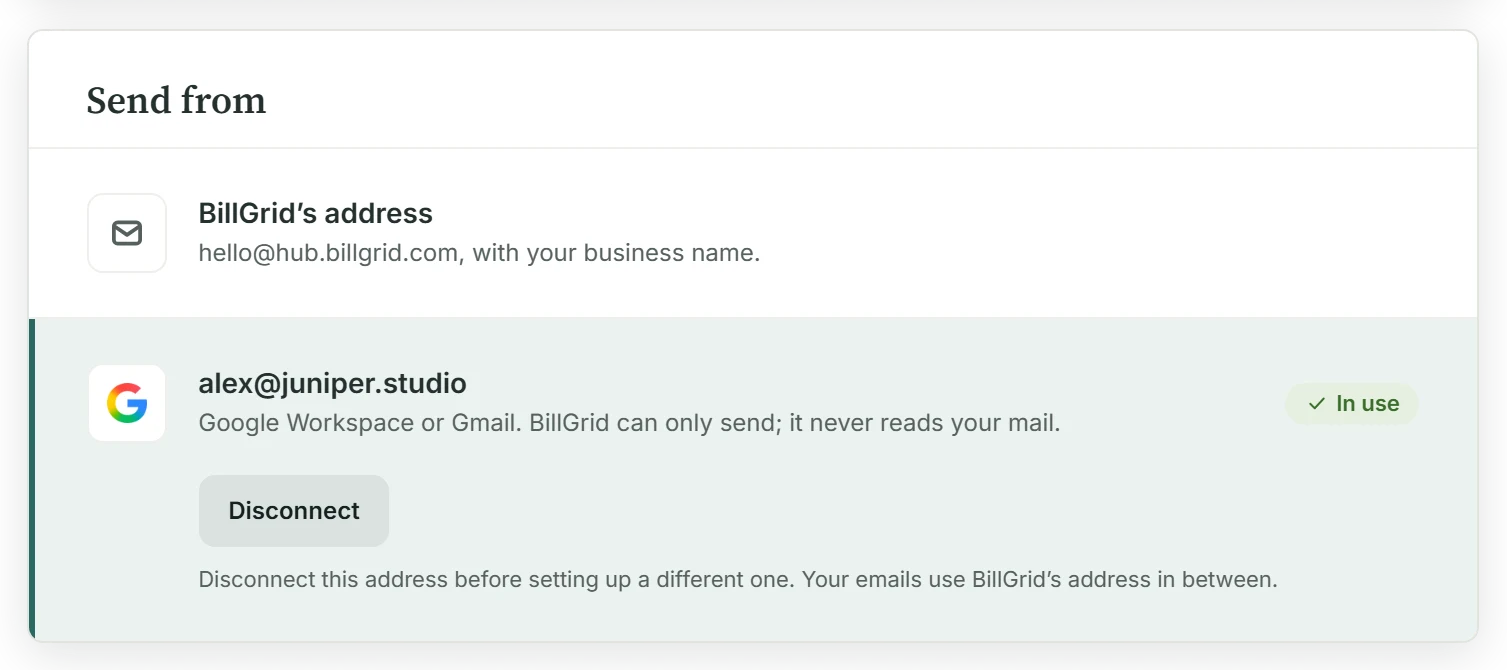
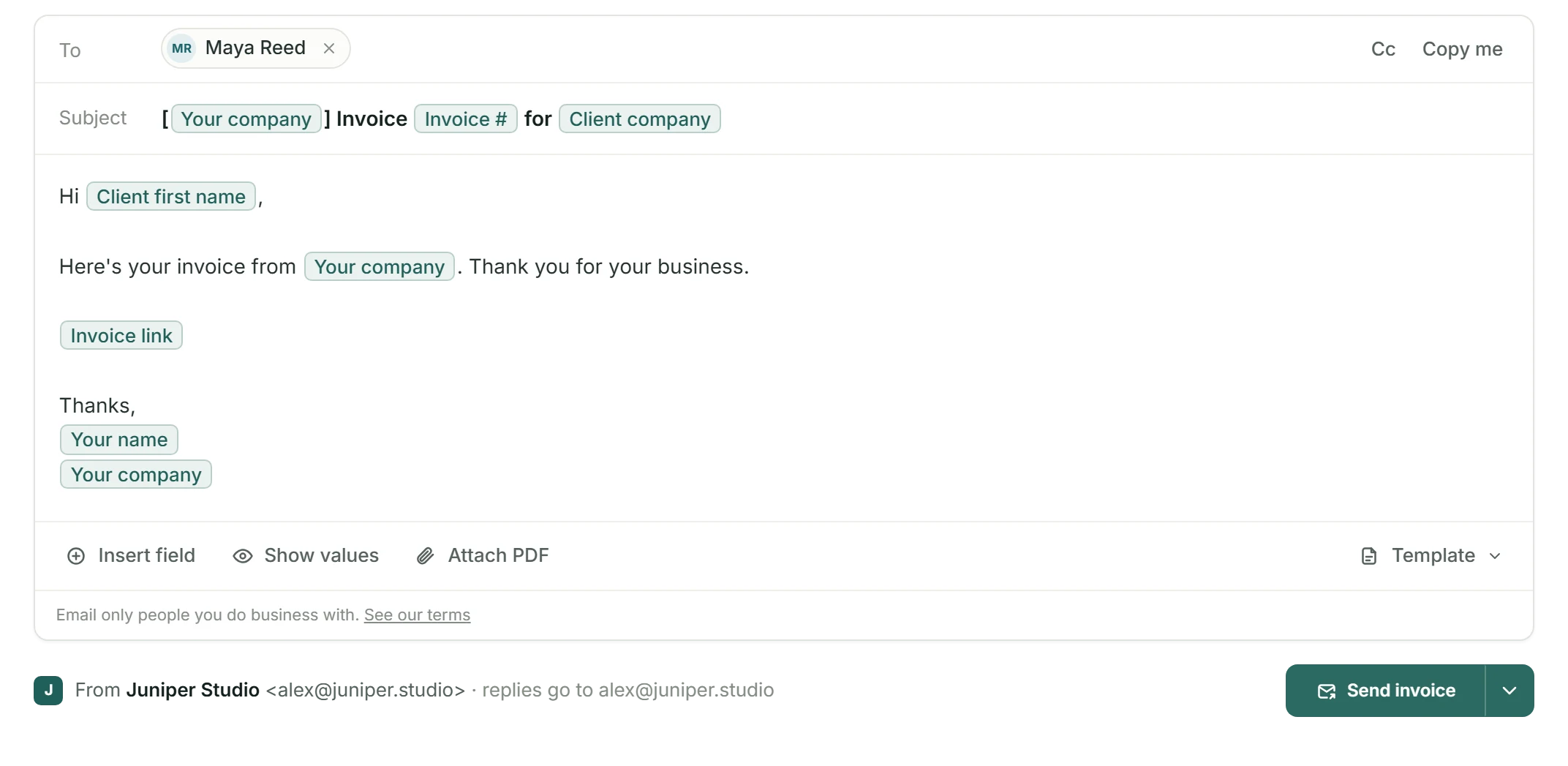
Until now, BillGrid sent your invoices from hello@hub.billgrid.com with your business name in front. Connect your mailbox and your client sees your name and your address. Replies come to you, and a copy of everything sent lands in your Sent folder.
Connect It Once
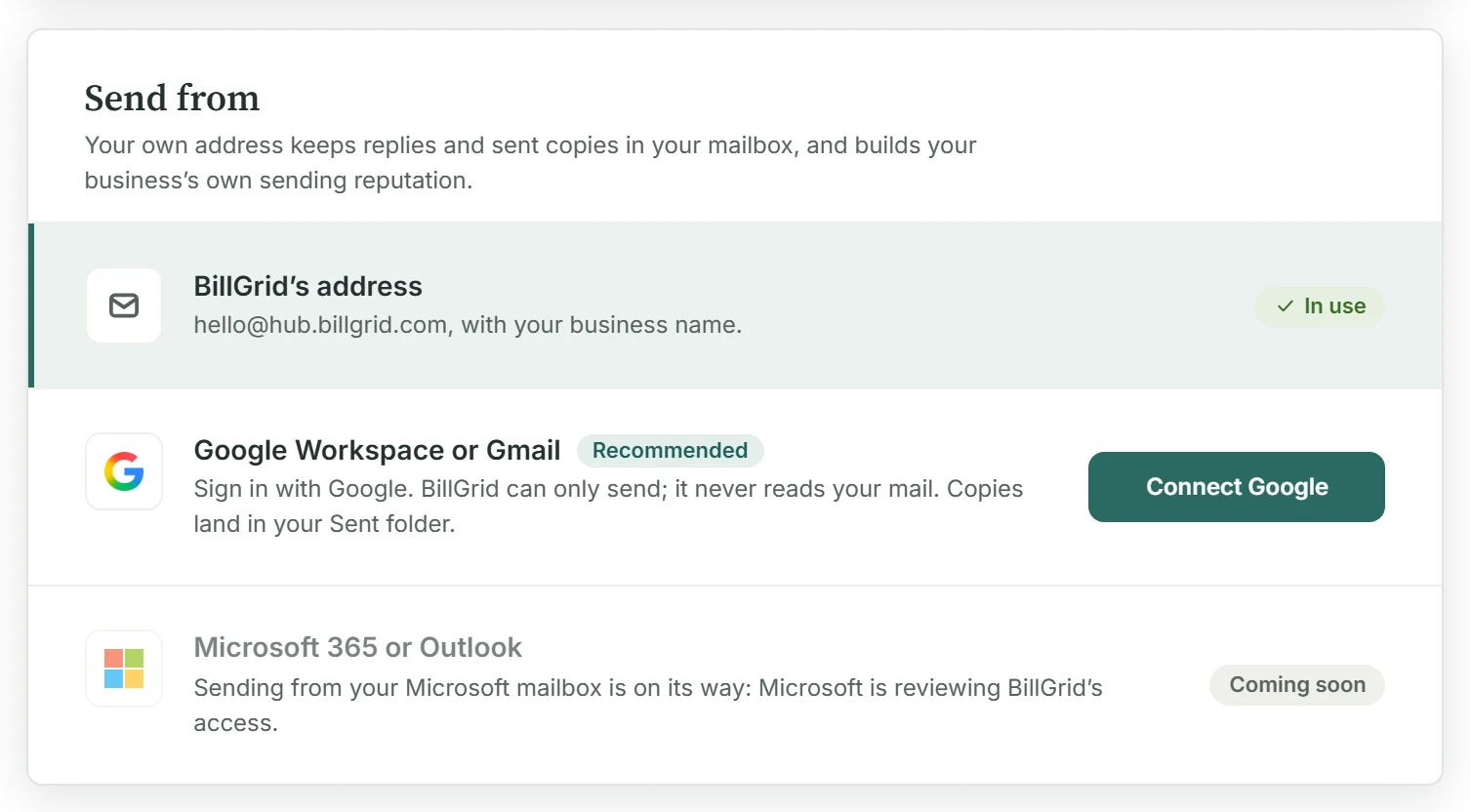
In Settings › Email sending, click Connect Google and sign in. BillGrid sends a test email from that mailbox to itself. Your emails switch over only when the test goes through; if it doesn't, nothing changes.
It Can Only Send
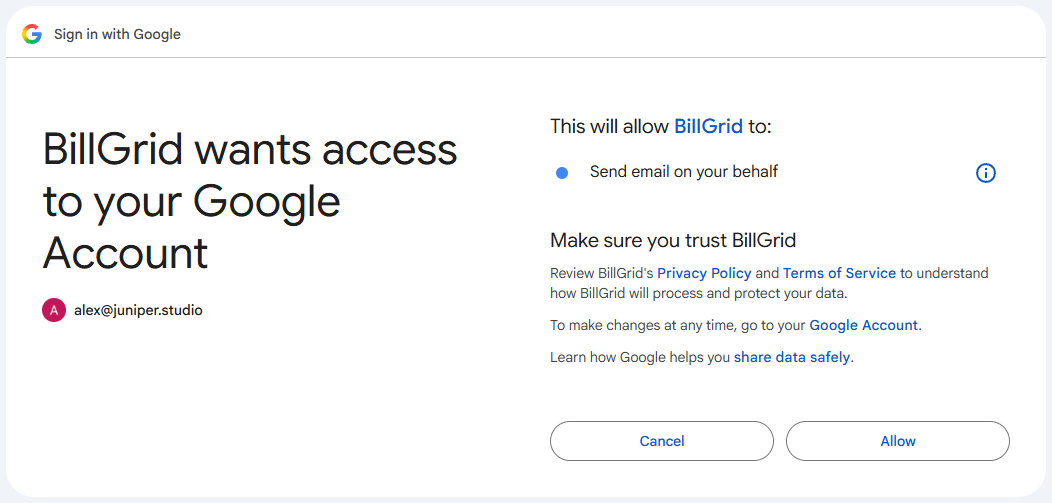
Beyond your address, BillGrid asks Google for one permission: to send email on your behalf. It can't read, search, change or delete anything in your mailbox, and Google reviewed that access before approving it. Your connection is stored encrypted, and disconnecting deletes it. Our privacy policy has the details.
What Goes Out From Your Address
Invoices, estimates and payment reminders, including the reminders BillGrid sends on schedule. The send screen shows the From line before you click, and everyone on your team sends from the connected address. A client's sign-in and signing codes stay on BillGrid's address, so they never sit in your Sent folder.
If Google Says No
A connection can be revoked, and a regular Gmail account can send 500 emails a day. When Google refuses a send for either reason, BillGrid sends that email from its own address instead and notes it in the activity. If the connection is lost, we email you once so you can reconnect.
A problem with your Gmail connection doesn't strand your invoice.
What It Doesn't Do Yet
- It's for paid accounts with one business. Accounts with several businesses keep BillGrid's address for now.
- One address per account. Each person on your team can't connect their own mailbox yet.
- No send-as aliases. Email goes from the address you signed in with.
- Bounces stay in your mailbox. BillGrid can't read your mail, so a bounce notice won't appear in BillGrid.
- Microsoft isn't here yet. Microsoft 365 and Outlook are built and waiting on Microsoft's review. Until then, you can send from your own domain.
- Disconnecting stops at BillGrid. To remove BillGrid from your Google Account as well, use Google's third-party connections page. That also ends Google Calendar sync.
Real BillGrid screens, with a fictional business and example work.