 Black Friday · A whole year. Half the price.
PayNow on your invoices. One code on the PDF.
Your BillGrid invoices now take PayNow. The client scans a code for the amount with their banking app, confirms, and the invoice is marked paid. No card, no bank details to type. PromptPay does the same for Thai baht.
PayNow, beside the card.
Connect a Stripe account in Singapore and turn PayNow on in Stripe’s payment methods. SGD invoices that take online payment then offer PayNow beside the card. Your client picks it, taps Pay and gets a code for exactly what they’re paying: the balance, a part of it or the installment due.
They scan it with their banking app and confirm. BillGrid marks the invoice paid and sends the receipt, just as after a card payment. Their bank names Stripe’s Singapore company as the payee, and the page says so beside the code, so nobody stops at a name they didn’t expect. Paying on the same phone? They save the code and scan it from their photos.
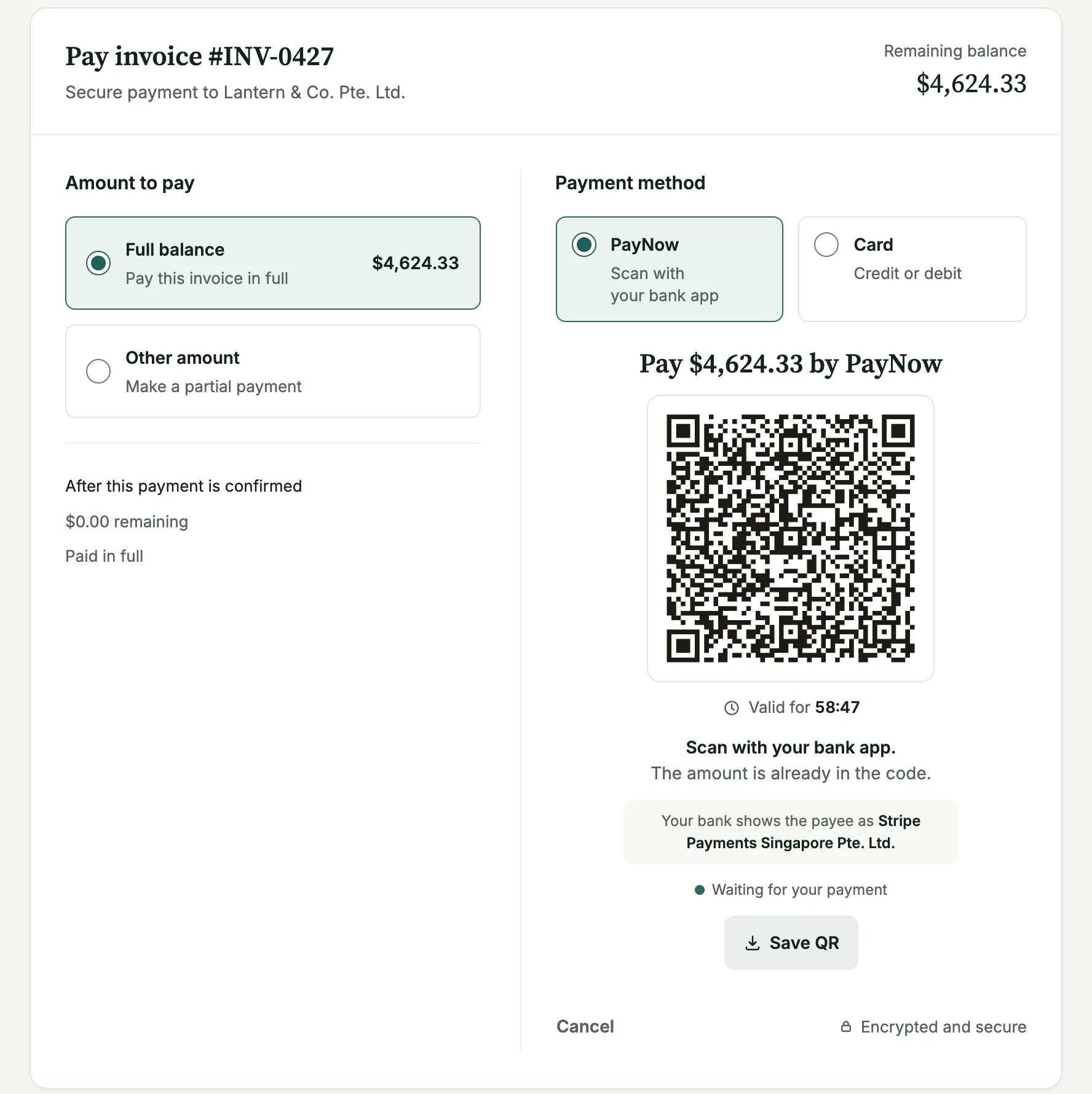
A code works for an hour, and a new one is a tap away. While it’s open, its amount is held on the invoice, so it can’t be paid twice. Stripe’s fees apply; BillGrid adds none. There are no chargebacks.
One code on the PDF.
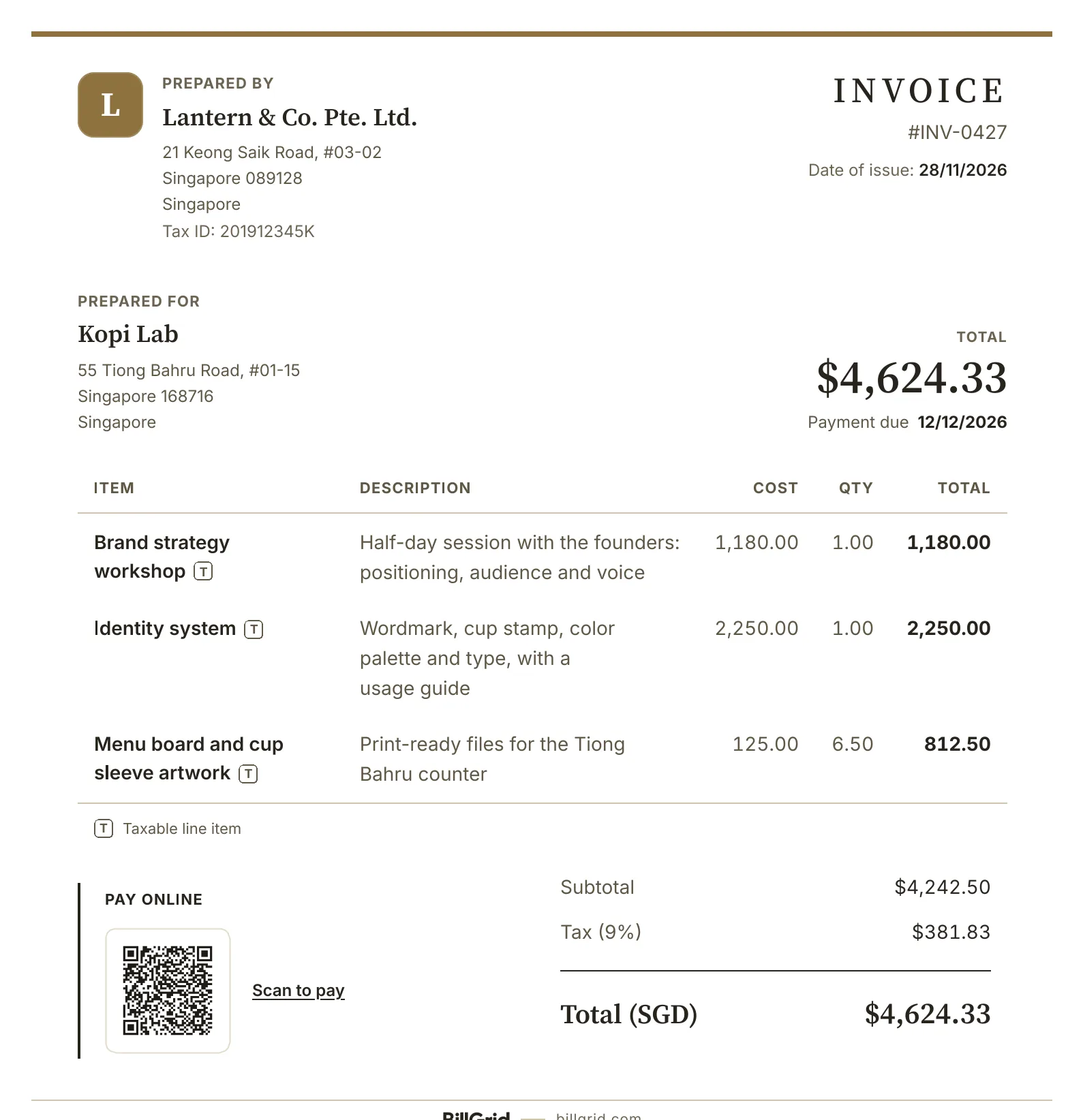
When an invoice takes payment, the PDF you send, print or attach now carries one QR code: Scan to pay. It opens the invoice’s payment page, where every way you take payment is waiting: card, PayNow, your bank details. The paper never narrows your client to one method. And since the code holds no amount, last month’s PDF still leads to what’s owed today.
No Stripe? Show your PayNow.
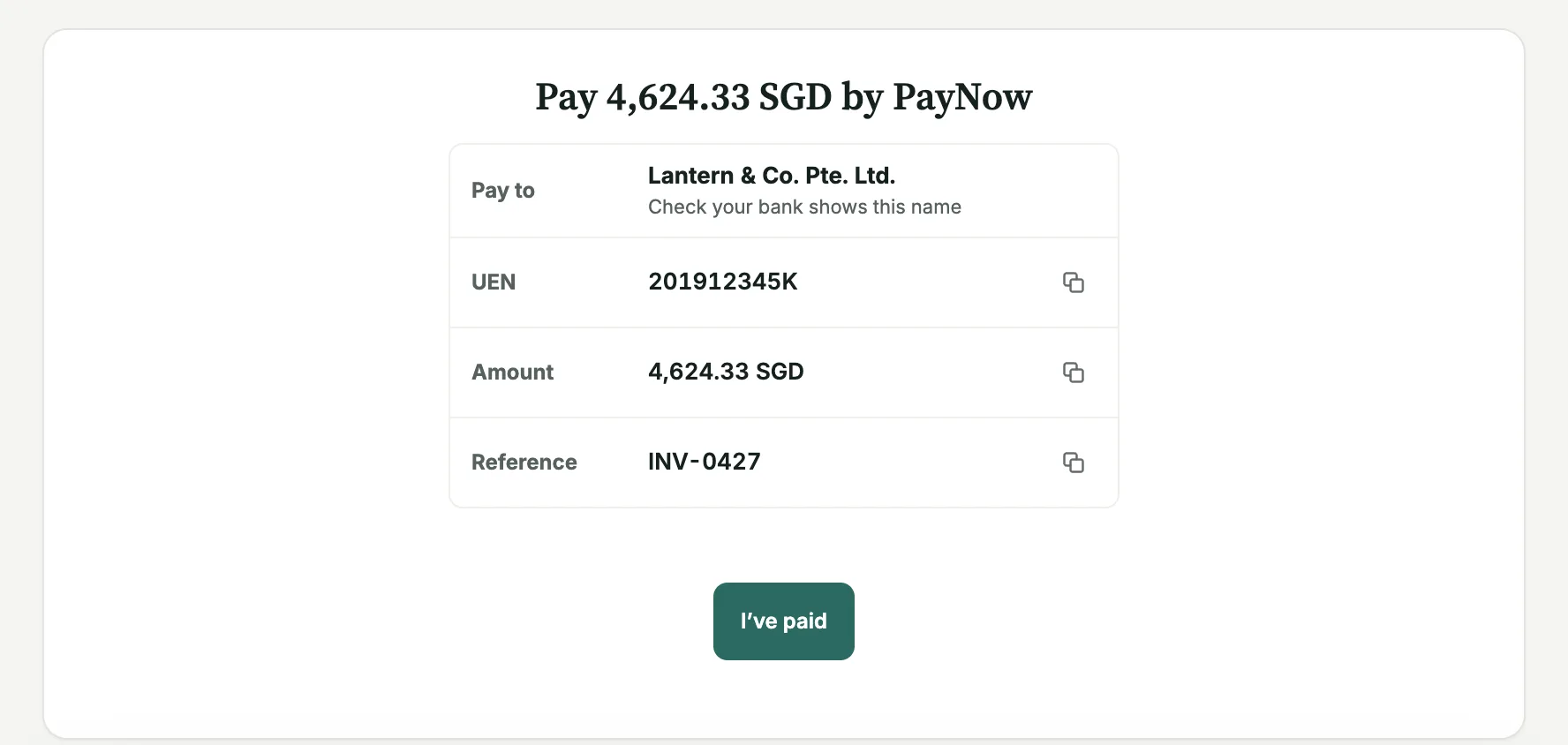
Plenty of studios are paid straight into the business account, and that works too. In Settings > Online payments, under Bank details, add your PayNow UEN or mobile number and your business name exactly as your bank has it. SGD invoices then show them on the payment page, each with a copy button, with the amount and the invoice number as the reference.
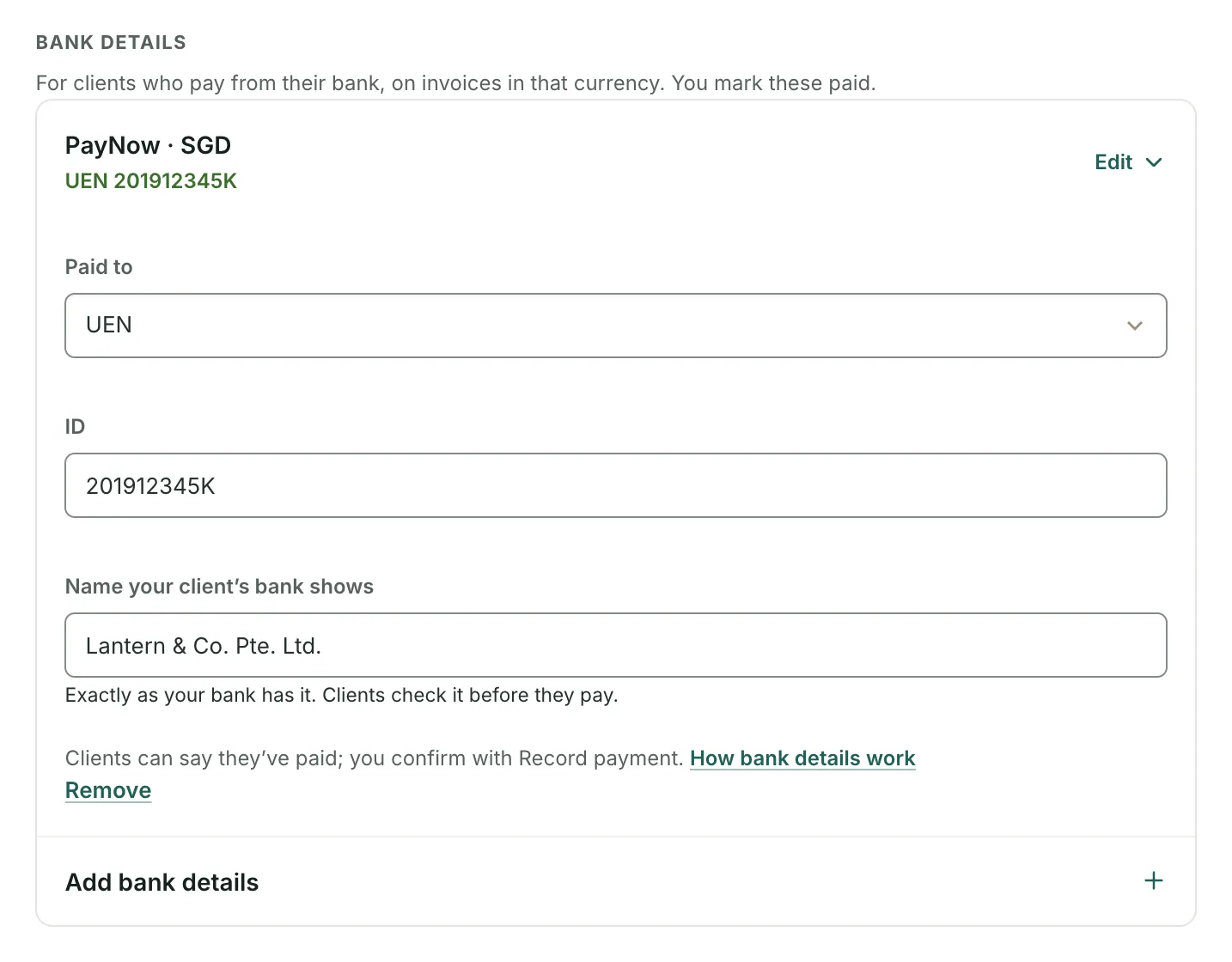
Once they’ve paid, your client taps I’ve paid to tell you, and you record the payment. Bank details are kept per business and currency, so DuitNow, UPI, Pix, a SEPA transfer or a network you name work the same way. Where Stripe takes PayNow too, your client sees one PayNow, never two.
Your time zone. Your currency.
Sign up from Singapore and your account takes your time zone, with dates day first. The free tools take SGD and THB too: the invoice generator, the late fee calculator, the rate calculators and the receipt template.
And for the invoice that’s still unpaid, the new Singapore letter of demand writes the letter that comes before the Small Claims Tribunals: what’s owed, any interest you agreed and a date to pay by, and whether the claim fits the tribunals.
PromptPay, for Thai baht.
With a Stripe account in Thailand, THB invoices offer PromptPay the same way. Stripe emails the payer its receipt, so PromptPay is offered when your client has a contact email.