A few changes would cost you money or your account if someone else made them. Before those, BillGrid asks you to confirm it’s you, even though you’re signed in. So a laptop left open, or a stolen session, can’t send your payments somewhere else.
When it asks
- How you get paid: connecting, switching or disconnecting Stripe or PayPal, which ways clients can pay, the bank or payment details printed on your invoices and estimates, and PayPal refunds.
- How you sign in: your sign-in email, password, Google, passkeys, two-step sign-in and its recovery codes, and closing your account.
- Your team: inviting people, and changing someone’s role, what they can see or whether they handle money.
- Your BillGrid plan: changing your plan or how often you pay, your payment card, and canceling.
Once you’ve confirmed, that browser isn’t asked again for 10 minutes. Signing in with your password, or with two-step sign-in’s code, a moment ago counts too.
How you confirm
The dialog names what you’re about to do and offers the strongest way you have:
- With two-step sign-in on: the code from your authenticator app, a recovery code, or a passkey that checks your face, fingerprint or PIN. An emailed code isn’t offered: someone who got into your email would get around your phone.
- Otherwise: a passkey, your password, or Google, which asks you to sign in to Google again.
- With no password and no Google: a code we email you.
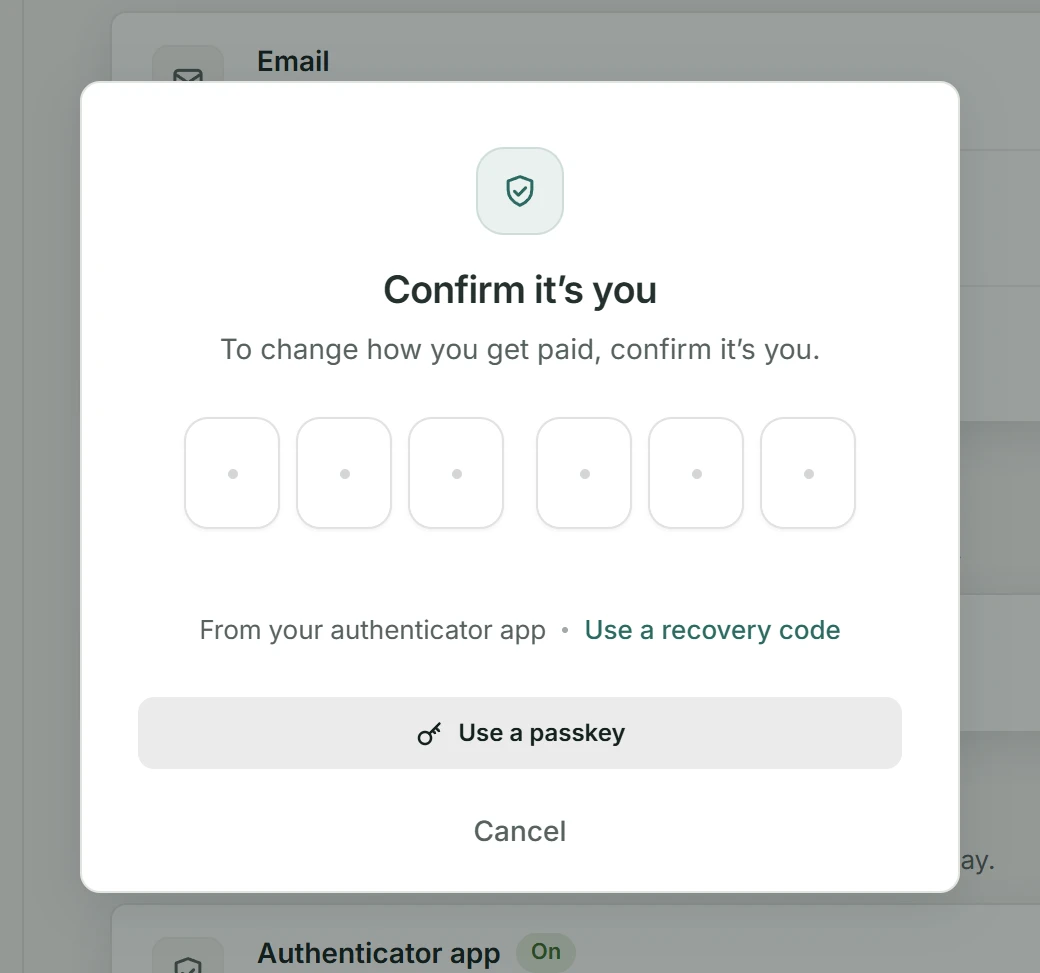
Choose Cancel, and nothing changes.