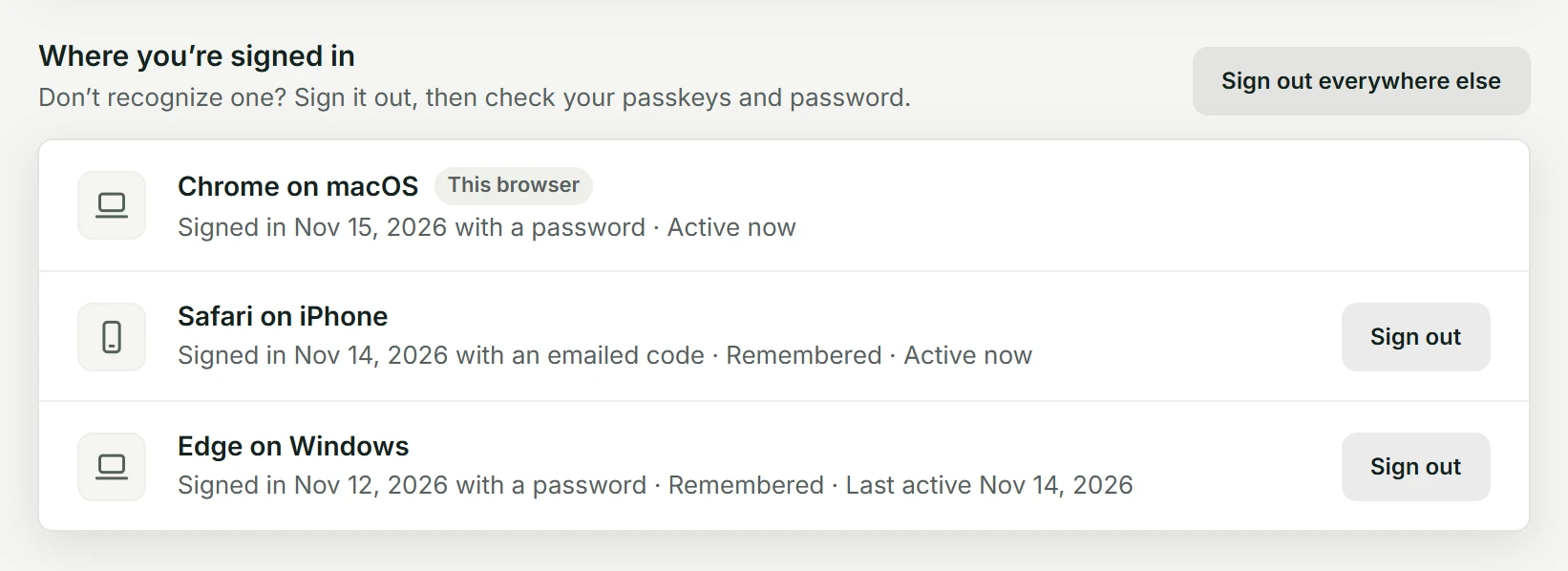
Settings > Sign-in & security lists every browser signed in to your account under Where you’re signed in: the browser and its system, how and when it signed in, whether it’s remembered, and when it was last active. The one you’re using comes first, marked This browser.
Sign a browser out
Choose Sign out beside it: within a minute it’s signed out, even if it was remembered. Nothing else changes, and that browser can sign in again the usual way. Sign out everywhere else does the same for every browser but this one.
Signing out from the account menu ends only the browser you’re using; you stay signed in everywhere else.
New sign-in emails
When your account is signed in from a browser and network it hasn’t used in the last 90 days, we email your sign-in address: which browser, when, and how it signed in. If it was you, there’s nothing to do.
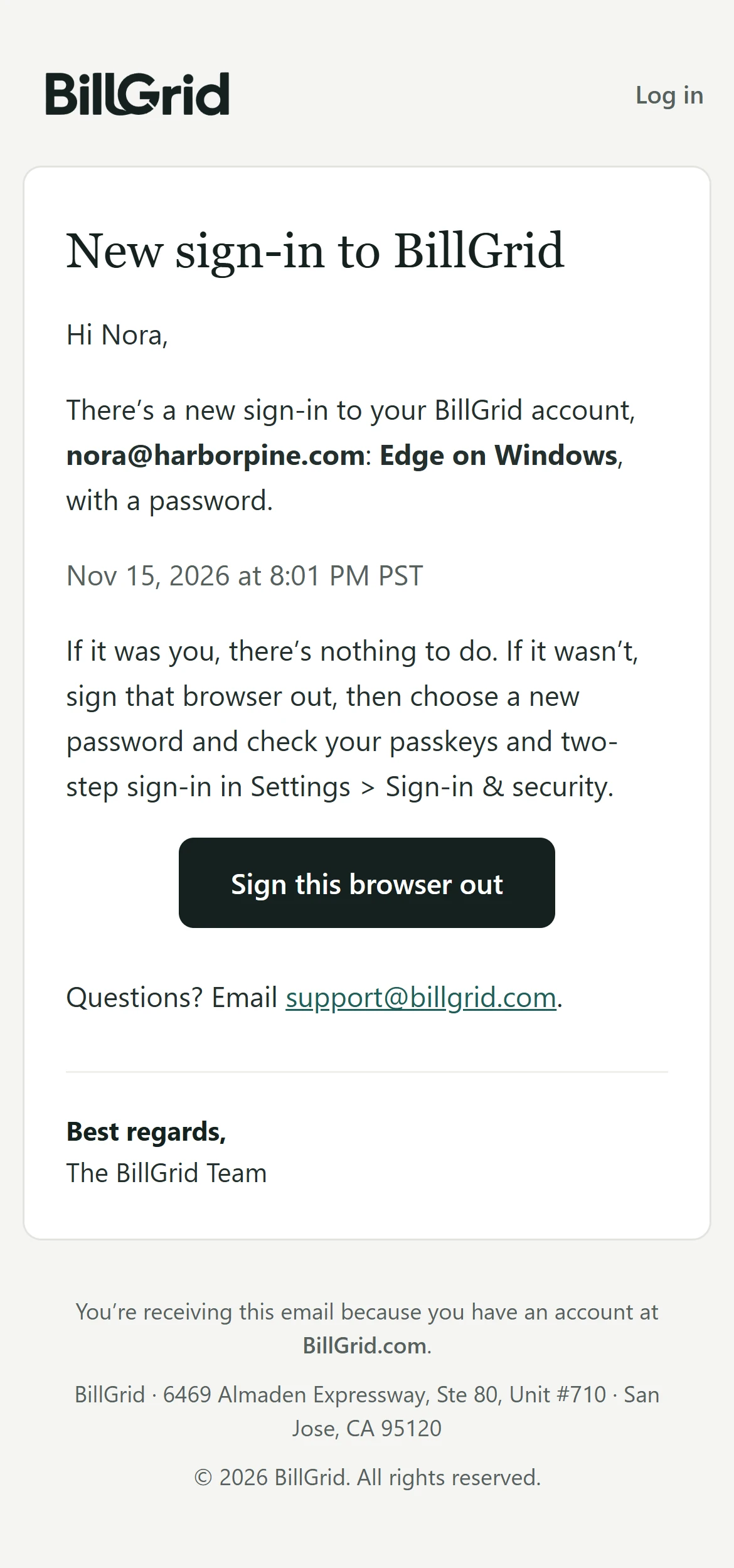
If it wasn’t you, choose Sign this browser out in the email. The page it opens asks once before it signs anything out, and works without signing you in.
A sign-in you don’t recognize
- Sign that browser out, from the email or from Where you’re signed in.
- If it signed in with your password, change it: that signs out every other browser too. If it signed in with a code, someone may be reading your email: secure your email account first.
- Check your passkeys and Google connection in Settings, and turn on two-step sign-in if it’s off.
- Tell us at support@billgrid.com.
On a team
Each person sees and signs out only their own browsers. An Owner or Admin who disables someone on the Team page signs them out of every browser within a minute.