 Black Friday · A whole year. Half the price.
Bill part of a time entry.
Six hours went into the homepage. Four of them are worth billing this month: the other two were a layout you threw away, or work the client already paid for, or simply the next invoice’s. Until now you had two bad choices: bill all six, or edit the entry down to four and lose the hours you really worked. Now you type the hours you’ll bill and say where the rest goes.
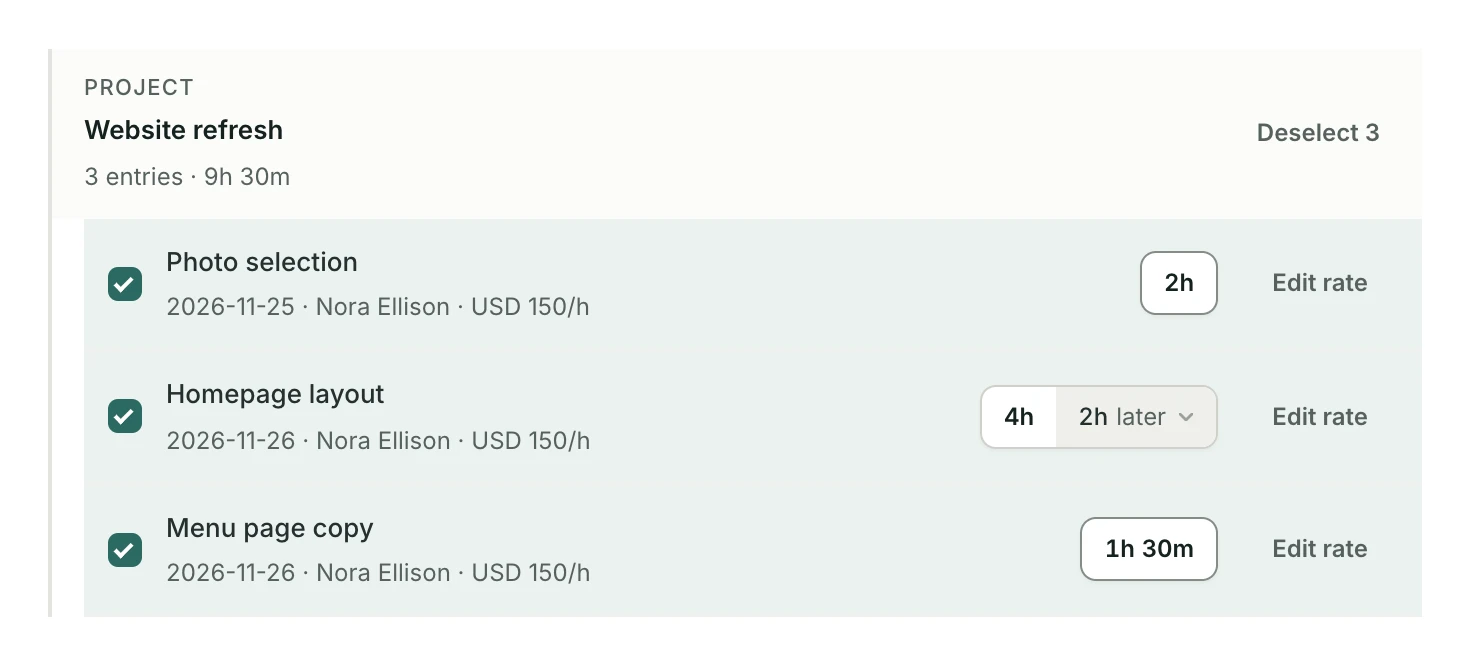
Type the Hours You’ll Bill
In Invoice time, tick an entry and its hours become a field. Click them and type fewer: 4, 4:30 or .5, the way you log time. The entry keeps its 6 hours as worked; the invoice bills 4, at the rate the entry was logged at, and the total under the list follows. Type all 6, or more, and the entry bills whole again.
Say Where the Rest Goes
The hours you don’t bill appear beside the ones you do, already answered. Bill later keeps them waiting in Invoice time for the next invoice. Don’t charge keeps them as worked, in your reports and the person’s week, and never offers them to bill again.
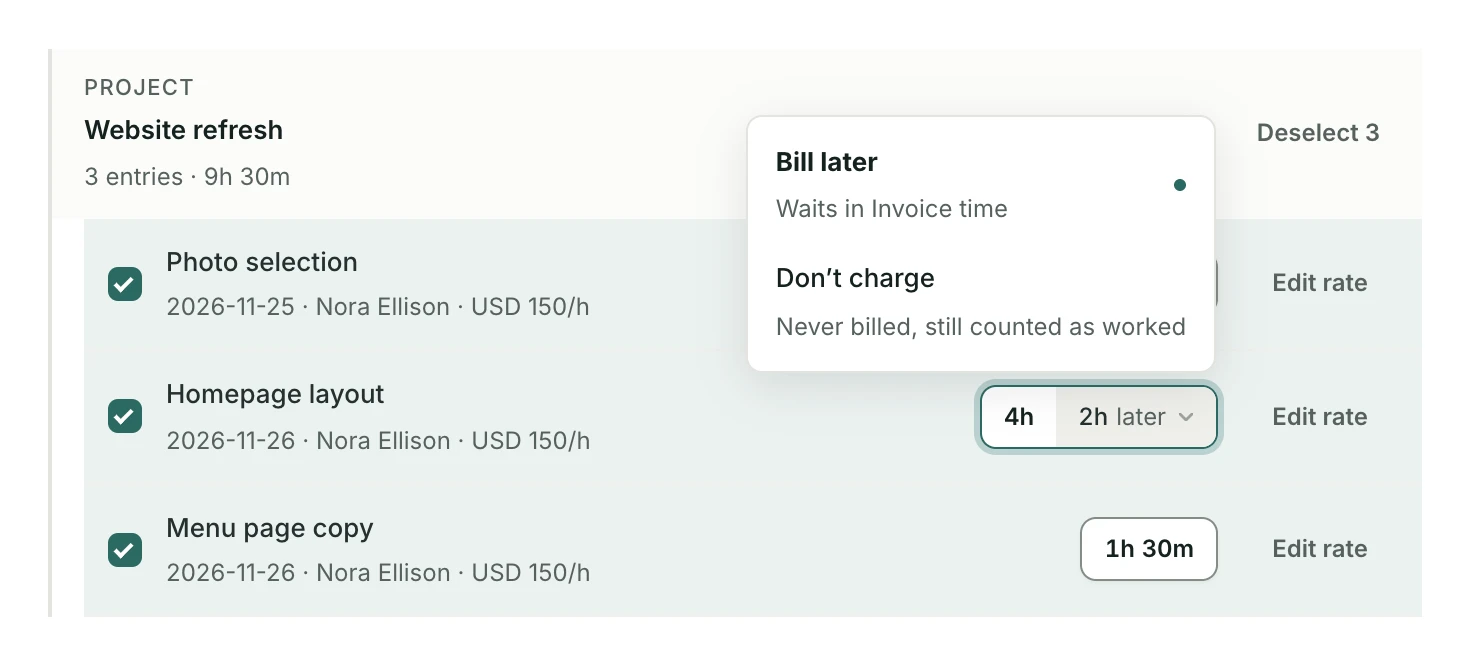
Nothing changes until you choose Create draft. Close Invoice time halfway and every entry is still whole.
On a Draft, the Line Is Its Time
A draft’s time line adds up the entries behind it. Click its hours and Time on this line lists each entry in the same field. Bill fewer hours of one, change the rest from Bill later to Don’t charge, or type the hours back to bill the rest too. Update line changes the quantity and the total together, with one Undo.
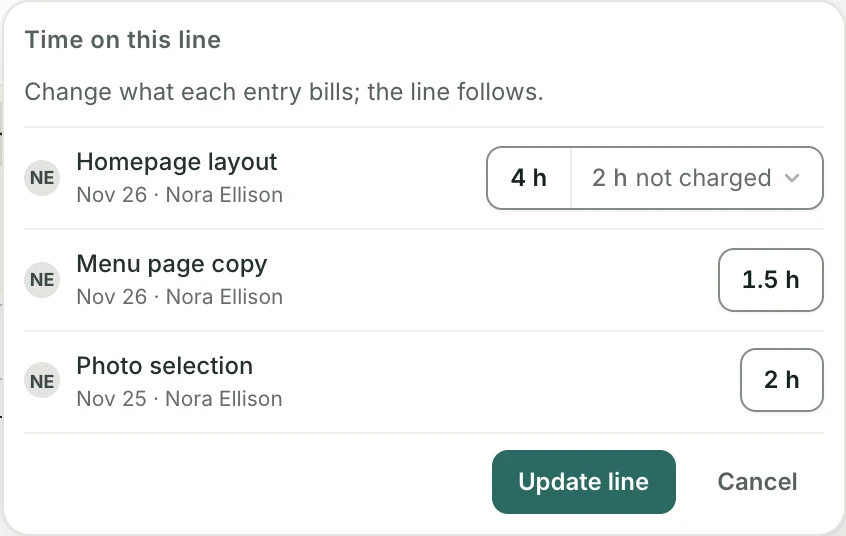
A typed quantity can no longer quietly bill less while the whole entry counts as invoiced. That gap is where cut hours used to disappear.
Your Team Sees One Entry
The person who logged the time still sees one entry of 6 hours, tagged with where each part went: 4h · In draft and 2h · Unbilled. Nobody has to explain why their week shrank.

Every Hour Ends in One Place
Each hour worked is on an invoice, unbilled, not charged or non-billable, and the parts of an entry always add up to what was logged. Delete the draft and the parts become one entry again. Undo the draft right after making it and even the hours you didn’t charge come back. Once an invoice is sent its hours are fixed: correct the amount with a credit note, or void the invoice and its time is ready to bill again.
Moving from Harvest? Time it rounded down for billing now comes across as the rounded hours, ready to bill, and the rest not charged. See how a Harvest move works.
What It Doesn’t Do
It never bills more than was worked: a minimum charge is a line of its own. There are no rounding rules, so you decide each time what an entry bills. The Time to invoice guide walks through every step.