The hours belong on the bill.
Log time, project milestones and expenses where the job lives. Bring billable work onto the invoice at its saved rates.
Compare BillGrid vs Invoice Simple
Unlimited invoices on Pro and Team, with the job details, hours and repeat services behind every bill. Build a workspace for your growing business, with no added BillGrid payment fee.
No card neededFree for three active clients and three documents a monthPro from $10/month

The BillGrid advantage
Log time, project milestones and expenses where the job lives. Bring billable work onto the invoice at its saved rates.
Unlimited invoices and clients on Pro and Team. Set repeat work to bill on a recurring schedule.
Offer packages and extras, attach your service agreement and verify the client’s signing email. Keep the signed scope and future changes with the job.
The price, in perspective
Choose the features and volume you need. See the relevant plans side by side.
BillGrid is free for three active clients and three documents a month, with unlimited projects on every plan. Pro, with unlimited clients and invoices, is $10 a month.
Explore BillGrid plansUS list prices, billed monthly. Introductory offers excluded.
Prices checked .
On BillGrid Free, invoices, estimates and contracts share the monthly document allowance. The calculation counts invoices only.
Standard US domestic card and ACH rates.
BillGrid Pro is $10 a month for unlimited invoices; Invoice Simple is $6.99 for 3 a month, $14.99 for 10 and $21.99 for unlimited.
What you’d use every day
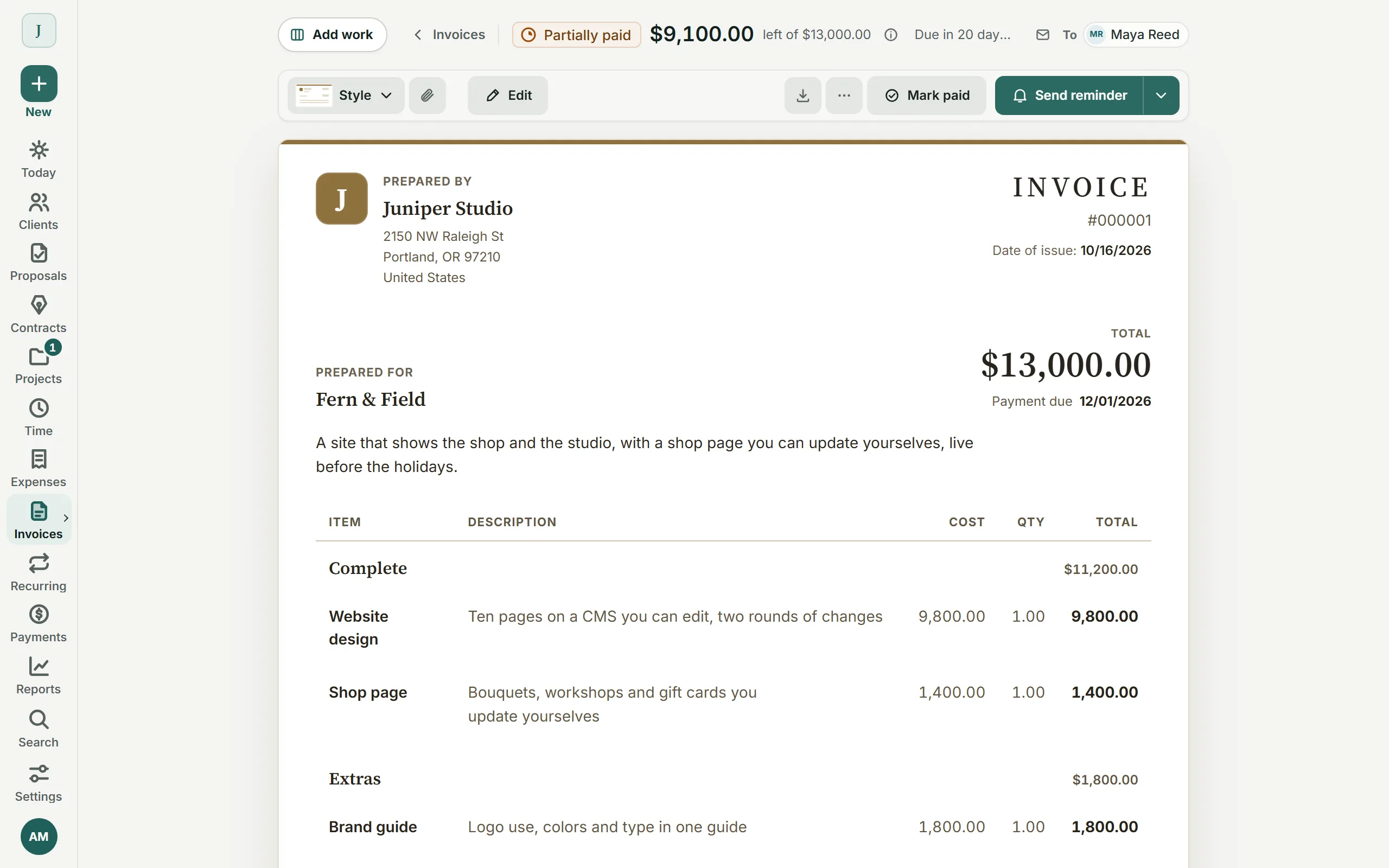
Bring the hours and costs onto the bill, make repeat services come back on schedule, and give your client a clear way to pay.
From work to invoice
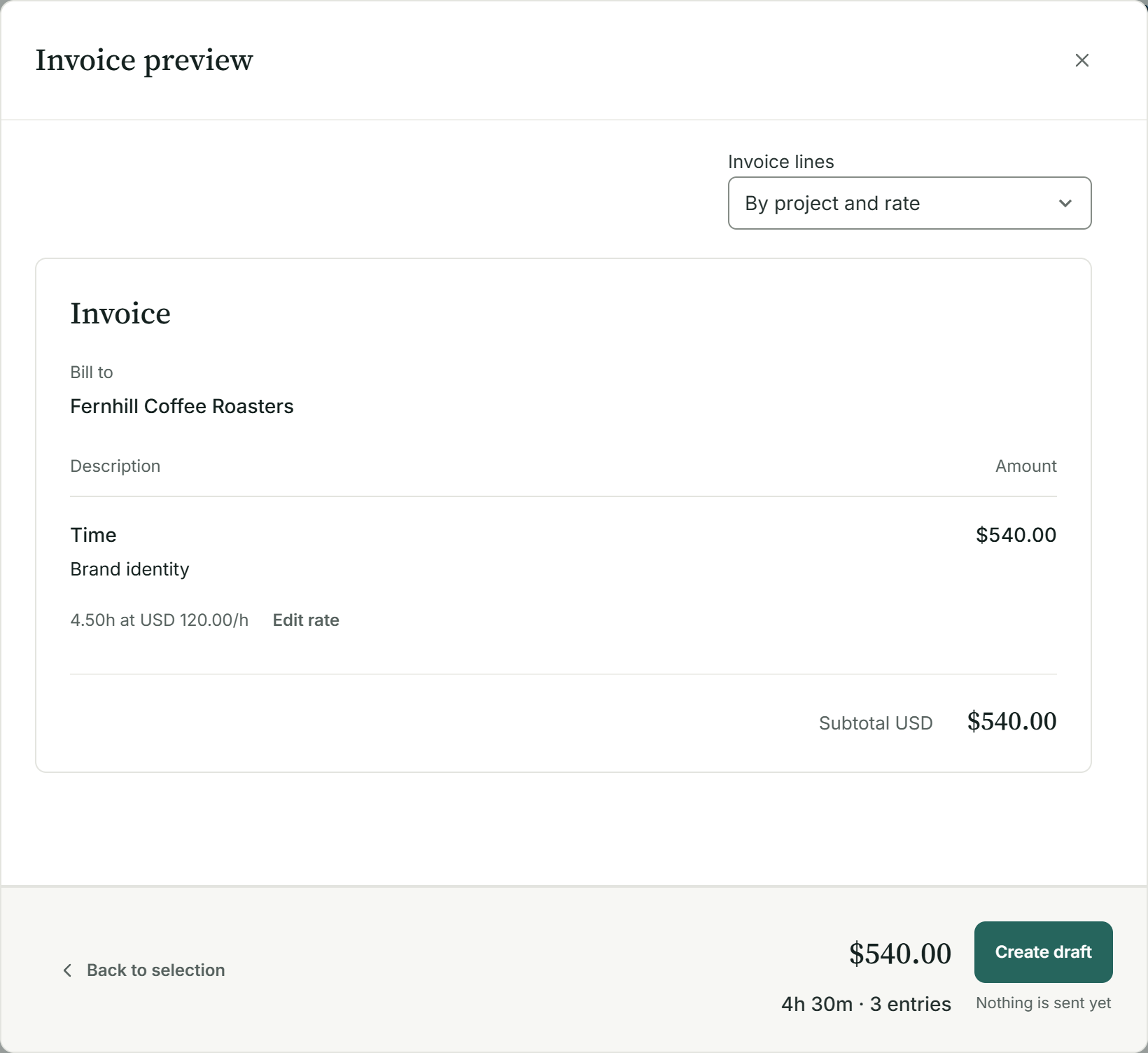
Record the hours and billable expenses where the project lives. When it is time to bill, review the saved rates and choose how to group the work for the client. Create the draft from the detail you already recorded.

Agreements and signing
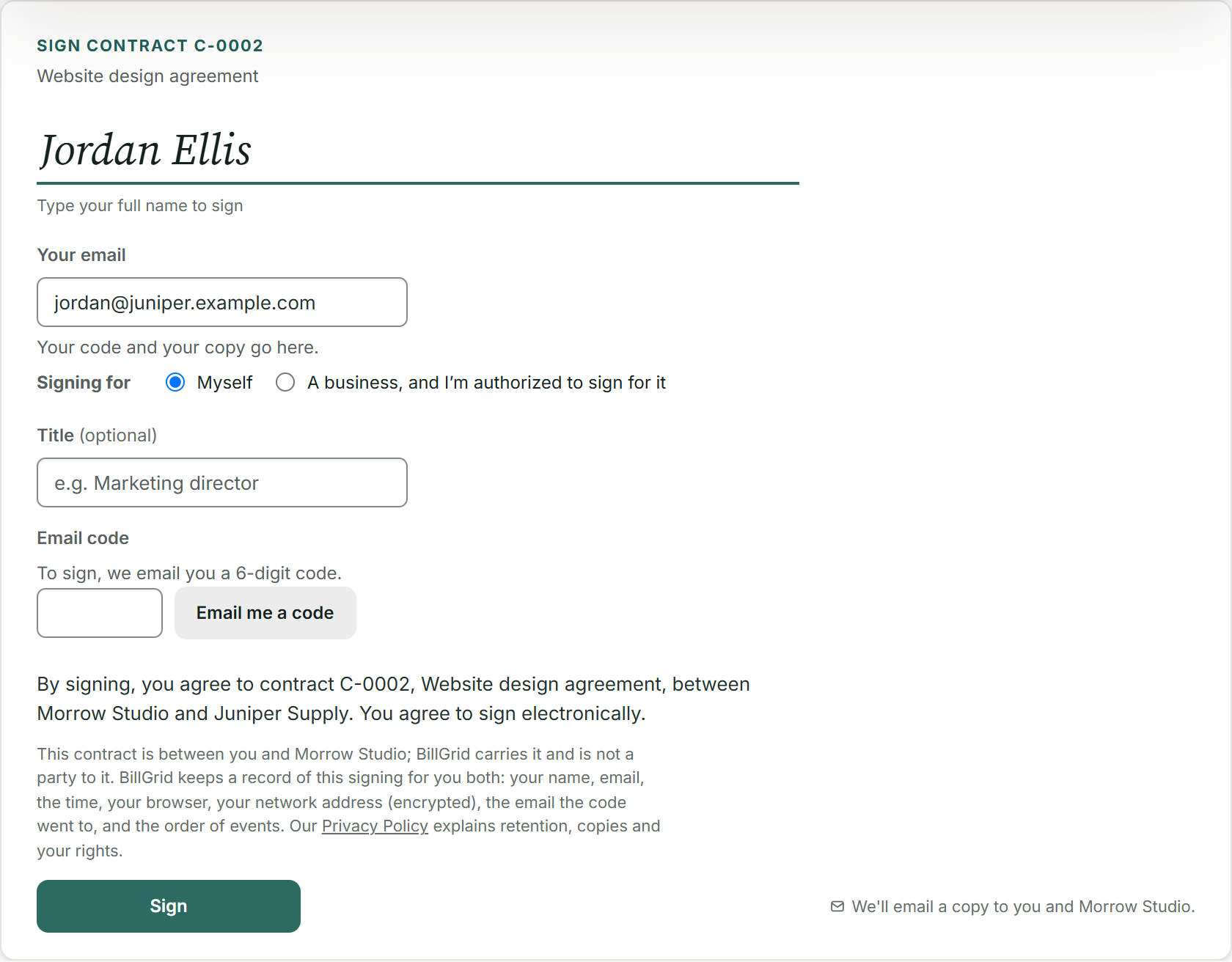
Send your service agreement on its own or with the estimate. The client verifies their signing email with a code, and both signatures complete the agreement. Keep the scope and signing record beside the job, with linked change orders when the work grows.

Getting paid
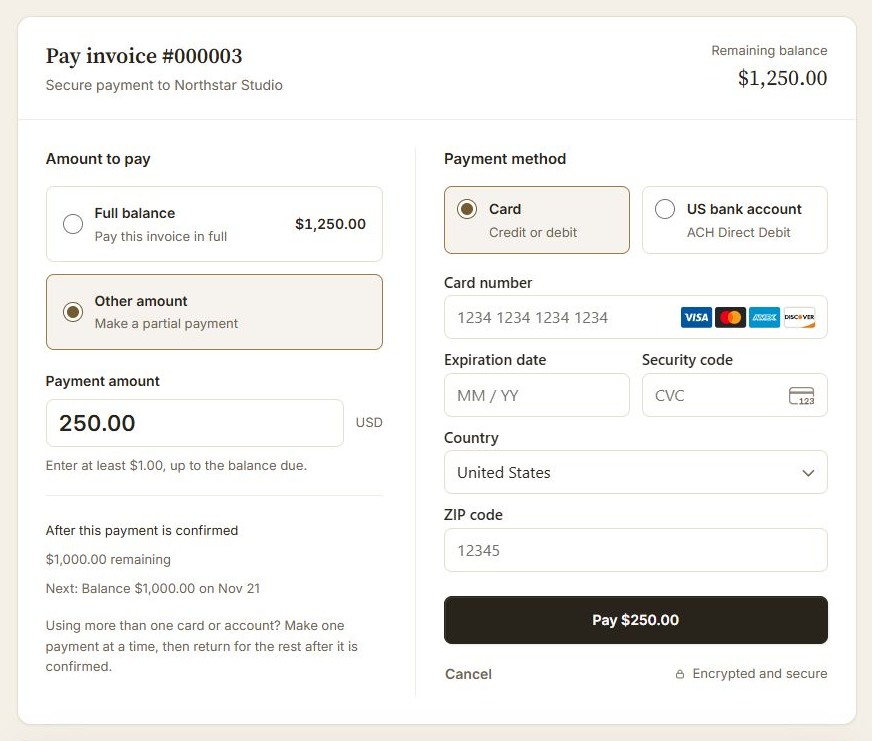
Clients pay eligible invoices through your Stripe account, in full or in part. They can use a card, Apple Pay or Google Pay when available, or an eligible US bank account in USD. In person, clients scan a code and pay on their phone. BillGrid adds no payment fee.
Put it to work on your next invoice.Start with one client and a real piece of work.
Start for freeWhy BillGrid
Unlimited invoices on Pro and Team, with time tracking, project work and repeat services beside the bill. One place to keep the job and its money clear.
Built for your billing
Invoice Simple scope
Side by side
BillGrid against Invoice Simple’s own pricing pages and help center. Where Invoice Simple needs a higher plan, the row says which.
| Feature | BillGrid Free, $10 a month (Pro), $25 (Team) | Invoice Simple Essentials $6.99, Plus $14.99, Premium $21.99 |
|---|---|---|
| Getting paid | ||
| Automatic reminders | Pro, $10 and up: before, on and after the due date, on a ready schedule or your own; pause any one invoice | One on/off switch, no schedule; due-date reminders from Plus |
| Automatic late fees | Pro, $10 and up: a percentage, a flat fee or both; once or repeating; optional cap | None; a late fee is a line you add |
| Recurring invoices | Weekly to yearly; review-first on Free, automatic sending on Pro and Team; optional client-authorized saved-card autopay on Pro and Team for eligible invoices | Only with autopay, US only; weekly, every two weeks or monthly |
| Finds repeat charges in past invoices | Reads three years of your sent invoices and offers what a client pays monthly or yearly | Not described in its recurring-invoice guide |
| Retainers | Pro, $10 and up: with included hours and carry-over | Not described in its published plans and features |
| Deposits and payment schedules | Every plan | Premium, $21.99 for deposits; scheduled and partial payments |
| How clients pay online | Cards, available Apple Pay or Google Pay, or eligible USD bank payments through your own Stripe account | Card, bank, Apple Pay, Google Pay, PayPal, Venmo, Buy Now Pay Later, check |
| Estimates, time and work | ||
| Estimate approval and signed agreements | Typed estimate approval, plus standalone or attached contracts with email-verified signing | Premium, $21.99 Estimate signatures; its help describes them as presentation-only, not a contract |
| Time tracking | Timer, typed line, calendar or weekly timesheet; billed at saved rates | Not described in its published plans and features |
| Projects | A project board, tasks, milestones, time and expenses, connected to the invoice | Not described in its published plans and features |
| Expenses | Entered or imported from a CSV file | With receipt scanning; a bank feed in the Bookkeeping add-on |
| Invoice designs | 4 styles, in any brand color | 7 templates in the app, 3 of them on Premium |
| Books and beyond | ||
| Accounting workflow | Pro and Team copy supported invoices and payments to one US QuickBooks Online company in USD; your books stay there | A paid Bookkeeping add-on, US and Canada |
| AI assistant | Pro, $10 and up: Claude or ChatGPT reads your account, drafts invoices, logs time and sends once you confirm | Not documented in its published features |
| Paying in person | A QR code on your phone; your client pays on theirs. No card reader | Tap to Pay in its app, 2.79% + 49¢ |
| Working on your phone | Use the workspace in your phone browser, with no app to install. BillGrid has no native mobile app | Native iPhone and Android apps, with Tap to Pay |
| Price and limits | ||
| Starting price | Free for three active clients and three documents a month; Pro $10 a month, or $8 a month billed yearly | $6.99 a month for 3 invoices; 2 months free billed yearly |
| Invoices | Unlimited on Pro and Team; three documents a month on Free | Premium, $21.99 for unlimited; 3 a month on Essentials, 10 on Plus |
| Estimates | Unlimited on Pro and Team; three documents a month on Free | Unlimited |
| More people | $5 a month each on Team; Team includes three | Added by support on request; no price published |
| Card payment fees | Stripe’s standard US domestic cards: 2.9% + 30¢; no added BillGrid payment fee | 3.49% + 49¢; Tap to Pay 2.79% + 49¢ |
| Bank (ACH) payment fees | Stripe’s 0.8%, at most $5 | 1% + 30¢, up to $15 |
Switching
Keep your Invoice Simple invoice summary for your records, then prepare your client list using our example CSV, with names, contact emails and billing addresses. Our guide shows how to prepare and review your CSV.
BillGrid shows what it found in the file, and what it skips, before anything is saved.
Check the client, work and balance. Connect Stripe if you want online payments, then send when you are ready.
Past invoices stay in Invoice Simple. Expenses can come over from a CSV file too.
Free supports three active clients. If your reviewed import would go over that allowance, choose Pro or Team before importing.
Questions
Invoice Simple’s Plus plan stops at ten; Premium is $21.99 a month for unlimited invoices. BillGrid Pro includes unlimited invoices and clients for $10 a month, plus time tracking and projects. That compares monthly subscriptions; payment processing is separate.
No. Start with one client and your next job. Check the estimate, invoice and payment experience before moving the rest. Keep your existing account for historical invoices; creating a BillGrid account does not move or cancel anything in Invoice Simple.
No. Estimates are unlimited on every Invoice Simple plan; only invoices are capped, at 3 or 10 a month below Premium. BillGrid caps neither on Pro and Team; Free sends three documents a month, counting invoices, estimates and contracts together.
Yes. Prepare a client list using our example CSV. Invoice Simple exports an invoice summary, so add contact emails and billing addresses from your records. Review new clients and skipped rows before saving.
Yes. Open BillGrid in your phone’s browser to work with clients, create invoices and follow up. Your client’s payment page works on their phone too. In person, show the payment QR code: your client scans it and pays on their own phone, by card or an available Apple Pay or Google Pay wallet.
Yes. Send an estimate with packages and optional extras, set a deposit on its payment schedule, and let the client choose and approve. Approval issues the deposit invoice; it does not mean the client has paid it. Keep the remaining job, hours and expenses together before creating the next invoice.
These are processing fees for your business. Invoice Simple lists 3.49% + 49¢ for online cards, 2.79% + 49¢ for Tap to Pay, and 1% + 30¢ for bank payments (up to $15). BillGrid adds nothing to Stripe’s standard US rates: 2.9% + 30¢ for domestic cards and 0.8%, capped at $5, for ACH. Card payments through BillGrid’s QR code use the online card rate.
Yes, on Premium. Its current guide lets you request a fixed amount or percentage through PayPal or Stripe; successful deposit payment automatically converts the estimate into an invoice. BillGrid instead issues the scheduled deposit invoice when the estimate is approved. Approval creates the request for payment; it is not a payment receipt.
Invoice Simple’s help says its estimate signature is for presentation and should not be considered a legally binding contract. BillGrid has a separate agreement with contract terms, the client’s verified signing email, business countersignature and a signing record. The enforceability of any agreement depends on its terms and circumstances; review the document you intend to use.
Yes. On Pro and Team, enable automatic payments and the required advance reminder. Your client confirms their identity and opts in when saving a card. Eligible invoices sent at least three days ahead charge on their due date. The client can skip an invoice or stop automatic payments. Payment schedules and saved-bank autopay are not included. See eligibility and controls.
Start with your next invoice. Add a client, bring in the work and see how BillGrid fits.
Free for three active clients and three documents a month. Pro and Team add unlimited clients and invoices.
Start for freeInvoice Simple alternative Reviewed