Features · Estimates
Estimates clients approve from a link.
Send a quote your client can open, ask about, and approve or decline online, then turn the approved estimate into an invoice in one click, with nothing retyped.
From quote to invoice
- Create the estimate with your line items, tax and notes, and email it from BillGrid.
- Your client opens it from the link, leaves a comment if they have a question, and approves or declines it.
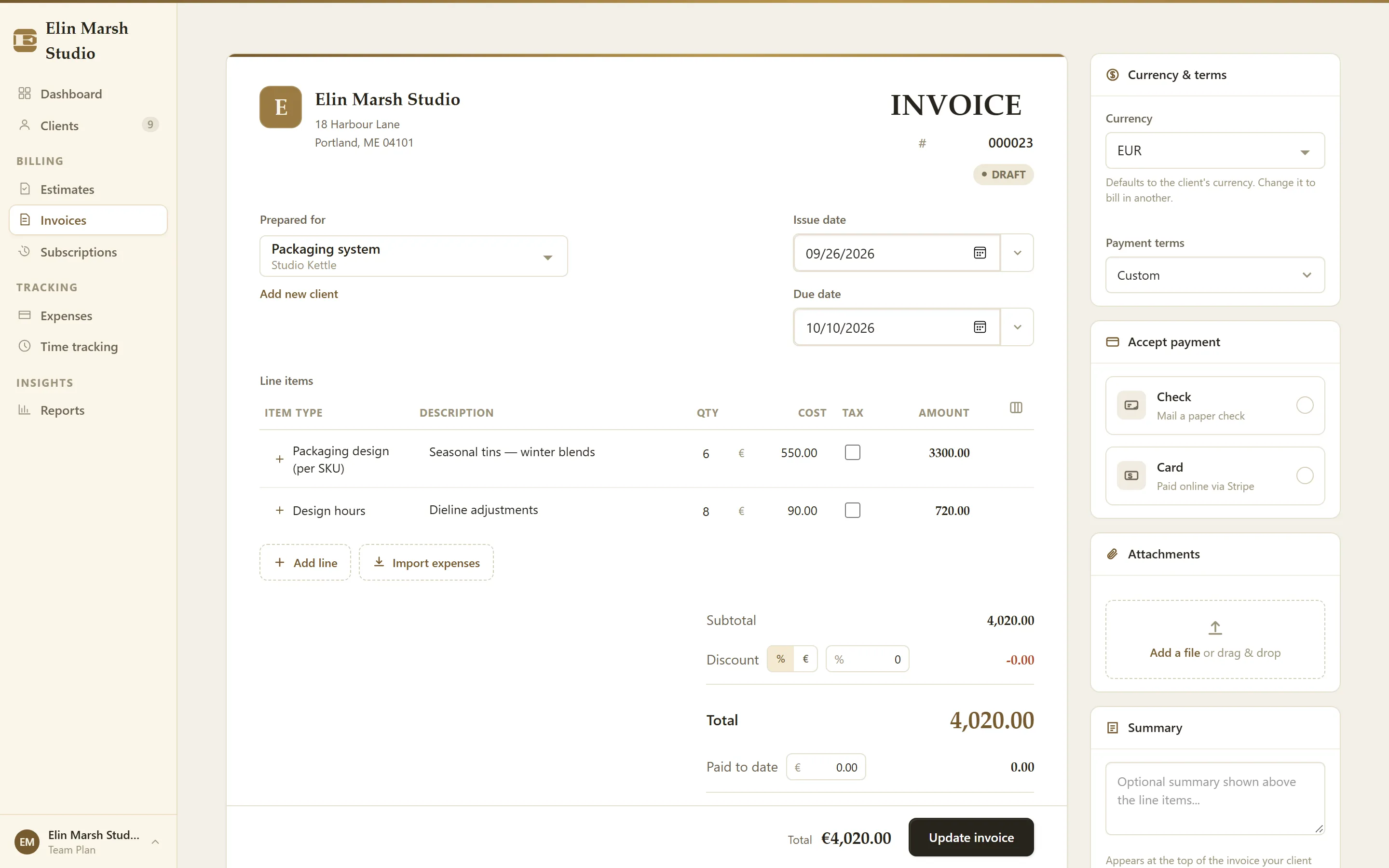
- Approved? Choose Convert to invoice: the client, line items and totals carry over.
- Send the invoice, and your client can pay it by card.
Why it helps
- No retyping. The invoice starts from the approved estimate, so the numbers match what the client agreed to.
- Questions in one place. Client comments sit with the estimate instead of in your inbox.
- Your brand. Estimates carry your logo and colors, on screen and in the PDF.
- Every plan. Unlimited estimates on the $8 Professional plan.
What it doesn't do
An approval in BillGrid is a client's yes to your estimate, not a signed contract: there are no proposals or e-signatures. If you need a contract signed with the quote, HoneyBook and Bonsai do that.
Questions
What's the difference between an estimate and an invoice?
An estimate is the price you propose before the work; an invoice asks for payment. In BillGrid one becomes the other once your client approves.
Does the client need an account?
No. They open the estimate from the link in your email.
Go further
Step by step in the Help Center: Converting an estimate to an invoice. Weighing other tools? See how BillGrid compares.