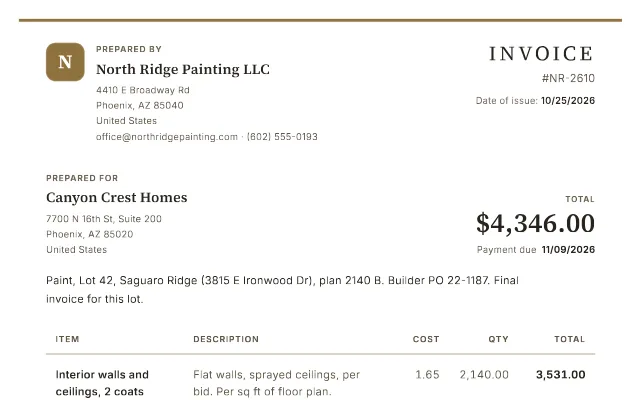
Pick a template, click anything on the invoice to change it, and download a real PDF. Three a day, free, no sign-up. Your draft is kept in your browser; we use it only to draw the page and the PDF, and don't save it.
B
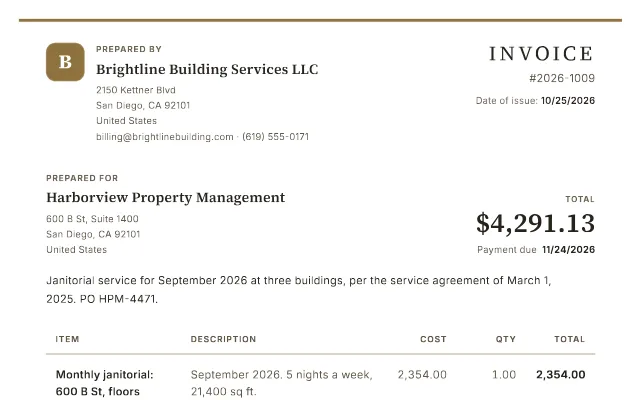
Prepared by
Brightline Building Services LLC
2150 Kettner Blvd
San Diego, CA 92101
United States
billing@brightlinebuilding.com · (619) 555-0171
Invoice
#2026-1009
Date of issue:10/26/2026
Prepared for
Harborview Property Management
600 B St, Suite 1400
San Diego, CA 92101
United States
Total
$4,291.13
Payment due 11/25/2026
Janitorial service for September 2026 at three buildings, per the service agreement of March 1, 2025. PO HPM-4471.
Item
Description
Cost
Qty
Total
Monthly janitorial: 600 B St, floors 12-14
September 2026. 5 nights a week, 21,400 sq ft.
2,354.00
1.00
1.00 × 2,354.00
2,354.00
Monthly janitorial: 1250 Sixth Ave
September 2026. 5 nights a week, 9,800 sq ft.
1,078.00
1.00
1.00 × 1,078.00
1,078.00
Monthly janitorial: 401 W A St, Suite 300
September 2026. 3 nights a week, 4,200 sq ft.
504.00
1.00
1.00 × 504.00
504.00
Vacancy credit: 1250 Sixth Ave, Suite 410
1,150 sq ft vacant all month, credited at $0.07 a sq ft (agreement, section 4).
-80.50
1.00
1.00 × -80.50
-80.50
Missed-service credit: 401 W A St
No service September 7, building closed. One night at the average nightly rate, $504 over 13 nights.
-38.77
1.00
1.00 × -38.77
-38.77
Carpet extraction: 600 B St lobby
September 19, approved by email September 15. Per sq ft.
0.24
1,200.00
1,200.00 × 0.24
288.00
Restroom supplies, at cost
Paper, soap and liners for all three sites. Receipts attached.
186.40
1.00
1.00 × 186.40
186.40
Total (USD)$4,291.13
Notes
W-9 on file with Harborview accounts payable. Pay by ACH (details on request) or by check to Brightline Building Services LLC.
Terms and Conditions
Net 30. Please include PO HPM-4471 and the invoice number with your payment.
Balances unpaid 30 days after the due date are charged 1.5% per month, as the service agreement allows.
Your business name and address, your client's, and a tax ID if your client or country needs one. Your email and phone go under your address.
Number and date it
Use a number you've never used before, the date you issue it, and when payment is due: Net 30 means 30 days later.
List the work
One line per job, hour block or cost, with a quantity and a rate. Add tax, a discount, or a deposit already paid.
Download and send
Pick a style and a color, download the PDF, and attach it to an email to your client. Keep a copy for your records.
What to put on an invoice
Clients pay faster when nothing on the invoice raises a question. In the US, an invoice that will be paid by a company's accounts payable team should have:
The word "Invoice" and a unique number. Accounts payable files and matches by number; reusing one gets an invoice set aside.
Your legal business name and address, and the client's, exactly as they appear on your contract or purchase order.
Issue date and due date. "Net 30" is common; write the actual date too, so nobody has to count.
What you did, one line each, with quantity, rate and amount. Vague lines ("Services") are the most common reason an invoice is questioned.
Tax where it applies, as its own line, and your tax ID if the client needs it.
How to pay you and your payment terms, including any late fee you agreed to in writing.
What's included
The free generator and BillGrid
The left column is free with no sign-up. The right is the paid app, for when you'd rather not send and chase invoices yourself.
Free generator
BillGrid
Invoices and estimates in four styles, any color
Yes
Yes
PDF download
3 a day
Unlimited
Your logo
Yes
Yes
Email it, and see when it's opened
No
Yes
Clients pay by card from the invoice
No
Yes
Automatic reminders and late fees
No
Yes
Your clients and invoices, saved
In this browser only
Yes
Recurring invoices, time tracking, reports
No
Yes
Price
Free
from $10 a month, first 30 days free
Templates
Start from your trade
Each one is a real invoice for that kind of work: the lines, the deposit and the terms people in
the trade actually use, with a page on why.
Yes: three PDFs a day per connection (browsers and devices on one network share them), with no sign-up and no card. There's no watermark across your invoice: a small BillGrid mark at the foot of the page is the only one.
Why three a day?
Every PDF is printed by the same service that prints our customers' invoices, so the free share is kept small and steady. Need more? They're free again tomorrow, or BillGrid makes as many as you like: free for 30 days, no card, then from $10 a month.
Do you keep what I type?
No. Your invoice is sent to us only to draw the page and the PDF, and isn't saved. Your draft is kept in this browser, so it's still here if you come back; clear it any time with Start over. More in our privacy policy.
Can I email the invoice from here?
Not from the free generator: download the PDF and attach it to your own email. In BillGrid you can email it, let your client pay by card, and have reminders follow up for you.
Can I add my logo?
Yes. Add a PNG or JPG. It's used only to draw your invoice, held in memory for at most 30 minutes after you last use it, and never saved.
Can I make an estimate or a quote?
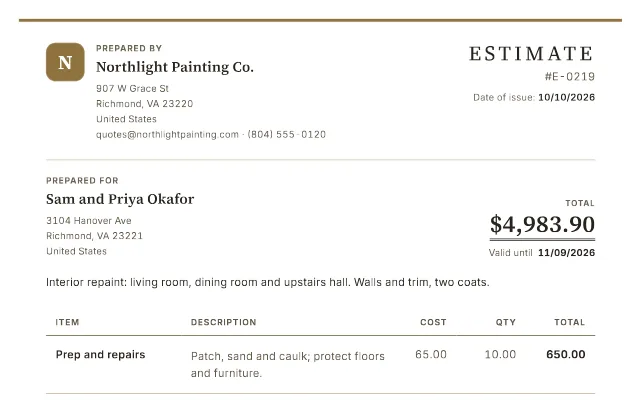
Yes. Switch the document to Estimate in its details: it's titled Estimate and the second date becomes "Valid until". The estimate template shows a finished one.