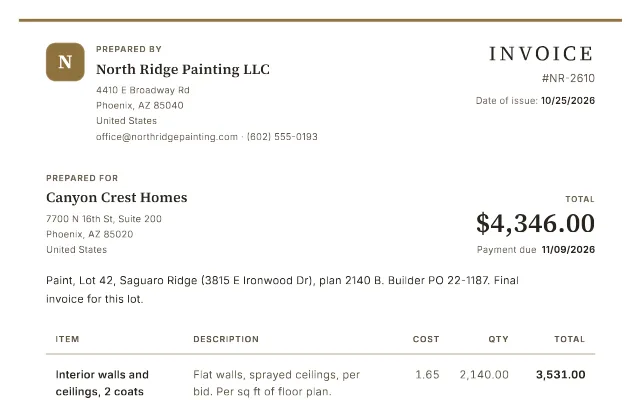
Free toolsInvoice & estimate generator

Free invoice generator.
Edit on the page.

Pick a template, type directly on the invoice, and download a PDF ready to send.

  • 3 free PDFs a day
  • No sign-up or card
  • Draft saved in this browser
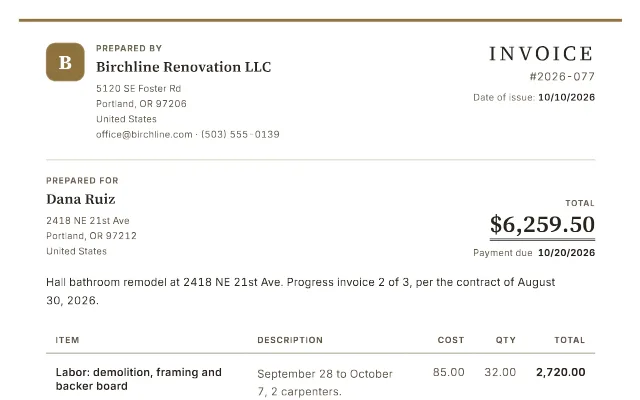
Prepared by
Birchline Renovation LLC
5120 SE Foster Rd
Portland, OR 97206
United States
office@birchline.com · (503) 555-0139
Invoice
#2026-077
Date of issue: 11/16/2026
Prepared for
Dana Ruiz
2418 NE 21st Ave
Portland, OR 97212
United States
Total
$6,259.50
Payment due 11/26/2026
Hall bathroom remodel at 2418 NE 21st Ave. Progress invoice 2 of 3, per the contract of August 30, 2026.
ItemDescriptionCostQtyTotal
Labor: demolition, framing and backer board September 28 to October 7, 2 carpenters. 85.00 32.00 32.00 × 85.00 2,720.00
Materials: tile, backer board, thinset and grout Receipts attached. 1,284.50 1.00 1.00 × 1,284.50 1,284.50
Plumbing rough-in (licensed subcontractor) Shower valve and drain relocation. 1,450.00 1.00 1.00 × 1,450.00 1,450.00
Change order #2: shower niche Signed October 1. 380.00 1.00 1.00 × 380.00 380.00
Dumpster rental and haul-away 425.00 1.00 1.00 × 425.00 425.00
Total (USD)$6,259.50

Notes

Oregon CCB #238114. Thank you! A lien waiver for the amount paid is issued with each payment. Final invoice on completion and walkthrough.

Terms and Conditions

Payment due within 10 days. Work continues on schedule while progress payments are current.

Balances more than 30 days overdue accrue 1% per month.

Send this invoice

Email it from BillGrid

  • Your client gets it by email, with a link to view it and pay once you connect payments.
  • You see when they open it, and what's still due.
  • On Pro and Team, a kind reminder goes by itself if it isn't paid on time.
Email it from BillGrid

Free for three active clients and three documents a month. Your invoice comes with you to check, then send.

Or send it yourself

We wrote the email from your invoice. Copy it or open it in your email app, then attach invoice.pdf from your downloads.

Open in your email
Keeps your details, numbers it next.

How it works

How to make an invoice in four steps

  1. Add who it's from and to

    Your business name and address, your client's, and a tax ID if your client or country needs one. Your email and phone go under your address.

  2. Number and date it

    Use a number you've never used before, the date you issue it, and when payment is due: Net 30 means 30 days later.

  3. List the work

    One line per job, hour block or cost, with a quantity and a rate. Add tax, a discount, or a deposit already paid.

  4. Download and send

    Pick a style and a color, download the PDF, and attach it to an email to your client. Keep a copy for your records.

What to put on an invoice

Clients pay faster when nothing on the invoice raises a question. In the US, an invoice that will be paid by a company's accounts payable team should have:

  • The word "Invoice" and a unique number. Accounts payable files and matches by number; reusing one gets an invoice set aside.
  • Your legal business name and address, and the client's, exactly as they appear on your contract or purchase order.
  • Issue date and due date. "Net 30" is common; write the actual date too, so nobody has to count.
  • What you did, one line each, with quantity, rate and amount. Vague lines ("Services") are the most common reason an invoice is questioned.
  • Tax where it applies, as its own line, and your tax ID if the client needs it.
  • How to pay you and your payment terms, including any late fee you agreed to in writing.

What's included

The free generator and BillGrid

Use the generator for a PDF. Use BillGrid to send invoices, keep client records and see what is still due.

Free generatorBillGrid
Invoices and estimates in four styles, any colorYesYes
PDF download3 a dayUnlimited
Your logoYesYes
Email invoices and see payment statusNoYes
Online payments from the invoiceNoWith payments connected
Automatic reminders and late feesNoOn Pro and Team
Your clients and invoices, savedIn this browser onlyYes
Recurring invoices, time tracking, reportsNoYes; recurring invoices sent automatically on Pro and Team
PriceFreeFree for three active clients and three documents a month; Pro from $8 a month, billed yearly

Questions

Is the invoice generator really free?

Yes: three PDFs a day per connection (browsers and devices on one network share them), with no sign-up and no card. There's no watermark across your invoice: a small BillGrid mark at the foot of the page is the only one.

Why three a day?

Every PDF is printed by the same service that prints our customers' invoices, so the free share is kept small and steady. Need more? They're free again tomorrow, or BillGrid Pro makes as many as you like: $10 a month, or $8 a month billed yearly.

Do you keep what I type?

No. Your invoice is sent to us only to draw the page and the PDF, and isn't saved. Your draft is kept in this browser, so it's still here if you come back; clear it any time with Start over. More in our privacy policy.

Can I email the invoice from here?

Not from the free generator: download the PDF and attach it to your own email. In BillGrid you can email it and take online payments once you connect payments. Pro and Team can also send automatic payment reminders.

Can I add my logo?

Yes. Add a PNG or JPG. It's used only to draw your invoice, held in memory for at most 30 minutes after you last use it, and never saved.

Can I make an estimate or a quote?

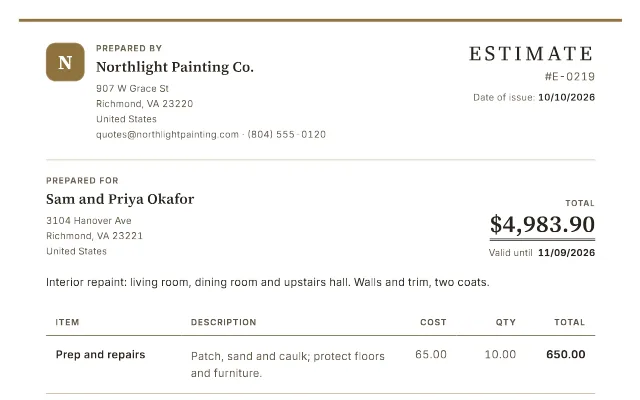
Yes. Switch the document to Estimate in its details: it's titled Estimate and the second date becomes "Valid until". The estimate template shows a finished one.

Full-size screenshotScroll to explore